LCX_UserManual_en_08_1.pdf - 第149页
Network operation and remote control R&S ® LCX Series 149 User Manual 1 179.2260.02 ─ 08 10 Network operation and remote control As an alternative to the interactive operation directly at the instrument, you can oper…
General instrument functions
R&S
®
LCX Series
148User Manual 1179.2260.02 ─ 08
a) Select the corresponding softkey.
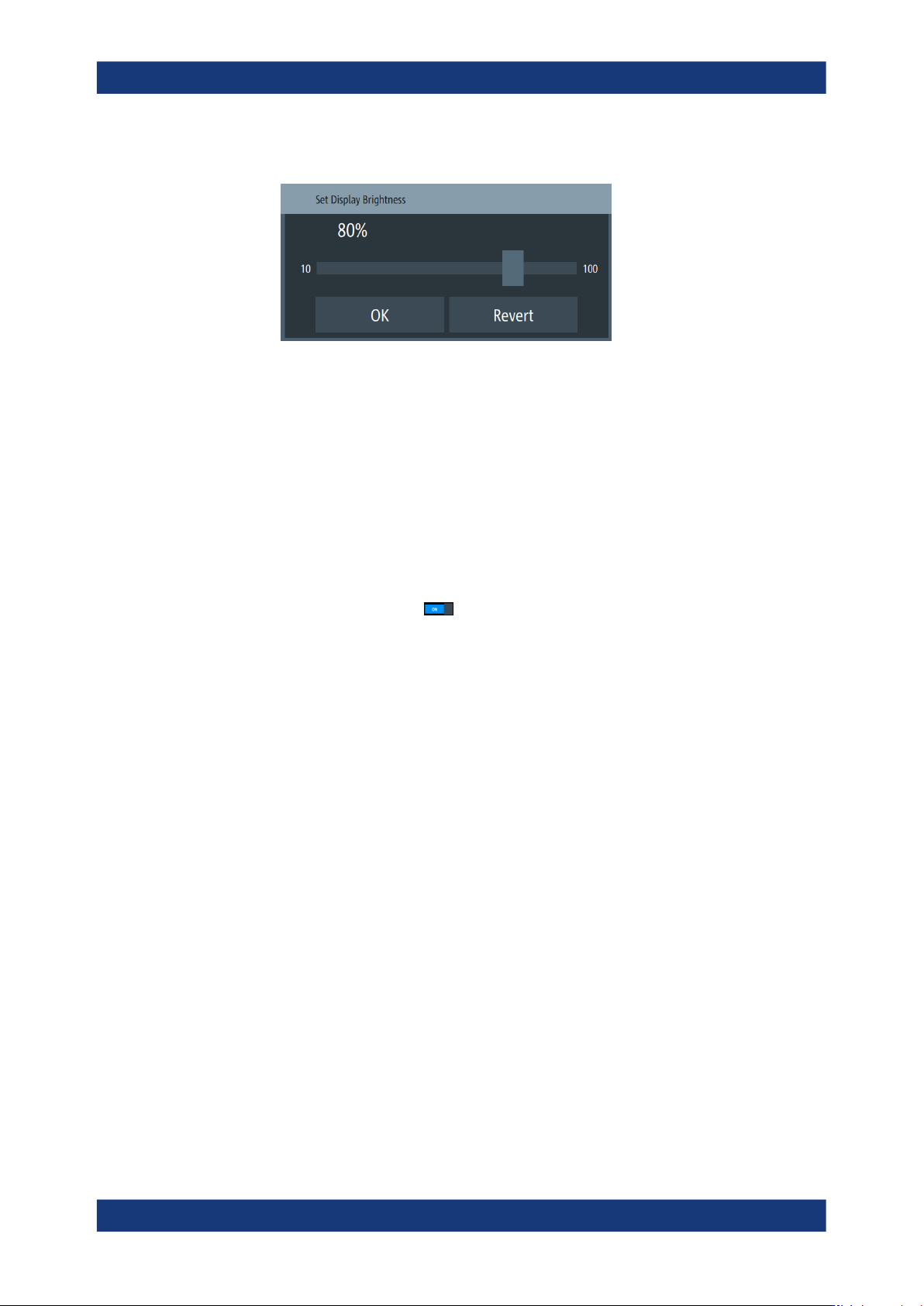
Figure 9-18: Brightness editor
b) Shift the scrollbar to the right, or to the left, e.g. to set "50%".
c) Confirm with "OK".
4. Close the appearance dialog with "OK".
Customizing the sound settings
To activate a beep on error:
1. Press the [settings] key at the front panel.
2. In the "Device" tab, select "Sound".
3.
Activate the beeper with
.
The R&S LCX generates a beep on error and warnings, see Section 9.8, "Sound",
on page 134.
Customizing general instrument settings
Network operation and remote control
R&S
®
LCX Series
149User Manual 1179.2260.02 ─ 08
10 Network operation and remote control
As an alternative to the interactive operation directly at the instrument, you can operate
the R&S LCX also from a remote control location, for example a controller PC.
The various interfaces provide flexible access to the instrument, such as remote con-
trol, remote operation or remote file access. These remote access modes are funda-
mentally different, although they are often considered interchangeable, as described in
Overview of remote access modes.
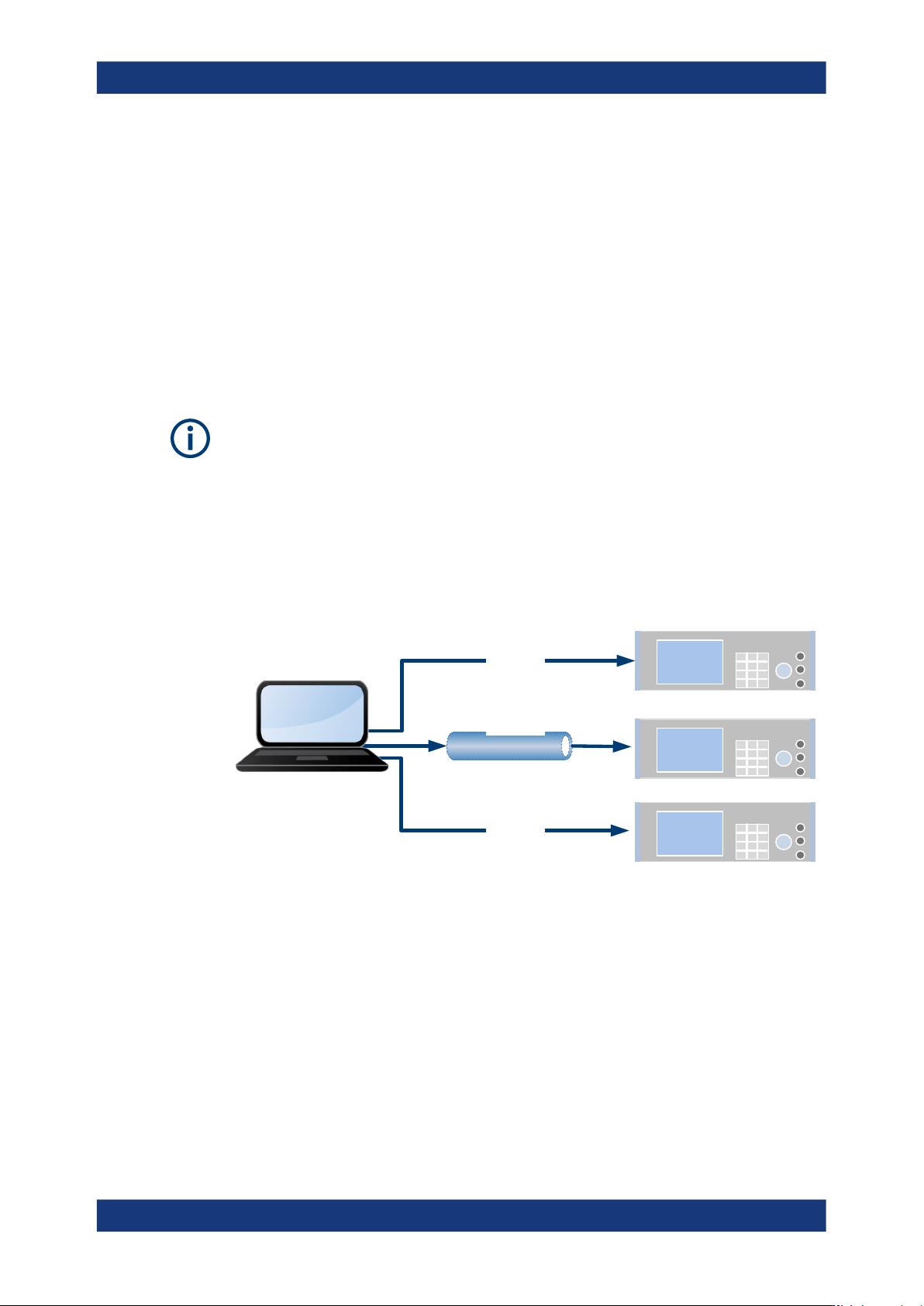
Figure 10-1 shows the possibilities of the physical connection (interfaces) for remote
access.
The following descriptions provide information required for operating the R&S LCX
remotely. The information applies to all applications and operating modes supported by
the instrument. Definitions specified in the SCPI standard are not provided.
For basic knowledge on remote control operation and additional information, see the
following documents available from the Rohde & Schwarz website:
●
Remote control via SCPI
●
1MA171: How to use Rohde & Schwarz Instruments in MATLAB
●
1SL374: How to communicate with R&S devices using VISA
Ethernet
VXI-11
Socket
GPIB
USBTMC
VNC
ftp
USB
LAN
CDC
R&S Instrument
R&S Instrument
R&S Instrument
Controller
Application
Program
Figure 10-1: Supported remote connections
● Overview of remote access modes.......................................................................150
● Remote control interfaces and protocols...............................................................151
● Remote access settings........................................................................................159
● Connecting the R&S LCX for remote access........................................................167
● Adjusting interface addresses...............................................................................169
● Operating the R&S LCX remotely......................................................................... 173

Network operation and remote control
R&S
®
LCX Series
150User Manual 1179.2260.02 ─ 08
10.1 Overview of remote access modes
This section outlines the possible access modes and their major characteristics.
Remote control (SCPI)
●
A remote PC controls the instrument, usually using VISA (Virtual Instrument Soft-
ware Architecture) interfaces.
●
Remote control disables the manual operation of the instrument; you can set differ-
ent lock states.
●
The GUI is not visible on the controller PC.
●
Remote control commands (SCPI) perform the settings, either individually or in
sequences (SCPI programs).
●
Using SCPI programs is faster than the manual operation, since they automate
repeating applications.
Remote operation (VNC)
●
A remote device accesses the instrument using the common platform technology
VNC (Virtual Network Computing).
●
The protocol allows simultaneous operation from several remote devices and the
instrument nevertheless remains locally operable.
●
The GUI is visible.
●
To perform the settings, you can operate the instrument as with the manual control.
●
During remote operation over VNC, the direct control of the instrument is not dis-
abled.
You can control the instrument from the front panel and over the remote computer
alternately.
●
Clients supporting remote operation depend on the used remote device, see
Table 10-1.
●
How to: see Section 10.6.1.2, "Accessing the R&S LCX over VNC", on page 175.
Table 10-1: Supported VNC operation modes
Remote device VNC client Requirements Characteristics
Desktop
(Windows, Linux,
Mac
TM
OS)
●
Dedicated client software
Client Software must be installed. Fast, supports several options like
full-screen mode or auto-login.
●
Any web browser
Java Runtime must be installed
and activated in the browser set-
tings.
Fast and convenient - only the
instrument address required.
Java runtime is sometimes con-
sidered as security concern.
●
Web browser with HTML5
Web sockets must be supported. Slower than the other modes.
No additional installation or acti-
vation is required.
No security concern.
Overview of remote access modes