LCX_UserManual_en_08_1.pdf - 第144页
General instrument functions R&S ® LCX Series 144 User Manual 1 179.2260.02 ─ 08 9.12.2 Using the save/recall function Y ou can save the current instrument settings to a file, and load these settings in one step agai…
General instrument functions
R&S
®
LCX Series
143User Manual 1179.2260.02 ─ 08
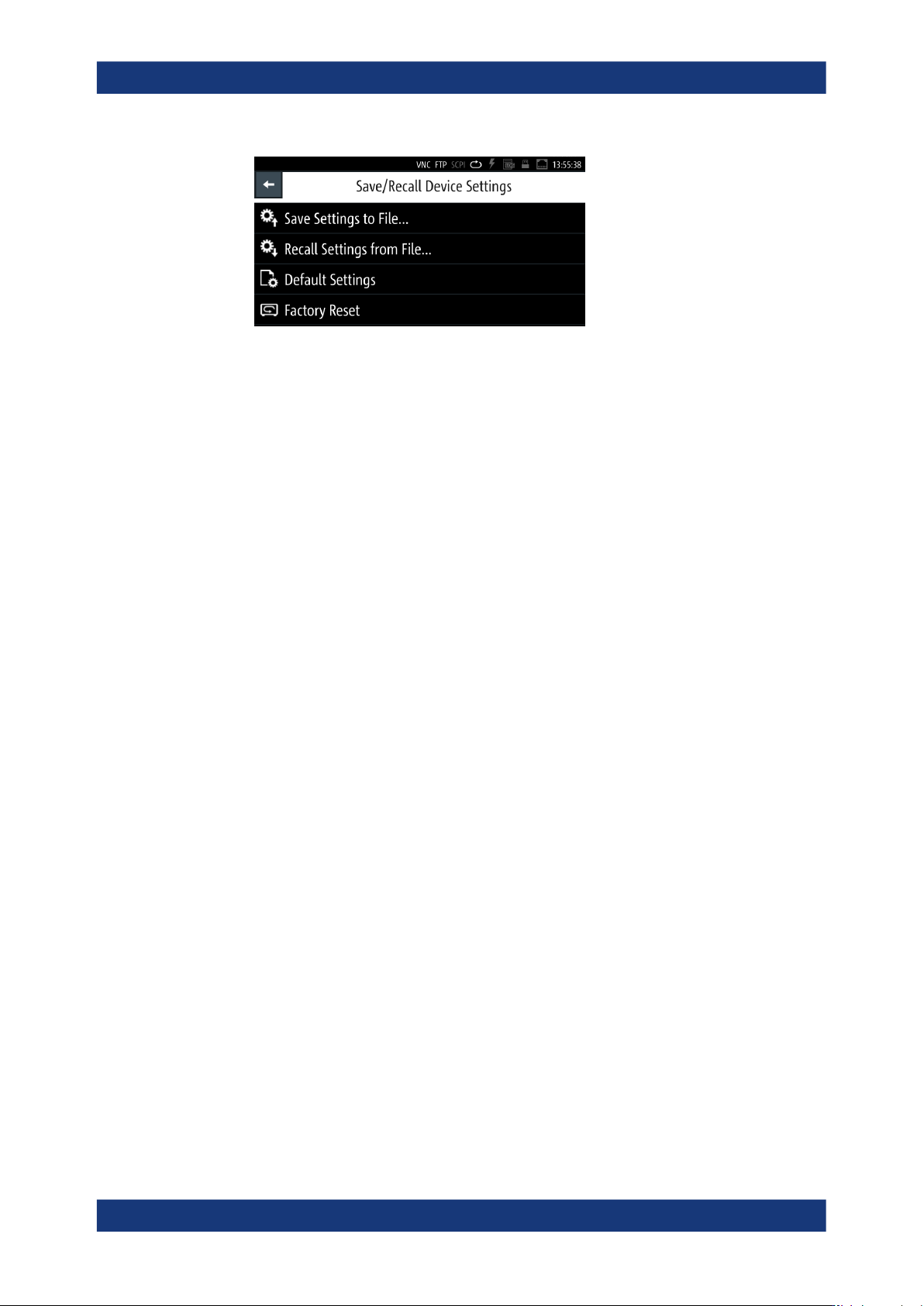
Figure 9-14: Save/Recall menu
The "Save/Recall" menu provides access to dialogs and editors for managing and
saving instrument settings.
The required remote commands are described in Section 11.3, "Common com-
mands", on page 182.
How to: see Section 9.12.2, "Using the save/recall function", on page 144
Settings
Save Settings to file.................................................................................................... 143
Recall Settings from file.............................................................................................. 143
Default Settings...........................................................................................................143
Factory Reset..............................................................................................................143
Save Settings to file...
Saves the current instrument settings under the defined filename.
The R&S LCX opens a file manager window and enables you to replace an existing file
or create a file user-definable filename.
Remote command:
*SAV on page 184
Recall Settings from file...
Reloads a previously saved instrument configuration.
Remote command:
DATA:LIST? on page 198
*RCL on page 184
Default Settings
Resets all user-specific parameters and data to default. The reset function does not
affect general instrument settings.
Remote command:
*RST on page 184
Factory Reset
Resets the instrument to the initial factory settings.
Save/recall

General instrument functions
R&S
®
LCX Series
144User Manual 1179.2260.02 ─ 08
9.12.2 Using the save/recall function
You can save the current instrument settings to a file, and load these settings in one
step again, e.g. to repeat tests with the same settings.
Saving instrument settings
To save the current instrument settings in a file:
1. Press the [settings] key at the front panel.
2. In the "Device" tab, select "Save/Recall Device Settings".
3. Select "Save Settings to File...".
If you have connected an external USB memory device, the R&S LCX opens a
selection editor.
a) Select the memory location, you want to save the settings file.
b) Confirm your selection.
The R&S LCX opens a file selection dialog where you can choose an existing file,
or create a file.
Note: With no USB connected, the instrument leads you to the internal settings
directory directly.
4. To select an existing file:
a) In the file directory window, select the file.
b) Confirm with "Save".
5. To create a settings file:
a) Select the filename entry field.
b) In the on-screen keyboard, enter the filename.
c)
When completed, confirm your entry
.
The R&S LCX saves the current instrument settings.
Recalling instrument settings
To load a settings configuration from a file, proceed the same way:
1. Select [settings] > "Device" > "Save/Recall Device Settings".
2. Select "Recall Settings to File...".
The R&S LCX leads you to the memory location to select the file.
3. Confirm you selection with "Load".
The R&S LCX applies the loaded settings.
Recalling default instrument settings
You can reset all instrument settings to factory default values, without affecting your
specific system settings.
Save/recall
General instrument functions
R&S
®
LCX Series
145User Manual 1179.2260.02 ─ 08
To reset the instrument to factory default settings:
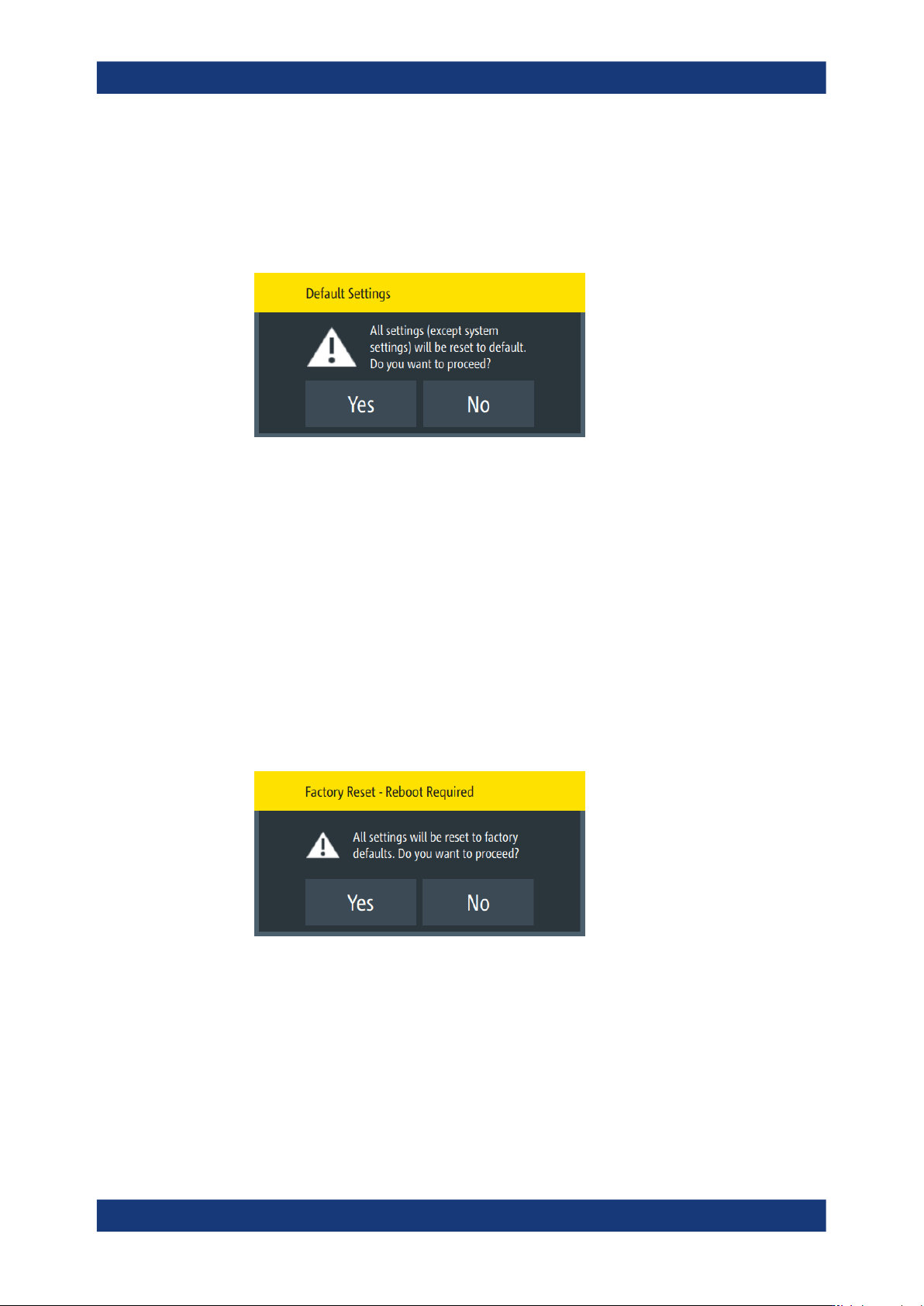
1. Select [settings] > "Device" > "Save/Recall Device Settings".
2. Select "Default Settings".
The R&S LCX displays a message that prompts you to confirm.
If confirmed, the R&S LCX resets current instrument settings to factory default.
3. When completed, a confirming message pops up.
4. Confirm to complete the process.
Resetting the instrument to the initial factory settings
You can reset all instrument settings, including the system settings to the factory
default values. In addition, the factory reset can delete all files saved in the internal
memory.
To execute a factory reset, proceed the same way:
1. Select [settings] > "Device" > "Save/Recall Device Settings".
2. Select "Factory Reset".
The R&S LCX displays a message that prompts you to confirm.
3. If confirmed, a second message provides to delete all internally saved files.
Save/recall