LCX_UserManual_en_08_1.pdf - 第85页
Instrument functions R&S ® LCX Series 85 User Manual 1 179.2260.02 ─ 08 Start Load Correction (Spot) Figure 8-6: Start load correction at one working point with a specified reference value Performs the load correctio…
Instrument functions
R&S
®
LCX Series
84User Manual 1179.2260.02 ─ 08
Remote command:
CORRection:SHORt:STATe on page 195
CORRection:OPEN:STATe on page 194
CORRection:LOAD:STATe on page 193
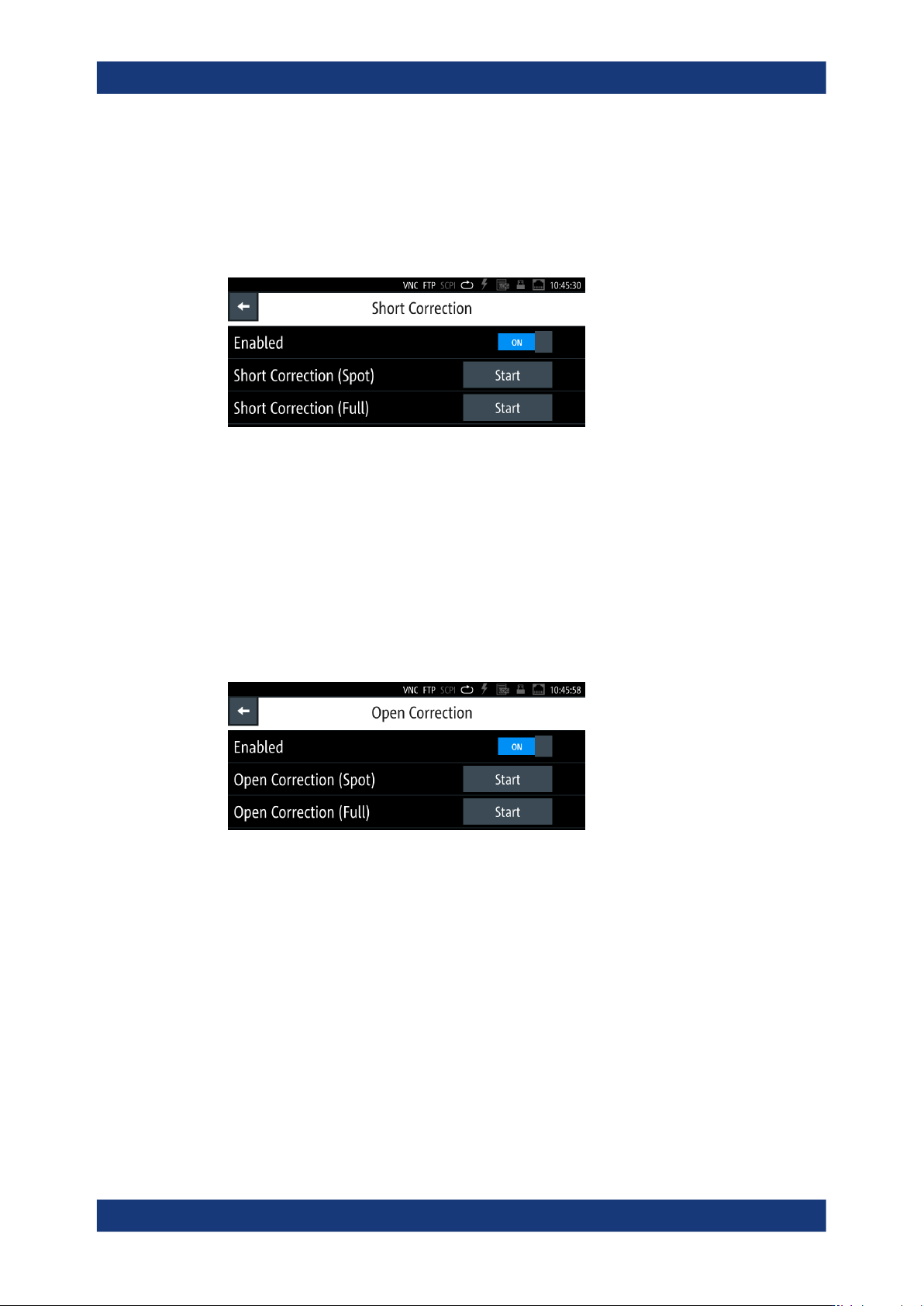
Start Short/Open Correction (Spot)
Figure 8-4: Start correction at one working point by the example of the short correction dialog
Performs the correction at a defined working point.
The function requires that you have enabled the state, see "Open/Short/Load Correc-
tion Enabled" on page 83, and set the test fixture to open, or short accordingly.
How to: see "Aligning the instrument on a dedicated working point" on page 88
Remote command:
CORRection:SPOT:OPEN[:EXECute] on page 196
CORRection:SPOT:SHORt[:EXECute] on page 196
Start Short/Open Correction (Full)
Figure 8-5: Start correction on all frequencies by the example of the open correction dialog
Performs the corresponding correction over the entire measurement range.
The function requires that you have enabled the state, see "Open/Short/Load Correc-
tion Enabled" on page 83, and set the test fixture to open, or short accordingly.
How to: see "Aligning the instrument on all frequencies" on page 87
Remote command:
CORRection:OPEN[:EXECute] on page 194
CORRection:SHORt[:EXECute] on page 195
Measurement parameters
Instrument functions
R&S
®
LCX Series
85User Manual 1179.2260.02 ─ 08
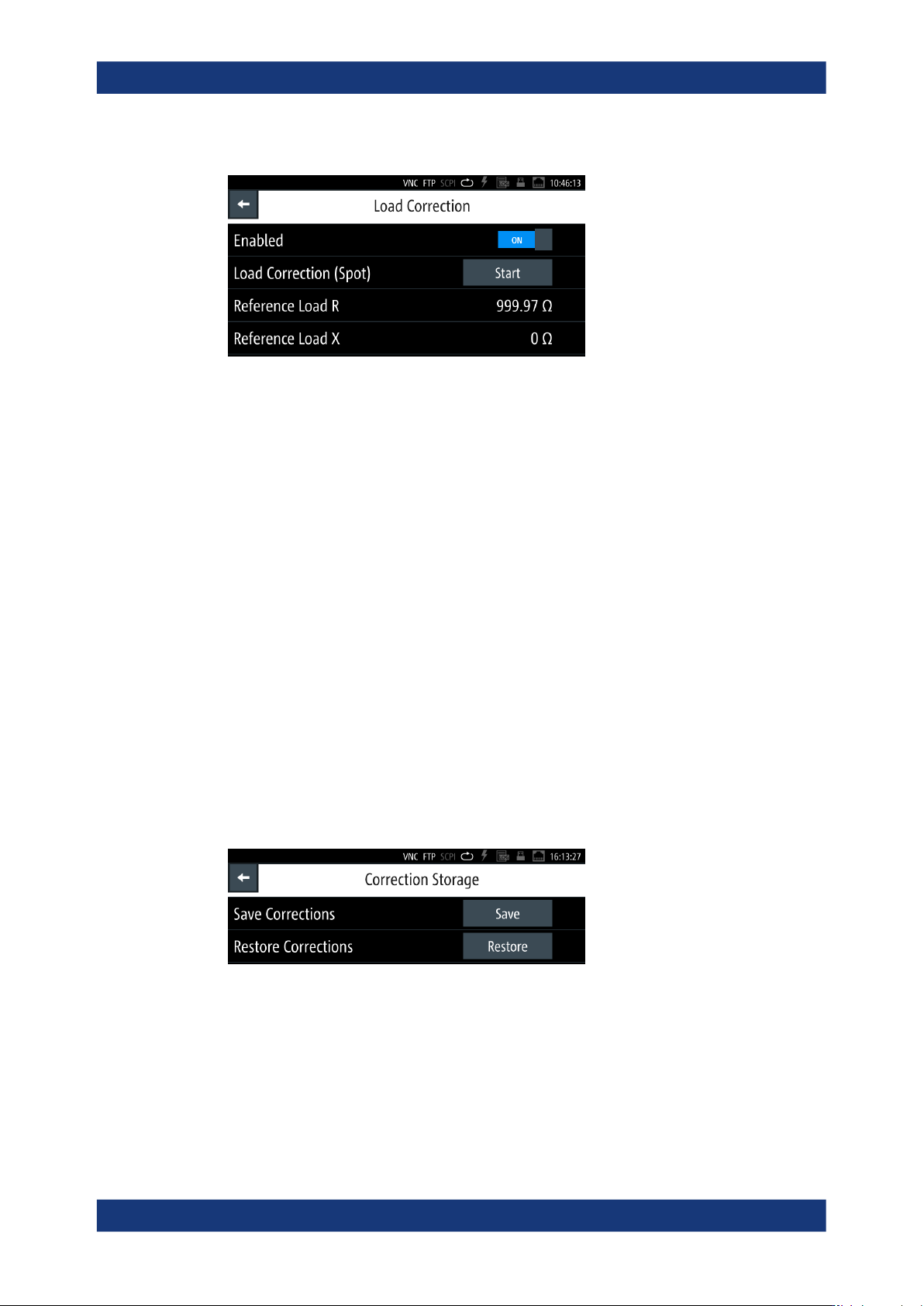
Start Load Correction (Spot)
Figure 8-6: Start load correction at one working point with a specified reference value
Performs the load correction at a defined working point.
The function requires that you have enabled the state, see "Open/Short/Load Correc-
tion Enabled" on page 83 and specified the real resistance and the complex reactance
of the reference component. The R&S LCX prompts you to connect the specified load.
How to: see "Aligning the instrument using load correction" on page 89.
Remote command:
CORRection:SPOT:LOAD[:EXECute] on page 196
Reference Load R
Sets the resistance value as the refence for the load correction.
Remote command:
CORRection:SPOT:LOAD:STANdard on page 195
Reference Load X
Sets the impedance value as a reference for the load correction.
Remote command:
CORRection:SPOT:LOAD:STANdard on page 195
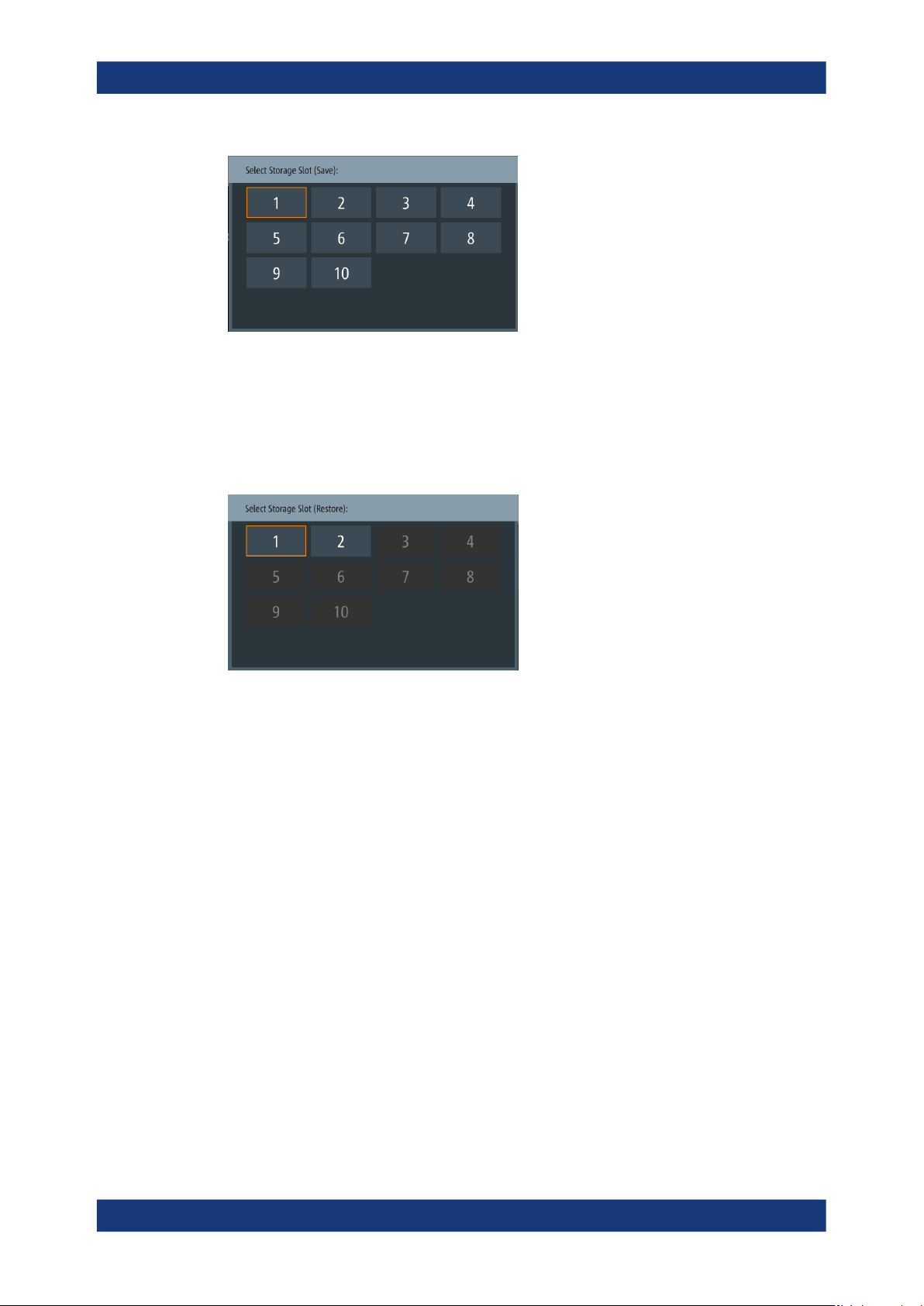
Correction storage
Provides access to save and restore the data of "Open/Short (FULL)" correction.
Figure 8-7: Correction storage menu
The R&S LCX provides 10 internal memory slots to save and restore a correction data
set.
How to: see "Saving/recalling full correction data" on page 90
Save Corrections
Opens an on-screen editor for selecting a memory slot for saving correction data.
Measurement parameters
Instrument functions
R&S
®
LCX Series
86User Manual 1179.2260.02 ─ 08
Figure 8-8: Correction storage save editor
Remote command:
CORRection:STORage:SAVE on page 196
Restore Corrections
Opens an on-screen editor for selecting a memory slot for restoring correction data.
Figure 8-9: Correction storage restore editor
Remote command:
CORRection:STORage:RESTore on page 196
8.6.3 Performing open/short/load correction
The following procedures provide a brief overview of the steps required to perform the
corrections. They point out special features, such as load correction.
See also "Open/Short/Load correction", "Spot correction" and "Save/Restore correction
data" under "About measurement parameters" on page 76.
Previous steps
We assume that you have prepared the measurement as follows:
1. You have set up and turned on the R&S LCX, see Section 4.1, "Preparing for use",
on page 18.
2. You have set the R&S LCX to an initial state, see "Setting the initial state"
on page 34.
Measurement parameters