LCX_UserManual_en_08_1.pdf - 第166页
Network operation and remote control R&S ® LCX Series 166 User Manual 1 179.2260.02 ─ 08 User name Sets a user name for the FTP connection. The user name consists of the instrument name by default, e.g. LCX200. T o a…
Network operation and remote control
R&S
®
LCX Series
165User Manual 1179.2260.02 ─ 08
The file access (access-transparency) depends on the used FTP client. Therefore, it
can be necessary that you have to download a file before you can access or modify it.
Access:
1. Press the [settings] key at the front panel.
2. In the device settings menu, select "Interfaces".
3. Select "Network".
4. Select "FTP".
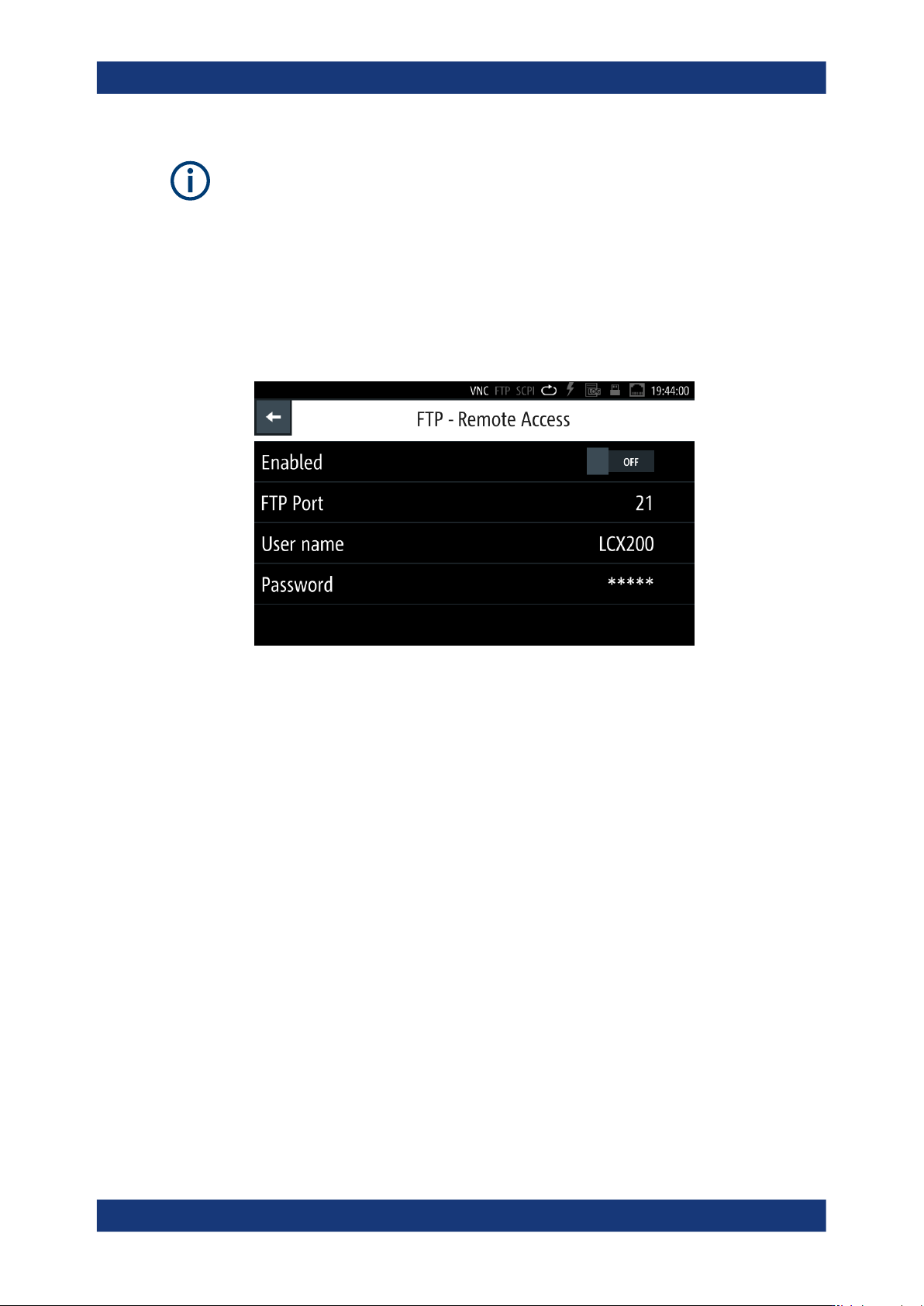
Figure 10-6: FTP settings dialog
For accessing the R&S LCX over FTP, you must assign a port address, a user
name and password to activate the connection.
How to: see "Assigning the VNC port manually" on page 170.
Settings
Enabled.......................................................................................................................165
FTP Port......................................................................................................................165
User name...................................................................................................................166
Password.................................................................................................................... 166
Enabled
Activates remote access over the FTP port.
FTP Port
Sets the port number for remote access, using an FTP client application.
The R&S LCX uses port 21 by default, but you can use any port address in the range
of 100 to 65635.
How to: see "Assigning the FTP port address manually" on page 171.
Remote access settings
Network operation and remote control
R&S
®
LCX Series
166User Manual 1179.2260.02 ─ 08
User name
Sets a user name for the FTP connection.
The user name consists of the instrument name by default, e.g. LCX200. To assign a
user-specific name, you can set any sequence with at least 1 letter and 1 digit.
How to: see "Assigning the FTP port address manually" on page 171.
Password
Sets a password for the FTP connection.
The password is a string of characters to verify the identity for authentication. By
default, the password for FTP access corresponds to the serial number of your instru-
ment.
Note: We recommend that you assign a dedicated user-specific password. You can set
any character sequence with at least 1 letter and 1 digit.
How to: see "Assigning the FTP port address manually" on page 171.
10.3.5 USB settings
For remote control over USB, you can address the R&S LCX over the USB TMC class,
or the virtual COM port CDC (VCP).
Access:
1. Press the [settings] key at the front panel.
2. In the device settings menu, select "Interfaces".
3. Select "USB Class".
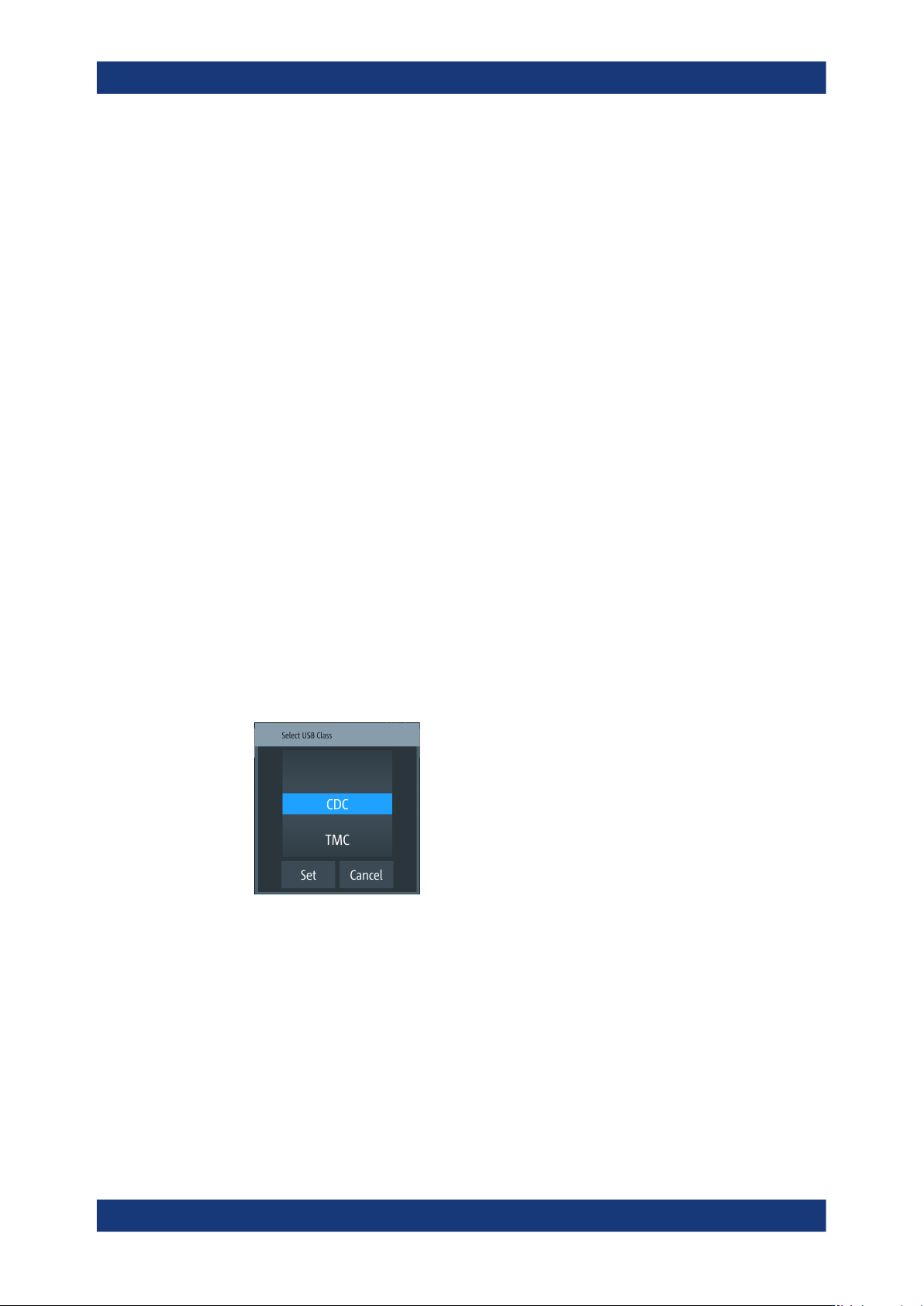
Figure 10-7: USB class selection editor
The R&S LCX activates the connection and indicates the selected USB interface
port on top of the display.
USB Class
Selects the communication class protocol.
The R&S LCX supports CDC and TMC communication, see Section 10.2.2, "USB
interface", on page 154.
Remote access settings
Network operation and remote control
R&S
®
LCX Series
167User Manual 1179.2260.02 ─ 08
Note: If you change the "USB Class", you must reboot the instrument to load the corre-
sponding USB driver, see "Selecting the USB communication class protocol"
on page 172.
Remote command:
INTerfaces:USB:CLASs on page 235
10.3.6 GPIB settings
Option: R&S NG-B105 GPIB (IEC 625/IEE 488) bus interface
For remote control over GPIB, you can address the R&S LCX over a channel address.
Access:
1. Press the [settings] key at the front panel.
2. In the device settings menu, select "Interfaces".
3. Select "GPIB Address".
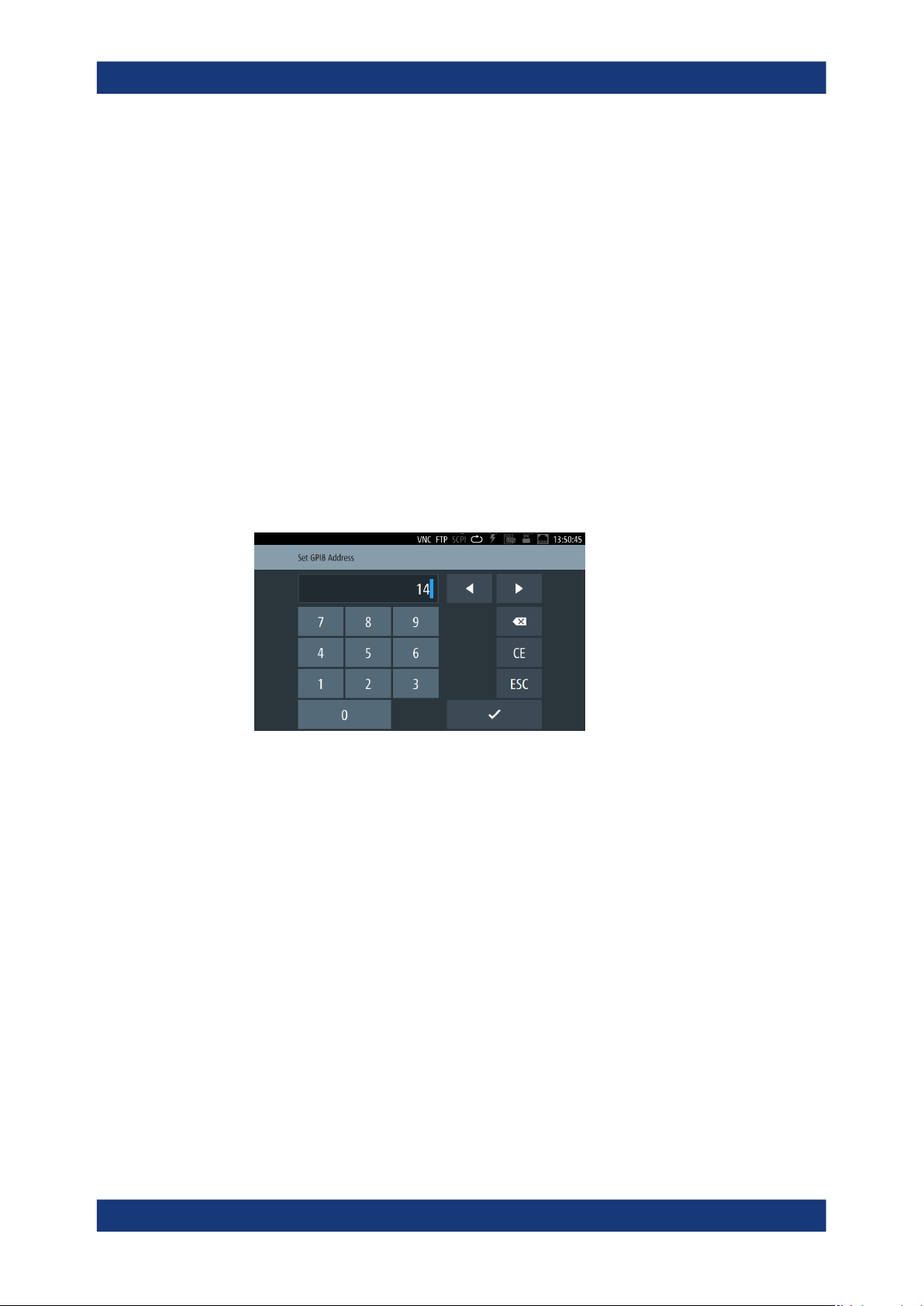
Figure 10-8: GPIB address on-screen keypad
The controller must address the instrument with the GPIB bus address.
GPIB Address
Set the GPIB channel address of the connected instrument.
About: see Section 10.2.3, "GPIB interface (IEC/IEEE bus interface)", on page 155
How to: see "Assigning the GPIB address manually" on page 173
10.4 Connecting the R&S LCX for remote access
This section briefly explains how to set up the remote control connections for the inter-
faces provided by the R&S LCX.
Connecting the R&S
LCX for remote access