LCX_UserManual_en_08_1.pdf - 第146页
General instrument functions R&S ® LCX Series 146 User Manual 1 179.2260.02 ─ 08 4. Confirm the prompt accordingly . The R&S LCX resets all instrument settings to factory default and shuts down. 5. Press the [pow…
General instrument functions
R&S
®
LCX Series
145User Manual 1179.2260.02 ─ 08
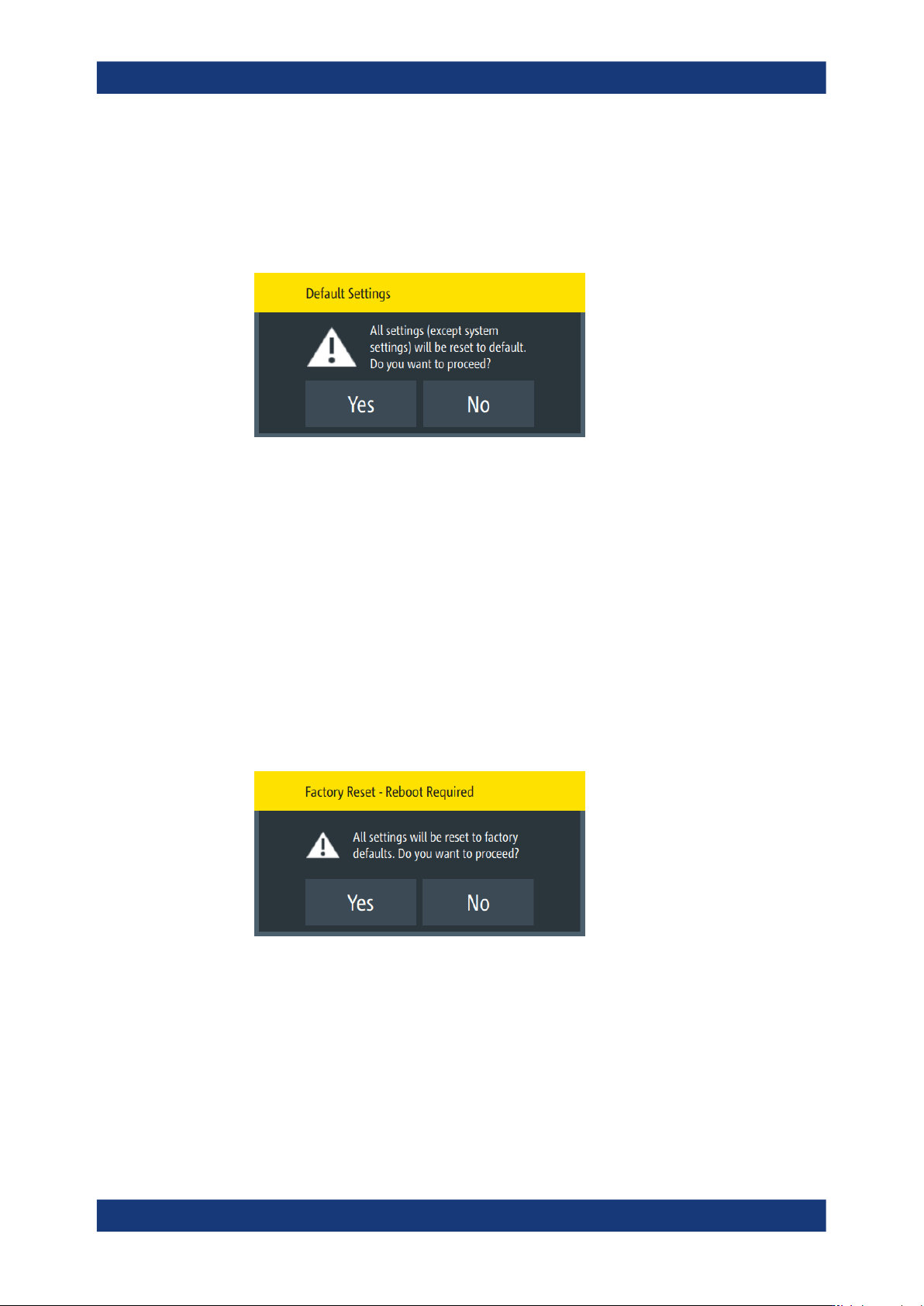
To reset the instrument to factory default settings:
1. Select [settings] > "Device" > "Save/Recall Device Settings".
2. Select "Default Settings".
The R&S LCX displays a message that prompts you to confirm.
If confirmed, the R&S LCX resets current instrument settings to factory default.
3. When completed, a confirming message pops up.
4. Confirm to complete the process.
Resetting the instrument to the initial factory settings
You can reset all instrument settings, including the system settings to the factory
default values. In addition, the factory reset can delete all files saved in the internal
memory.
To execute a factory reset, proceed the same way:
1. Select [settings] > "Device" > "Save/Recall Device Settings".
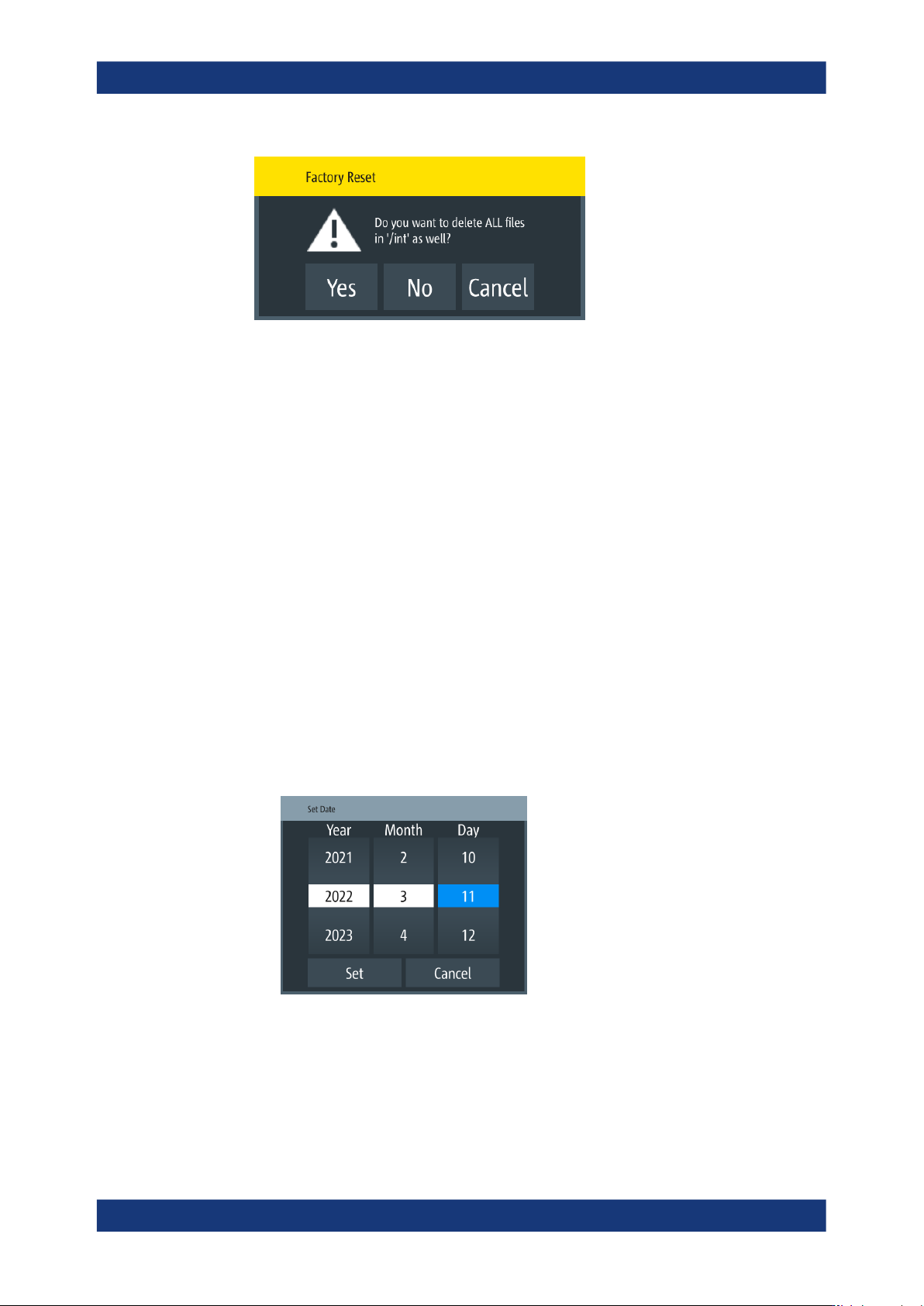
2. Select "Factory Reset".
The R&S LCX displays a message that prompts you to confirm.
3. If confirmed, a second message provides to delete all internally saved files.
Save/recall
General instrument functions
R&S
®
LCX Series
146User Manual 1179.2260.02 ─ 08
4. Confirm the prompt accordingly.
The R&S LCX resets all instrument settings to factory default and shuts down.
5. Press the [power] to restart the instrument.
9.13 Customizing general instrument settings
The R&S LCX enables you to set the instrument internal clock and calender, or to cus-
tomize the brightness of the screen display and the front panel keys. In addition, you
can activate an acoustic sound for specific occurrences.
Setting date and time
To set the instrument internal calender and clock:
1. Press the [settings] key at the front panel.
2. In the "Device" tab, select "Date & Time".
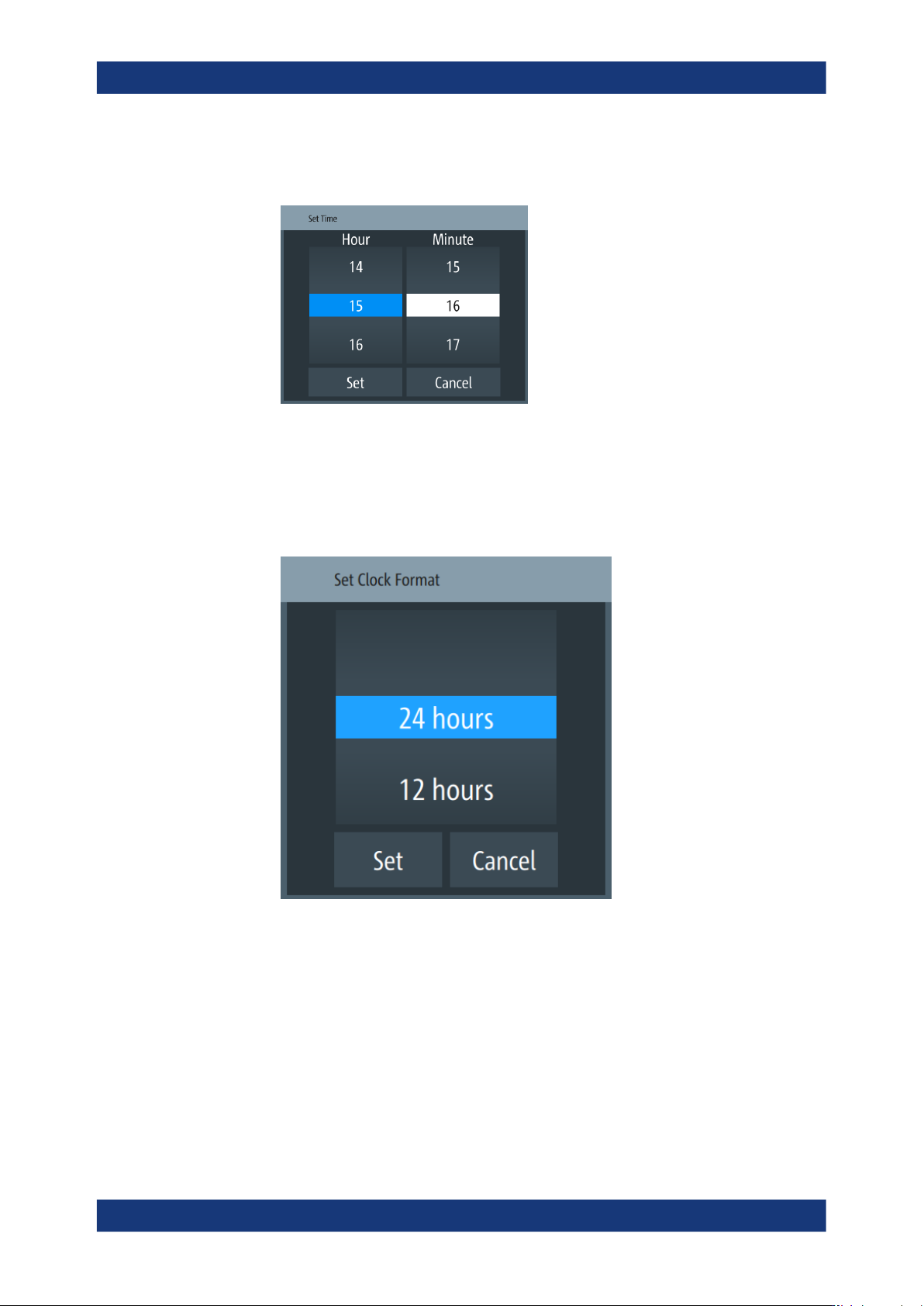
3. To set the date:
a) Select the "Set Date" softkey.
An on-screen editor with calender entries opens.
Figure 9-15: Date editor
b) Select year, month and date.
c) Confirm your entry with "Set".
4. To set the time:
Customizing general instrument settings
General instrument functions
R&S
®
LCX Series
147User Manual 1179.2260.02 ─ 08
a) Select the "Set Time" softkey.
An on-screen editor with clock entries opens.
Figure 9-16: Time editor
b) Select "Hour" and "Minute".
c) Confirm your entry.
5. To change the clock format:
a) Select "Change Clock Format"
Figure 9-17: Clock format editor
b) Set the format and confirm.
Customizing the appearance
To adjust the brightness of the display and front panel keys:
1. Press the [settings] key at the front panel.
2. In the "Device" tab, select "Appearance".
3. To change the brightness:
Customizing general instrument settings