YSi-SP_Ope_E.pdf - 第100页
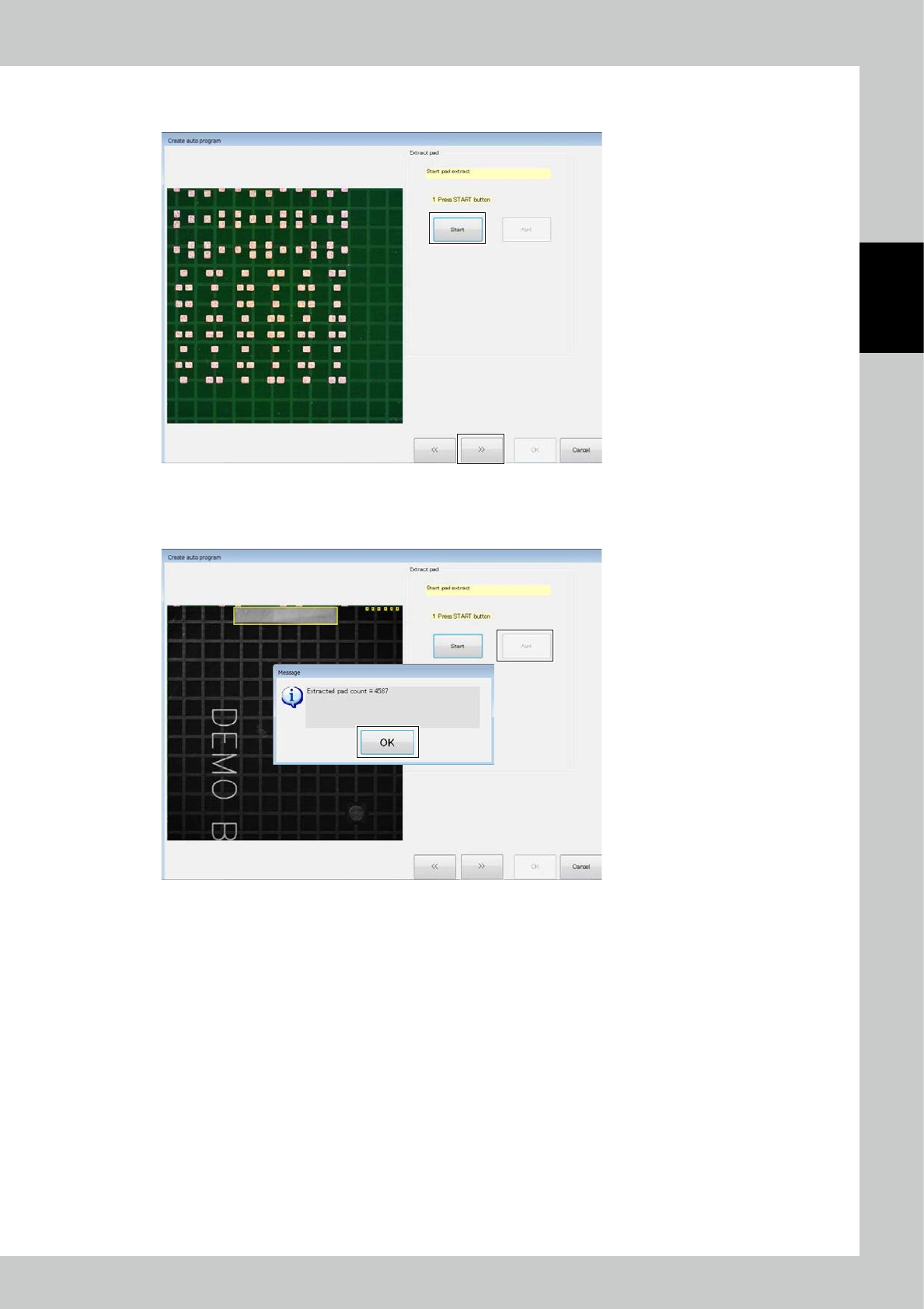
2-63 2 Operation Click on the [Start] button to start to extract pads. After pad extraction is finished, click on the [>>] button. 24287-KMN-00 T o interrupt pad extraction in the middle, click on the [Abrt] button…
2-62
2
Operation
1
2
5
3
4
24286-KMN-00
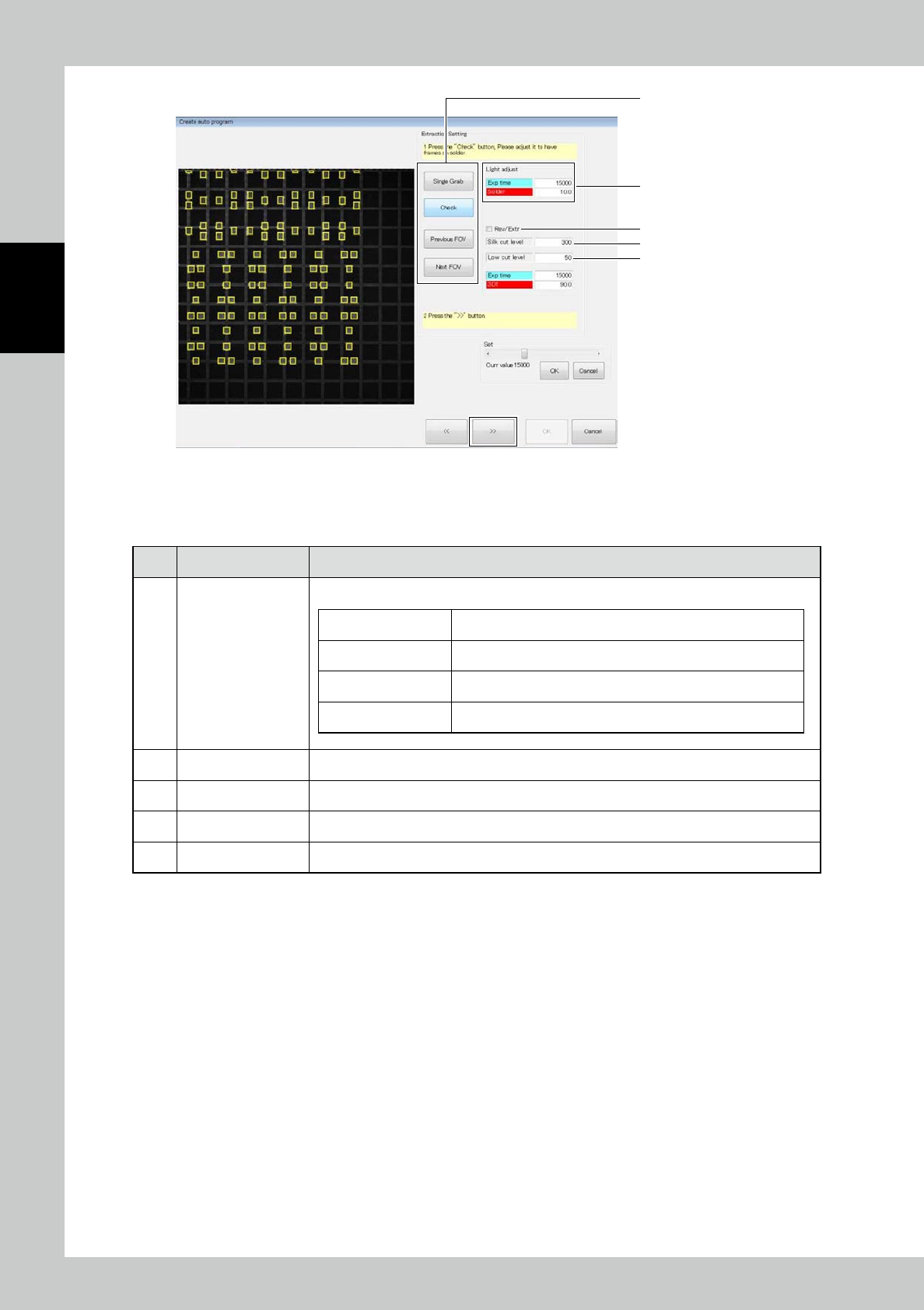
Adjust the light intensity for solder extraction and click on the [>>] button.
■
Description of screen
No Name Description of displayed item and functions
1 Buttons
Use buttons to adjust the light intensity.
[Single Grab] button The selected field of view is acquired once.
[Check] button An extraction test of the selected field of view is performed.
[Previous FOV] button The field of view changes to the previous one.
[Next FOV] button The field of view changes to the next one.
2 Adjust light intensity Adjust the number in the table to adjust the light intensity.
3 Silk level Adjust the level of the silk cut.
4 Height cut level Adjust the height cut level.
5 Rev/Extr The extracted image is reversed for extraction.
2-63
2
Operation
Click on the [Start] button to start to extract pads.
After pad extraction is finished, click on the [>>] button.
24287-KMN-00
To interrupt pad extraction in the middle, click on the [Abrt] button.
The above window opens with the number of extracted pads. Click on the [OK] button.
24288-KMN-00
2-64
2
Operation
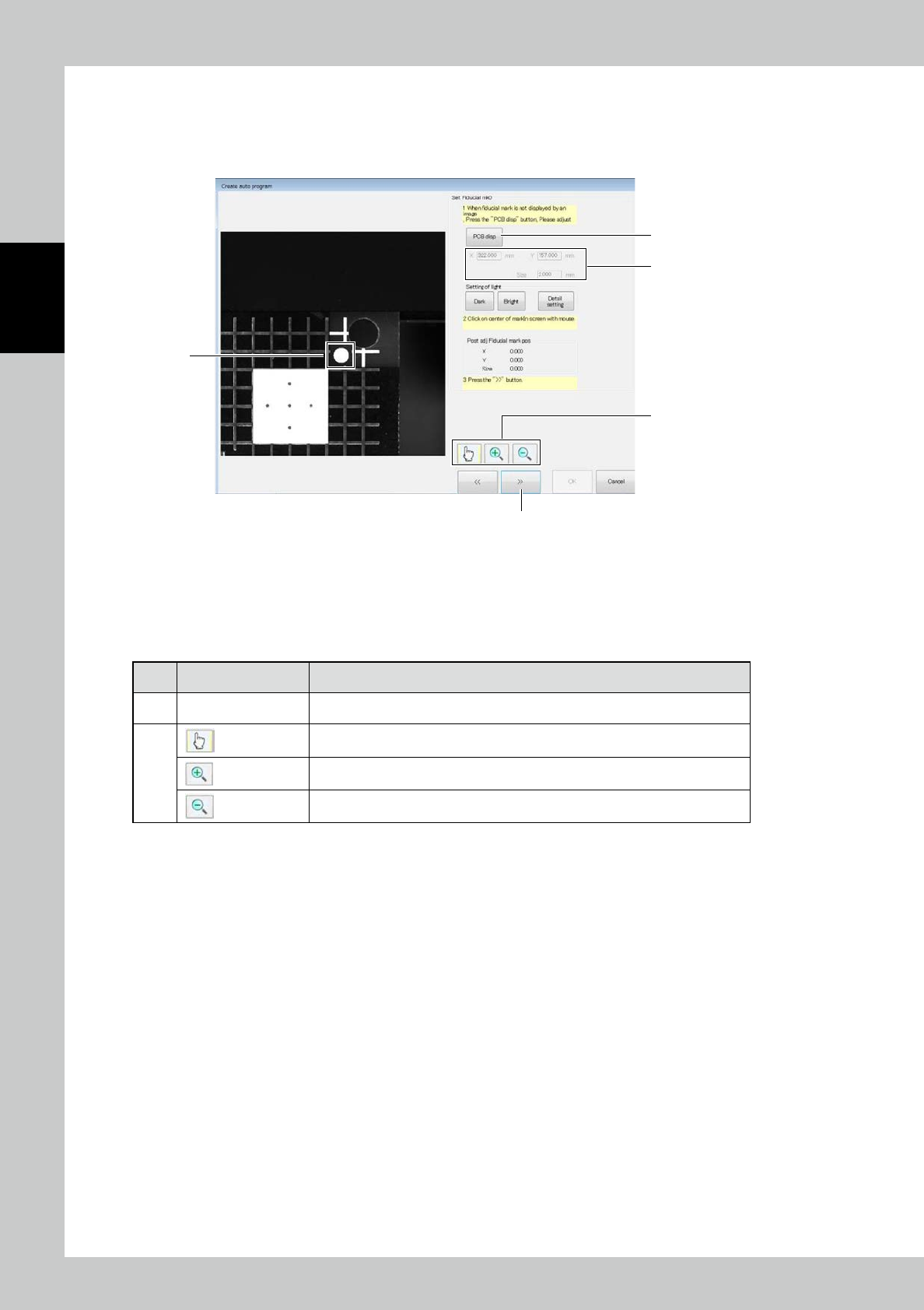
2. Correction is made to the fiducial mark data having been entered.
The image of the fiducial mark is displayed. The currently entered coordinates of the fiducial mark are shown at the
upper right of the screen.
Use the [Bright] or [Dark] button to adjust the brightness of the image.
1
4
5
2
3
24290-KMN-00
1. Click on the approximate center of the fiducial mark.
2. Coordinates of the fiducial mark are corrected and the position of the fiducial mark after correction is displayed.
3. After correction is finished, click on the [>>] button.
■
Description of buttons
No Name Description of displayed item and functions
4 [PCB Disp] button The PCB image and the field of view image are switched over.
5
Start the edit mode.
Start the zoom-in mode.
Start the zoom-out mode.