YSi-SP_Ope_E.pdf - 第42页
2-5 2 Operation 2.2 Operation of One Cycle In the automatic inspection, inspection is repeated automatically in the order of the arrows shown in the figure below . T he operation method display ed under each operation it…
2-4
2
Operation
2. Operation Procedure
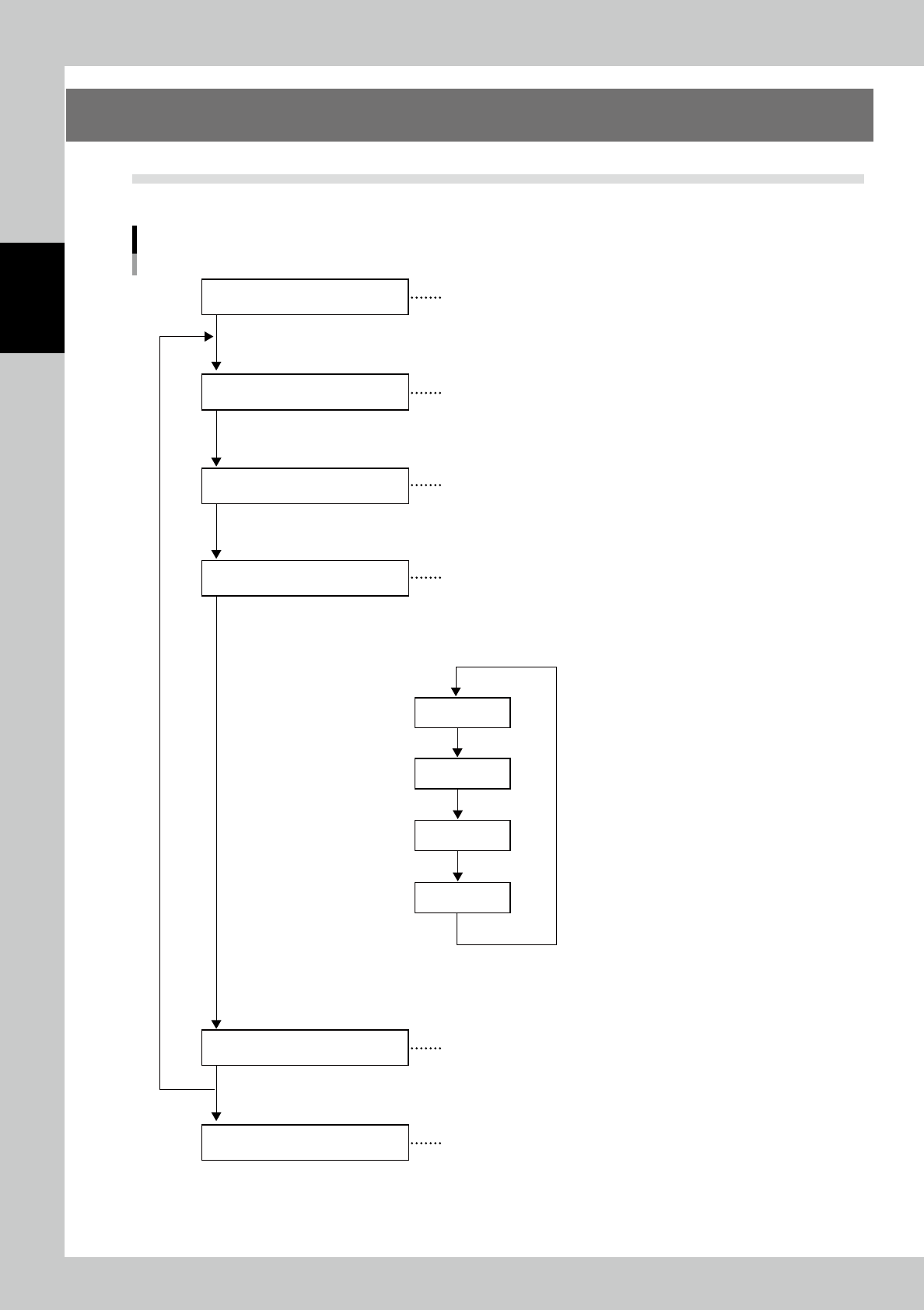
2.1 Flow of Inspection
The flow of inspection is shown below. (The reference number for each item indicates the section number.)
Flow of Inspection
Turn the main body on to start the equipment
Select the inspection program for the PCB to be
inspected.
The PCB is loaded into the main body of the machine
in the standalone inspection. This step is unnecessary
for automatic operation.
Inspect continuously while communicating machines
in the pre-and post-processes.
Store the transition data of inspection.
Turn the main body off.
Startup of inspection machine
PCB loading
Inspection and Confirmation
Inspection machine shutdown
(Refer to section 2.3)
(Refer to section 2.4)
(Refer to section 2.5)
(Refer to section 2.6)
(Refer to section 3.5 in “Data Station Volume”)
(Refer to section 2.7)
PCB loading
Inspection
Result display
PCB unloading
The figure indicates
automatic inspection.
(See the next page.)
PCB change
Storing transition data
23203-KMN-00
2-5
2
Operation
2.2 Operation of One Cycle
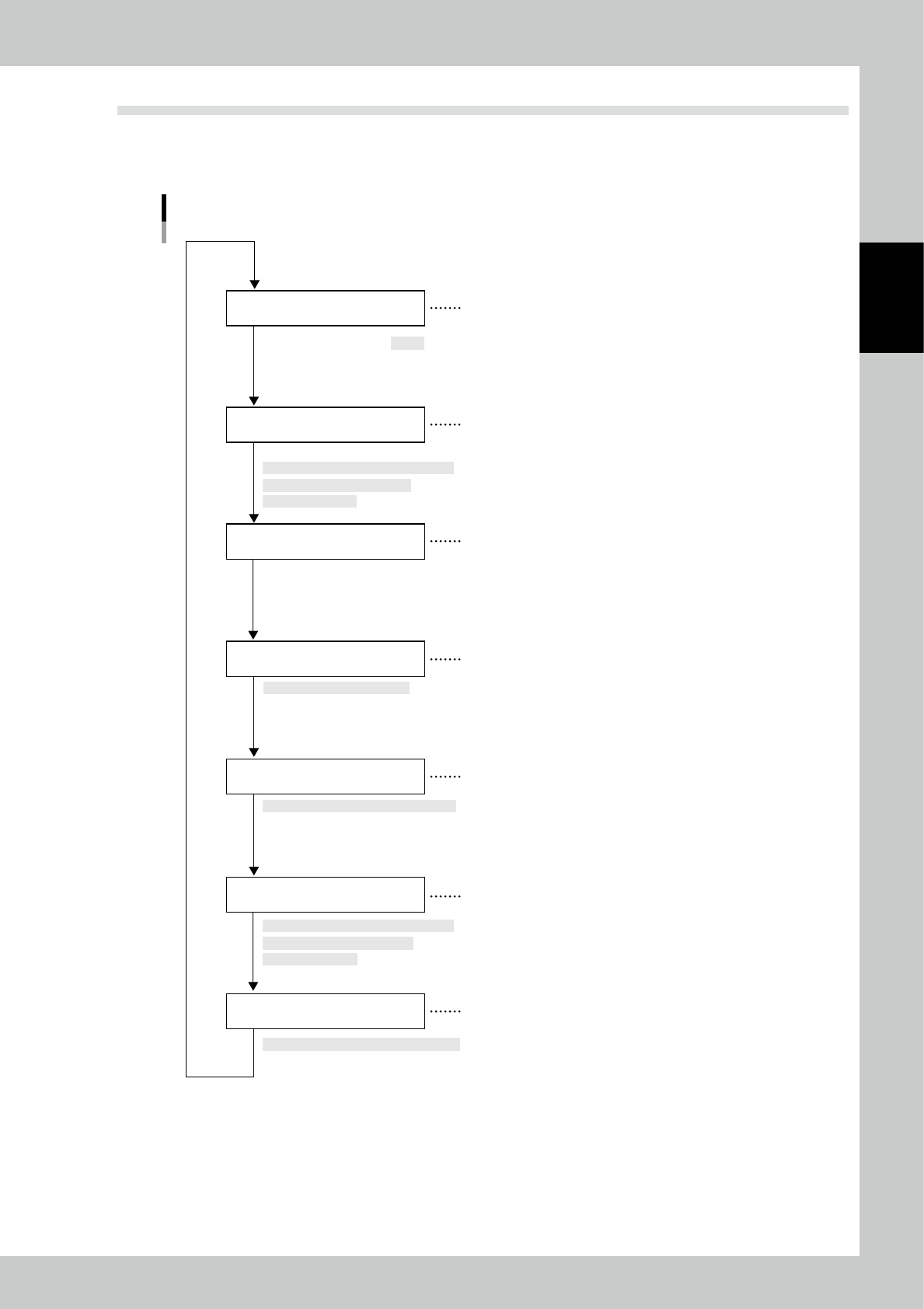
In the automatic inspection, inspection is repeated automatically in the order of the arrows shown in the figure
below. The operation method displayed under each operation item indicates the operation method for
standalone inspection.
Operation of One Cycle
PCB transfer into main body
PCB clamp
RDY signal output to
pre-process machines
[Manual operation] → [PCB transfer] →
[Travel to transfer position] →
None
Execution of inspection
Automatic process after fiducial mark check
Fiducial mark confirmation
Touch [Inspection execution]
Inspection result display
Automatically displayed after inspection
PCB unloading
[Manual operation] → [PCB transfer] →
[Travel to transfer position] →
[PCB load/unload]
[PCB load/unload]
The inspection machine issues an RDY signal
when it is ready to inspect a PCB. (No signal is
issued during standalone inspection.)
When the sensor detects a PCB at the loading
port of the inspection machine, the belt is
driven to load the PCB.
The PCB is clamped and fixed when it reaches
the inside of the inspection machine.
The fiducial marks are checked prior to inspection
to give an offset to the inspection program.
Inspection is executed according to the division of
the filed of view on the screen of the main body.
After inspection is finished correctly, the XY table
moves to the loading position. At this time, the
PCB is unloaded upon an RDY signal sent from
the post-process, or it is retained inside the
inspection machine if the signal is not issued.
The inspection result is displayed in the screen
and the machine is ready for inspection of the
next PCB.
23205-KMN-00
2-6
2
Operation
2.3 Starting the Inspection Machine
Follow the procedure below to start the inspection machine.
1
Turn the breaker on the machine face side to the right direction and turn the
control power on.
2
The user authentication window opens.
Select the user and enter the password. Touch the [OK] button.
3
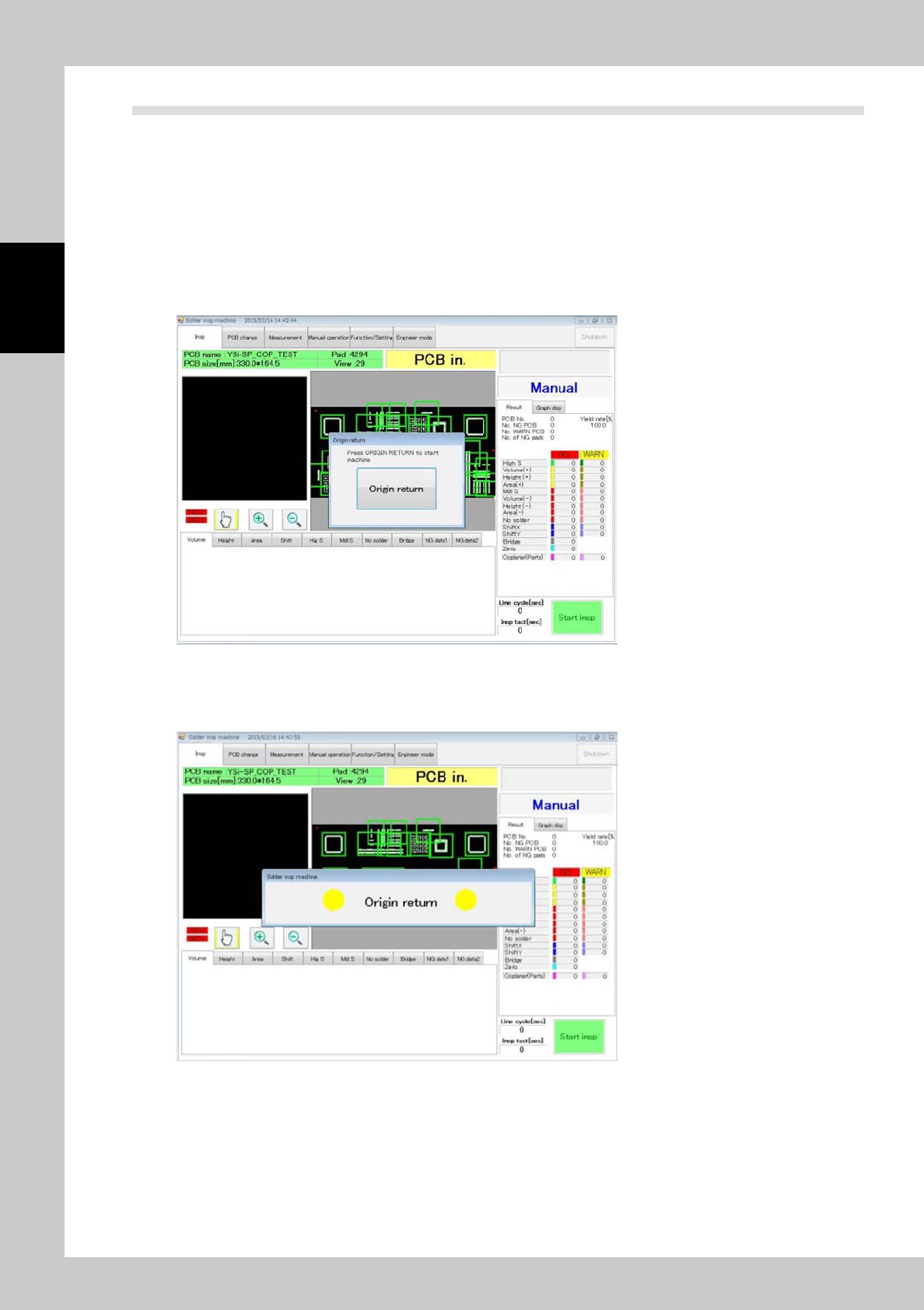
The window shown below opens.
Touch the [Origin return] button.
24201-KMN-00
4
After the [Origin return] button is touched, the screen shown below is displayed,
and home return is executed.
24202-KMN-00
5
After home return is finished, the machine is ready to start inspection.