YSi-SP_Ope_E.pdf - 第87页
2-50 2 Operation 3.6.10 Pad NG info Place a chec k mark at P ad NG info Show to show NG and W ARN data for the individual pad. T he NG data is display ed at the following place during inspection. Displa yed char acters c…
2-49
2
Operation
3.6.9 User authority setting
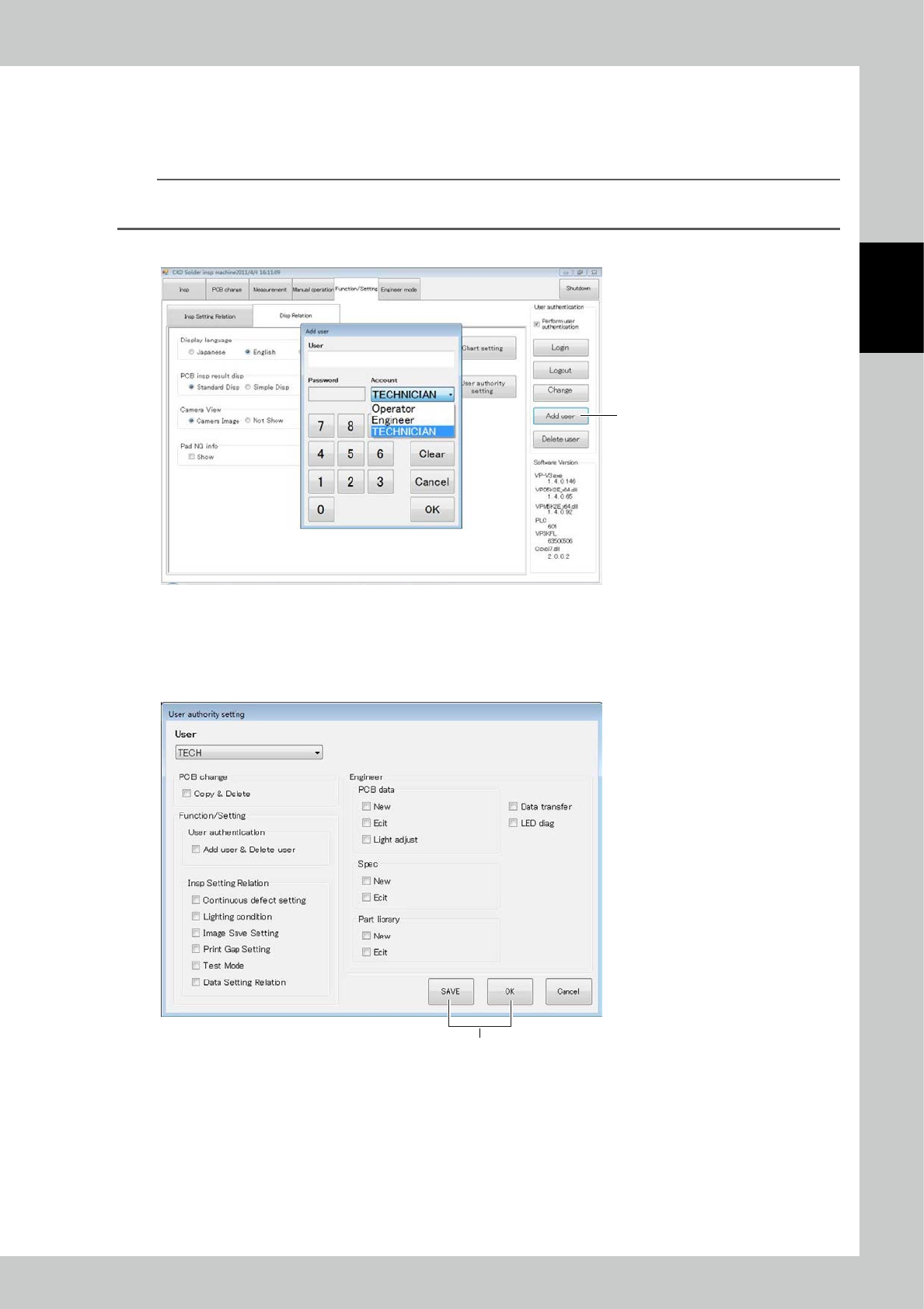
The view displayed for a login account type designated in user authentication can be changed.
To enter the user authority setting, a technician account must be created in advance.
n
NOTE
Only the technician authority can change settings; no change can be made to the operator and engineer accounts.
The authority is: operator < technician < engineer.
1. Register a user having technician authority through user addition procedure.
1
24266-KMN-00
2. Log in with the engineer authority, and select the User authority setting button.
3. Place check marks for desired items to be displayed when you log in with the technician authority, and select SAVE or
OK to register the setting.
4. When you log in with the technician authority next time, the designated contents are displayed.
3
24267-KMN-00
2-50
2
Operation
3.6.10 Pad NG info
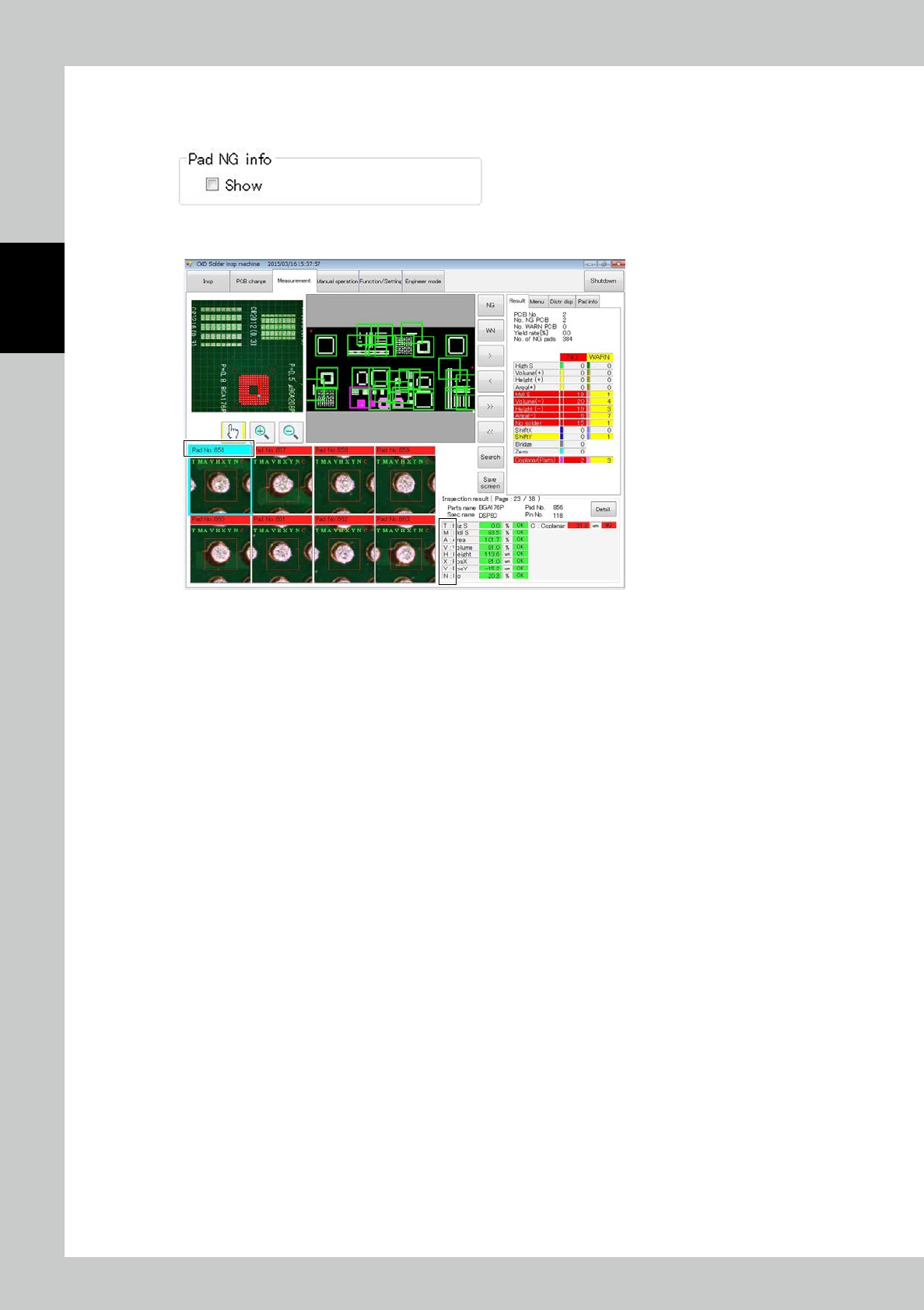
Place a check mark at Pad NG info Show to show NG and WARN data for the individual pad.
The NG data is displayed at the following place during inspection.
Displayed characters correspond to the corresponding inspection item.
24268-KMN-00
2-51
2
Operation
3.6.11 PCB insp result disp
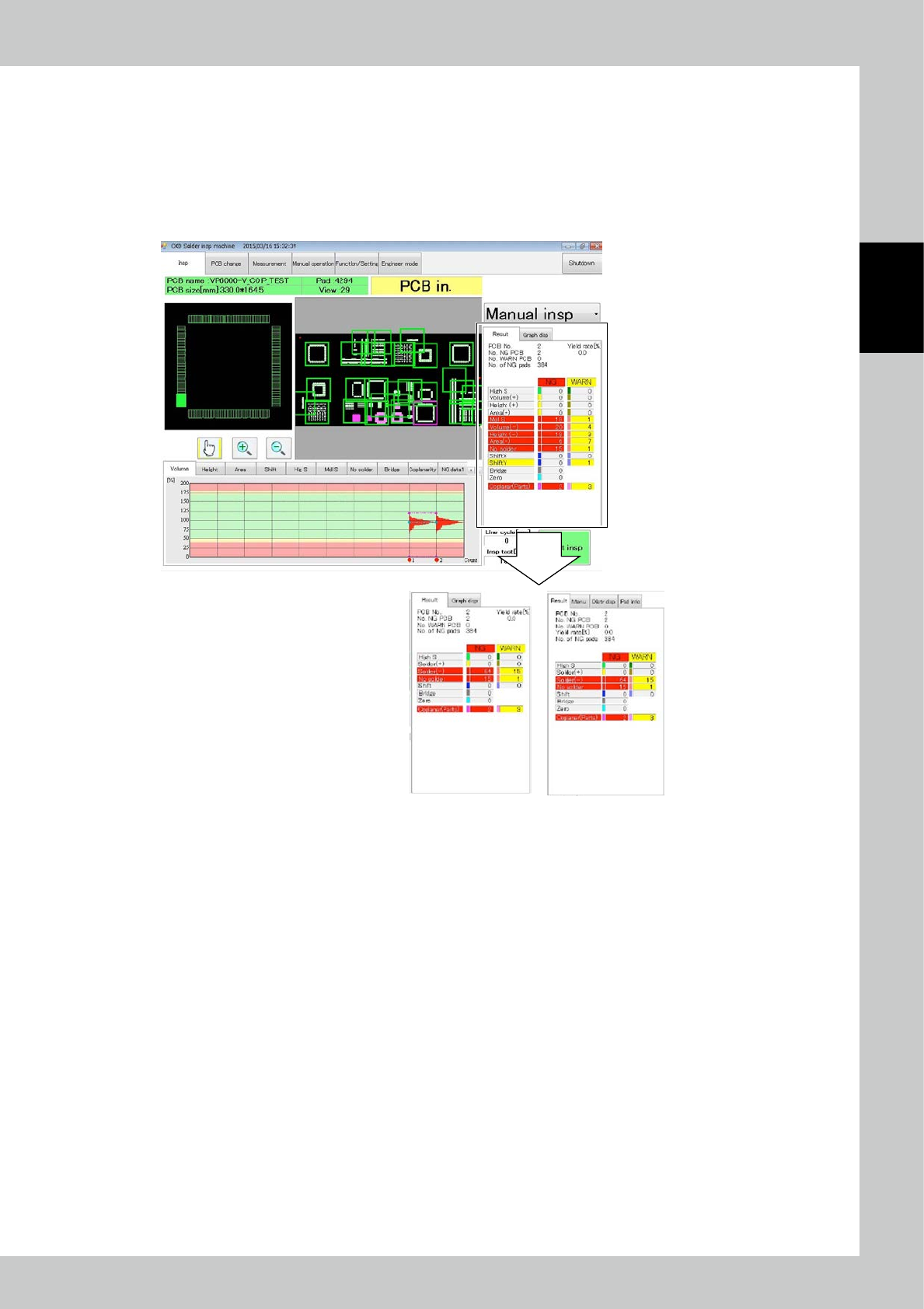
Select Simple Disp to show the results of aggregation as shown below.
Solder (+) : The sum of volume +, average height + and area + is displayed.
Solder (-) : The sum of volume -, average height -, area - and blur is displayed.
Other inspection items are displayed similarly to the case of standard display.
The marked part changes in the simple display mode.
Simple Disp
Standard Disp
24269-KMN-00