YSi-SP_Ope_E.pdf - 第19页
1-3 1 Over view and maintenance of machine 3. Before Use 3.1 Power supply specifications Power supply specifications Single-phase AC 200V to 230V±10% Frequency 50/60Hz±1Hz Power cable specifications 3-wire type (with ear…
1-2
1
Overview and maintenance of machine
2. About this manual
The manuals of this machine are categorized as follows.
• "YSi-SP Operators Manual"
• "YSi-SP Programming Manual Data Station"
• "YSi-SP Option Manual Real Data"
This manual is the "Operators Manual". In this manual, the operation method of "Solder Paste Inspection
Machine YSi-SP" is described.
For those who operate the "Solder Paste Inspection Machine YSi-SP" for the first time, read this manual carefully
for your safety, and make sure to fully understand correct operational procedure and safety caution items
before start operating.
■
Structure of this manual
"Solder Paste Inspection Machine YSi-SP"
is structured based on its purpose.
Refer to the table below, and read the part based on your purpose to understand handling, operation, and function of the
checking machine.
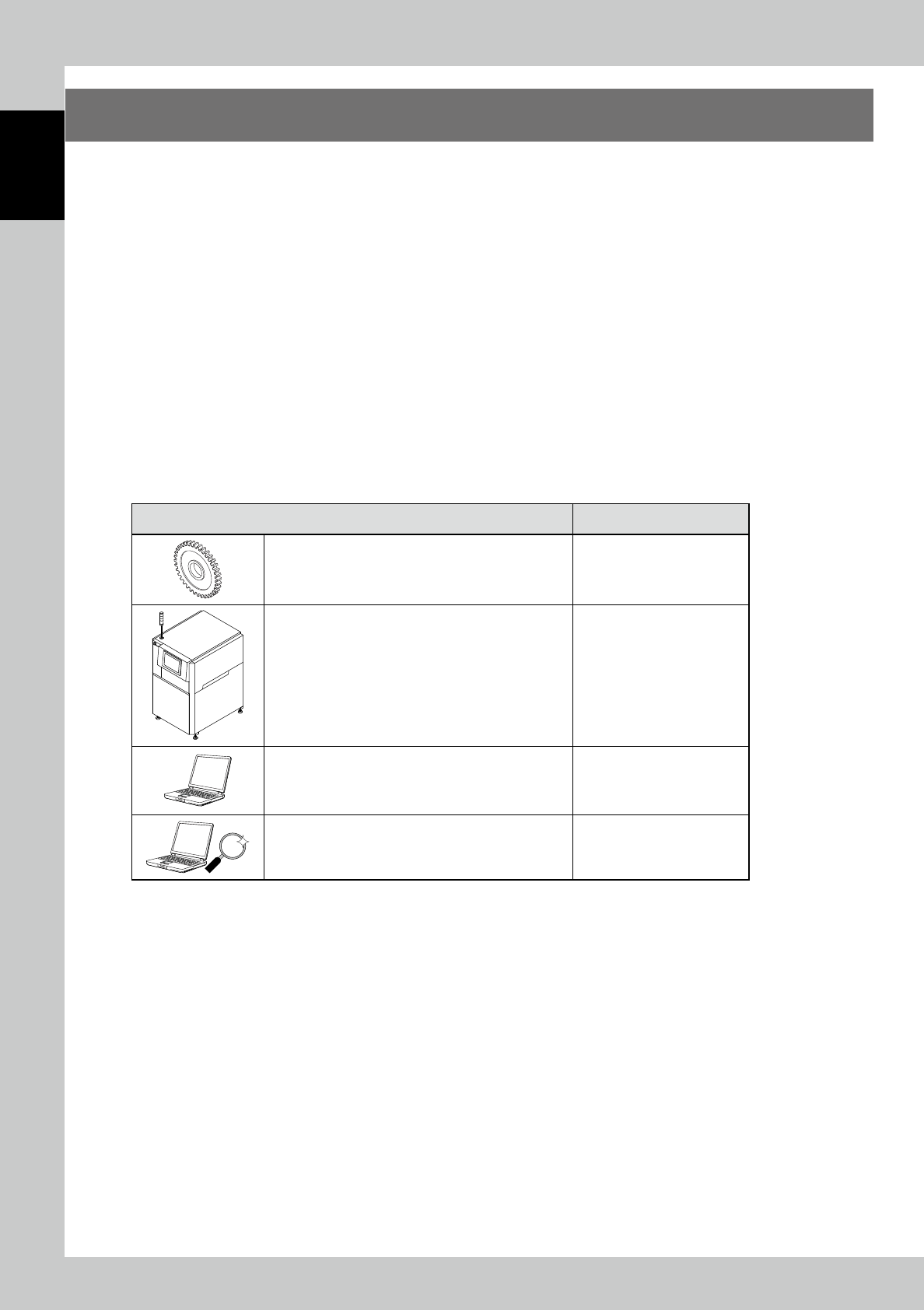
Purpose Refer to
• To use the inspection machine for the first time
• To check the installation method, operating procedure,
and maintenance of the inspection machine unit.
Operators manual, See
"Chapter 1 Overview and
maintenance of machine"
• To check the procedure of the inspection method by
using the inspection machine
• To check the features of the inspection machine
Operators manual, See
"Chapter 2 Operation"
• To check how to create and edit various data such as
inspection programs and specifications
• To obtain transition data from the inspection machine
and check the production status.
Refer to "Programming
manual Data Station"
• Collect data of inspection results.
• Calculate statistics and verify the tendency of print
condition.
Refer to "Option manual Real
Data"
1-3
1
Overview and maintenance of machine
3. Before Use
3.1 Power supply specifications
Power supply specifications Single-phase AC 200V to 230V±10%
Frequency 50/60Hz±1Hz
Power cable specifications 3-wire type (with earth), Conductor cross section area 20mm
2
or more (with 10A breaker)
3.2 Caution items when installing
■
Power supply connection construction
w
WARNING
ONLY PERSONS QUALIFIED IN ELECTRICAL WORK CAN MAKE POWER SOURCE CONNECTIONS. DO NOT TOUCH THE
MOVING AREA DURING PRODUCTION OPERATION.
FAILURE TO OBSERVE THIS WARNING MAY CAUSE LIFE-THREATENING SERIOUS ACCIDENTS SUCH AS ELECTRIC SHOCK
ACCIDENTS OR FIRE.
PROVIDE THE THIRD TYPE GROUNDING TO PREVENT ELECTRIC SHOCK AND MALFUNCTION.
■
Installation location
c
CAUTION
Do no use this machine in any place where there is dust, oil, smoke, electrical conductivity dust, corrosive gas, or
combustible gas, or where it is high temperature, condensation occurs, or it is exposed to the weather.
This may cause failure, malfunction, or deterioration.
■
Transfer with a forklift
w
WARNING
ONLY QUALIFIED PERSON CAN OPERATE THE FORKLIFT.
DO NOT PUT YOUR BODY UNDER LIFTED MACHINES FOR ANY REASON. CENTER OF GRAVITY IS REFERRED TO "4. 1 MACHINE
SPECIFICATION".
n
NOTE
When there are co-workers, determine a work leader and work according to the instruction.
In this case, observe the following:
• Ensure to give sings and be sure to check the sign each other.
• Give a sign step-by-step.
Use inspected transport equipment (forklifts), which sufficiently supports weight.
1-4
1
Overview and maintenance of machine
3.3 Installation
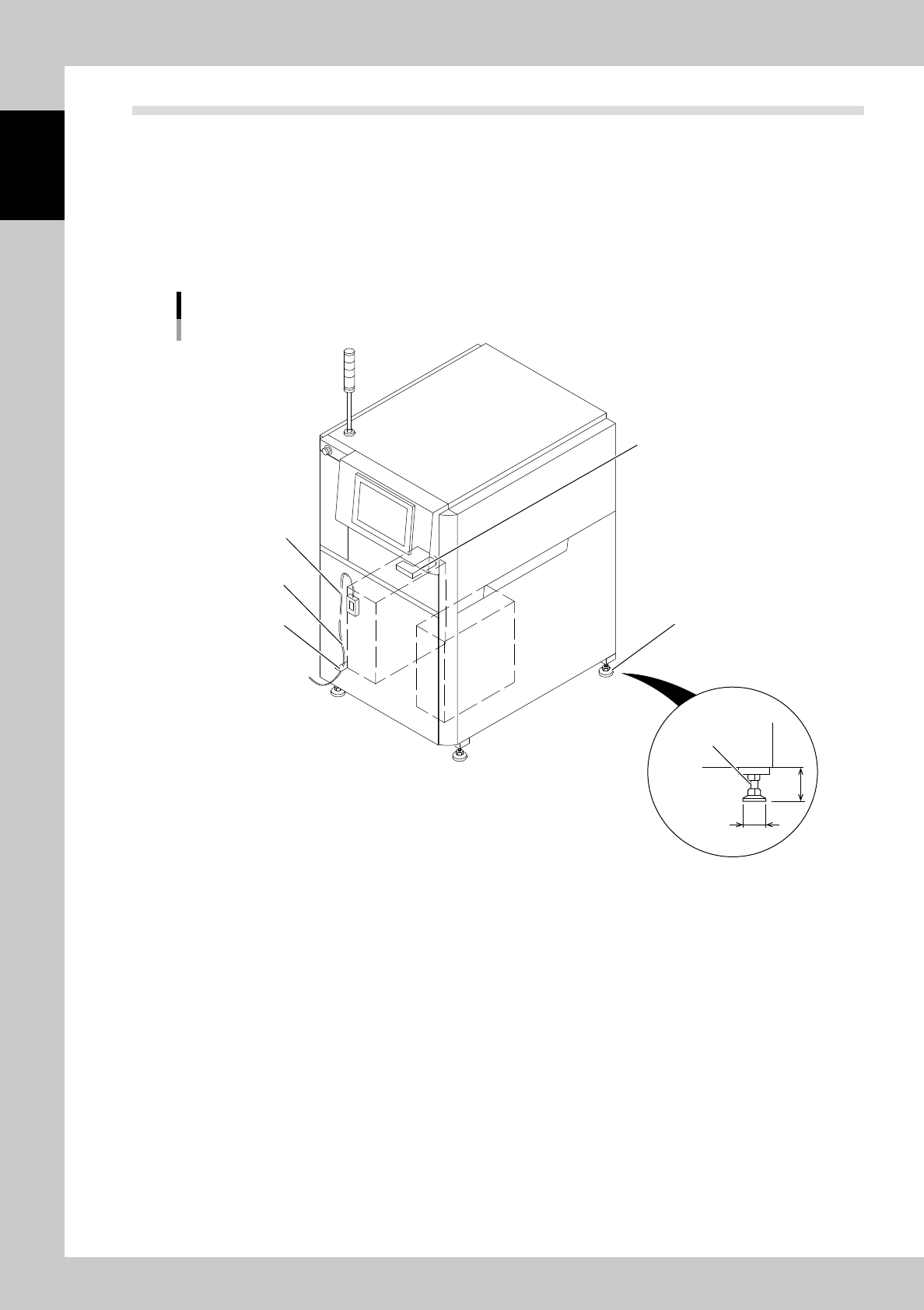
The space of the machine's backward and forward should be ensured as 700mm and over for using and
maintenance.
3.3.1 Level adjustment
The frame of the machine is supported by four leveling bolts.
Adjust them at the same height as the following figure.
In addition, be sure to use a level to adjust the level.
Leveling bolt
The cable clamp for
power source wire fixation
Level setting place
(Level setting place)
M30 4 places
φ60
100
Leveling bolt
Power source wire course
Power source wire intake
(Lower machne)
23102-KMN-00
■
Operating precautions
1. Ensure to connect the power cable.
2. Please fix a cable using a cable clamp for cable protection. (Refer to above figure)
3. Be sure to turn off the breaker on the power source side when you do not use the machine for a long time.
4. Do not put other things into the operating part or apply vibration while the machine is running.