YSi-SP_Ope_E.pdf - 第52页
2-15 2 Operation 2.6.2 Automatic Inspection Automatic inspection is described here. During automatic inspection, PCB loading, inspection and PCB unloading are made continuously while communications are made with the pre-…
2-14
2
Operation
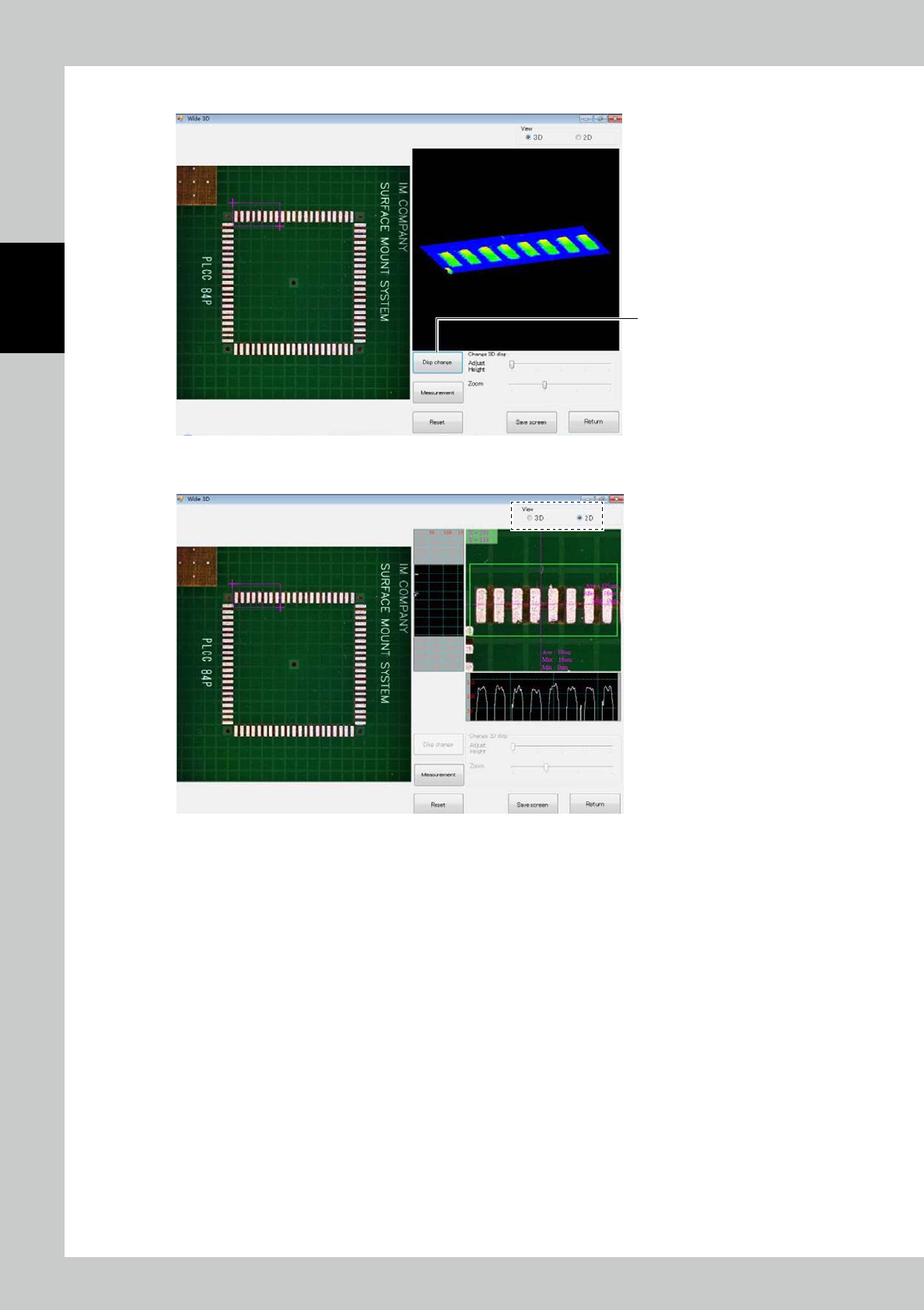
5. Touch the [Disp change] button to change the image to the color gradation height indication image.
5
24215-KMN-00
By checkmarking "2D," you can switch to the cross-section shape display.
24216-KMN-00
2-15
2
Operation
2.6.2 Automatic Inspection
Automatic inspection is described here.
During automatic inspection, PCB loading, inspection and PCB unloading are made continuously while
communications are made with the pre- and post-processes.
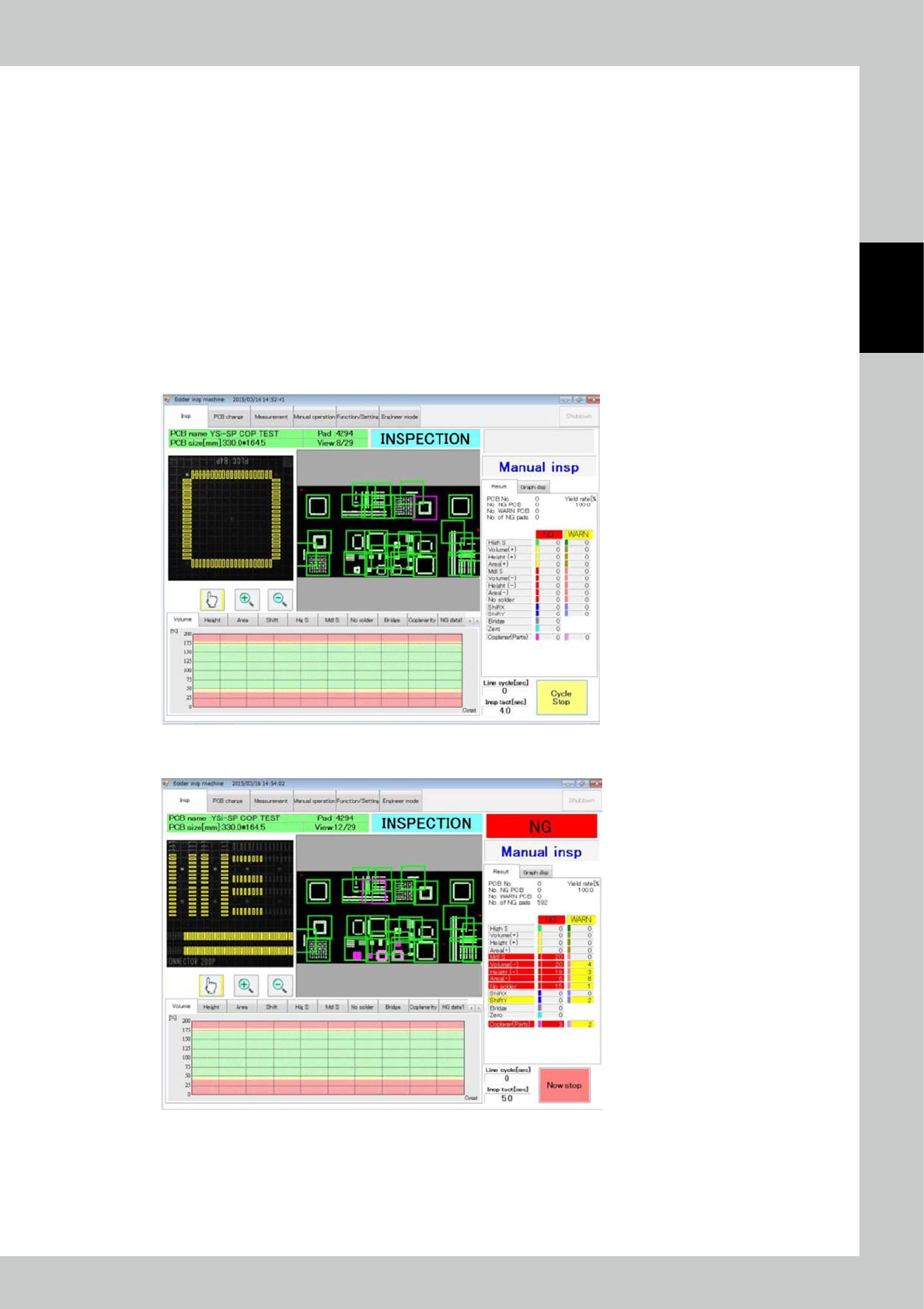
1. Execution of inspection
Touch the inspection tab on the main menu to display the inspection screen. Select automatic inspection from the
pull-down menu on the right side of the screen. Touch the [Start inspection] button to start automatic inspection.
The PCB inside the main body, if there is any at the start of automatic inspection, is unloaded in a fault. However, the
PCB found to be a fiducial mark fault during previous automatic inspection is inspected again if it remains inside the
machine.
2. Inspection stop
The [Start inspection] button changes to [Cycle stop] button during inspection. Touch the [Cycle stop] button to stop
inspection after inspection of the current PCB is finished.
24217-KMN-00
To stop inspection immediately, touch the [Cycle stop] button then the [Now stop] button that is displayed.
24218-KMN-00

2-16
2
Operation
2.6.3 Pass Mode
In the pass mode, PCB loading and unloading are made continuously while communications are made with
pre- and post-processes. Inspection is not performed.
Touch the inspection tab on the main menu to open the inspection screen. Select the pass mode from the
pull-down menu on the right side of the screen. Touch the [start inspection] button to start the pass mode.