YSi-SP_Ope_E.pdf - 第78页
2-41 2 Operation 3. Adding a user T ouch the [Add user] button to open the window sho wn below . 1 3 4 2 24251-KMN-00 1. Enter the name of the new user . 2. Enter the pass word at the ten-key pad. 3. Select the account. …
2-40
2
Operation
3.6.3 User Authentication
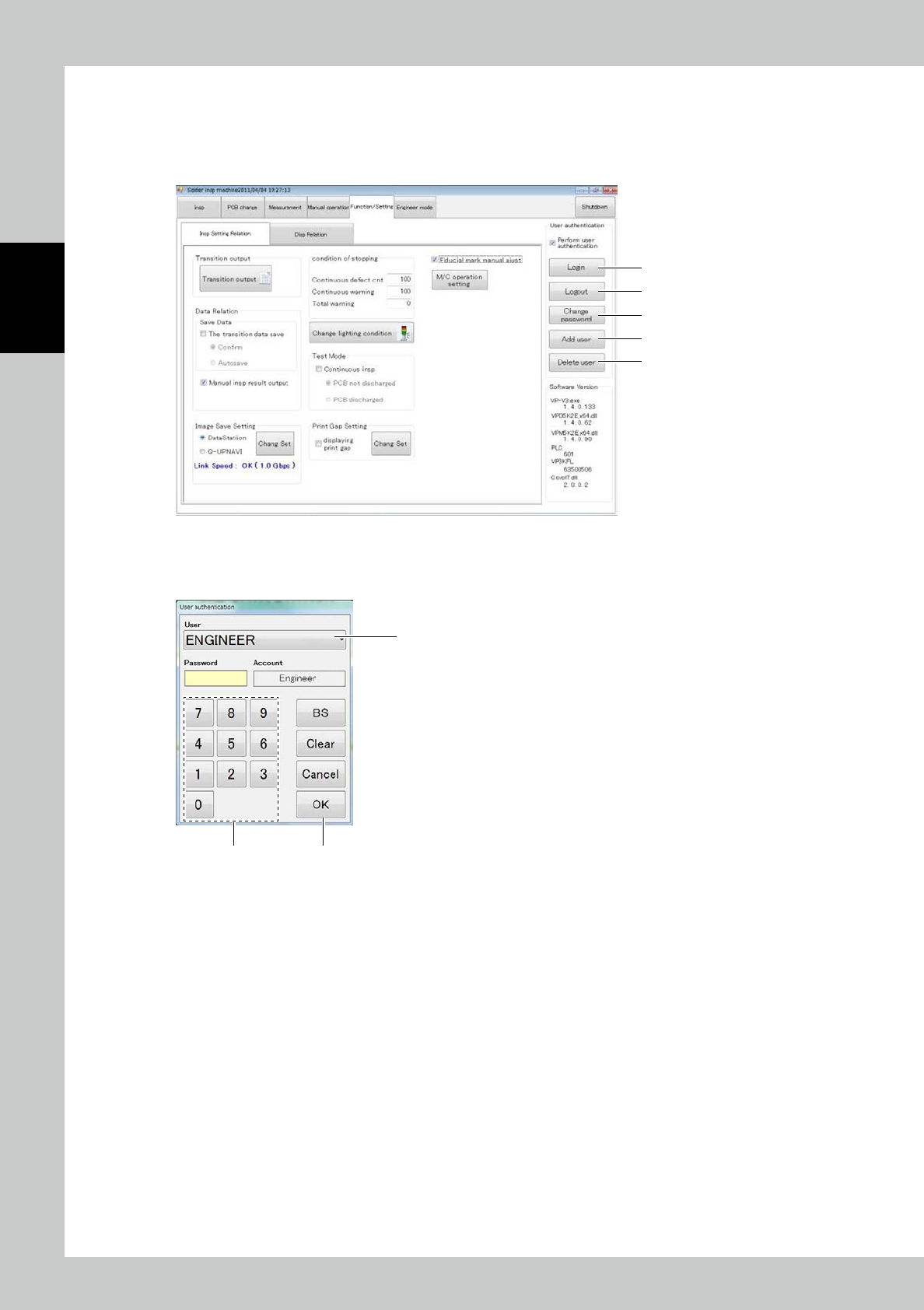
Select “Function/Setting” of the inspection machine for user authentication.
Place a check mark in the user authentication check box to perform user authentication during startup of the
inspection machine.
1
2
4
3
5
24249-KMN-00
1. Login
Touch the [Login] button to open the user authentication window.
1
2 3
24250-KMN-00
1. Select the user name in the drop-down menu.
2. Enter the password at the ten-key pad.
3. Touch the [OK] button.
2. Logout
Touch the [Logout] button after you have logged in, to log out.
2-41
2
Operation
3. Adding a user
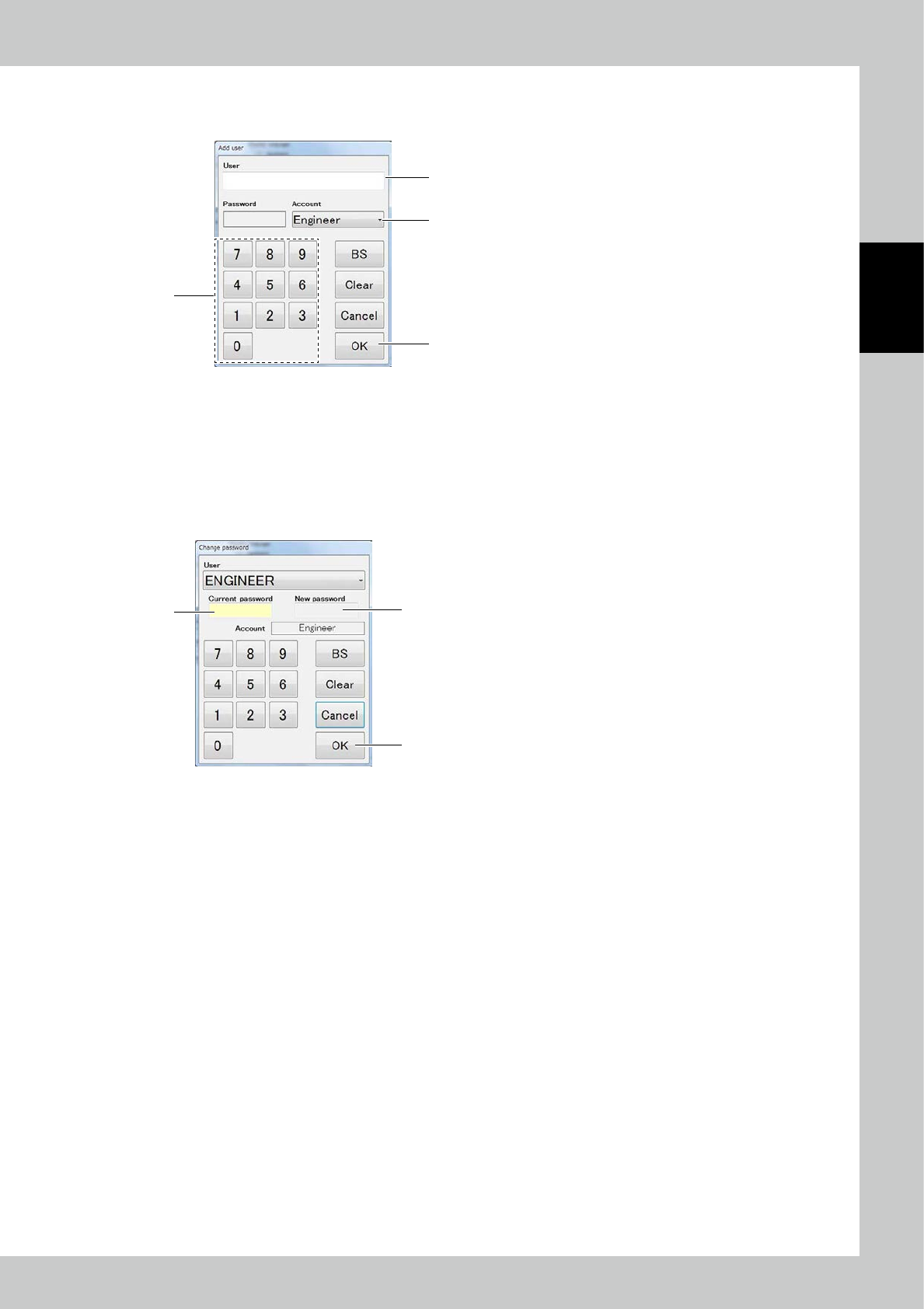
Touch the [Add user] button to open the window shown below.
1
3
4
2
24251-KMN-00
1. Enter the name of the new user.
2. Enter the password at the ten-key pad.
3. Select the account.
4. Touch the [OK] button.
4. Changing the password
Touch the [Change password] button to open the window shown below.
2
3
1
24252-KMN-00
1. Enter the current password at the ten-key pad.
2. Enter the new password.
3. Touch the [OK] button.
2-42
2
Operation
5. Deleting a user
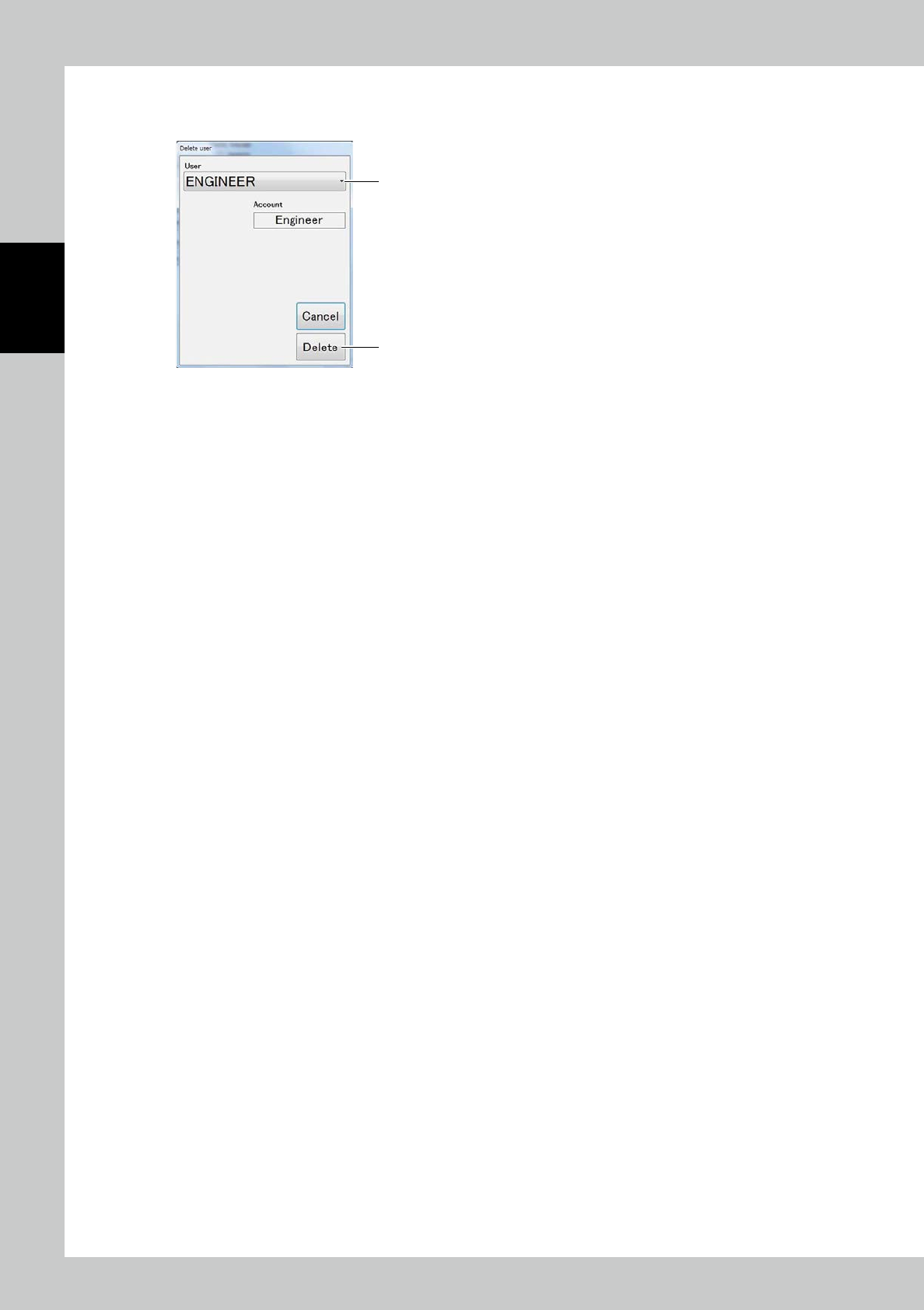
Touch the [Delete user] button to open the window shown below.
1
2
24253-KMN-00
1. Select the user name to be deleted.
2. Touch the [Delete] button.