YSi-SP_Ope_E.pdf - 第82页
2-45 2 Operation T he PCB rotation axis setting of the printing machine is entered. 1 2 3 24257-KMN-00 No Description Refer to 1 PCB Center Define the rotation axis in the PCB center . Offset coordinates can be entered, …
2-44
2
Operation
3.6.5 Chart Setting
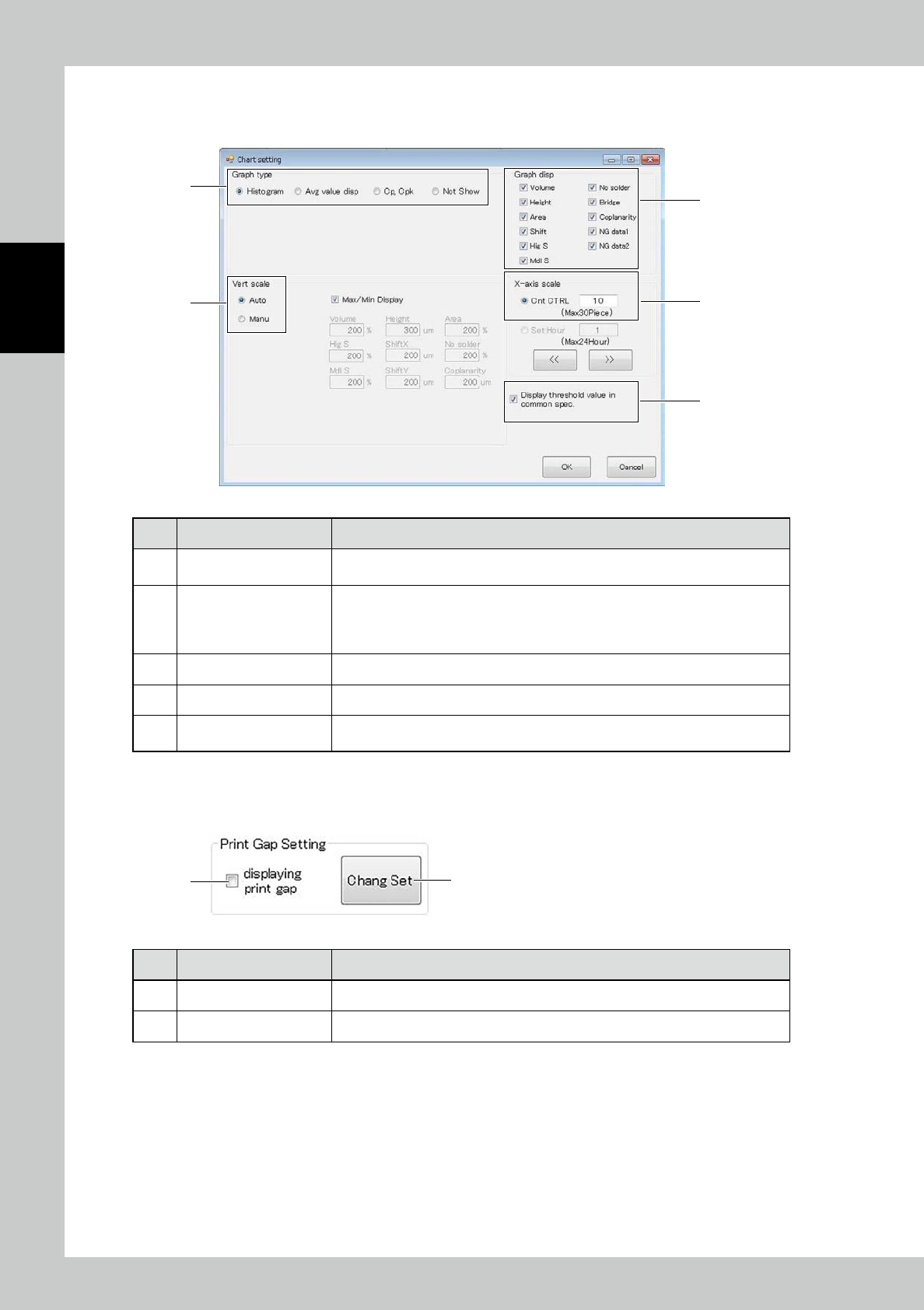
Enter graph settings displayed on the inspection tab.
1
3
4
5
2
24255-KMN-00
No Name Description of displayed item and functions
1 Graph type
The graph type to be displayed can be selected among "Histogram," "Avg value
disp," "Cp, Cpk" and "Not Show."
2 Vert scale
Change the vertical scale setting of the graph according to each item.
Select Auto to automatically adjust the scale.
Select Manu to display the graph at the designated scale.
Place a check mark at Max/Min Display to plot the maximum and minimum values.
3 Graph Display The graph of the inspection items with check mark are displayed.
4 X-axis scale Change the X-axis display count setting according to the count or hours.
5
Display threshold value in
common spec
If the spec in use is one type, the spec is displayed.
3.6.6 Print Gap Setting
●
Function/Setting of main screen tab
1 2
24256-KMN-00
No Description Refer to
1 Displaying print gap Print gap display/non-display setting
2 Chang Set Change the PCB rotation axis setting of the printing machine.
2-45
2
Operation
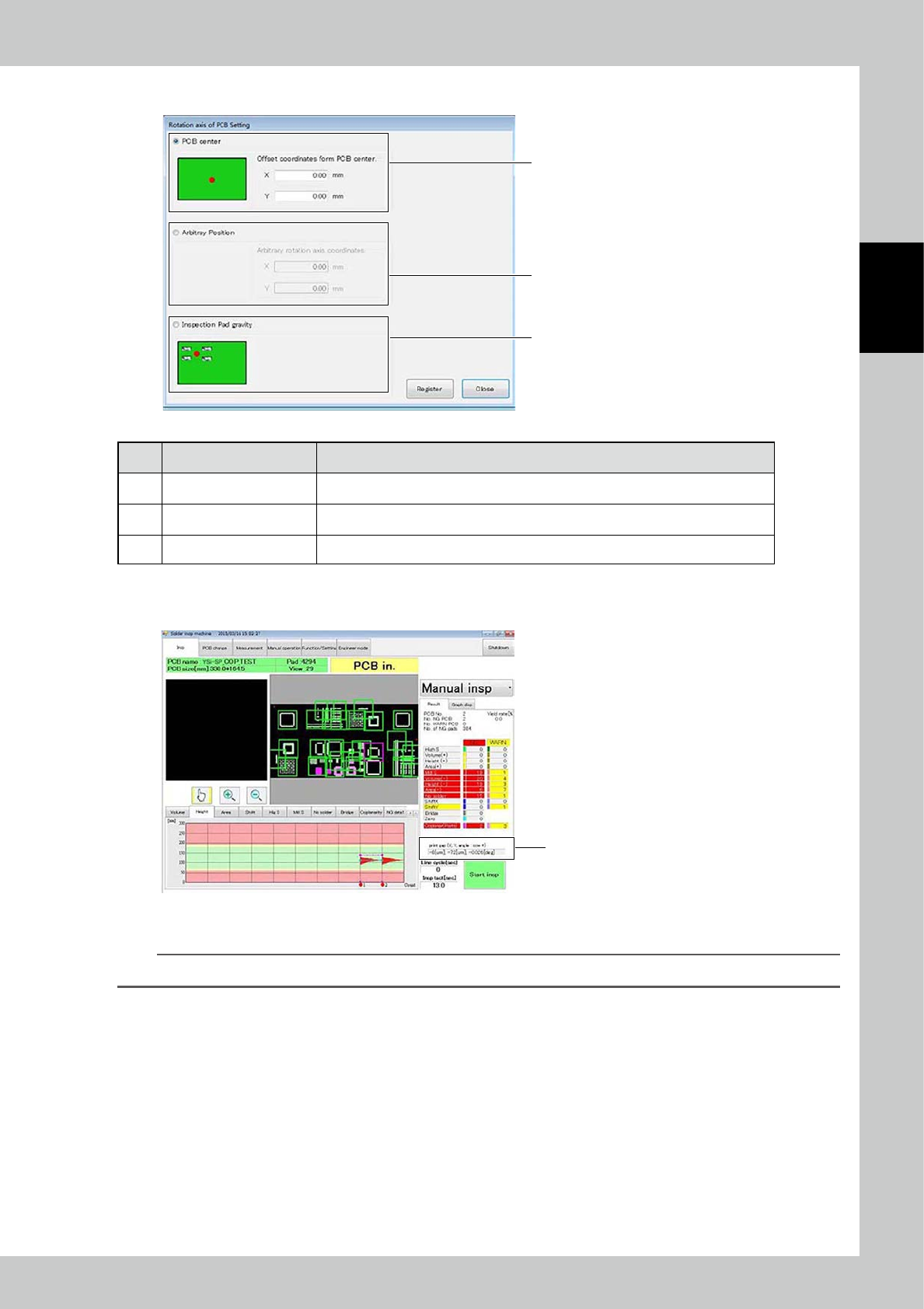
The PCB rotation axis setting of the printing machine is entered.
1
2
3
24257-KMN-00
No Description Refer to
1 PCB Center Define the rotation axis in the PCB center. Offset coordinates can be entered, too.
2 Arbitray Position Define the rotation axis in an arbitrary position from the zero point of the PCB (0, 0).
3 Inspection Pad gravity Define the rotation axis in the center of gravity of all inspection pads.
●
Result view
The result is displayed in position 1 of the main screen after inspection.
Result view
24258-KMN-00
Displayed content: X gap [μm], Y gap [μm], theta (angle) gap [deg]
TIP
The positive value indicates counterclockwise rotation.
2-46
2
Operation
3.6.7 M/C operation setting
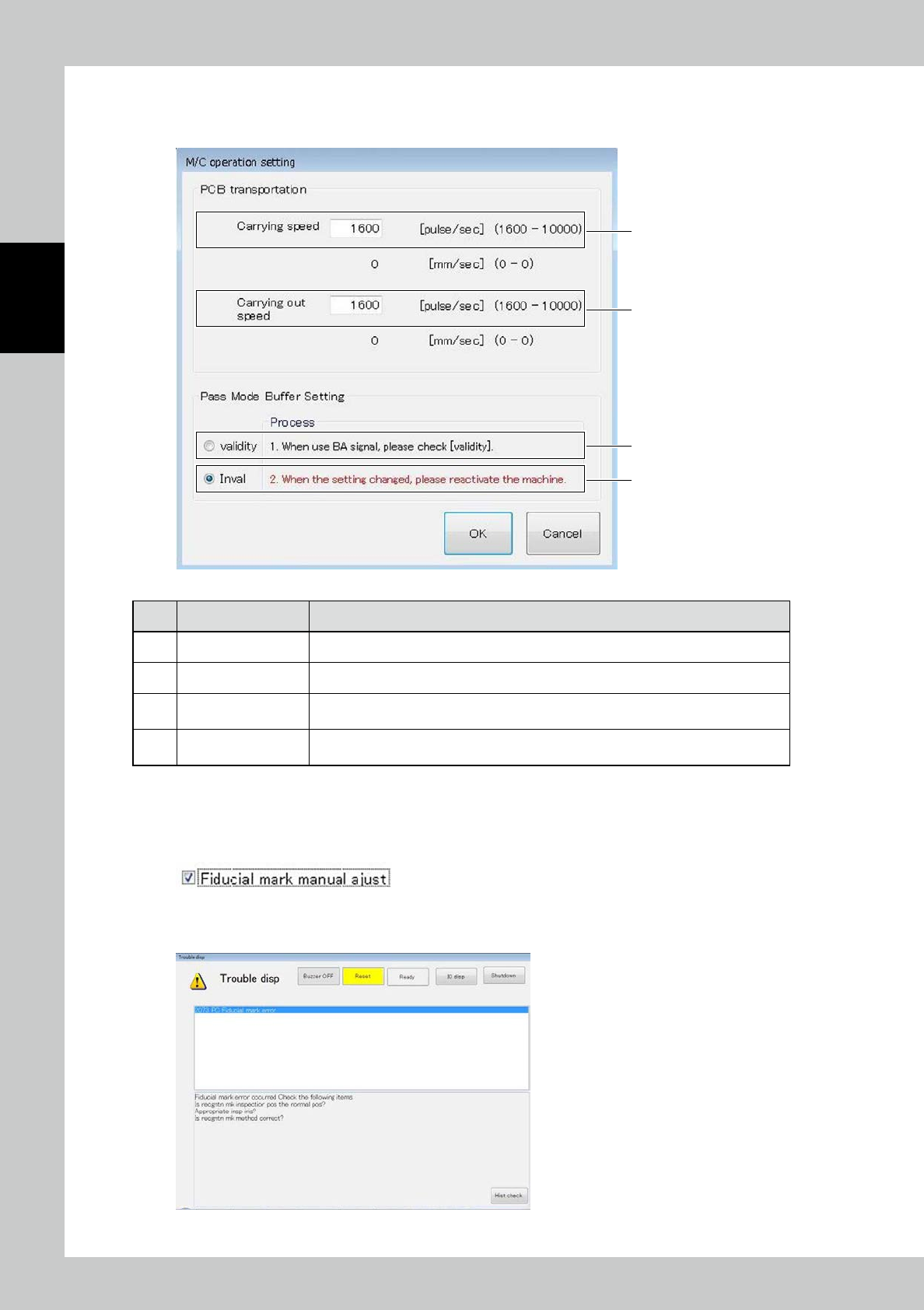
The PCB transportation speed can be changed.
1
2
3
4
24259-KMN-00
No Name Description of displayed item and functions
1 Carrying speed Enter the conveyor speed for carrying the PCB into the conveyor of the main body.
2 Carrying out speed Enter the conveyor speed for discharging the PCB from the conveyor of the main body.
3 Validity
RDY signal shall be output to the upper stream machine without the signal from
following stream machine during the mass mode operation.
4 Invalidity
RDY signal shall be out put to the upper stream machine when receiving the signal form
the down stream during the pass mode operation.
3.6.8 Fiducial mark manual adjust
The mark position can be entered manually upon a fiducial mark error in inspection.
To refrain from manual adjustment upon a mark error, check the registered data and light intensity.
1
If a fiducial mark error is caused during manual inspection or automatic inspection,
press the [RESET] button.
24260-KMN-00