YSi-SP_Ope_E.pdf - 第51页
2-14 2 Operation 5. T ouch the [Disp change] button to c hange the image to the color gradation height indication image. 5 24215-KMN-00 By chec kmarking "2D," y ou can switch to the cross-section shape displa y…
2-13
2
Operation
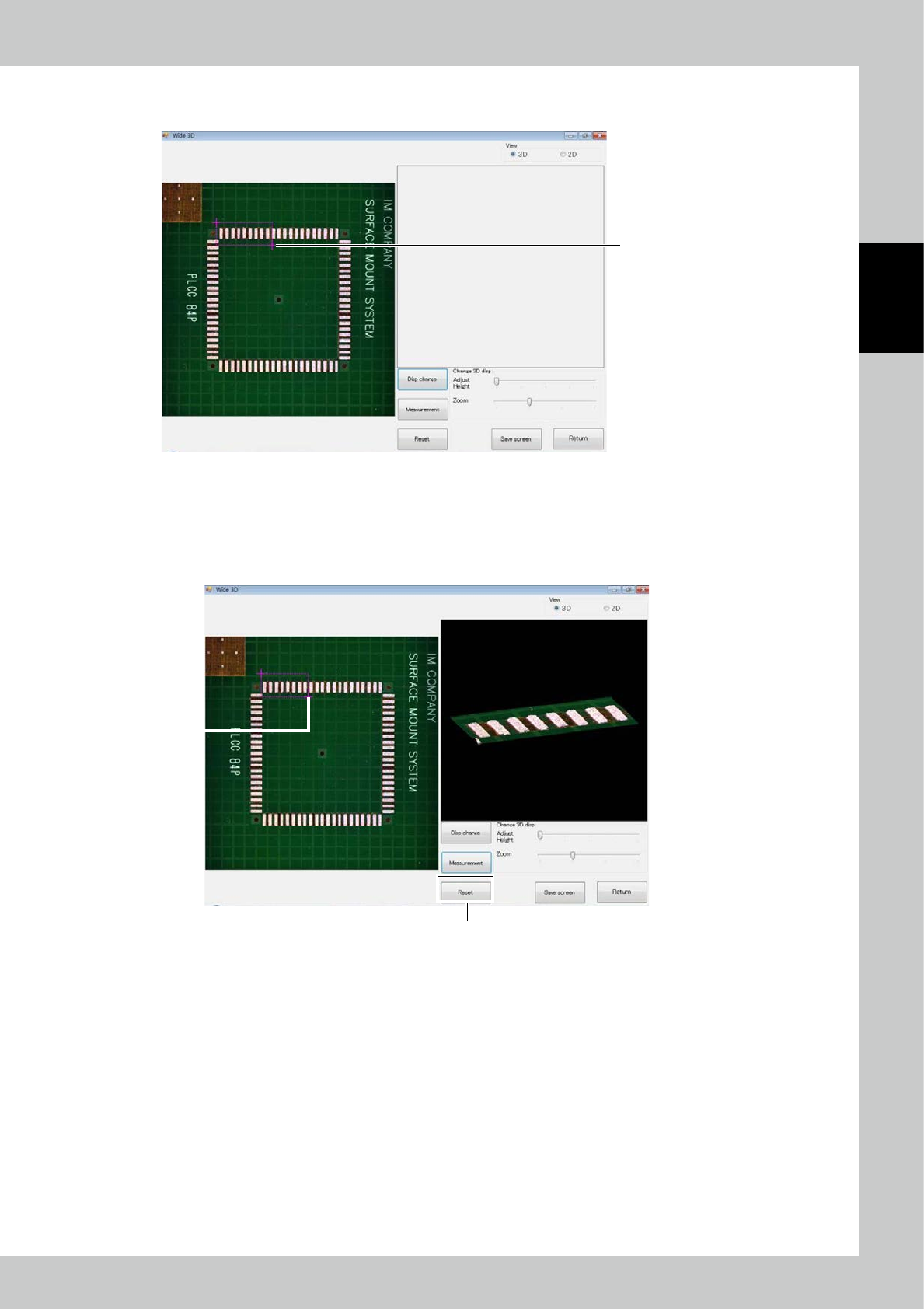
2. Next, touch the second point. Another red cross is displayed together with a red rectangle having the two points as
vertices. The rectangle indicates the measurement range.
2
24213-KMN-00
3. If you touch another point in the state of screen 2), the second point moves. You can thus adjust the range while fixing
the starting point.
4. To rework from designation of the starting point, touch the [Reset] button.
After selecting the range, touch the [Measurement] button. The 3D image of the selected range appears on the right
side screen.
3
4
24214-KMN-00
2-14
2
Operation
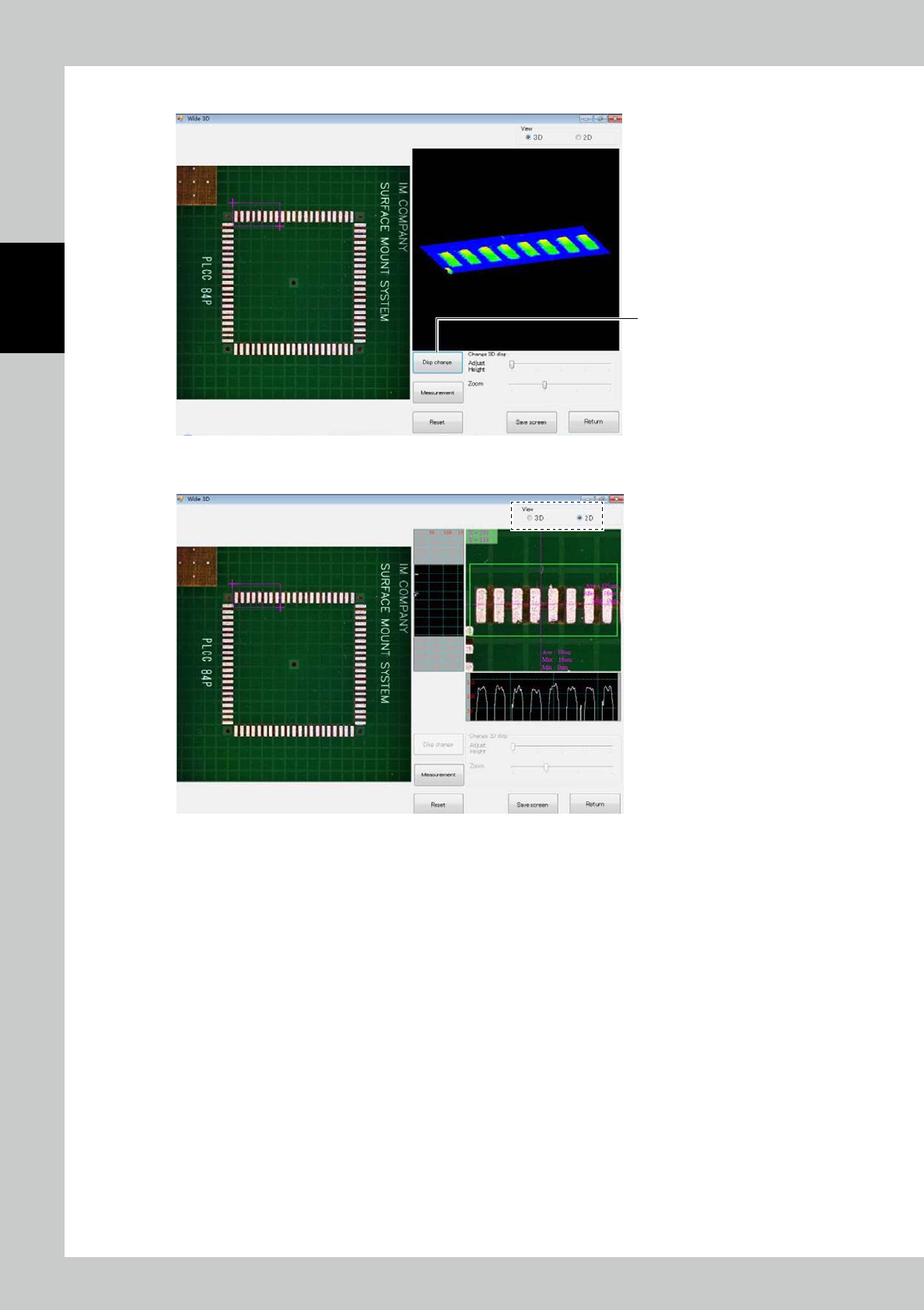
5. Touch the [Disp change] button to change the image to the color gradation height indication image.
5
24215-KMN-00
By checkmarking "2D," you can switch to the cross-section shape display.
24216-KMN-00
2-15
2
Operation
2.6.2 Automatic Inspection
Automatic inspection is described here.
During automatic inspection, PCB loading, inspection and PCB unloading are made continuously while
communications are made with the pre- and post-processes.
1. Execution of inspection
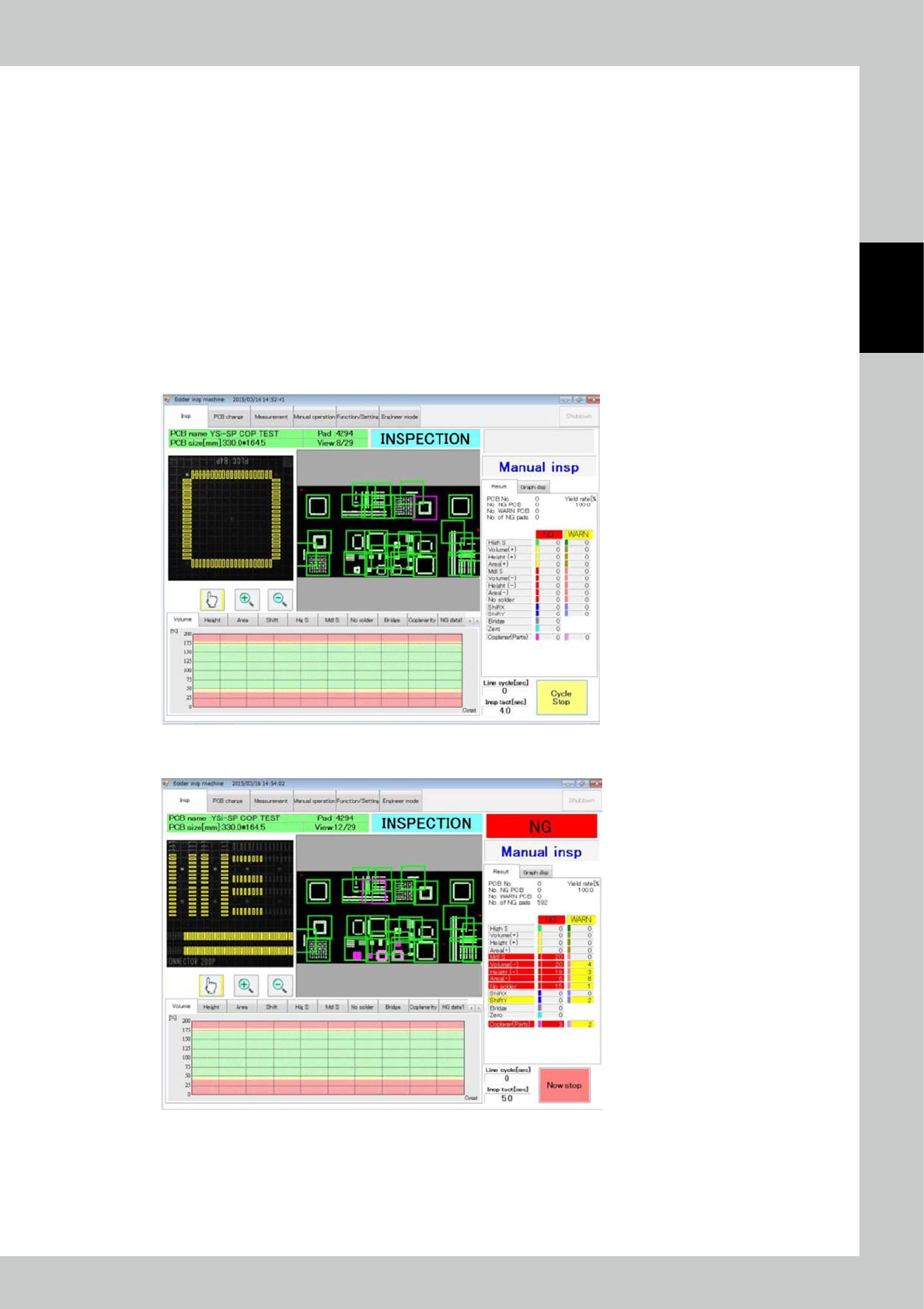
Touch the inspection tab on the main menu to display the inspection screen. Select automatic inspection from the
pull-down menu on the right side of the screen. Touch the [Start inspection] button to start automatic inspection.
The PCB inside the main body, if there is any at the start of automatic inspection, is unloaded in a fault. However, the
PCB found to be a fiducial mark fault during previous automatic inspection is inspected again if it remains inside the
machine.
2. Inspection stop
The [Start inspection] button changes to [Cycle stop] button during inspection. Touch the [Cycle stop] button to stop
inspection after inspection of the current PCB is finished.
24217-KMN-00
To stop inspection immediately, touch the [Cycle stop] button then the [Now stop] button that is displayed.
24218-KMN-00