YSi-SP_Ope_E.pdf - 第104页
2-67 2 Operation T he light intensity adjustment screen is display ed and the above message is displa yed. T o proceed automatic adjustment, select [Y es]. 24295-KMN-00 If automatic adjustment is not successful, manually…
2-66
2
Operation
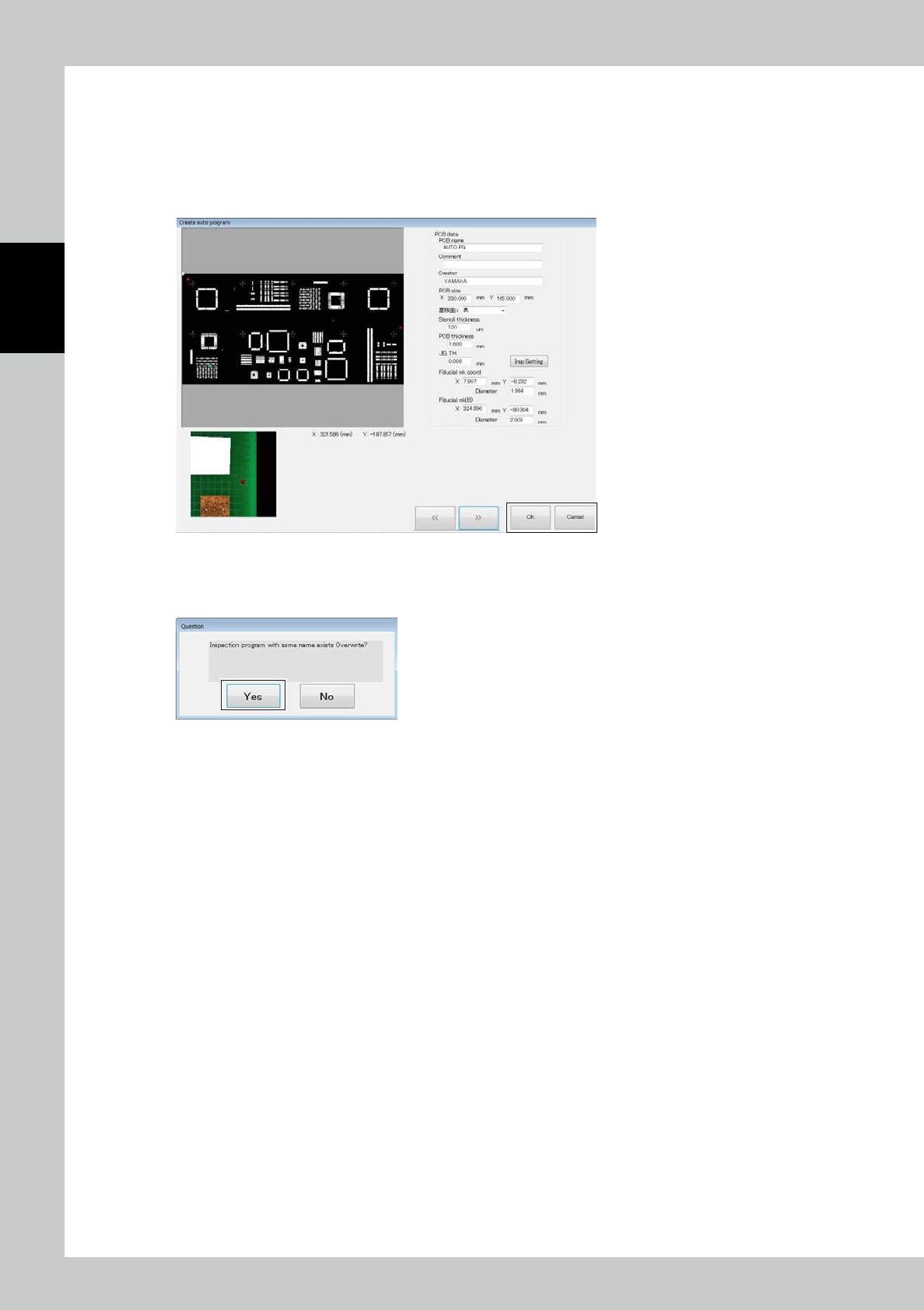
The second fiducial mark is displayed. Follow the procedure taken for the first mark.
After correction of two marks is finished, click on the [>>] button.
The entered PCB data can be checked.
After checking, click on the [OK] button to save the inspection program.
Or press the [Cancel] button to return to the menu without saving it.
24293-KMN-00
If another program of the same name is found, the following message is displayed.
Select [Yes] to save the program.
24294-KMN-00
2-67
2
Operation
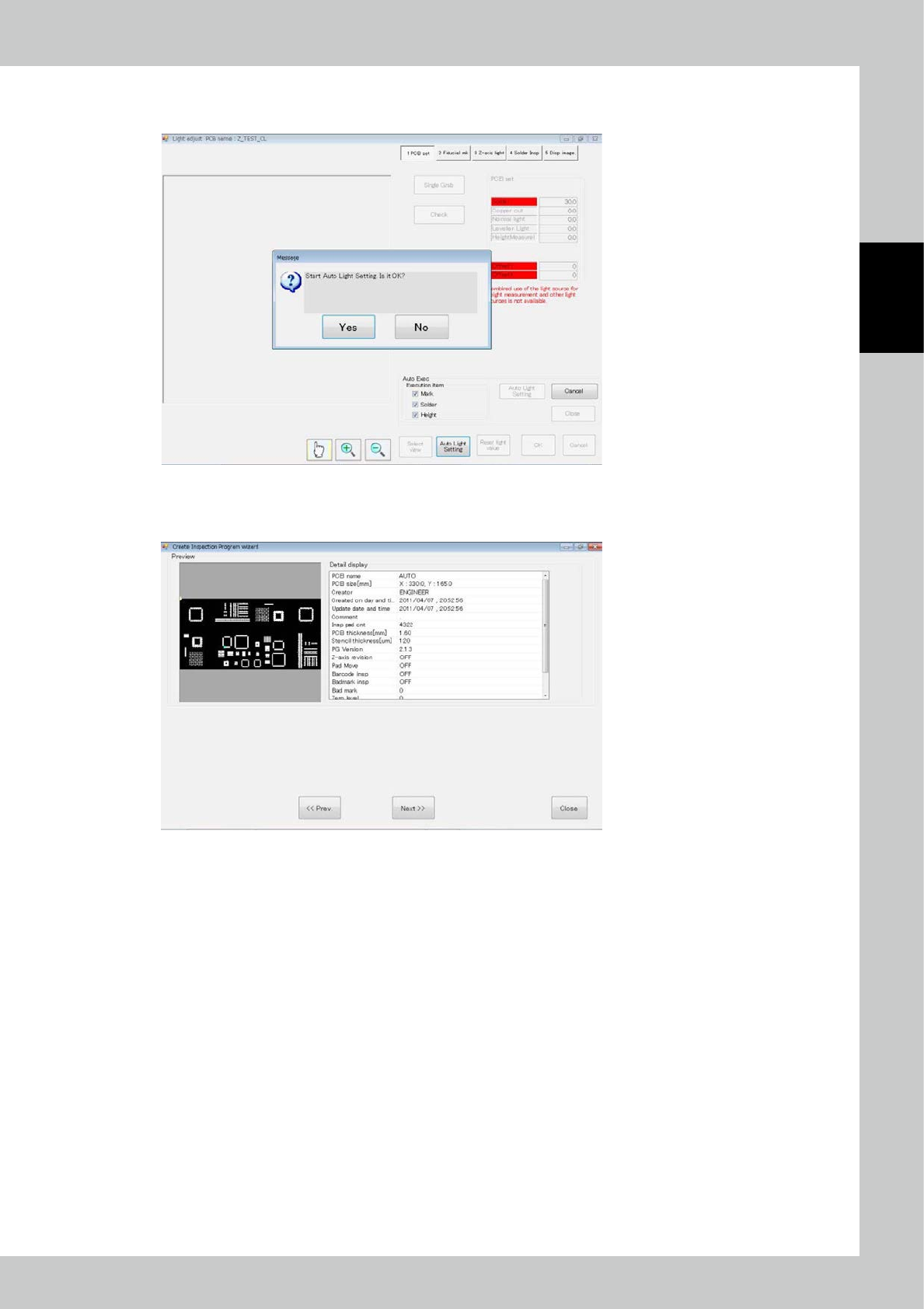
The light intensity adjustment screen is displayed and the above message is displayed.
To proceed automatic adjustment, select [Yes].
24295-KMN-00
If automatic adjustment is not successful, manually adjust.
After adjustment is finished, click on the [OK] button.
24296-KMN-00
2-68
2
Operation
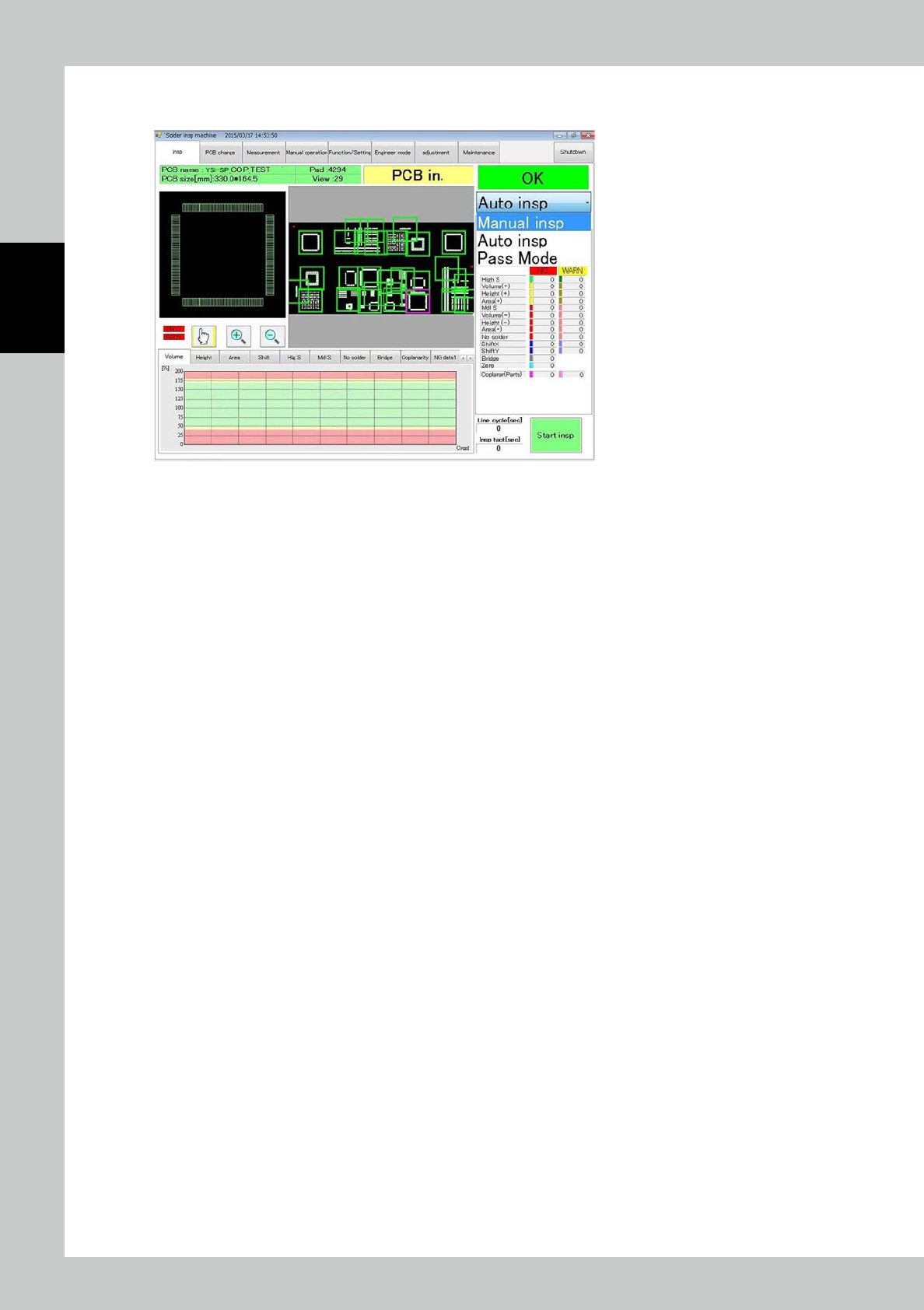
Click on the [Next>>] button.
The PCB type is automatically switched and the system becomes ready for inspection.
24297-KMN-00