YSi-SP_Ope_E.pdf - 第121页
2-84 2 Operation 4.3 Spec Data Editing Edit the spec data. T ouc h spec data [Edit] button on the engineer mode screen to display the figure shown belo w . 1 2 3 4 5 6 242B8-KMN-00 1. Select the spec data to be edited. 2…
2-83
2
Operation
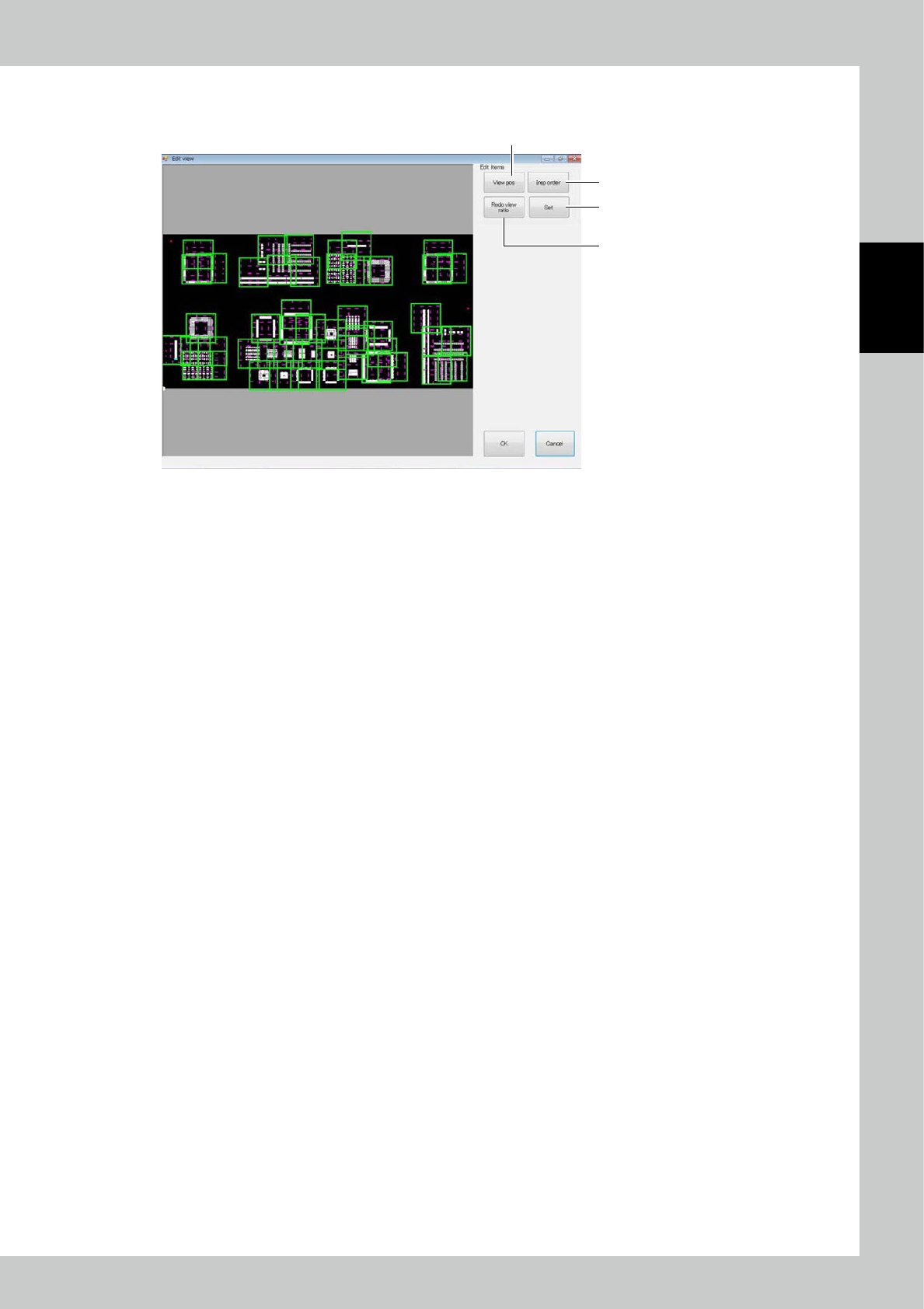
4.2.4 Field of View Editing
1
2
4
3
242B7-KMN-00
1. [View pos] button
Change the field of view position. If a zero level moves out of the field of view when the field of view position is
changed, a confirmation message is displayed.
2. [Insp order] button
The inspection order (moving path of the camera of the inspection machine) of the field of view is changed.
3. [Redo view ratio] button
All fields of view are automatically divided again.
4. [Set] button
The effective range of the field of view is changed.
2-84
2
Operation
4.3 Spec Data Editing
Edit the spec data.
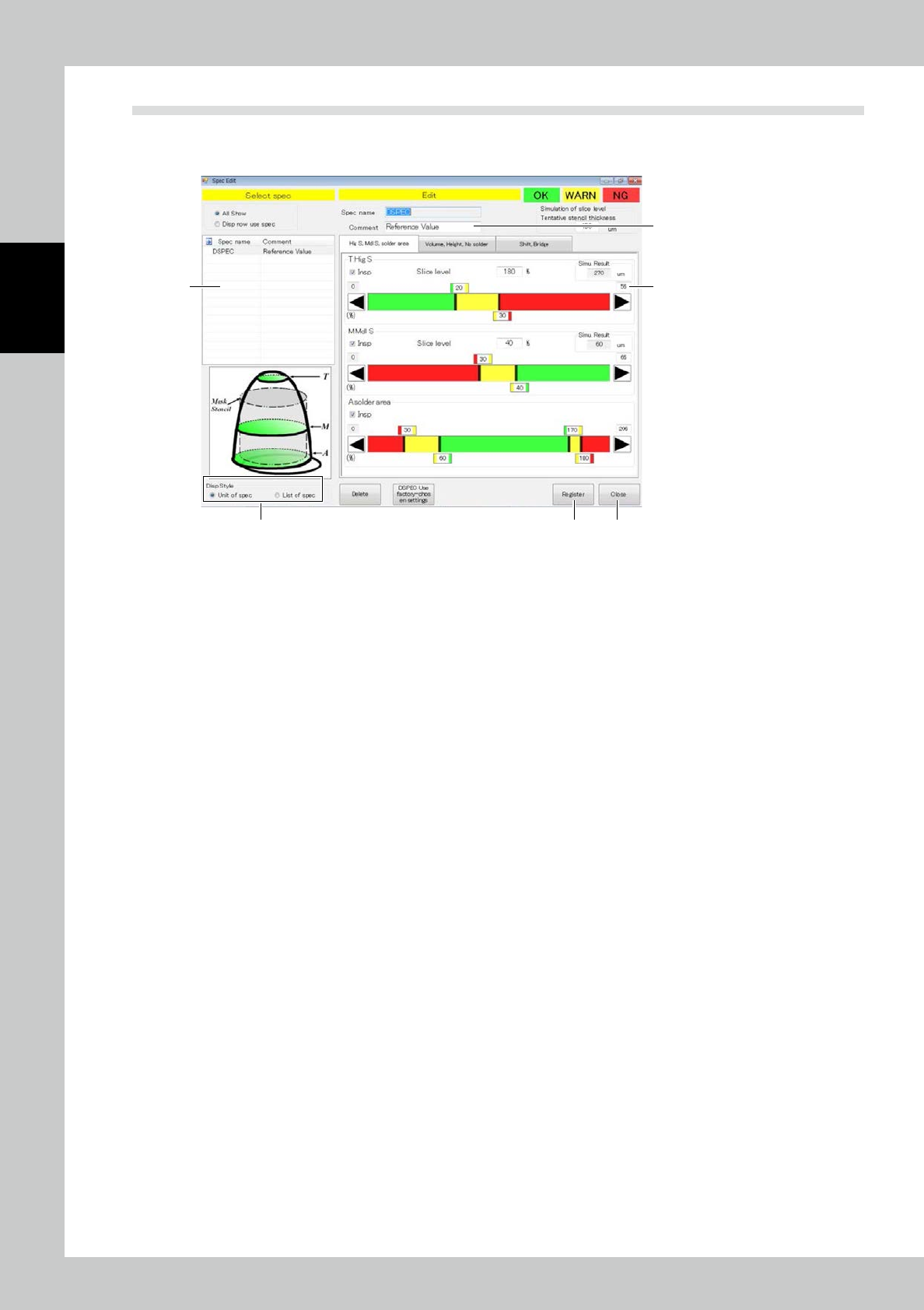
Touch spec data [Edit] button on the engineer mode screen to display the figure shown below.
1
2
3
4 5
6
242B8-KMN-00
1. Select the spec data to be edited.
2. Enter a comment if you need.
3. According to each inspection item, change the inspection reference value. Touch the upper tab to change over
inspection items.
Inspection is made for inspection items marked with a check mark in the inspection check box. Reset the check box of
unnecessary inspection items for efficient inspection.
4. After spec data is edited, touch the [Register] button.
5. After editing is finished, touch the [Exit] button.
Drag the graph color border or touch the desired arrow button to adjust. The graph color indicates OK (green), WARN
(yellow) or NG (red). Enter the slicing height to the mask thickness in percent directly. For value entry method, refer to
Appendix 2 of the Data Station Volume.
2-85
2
Operation
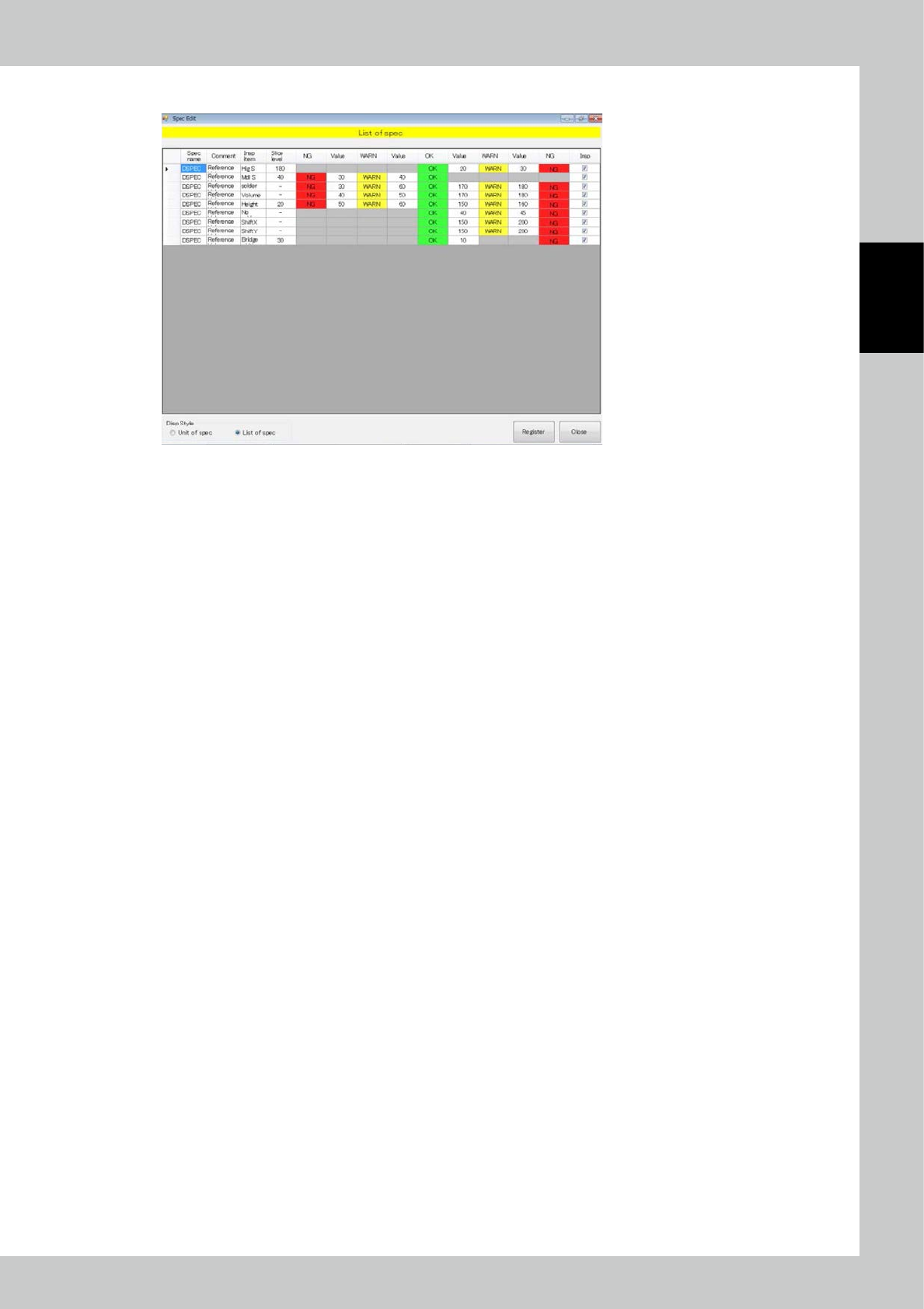
6. Select List of spec to show a spec list.
242B9-KMN-00