YSi-SP_Ope_E.pdf - 第67页
2-30 2 Operation 3.4.5 Pad info T he "P ad info" view and each function are described. T he shape of the pad selected at 1 and detail information about the pad can be chec ked. 1 24232-KMN-00 3.4.6 PCB W arping…
2-29
2
Operation
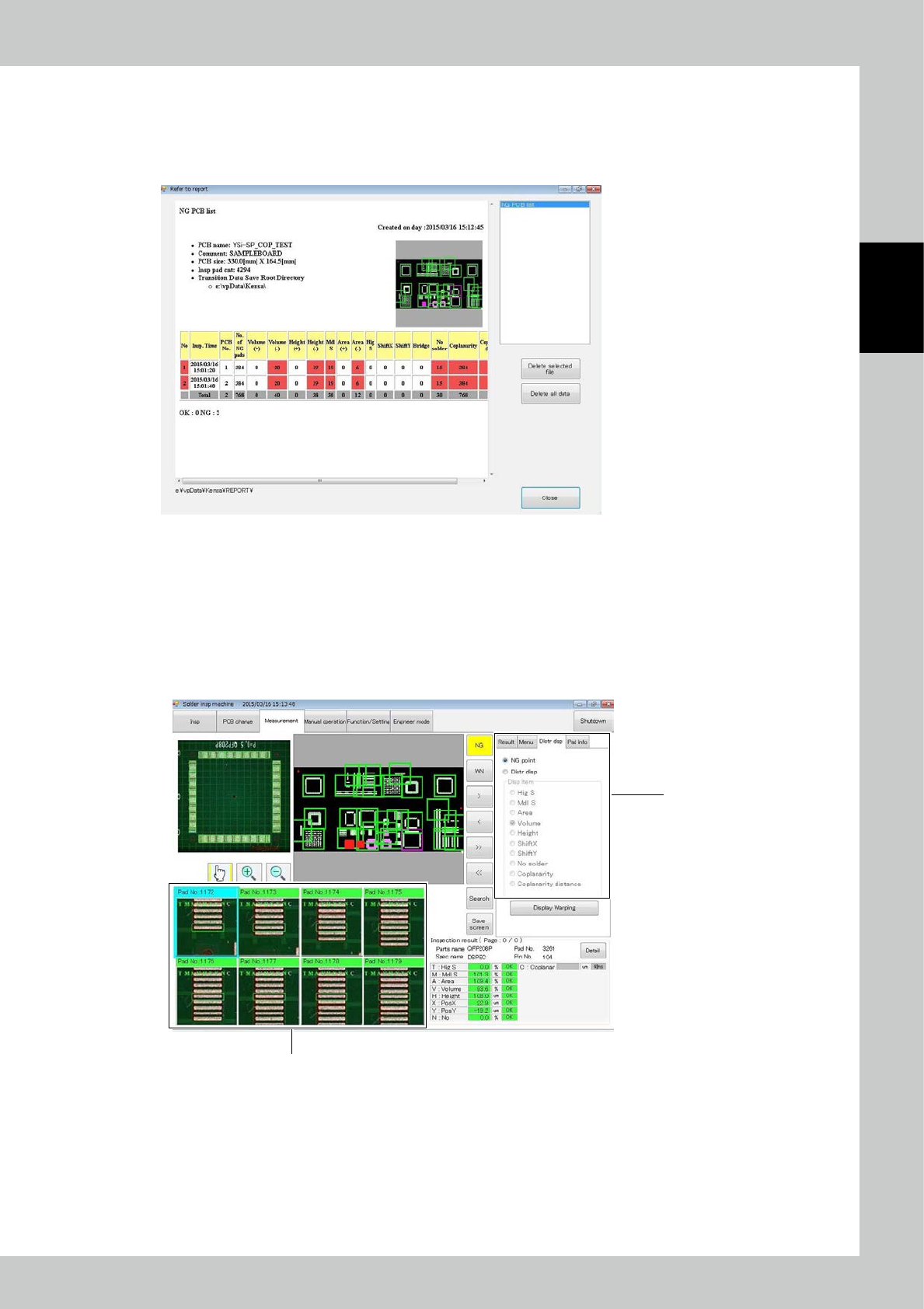
3.4.3 NG PCB list
The contents to be checked are only the PCB number of the faulty PCB and fault frequency of each inspection
item.
Details can be checked with the software at the data station.
24230-KMN-00
3.4.4 Alloc Disp
The "Alloc disp" view and each function are described.
Select the Alloc disp tab to switch between NG point view and allocation view of each inspection item.
1. The content is displayed according to the selected item.
2. Select a pad on the PCB to check the image of the selected pad.
2
1
When Alloc disp is selected
24231-KMN-00
2-30
2
Operation
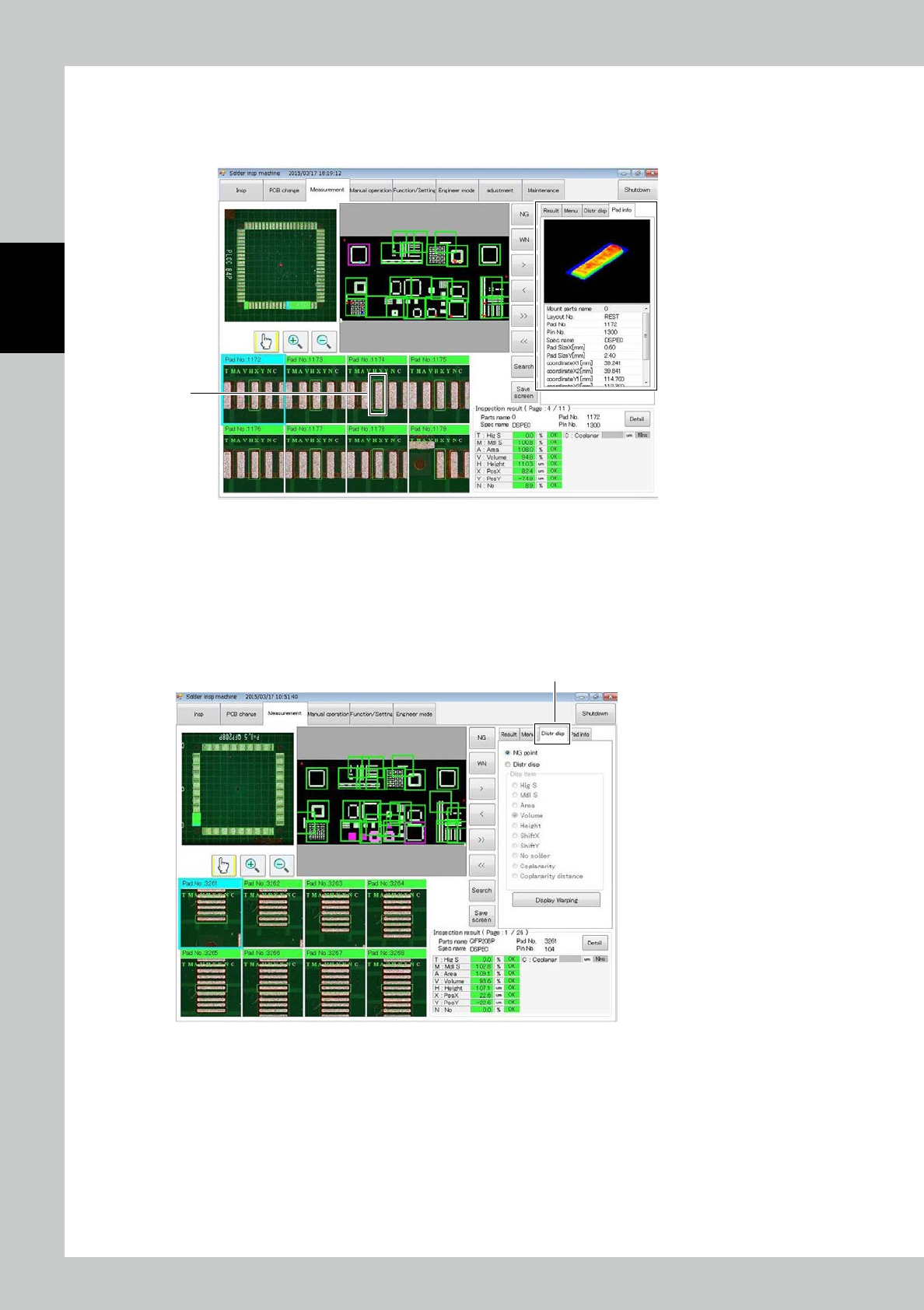
3.4.5 Pad info
The "Pad info" view and each function are described.
The shape of the pad selected at 1 and detail information about the pad can be checked.
1
24232-KMN-00
3.4.6 PCB Warping Measuring Function
The " PCB Warping Measuring Function " view and each function are described.
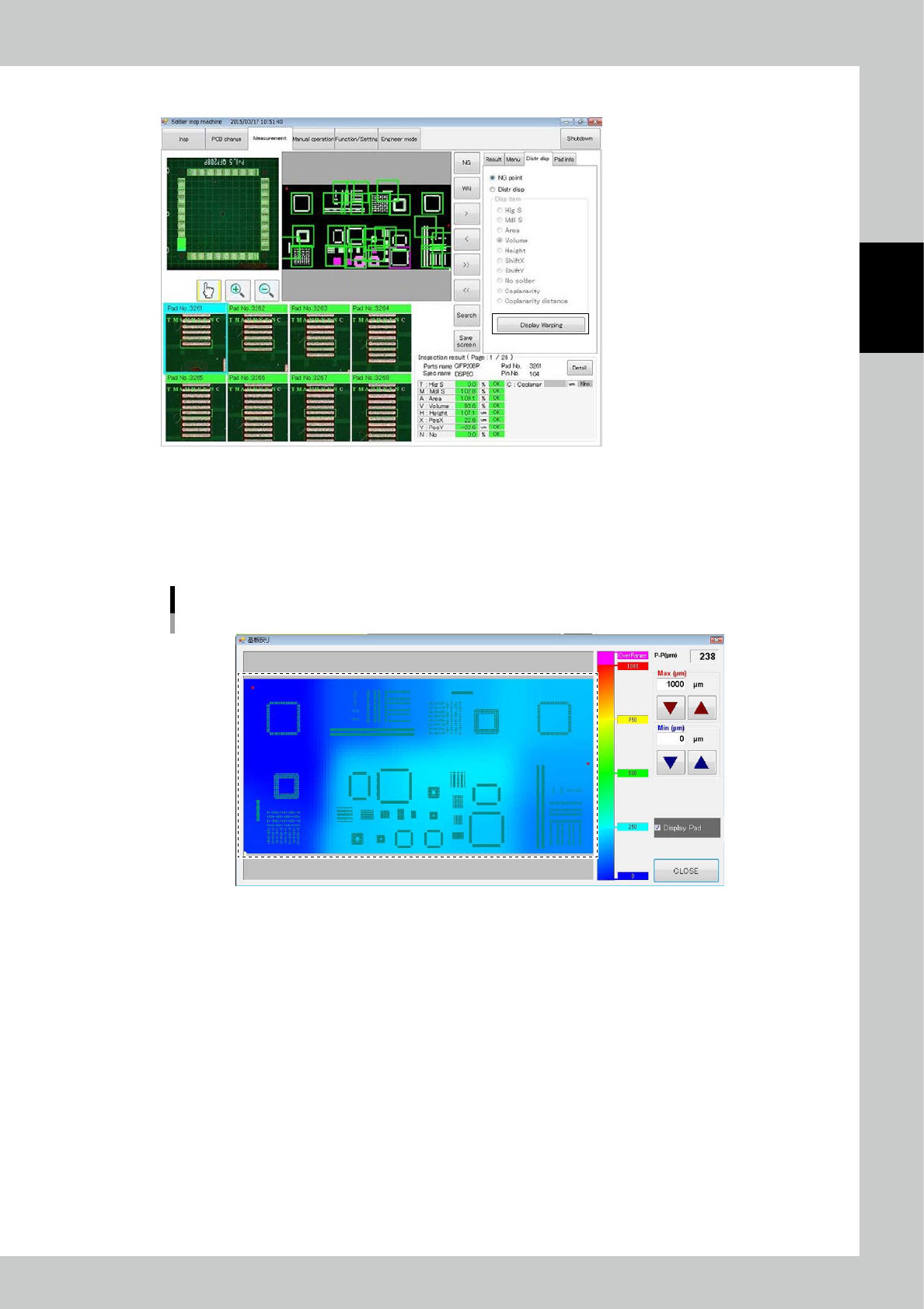
1. Opening the “Distribution display window” at measuring tab.
At right side of the screen after push the measuring tab, four tabs will be displayed.
Please push the “Distr disp” tab.
Distr disptab
24233-KMN-00
2-31
2
Operation
2. Displaying the PCB warping measuring result at the menu of “Distr disp”.
24234-KMN-00
3. “Display Warping” button is existed in the tab that is opened by pushing distribution display tab.
4. Displaying PCB warping measuring result at the menu of “Distr disp”.
PCB warping distribution display part is occupied almost of the window. It is displayed by Variation of colors according
as the level of warping.
Distribution Map
24235-KMN-00