YSi-SP_Ope_E.pdf - 第137页
3-2 3 Optional Functions 1.2 2D Code Inspection Specifications 2D code to be used QR code MicroQR or DA T AMA TRIX Number of 2D codes inspected The mount block + 1 place can be registered. 1.3 How to Conduct 2D Inspectio…
3-1
3
Optional Functions
1. 2D Code Setting
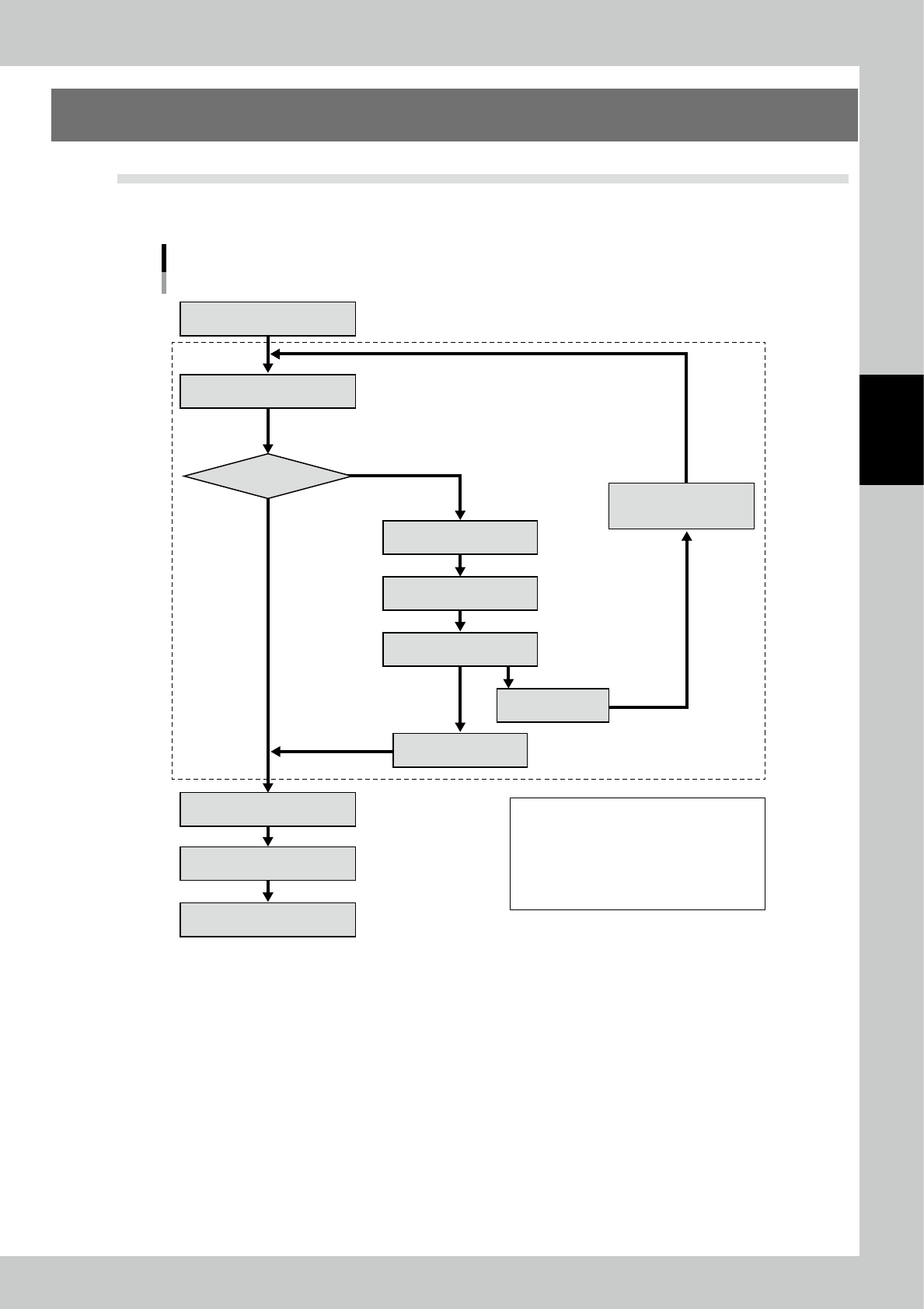
1.1 Flow of Inspection (2D code reading)
The action of the 2D code inspection section is common for discrete and automatic inspection.
The part other than the 2D code inspection section is the same as the standard inspection flow.
Flow of Inspection
OK
NG
Discharge PCB
Flow of 2D code inspection section
Manual entry screen display
2D code image display
2D code reading error
Manual 2D code entry
2D code inspection
Execute inspection
Fiducial mark inspection
2D code reading
Show inspection result
Re-read
Light amount adjustment
Coordinate check
Re-reading
Send the PCB into the main body.
Conditions for performing 2D code inspection
(1) A check mark (√) is placed at "2D code" on the
PCB data → Insp Setting screen.
(2) The coordinates and size of the 2D code is
specified in light amount adjustment.
Both conditions (1) and (2) above are satisfied.
23301-KMN-00
3-2
3
Optional Functions
1.2 2D Code Inspection Specifications
2D code to be used QR code MicroQR or DATAMATRIX
Number of 2D codes inspected The mount block + 1 place can be registered.
1.3 How to Conduct 2D Inspection
Follow the inspection procedure below to conduct 2D code inspection.
1
Select Engineer Mode
→
[Edit]
→
[PCB edit]
→
[PCB data]
→
Insp Setting in this
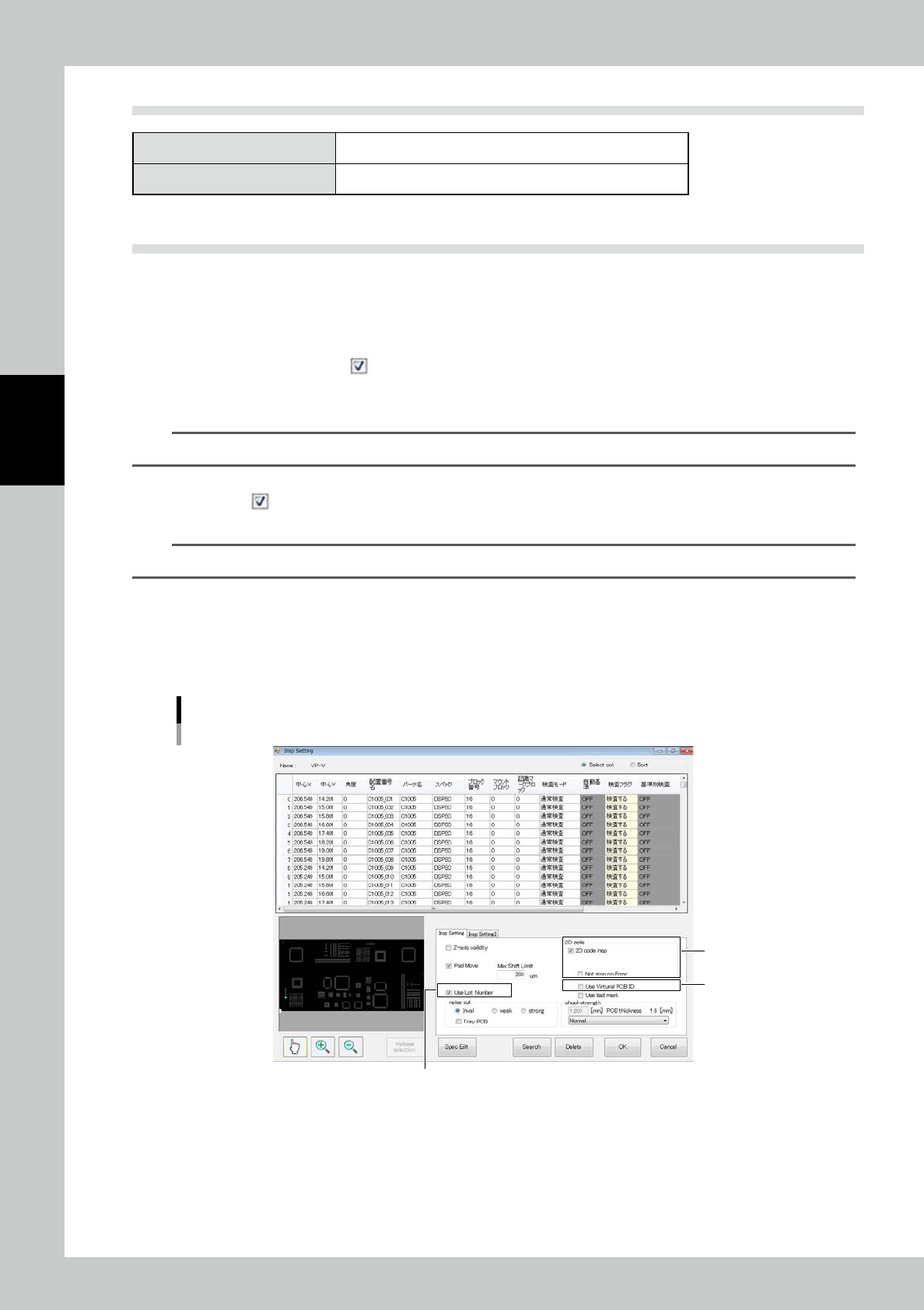
order. The screen shown in Fig is displayed.
1. Place a check mark ( ) at "2D code insp".
2. Making a check mark on “Use Lot Number”, random lot numbers shall be written on the transition
data.
TIP
Setting for lot numbers can be executed every time switching product brands.
3. To use the virtual PCB ID (fixed character string + counter ID) instead of the 2D code, place a check
mark (
) at "Use Virtual PCB ID."
(Both virtual substrate ID and 2D code can not be used at same
time.)
TIP
Setting for virtual substrate ID can be executed every time switching product brands.
2
Select the engineer mode and light amount adjustment (refer to "1.4 Light Amount
Adjustment") to adjust the coordinates of the 2D code and light amount.
3
Execute inspection to start inspection of the PCB edge, fiducial mark, 2D code and
inspection pad in this order.
2
1
3
Insp Setting screen
24301-KMN-00
3-3
3
Optional Functions
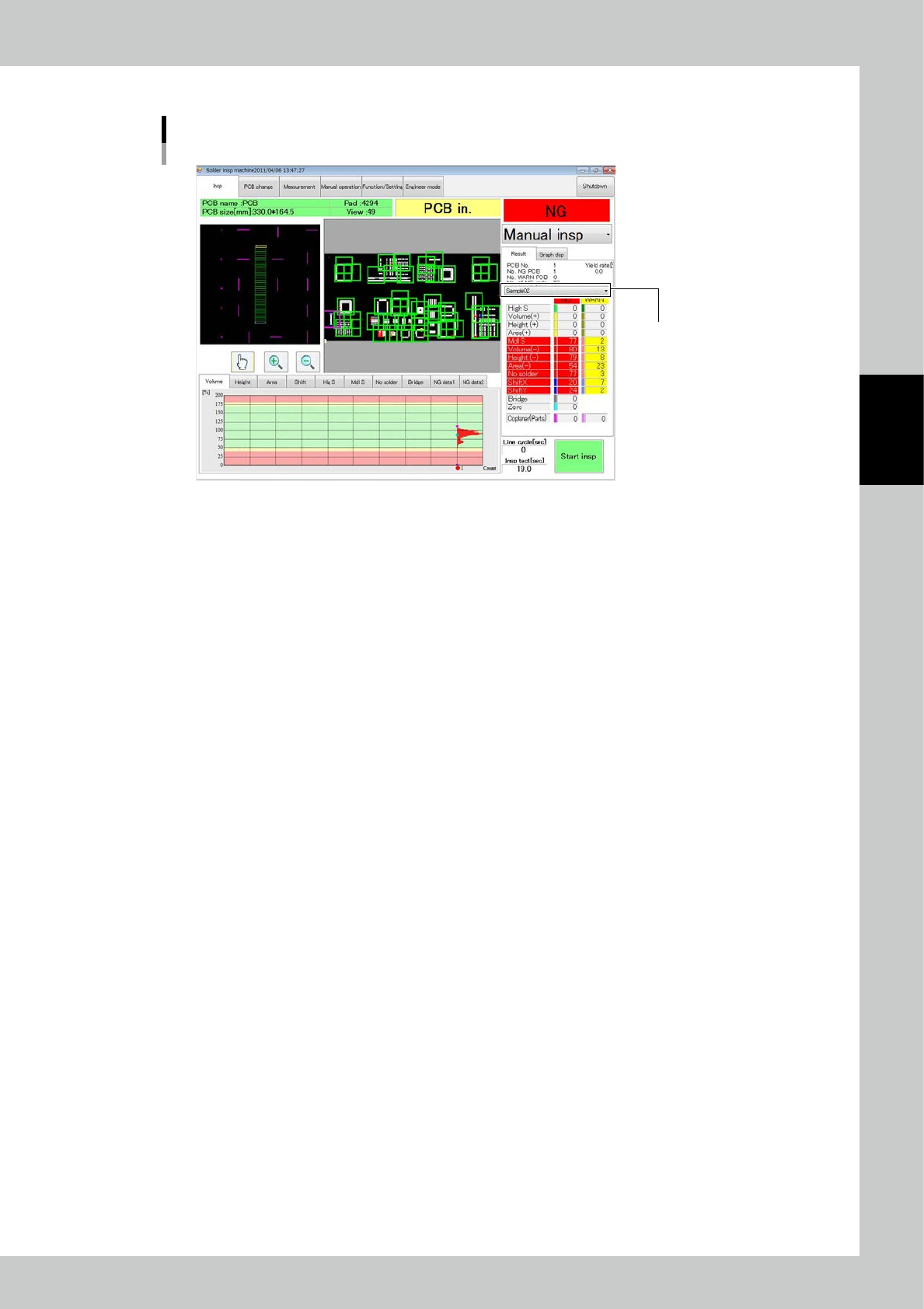
After inspection is finished, the 2D code is displayed in the position shown in the figure.
The 2D code is displayed here.
2D code check
24302-KMN-00