YSi-SP_Ope_E.pdf - 第88页
2-51 2 Operation 3.6.11 PCB insp result disp Select Simple Disp to show the results of aggregation as shown belo w . Solder (+) : T he sum of volume +, a verage height + and area + is displa yed. Solder (-) : T he sum of…
2-50
2
Operation
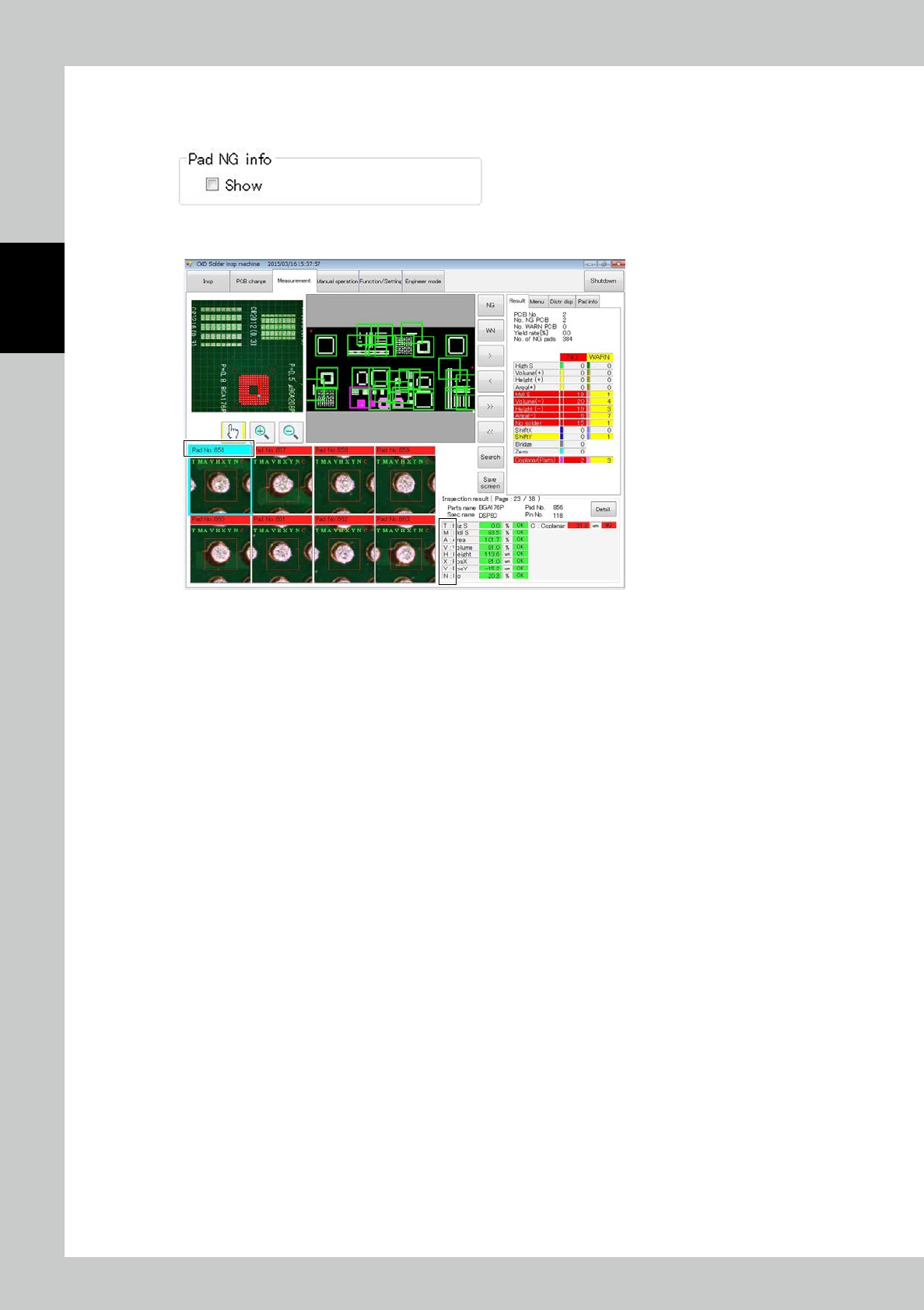
3.6.10 Pad NG info
Place a check mark at Pad NG info Show to show NG and WARN data for the individual pad.
The NG data is displayed at the following place during inspection.
Displayed characters correspond to the corresponding inspection item.
24268-KMN-00
2-51
2
Operation
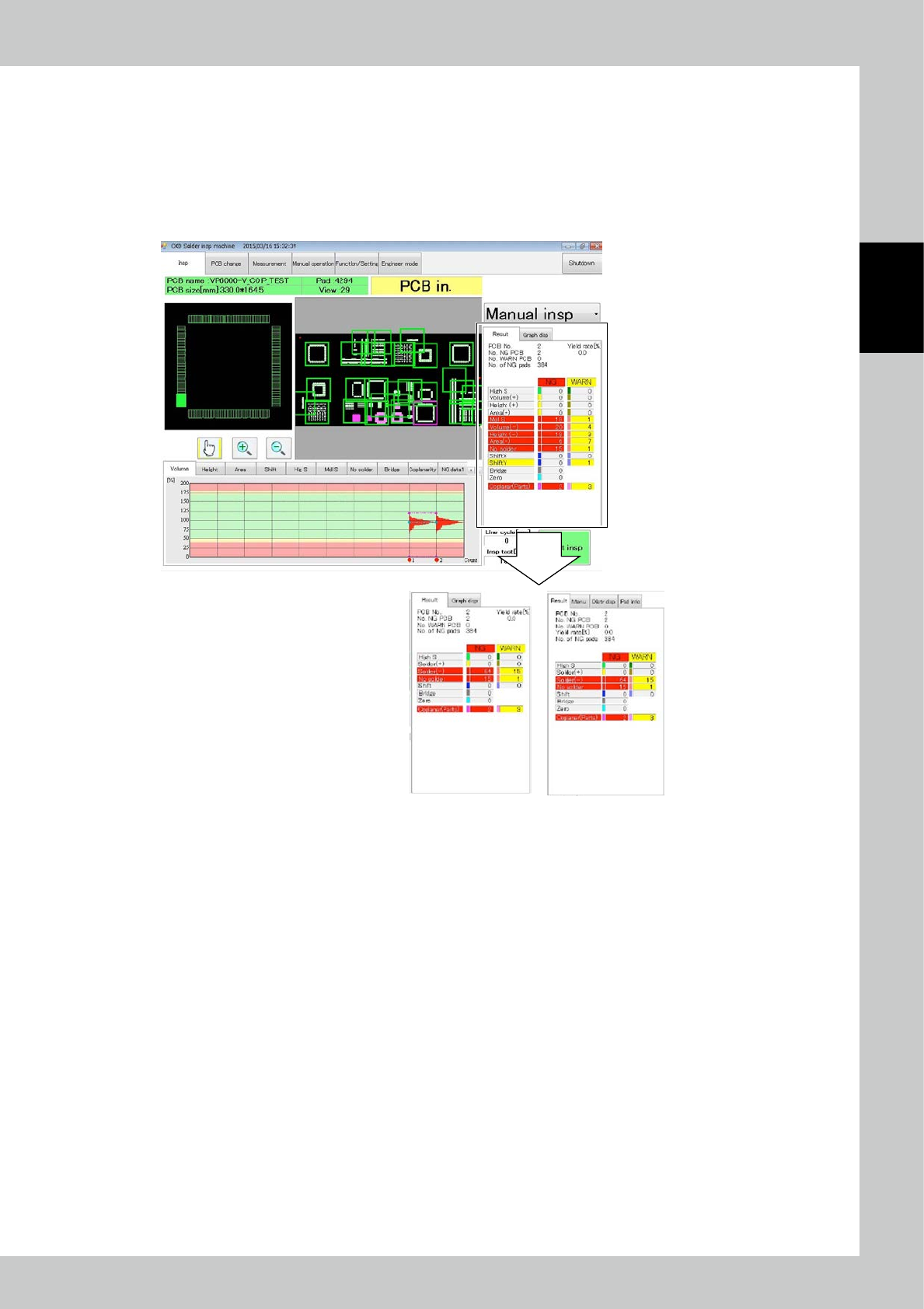
3.6.11 PCB insp result disp
Select Simple Disp to show the results of aggregation as shown below.
Solder (+) : The sum of volume +, average height + and area + is displayed.
Solder (-) : The sum of volume -, average height -, area - and blur is displayed.
Other inspection items are displayed similarly to the case of standard display.
The marked part changes in the simple display mode.
Simple Disp
Standard Disp
24269-KMN-00
2-52
2
Operation
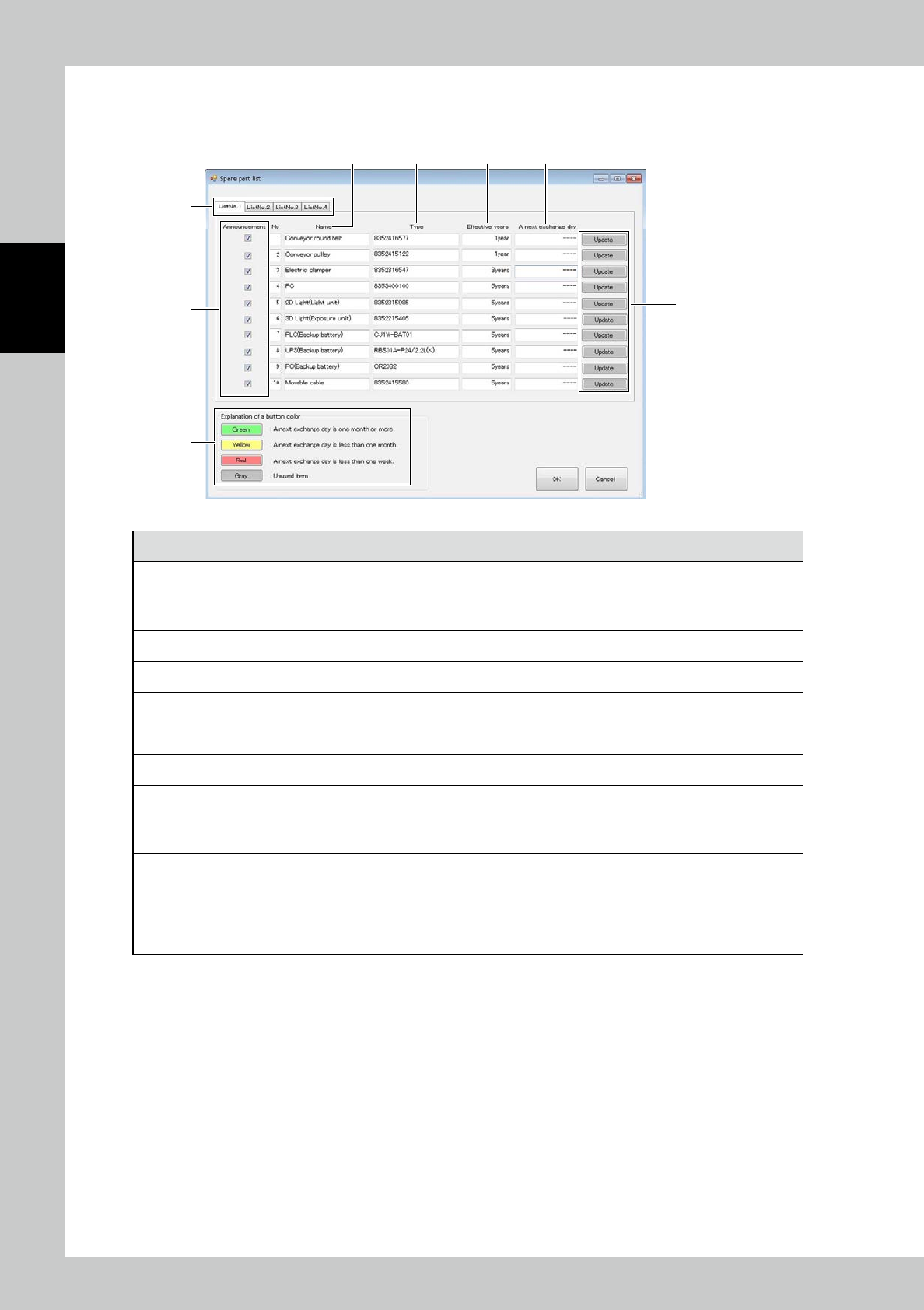
3.6.12 Maintenance display
Setting up for announce display and updating for coming replace timing on the maintenance screen.
1
2
3 4 5 6
7
8
24270-KMN-00
No Name Description of displayed item and functions
1 List tab
Displaying for the registered maintenance parts.
• List Tab1 : Displaying the registered parts from No. 1 to 10.
• List Tab2 : Displaying the registered parts from No. 11 to 20.
• List Tab3 : Displaying the registered parts from No. 21 to 30.
2 Announcement Switching ON/OFF of message display.
3 Name Displaying the parts name should be replaced.
4 Type Displaying the parts type should be replaced.
5 Effective years Displaying the parts replace interval.
6 A next exchange day Displaying the coming replace date.
7 Update button
Updating next parts replace date.
This button shall be selected after the maintenance parts are replaced.
In case of selection g the button, “Selected current date + Valid Date”
shall be displayed the coming replace date.
8 Explanation of a button color
The rest date to coming replace interval shall be with the colored buttons.
• Green : The coming replace date is more than one month.
• Yellow : The coming replace date is in one month.
• Red : The coming replace date is in one week.
The maintenance parts displayed with yellow and red colored buttons are in the
announce condition.