YSi-SP_Ope_E.pdf - 第84页
2-47 2 Operation 2 A confirmation screen urges to select whether or not to adjust manually . T o adjust, select "Y es." 24261-KMN-00 3 Check the image of the mark and touch the center of the mark on the screen …
2-46
2
Operation
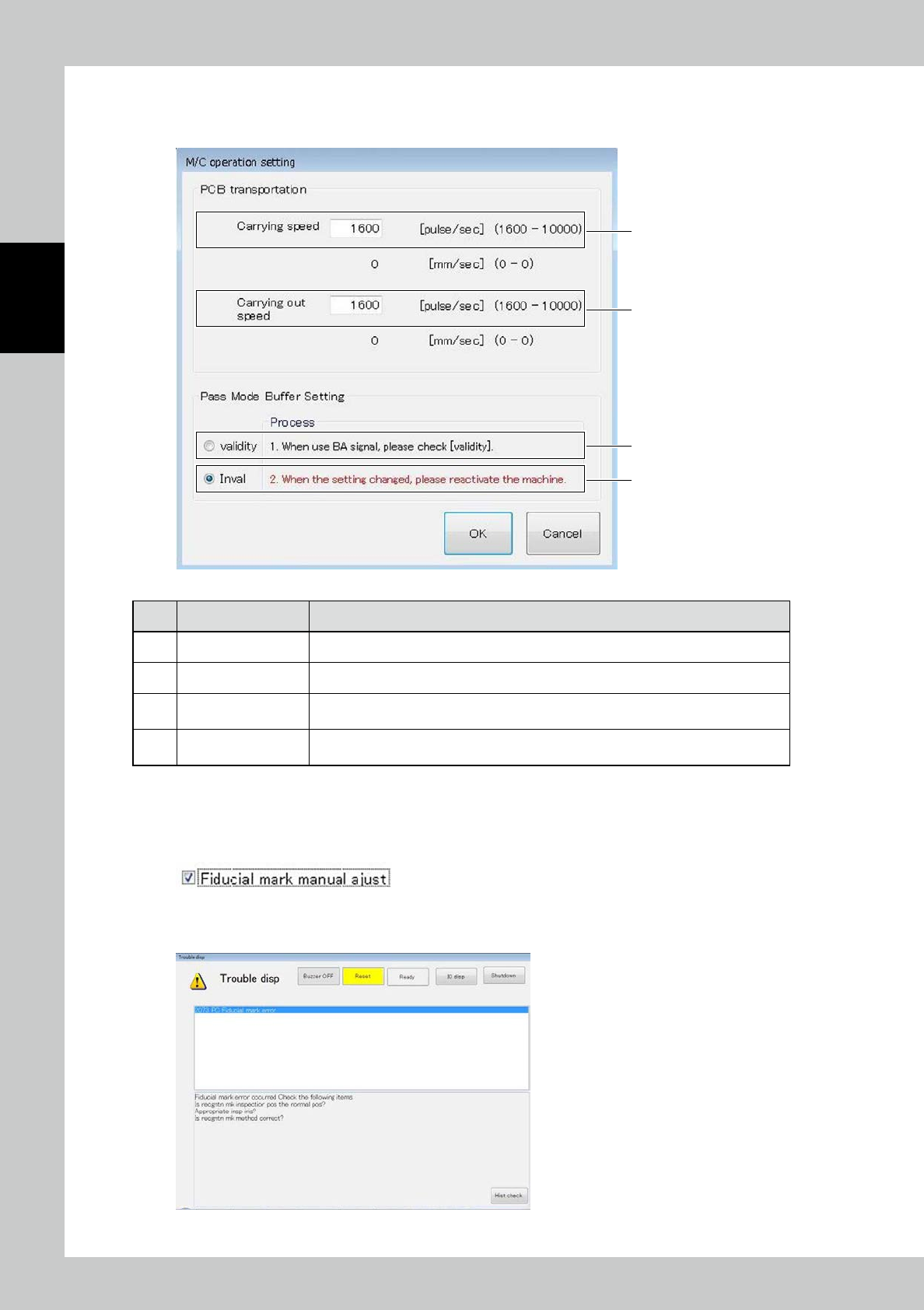
3.6.7 M/C operation setting
The PCB transportation speed can be changed.
1
2
3
4
24259-KMN-00
No Name Description of displayed item and functions
1 Carrying speed Enter the conveyor speed for carrying the PCB into the conveyor of the main body.
2 Carrying out speed Enter the conveyor speed for discharging the PCB from the conveyor of the main body.
3 Validity
RDY signal shall be output to the upper stream machine without the signal from
following stream machine during the mass mode operation.
4 Invalidity
RDY signal shall be out put to the upper stream machine when receiving the signal form
the down stream during the pass mode operation.
3.6.8 Fiducial mark manual adjust
The mark position can be entered manually upon a fiducial mark error in inspection.
To refrain from manual adjustment upon a mark error, check the registered data and light intensity.
1
If a fiducial mark error is caused during manual inspection or automatic inspection,
press the [RESET] button.
24260-KMN-00
2-47
2
Operation
2
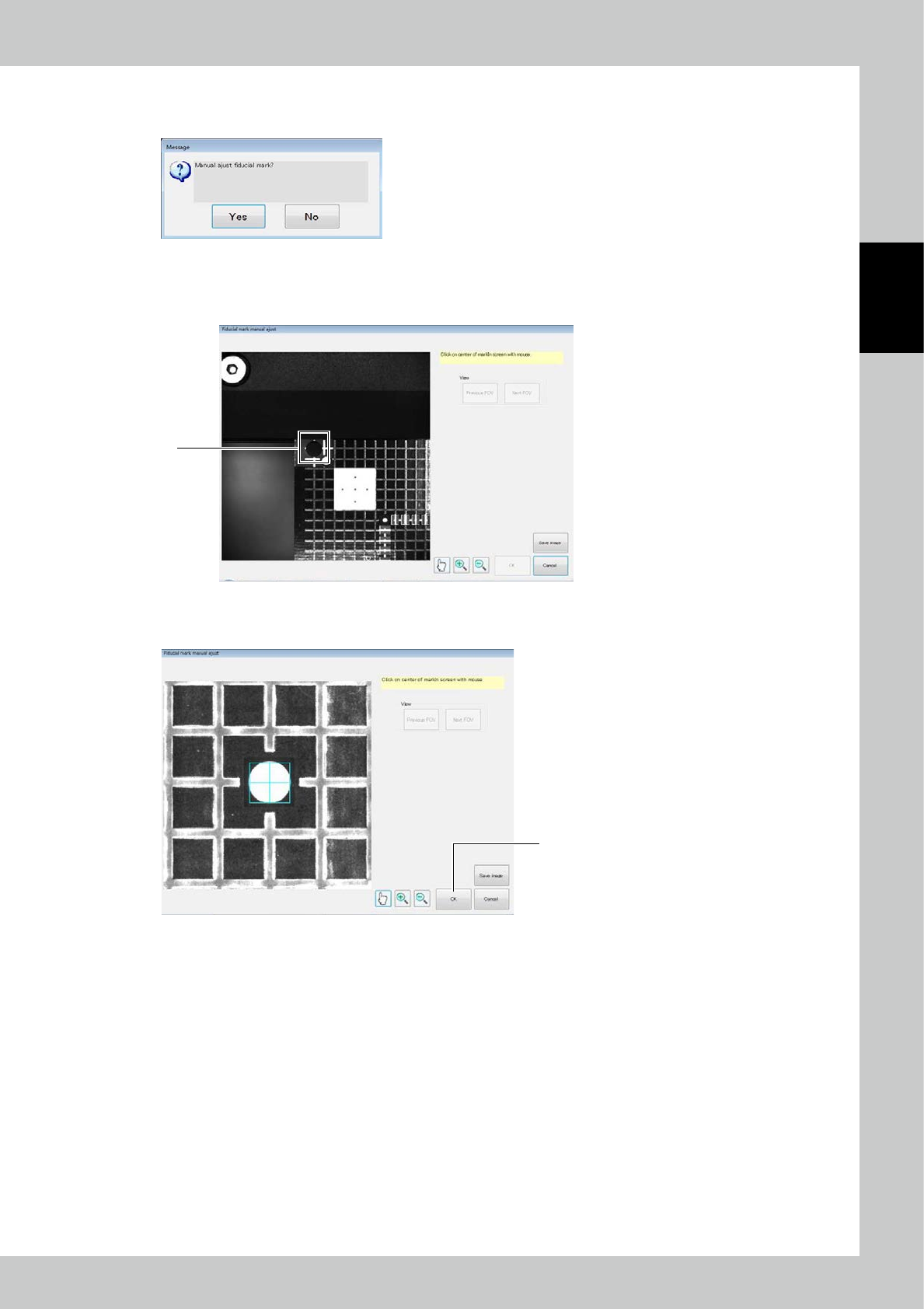
A confirmation screen urges to select whether or not to adjust manually. To adjust,
select "Yes."
24261-KMN-00
3
Check the image of the mark and touch the center of the mark on the screen to
designate.
3
24262-KMN-00
4
After registration of all marks has been finished, click on OK.
4
24263-KMN-00
2-48
2
Operation
5
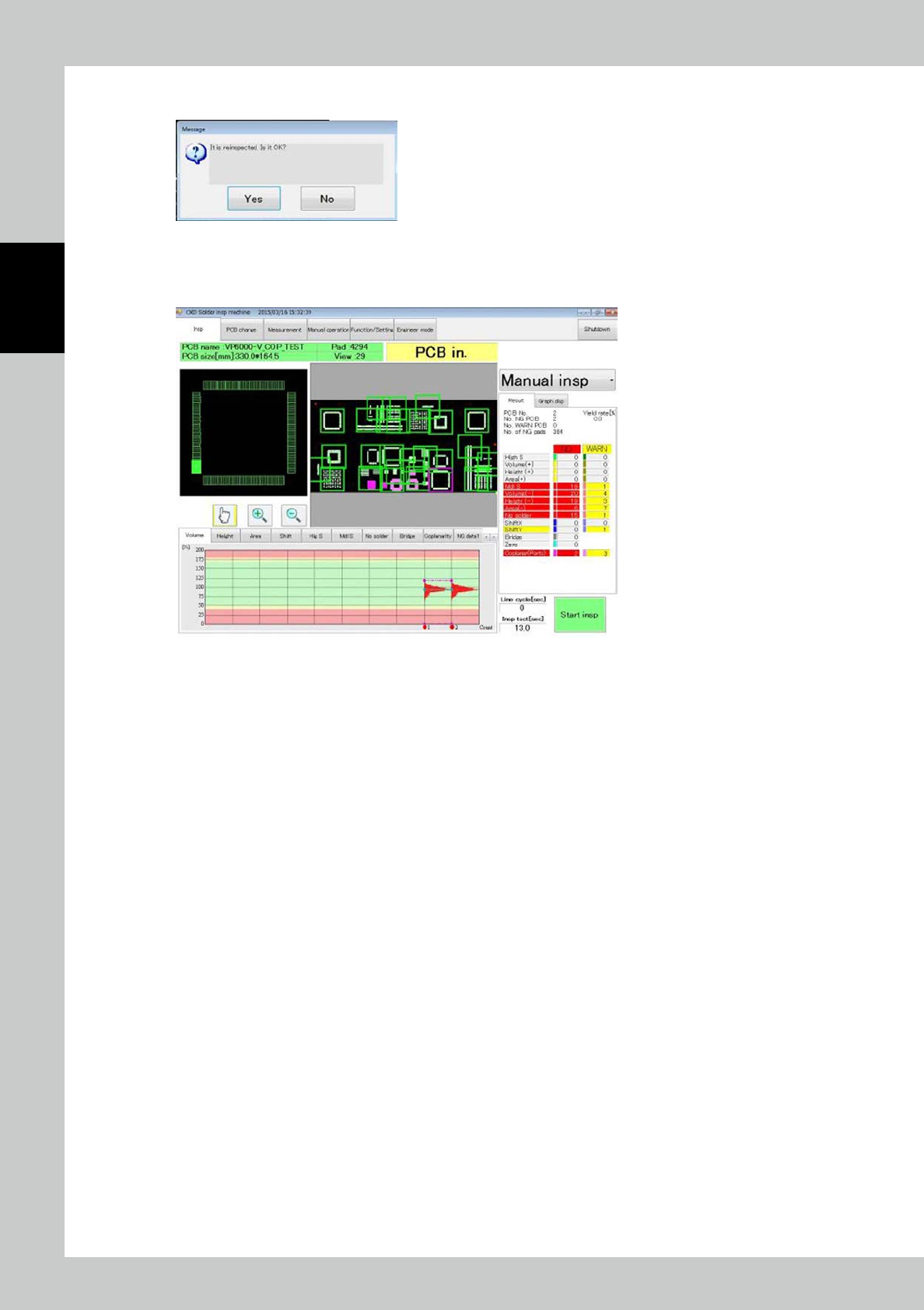
A confirmation message is displayed. Select "Yes" to continue inspection.
24264-KMN-00
6
After inspection is finished, results of inspection are displayed as if in a regular
procedure.
24265-KMN-00