YSi-SP_Ope_E.pdf - 第70页
2-33 2 Operation 7. Changing max value of displaying function 1. It set max v alue of PCB warping range of displa ying. It is possible to show up the grade of w arping distribution by adjusting this value. Initial v alue…
2-32
2
Operation
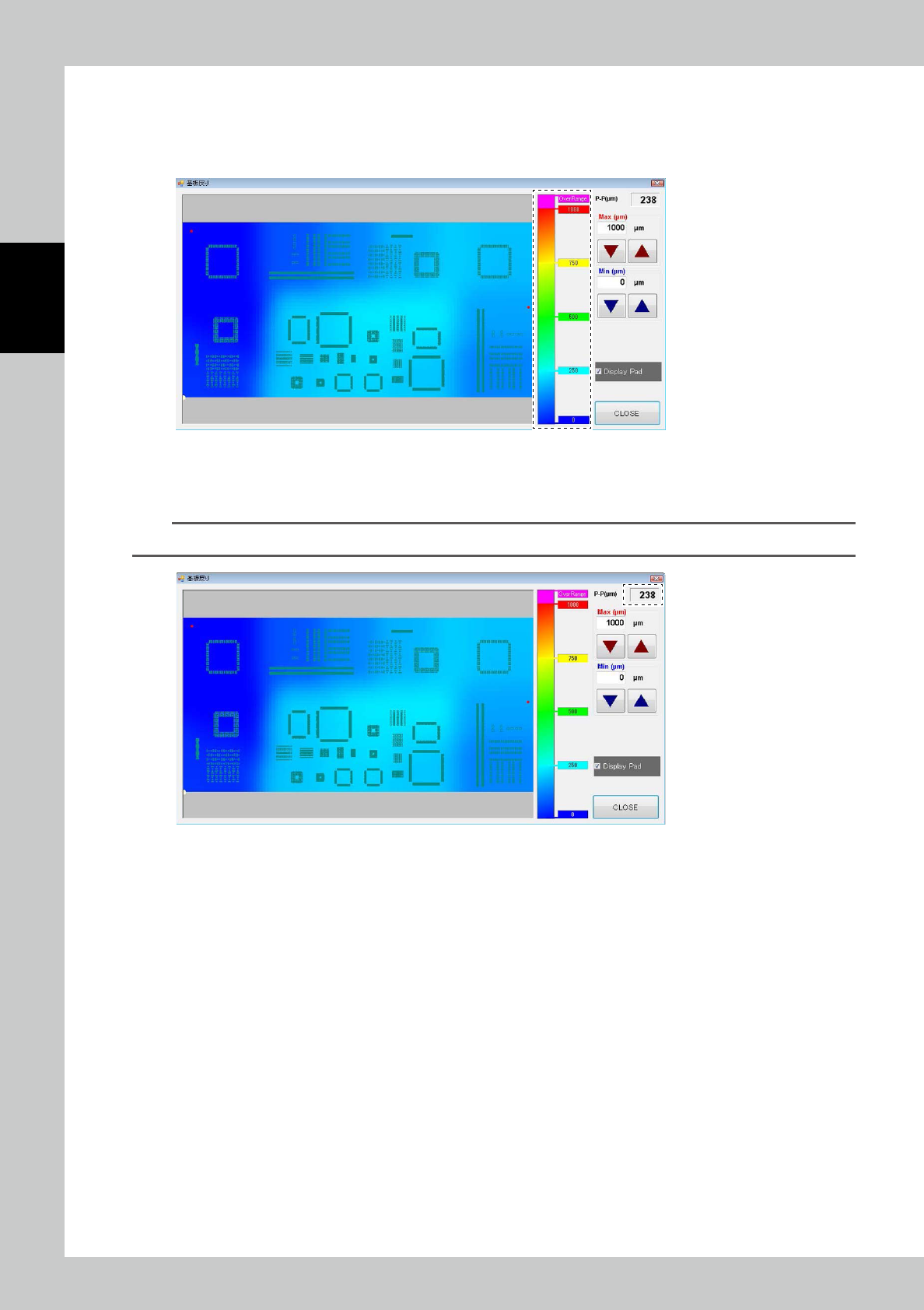
5. Color distribution operating bar (Graduation-Bar)
It is indicated the mutual relation of displaying-color and the level of PCB warping at this bar.
The Values of displaying here is changed according as max value automatically as changing max value of PCB warping
display that we explain in late chapter.
24236-KMN-00
6. Max value of PCB warping display
Max value of whole PCB warping range will be displayed at upper-right of window. (Unit: μ
m
)
TIP
Since it is a reference value, there may be a slight difference from the actual warping value.
24237-KMN-00
2-33
2
Operation
7. Changing max value of displaying function
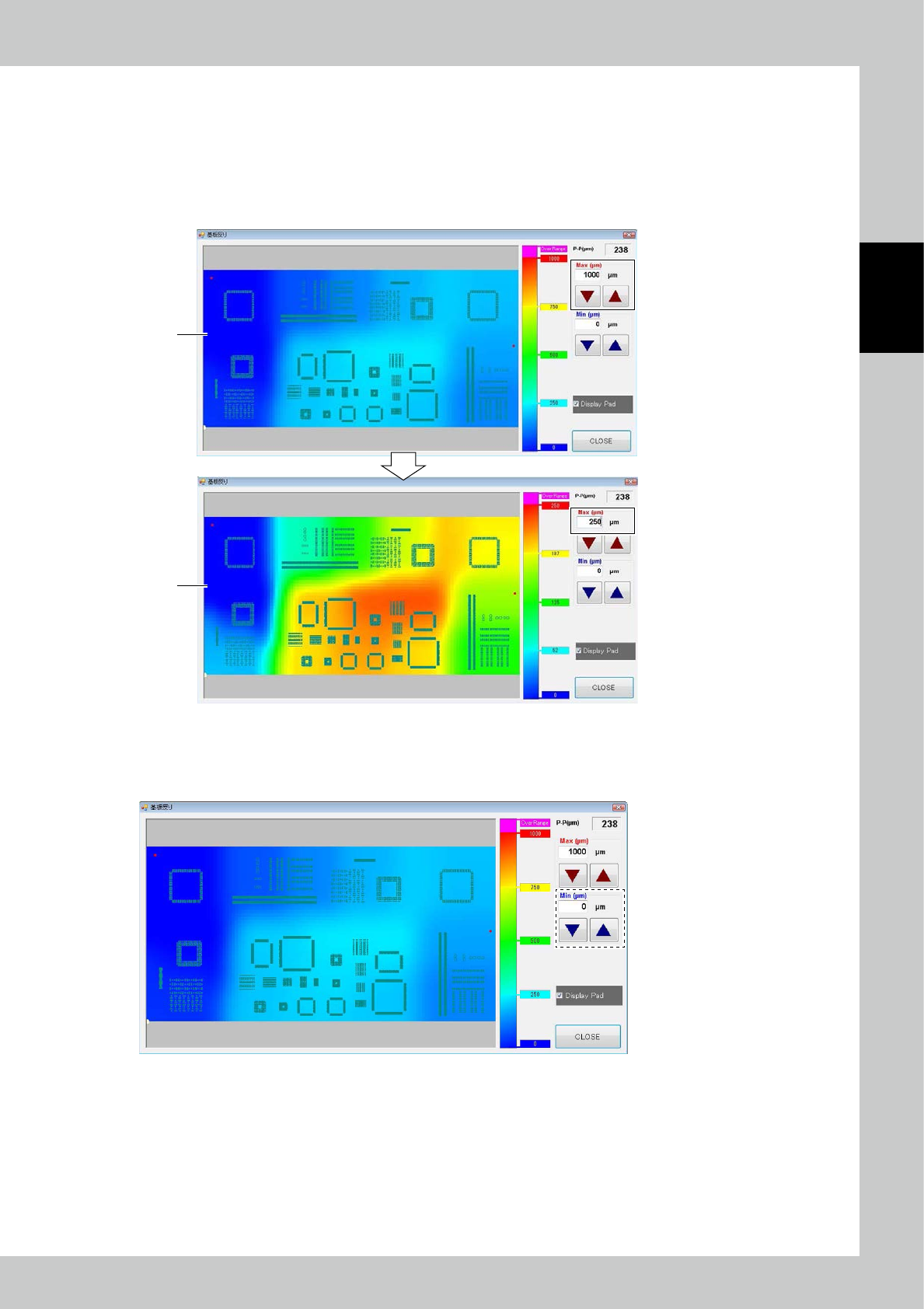
1. It set max value of PCB warping range of displaying. It is possible to show up the grade of warping distribution by
adjusting this value. Initial value is set at 1000μm.
2. [Fig 24238-KMN-00-1] screen is interchanged one that max value of displaying range of [Fig 24238-KMN-00-2]screen
is set at “250μm”.
It is more easy to judge warping distribution than before the map of interchanging range by this showing up grade of
warping distribution.
1
2
24238-KMN-00
8. Changing min value of displaying function
It set minimum value of PCB warping range of displaying. Warping range that have set at this screen is displayed by blue
color same as 0μm. It is available to confirm only big-warping part, etc..
24239-KMN-00
2-34
2
Operation
9. Pad displaying function
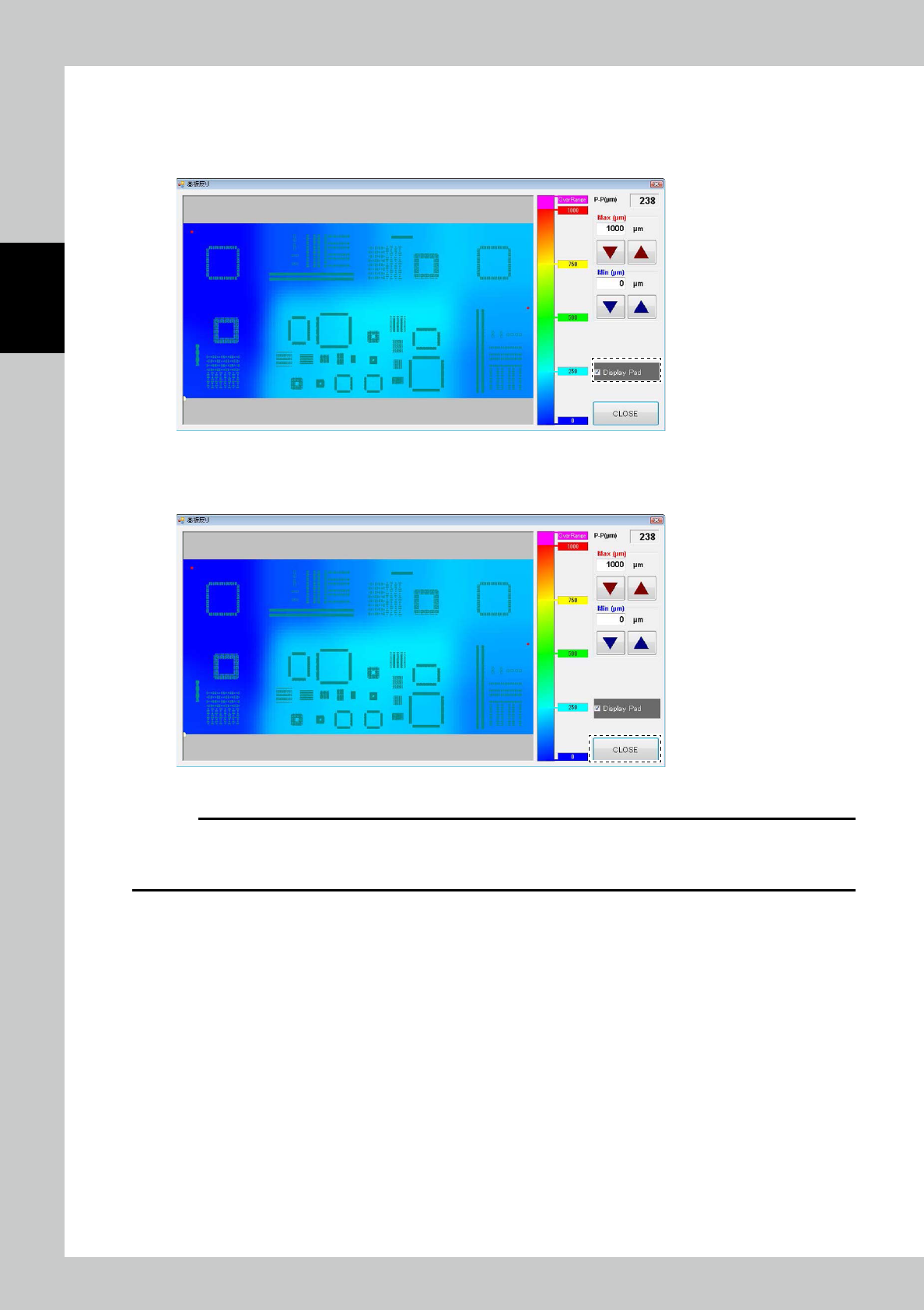
This is the function of displaying pads on PCB at distributing map. Pads are displayed at Initial setting. This function is
available to confirm the warping part, etc..
In case of not needed to display pads, it is possible to delete displaying after checking the check box written [Display Pad].
24240-KMN-00
10. Close of PCB warping displaying function
This function is closed after pushing [Close] button and shutting window.
24241-KMN-00
c
CAUTION
In this function, distributing map is not displayed as uninspected PCB because this function makes inspection result of
PCB warping on the basis of the inspected datas after inspecting PCB.
And please turn on the “Z-axis revision function” at inspection setting function when using this function.