YSi-SP_Ope_E.pdf - 第54页
2-17 2 Operation 2.7 Shutdown of Inspection Machine F ollow the procedure below to shut do wn the inspection machine. 1. While the inspection mac hine is in a stop, touch the [shutdown] button at the upper right of the m…

2-16
2
Operation
2.6.3 Pass Mode
In the pass mode, PCB loading and unloading are made continuously while communications are made with
pre- and post-processes. Inspection is not performed.
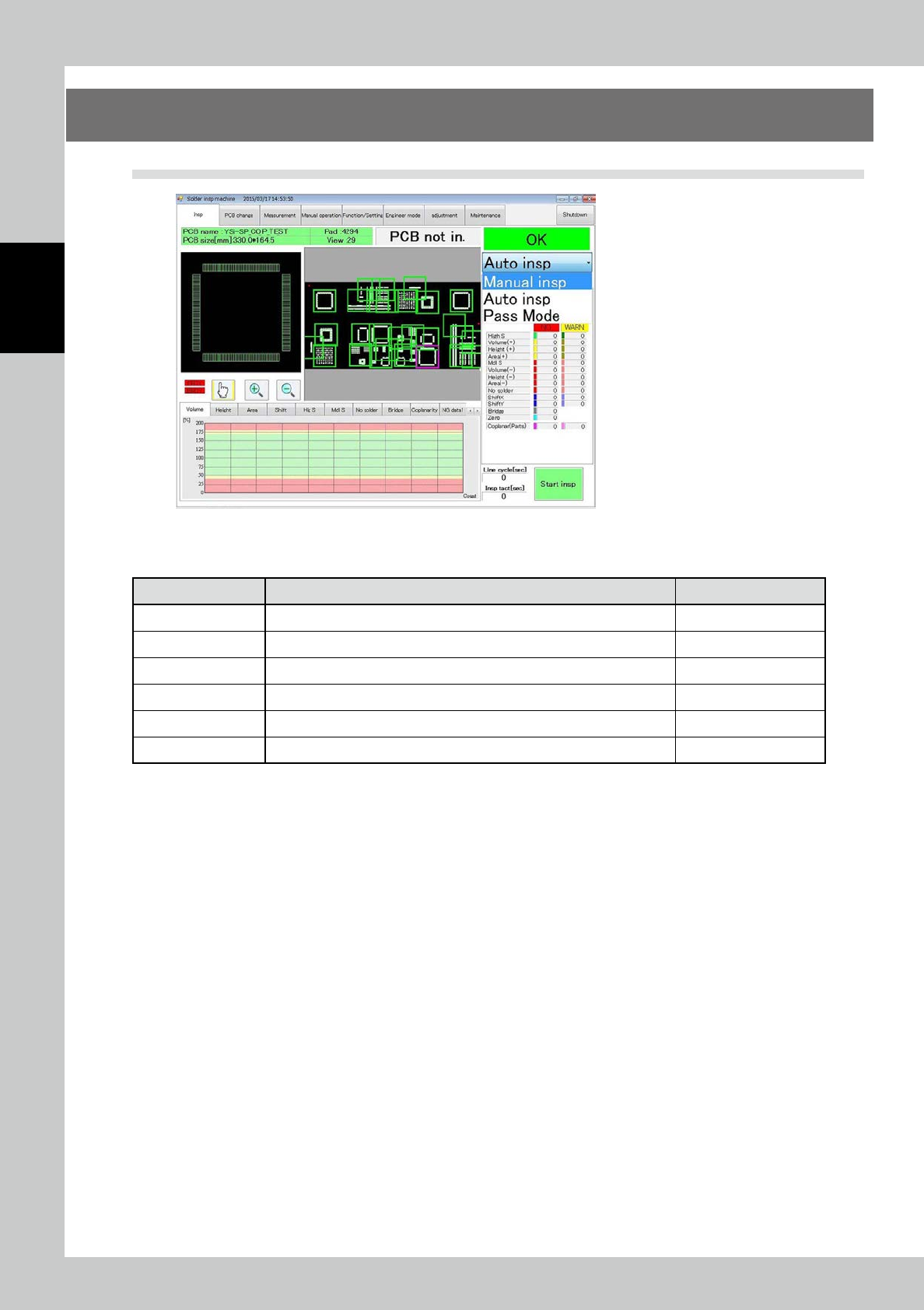
Touch the inspection tab on the main menu to open the inspection screen. Select the pass mode from the
pull-down menu on the right side of the screen. Touch the [start inspection] button to start the pass mode.
2-17
2
Operation
2.7 Shutdown of Inspection Machine
Follow the procedure below to shut down the inspection machine.
1. While the inspection machine is in a stop, touch the [shutdown] button at the upper right of the main menu screen for
one second to shut down the inspection machine.
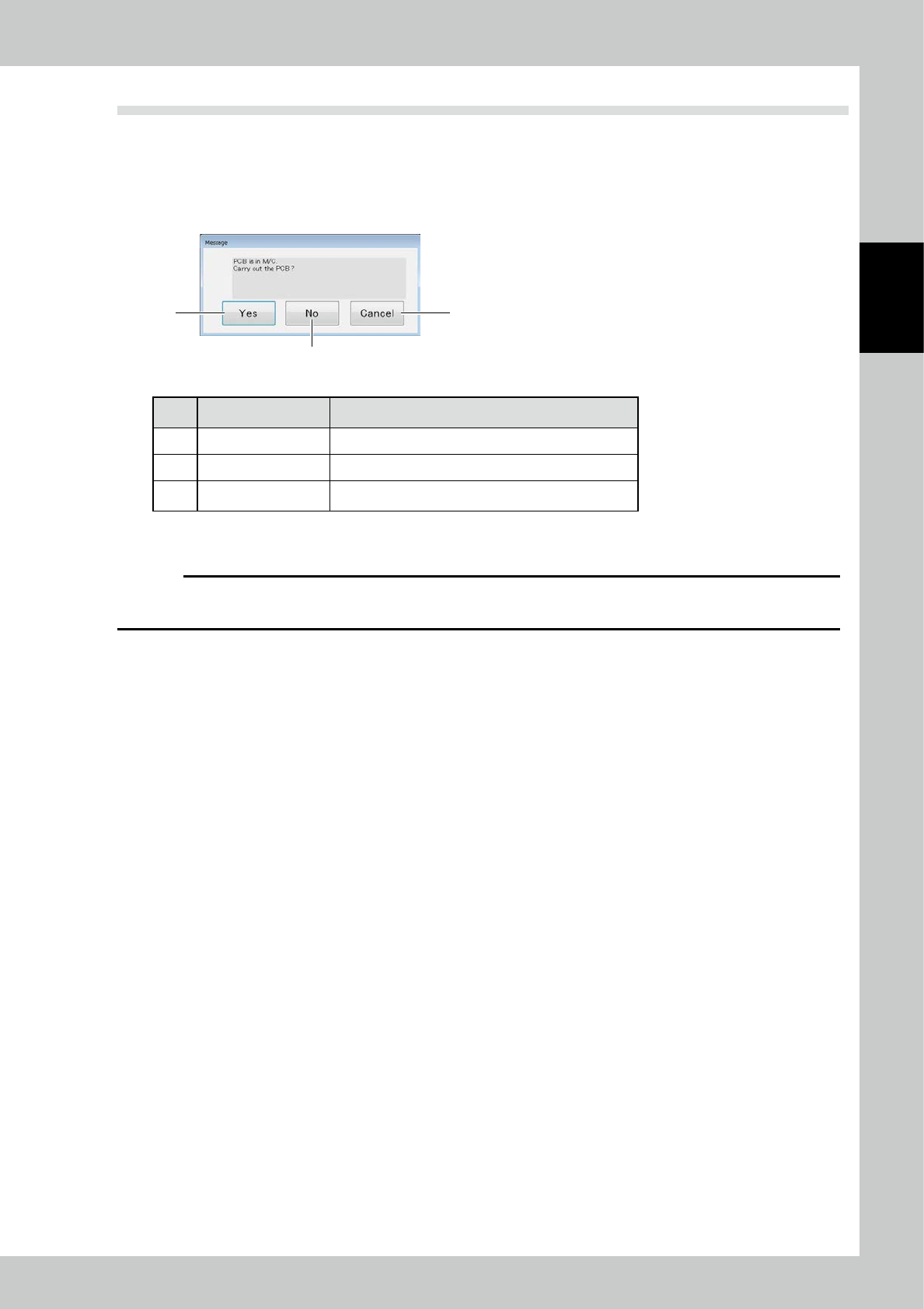
2. When the substrate in the apparatus to perform a shut down in the state of being clamped, the following message
appears.
2
1 3
24219-KMN-00
No Name Description of displayed item and functions
1 Yes After the substrate carry-out, and then shut down.
2 No Run the shutdown.
3 Cancel To cancel the shutdown.
3. After confirming the machine is shut down, open the front cover of the main body of the inspection machine and turn
off the main power off.
c
CAUTION
The inspection machine runs on Windows operating system. Before turning off the main power switch, be sure to check
that the operating system has been shut down.
2-18
2
Operation
3. Screen Configuration and Each Function
3.1 Screen Configuration
24220-KMN-00
The figure shows the main tab menu located at the upper part of the screen. Touch the desired tab to select it
and jump to the corresponding menu screen.
Menu Option Description Refer to
Insp Check the image of the PCB being inspected and inspection results. "3.2 Inspection"
PCB change Change the PCB (inspection program). "3.3 PCB Change"
Measurement Measure the inspection results with 3D or 2D images. "3.4 Measurement"
Manual operation Load/unload the PCB, adjust the conveyor width, or adjust the XY table. "3.5 Manual Operation"
Function/Setting Enter or adjust the settings about the main body of the inspection machine. "3.6 Function/Setting"
Engineer mode Create or edit inspection programs, specifications or part library. "3.7 Engineer Mode"