YSi-SP_Ope_E.pdf - 第71页
2-34 2 Operation 9. Pad displaying function T his is the function of displaying pads on PCB at distributing map. P ads are displa yed at Initial setting. This function is av ailable to confirm the warping part, etc.. In …
2-33
2
Operation
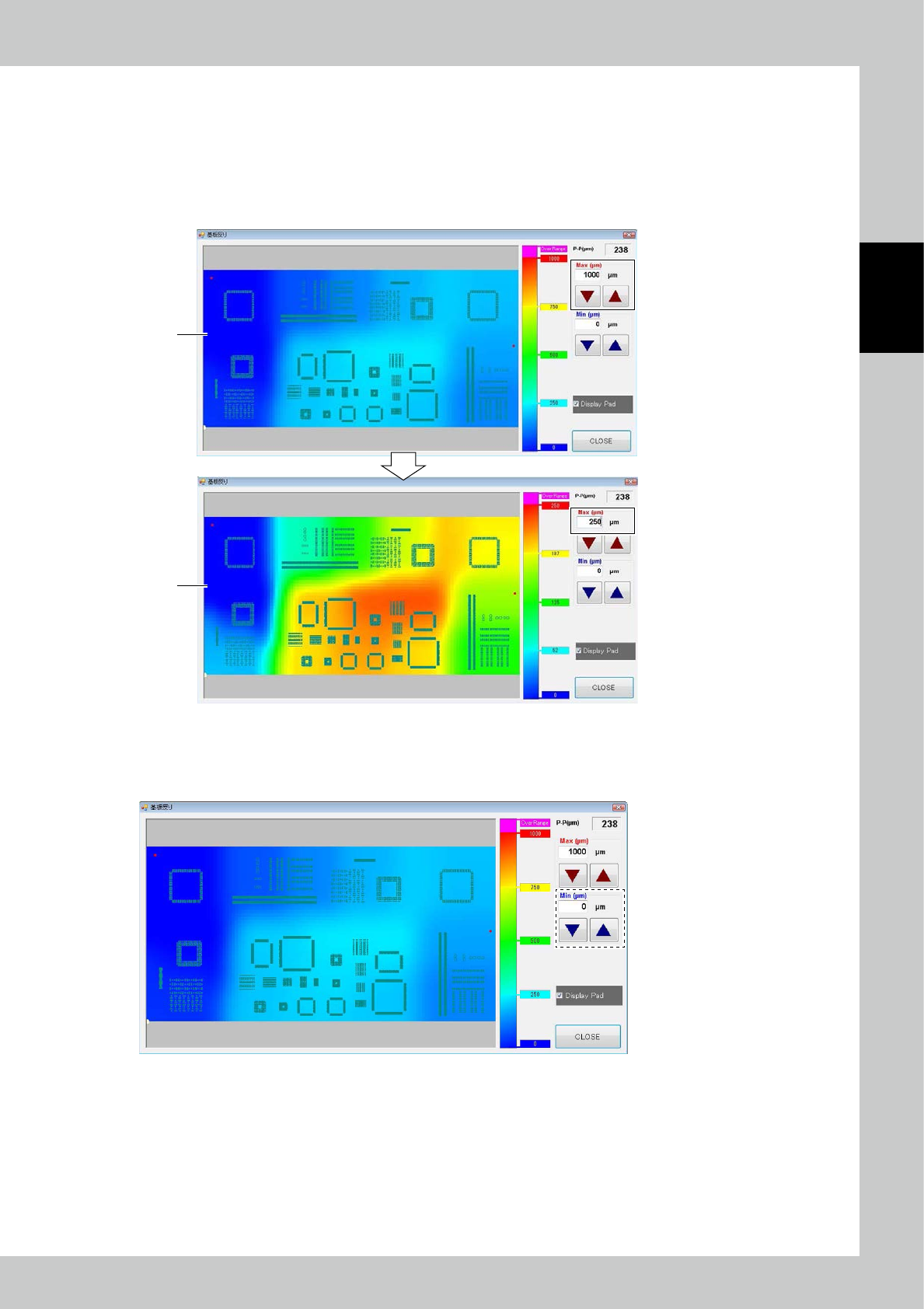
7. Changing max value of displaying function
1. It set max value of PCB warping range of displaying. It is possible to show up the grade of warping distribution by
adjusting this value. Initial value is set at 1000μm.
2. [Fig 24238-KMN-00-1] screen is interchanged one that max value of displaying range of [Fig 24238-KMN-00-2]screen
is set at “250μm”.
It is more easy to judge warping distribution than before the map of interchanging range by this showing up grade of
warping distribution.
1
2
24238-KMN-00
8. Changing min value of displaying function
It set minimum value of PCB warping range of displaying. Warping range that have set at this screen is displayed by blue
color same as 0μm. It is available to confirm only big-warping part, etc..
24239-KMN-00
2-34
2
Operation
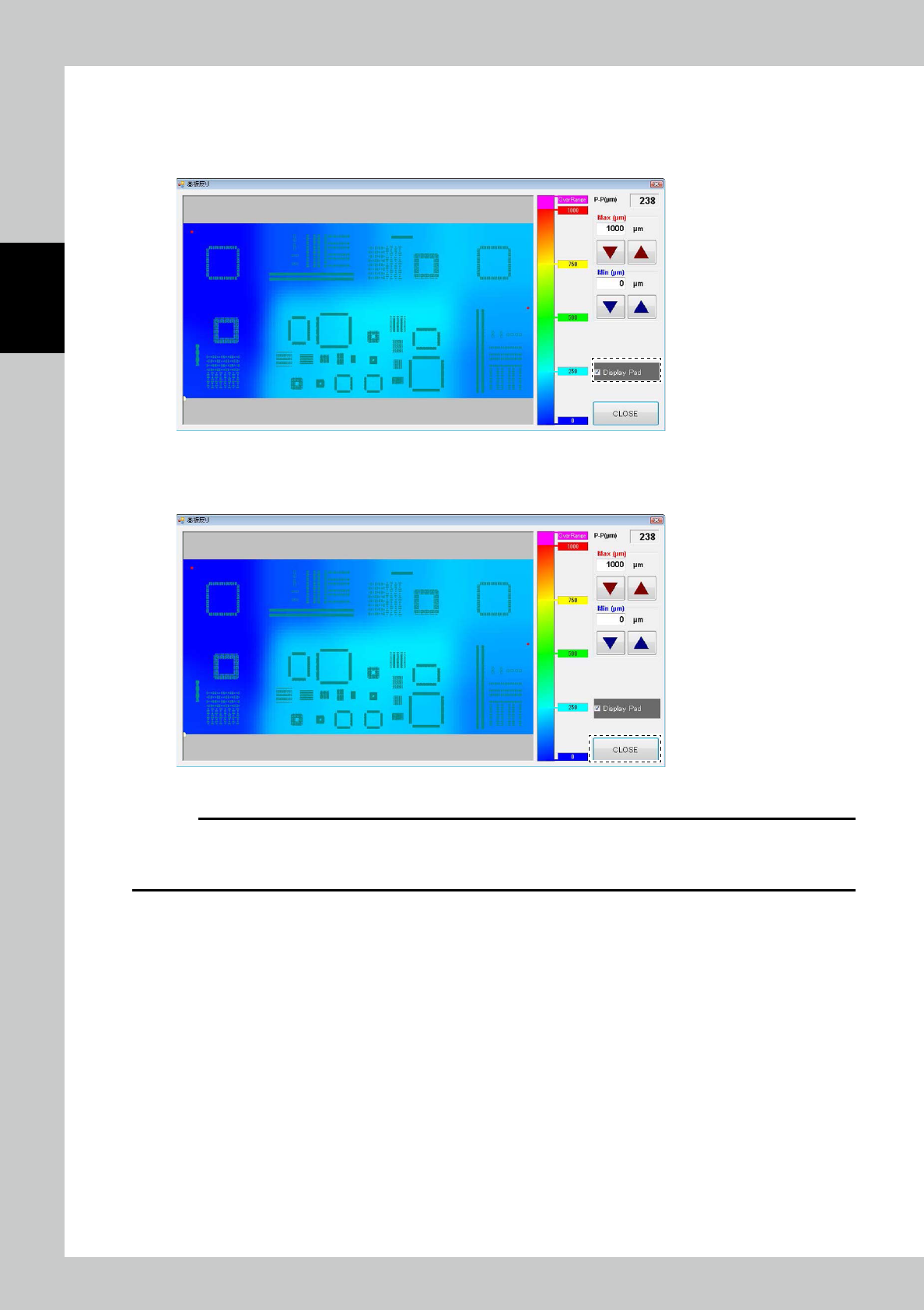
9. Pad displaying function
This is the function of displaying pads on PCB at distributing map. Pads are displayed at Initial setting. This function is
available to confirm the warping part, etc..
In case of not needed to display pads, it is possible to delete displaying after checking the check box written [Display Pad].
24240-KMN-00
10. Close of PCB warping displaying function
This function is closed after pushing [Close] button and shutting window.
24241-KMN-00
c
CAUTION
In this function, distributing map is not displayed as uninspected PCB because this function makes inspection result of
PCB warping on the basis of the inspected datas after inspecting PCB.
And please turn on the “Z-axis revision function” at inspection setting function when using this function.
2-35
2
Operation
3.5 Manual Operation
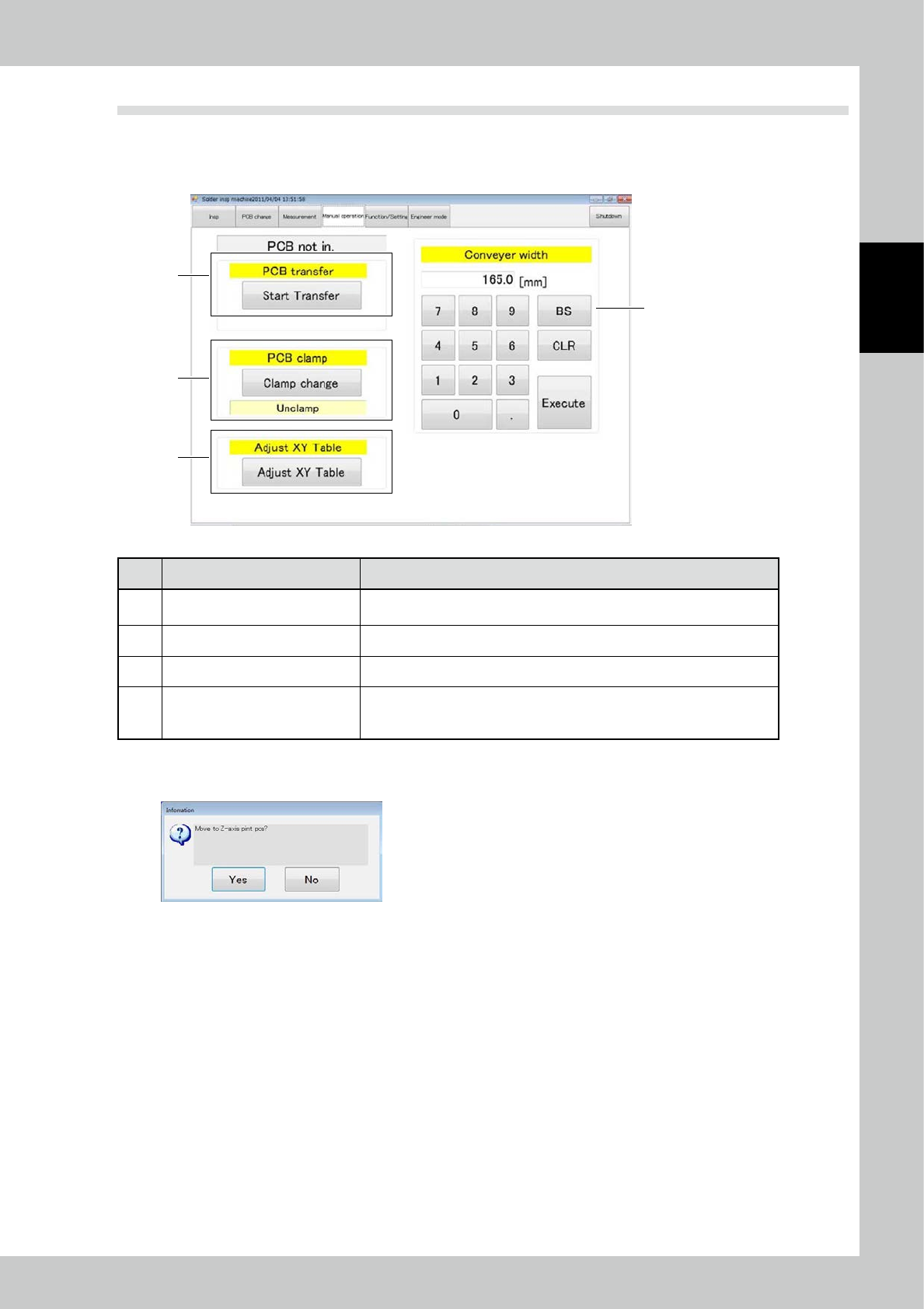
Items displayed on the manual operation screen and functions are described. On the manual operation screen,
you can manually transfer the PCB or switch the PCB clamp. Touch the [XY table] button to open the XY table
screen.
3
1
4
2
24242-KMN-00
No. Name Description of displayed item and functions
1 PCB transfer
The PCB can be loaded or unloaded in the standalone inspection mode. For
the operation method, refer to "2.5 PCB Transfer".
2 PCB clamp Press the [Clamp change] button to alternate the PCB clamp state.
3 Adjust XY table The XY table can be adjusted.
4 Conveyor width
The conveyor width is adjusted to the designated value. Enter the desired
number at the ten-key pad and touch the [Execute] button. (Use this function
without a PCB inside the inspection machine.)
XY table screen
Touch the [XY table] button to open the screen shown below.
24243-KMN-00
Touch [Yes] to open the XY table screen shown on the next page.