YSi-SP_Ope_E.pdf - 第46页
2-9 2 Operation 2.5 PCB T ransfer 2.5.1 Loading the PCB After selecting the test piece PCB (inspection program) on the PCB c hange screen, load the PCB into the inspection machine. T o load the PCB, open the manual opera…
2-8
2
Operation
5
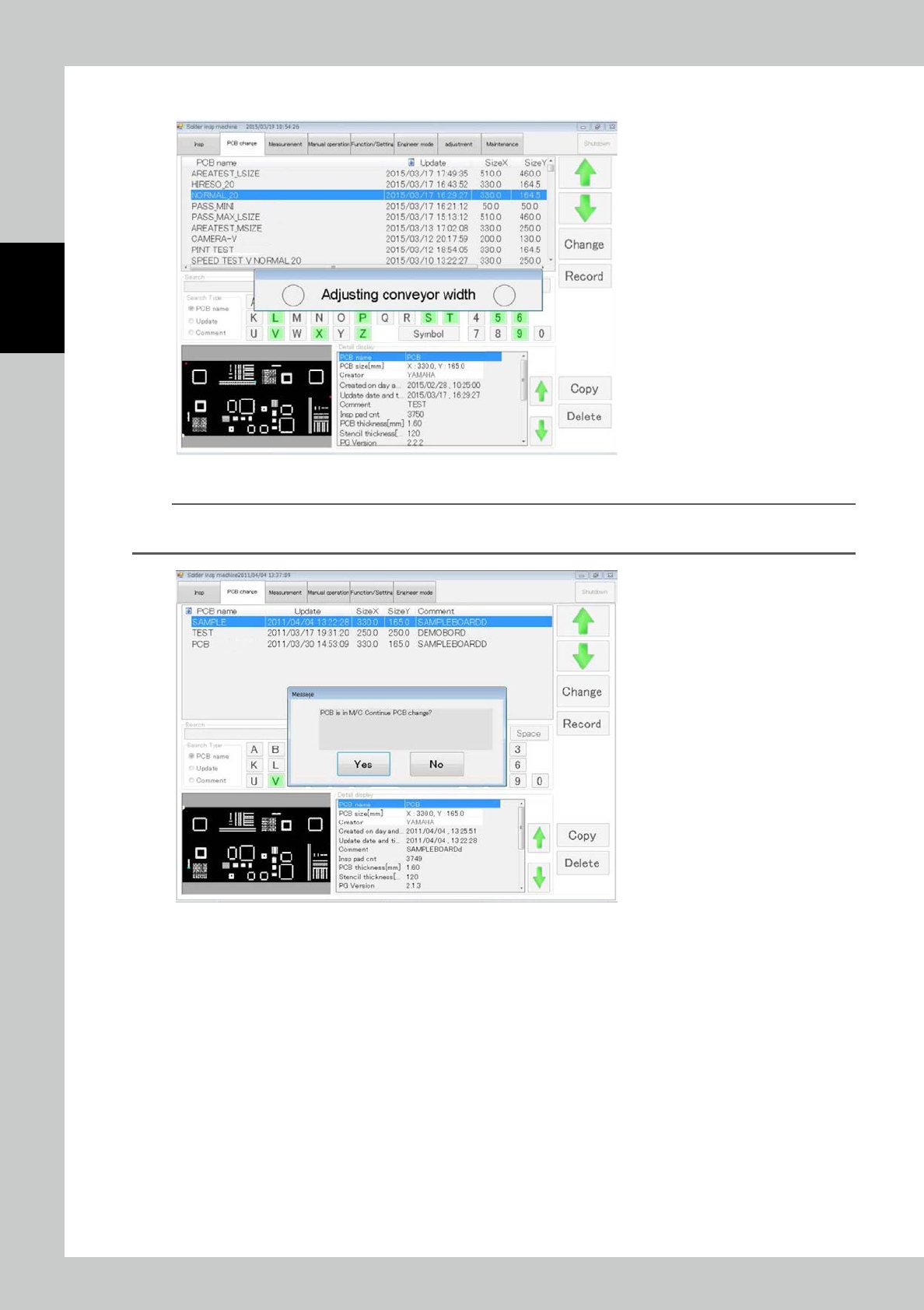
Touch [Yes] to open the window shown below. Adjustment is executed.
24205-KMN-00
n
NOTE
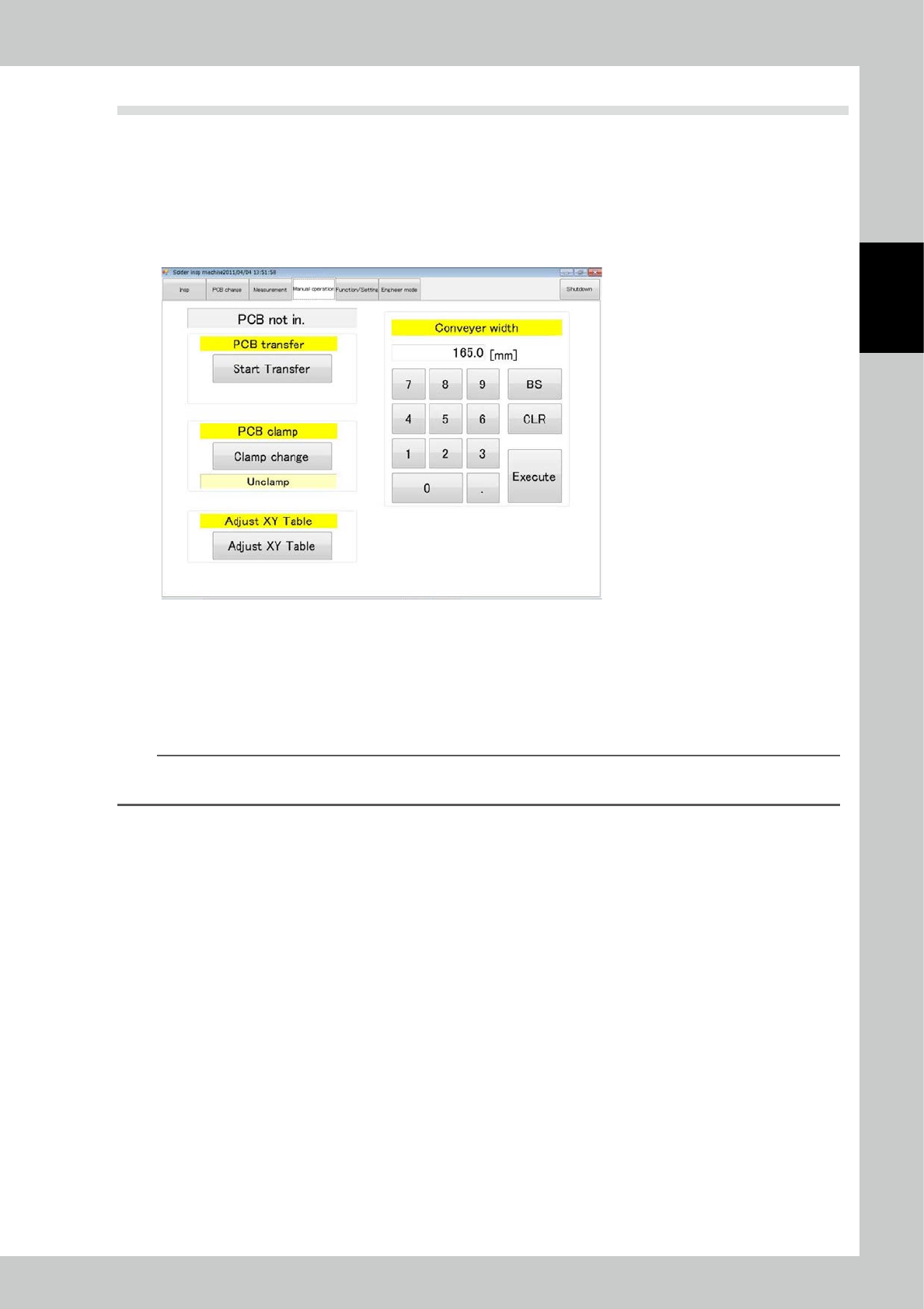
If there is another PCB inside the PCB when the PCB is being changed, the window shown below is displayed. Touch
[Yes] to execute PCB change only without width adjustment.
24206-KMN-00
2-9
2
Operation
2.5 PCB Transfer
2.5.1 Loading the PCB
After selecting the test piece PCB (inspection program) on the PCB change screen, load the PCB into the
inspection machine. To load the PCB, open the manual operation screen.
1
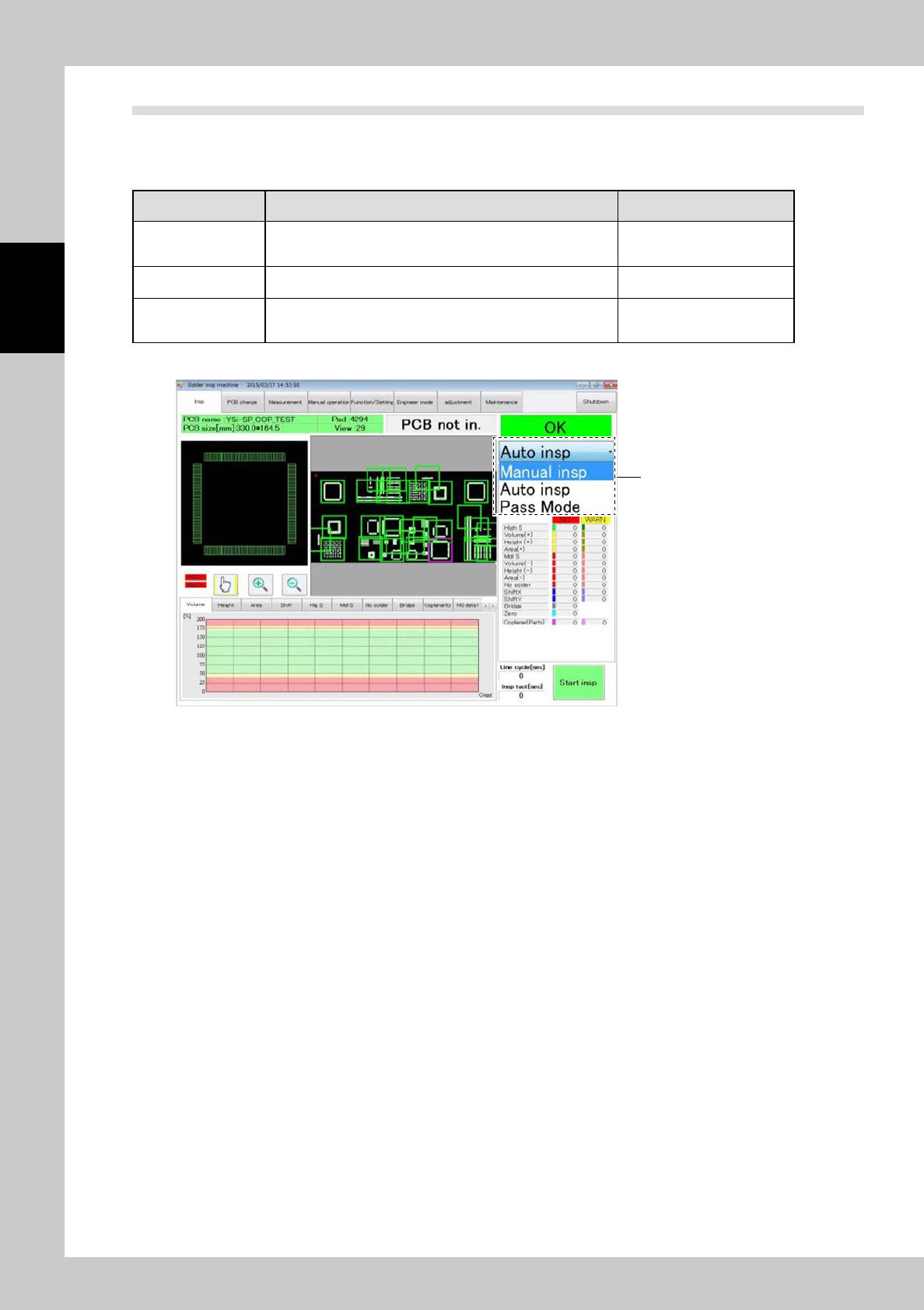
Touch the manual operation tab on the main menu to open the manual operation
screen.
24207-KMN-00
2
After checking that the PCB has reached the loading port, touch [start transfer].
3
Set the PCB on the rail at the PCB loading port of the inspection machine.
After the PCB is correctly set, a sensor drives the conveyor to move the PCB to the loading port.
4
After being loaded, the PCB is clamped in the inspection machine.
TIP
If the conveyor width has not been adjusted, enter the conveyor width in the conveyor width field on the right side of
the screen before starting to load.
2.5.2 Unloading the PCB
While the PCB is in the machine, touch the [start transfer] button on the manual operation screen (see the
figure above). The PCB is unloaded to the unloading port.
2-10
2
Operation
2.6 Inspection
After selecting the inspection mode and loading the PCB into the machine, execute inspection.
There are three inspection types: standalone inspection, automatic inspection and pass mode. Each mode is
described below.
Inspection mode Description of inspection Refer to
Standalone inspect
The inspection machine operates offline without relations to the
pre- and post-processes. You can edit inspection programs in
this mode.
"2.6.1 Standalone Inspection"
Automatic inspection
PCBs are inspected continuously while communications are
made with pre- and post-processes.
"2.6.2 Automatic Inspection"
Pass mode
While the procedure taken with the pre- and post-processes is
the same as that of the automatic inspection mode, inspection
is not conducted.
"2.6.3 Pass Mode"
Select each mode from the pull-down menu on the inspection screen.
Pull-down menu
24208-KMN-00