YSi-SP_Ope_E.pdf - 第105页
2-68 2 Operation Click on the [Next>>] button. T he PCB type is automatically switched and the system becomes read y for inspection. 24297-KMN-00
2-67
2
Operation
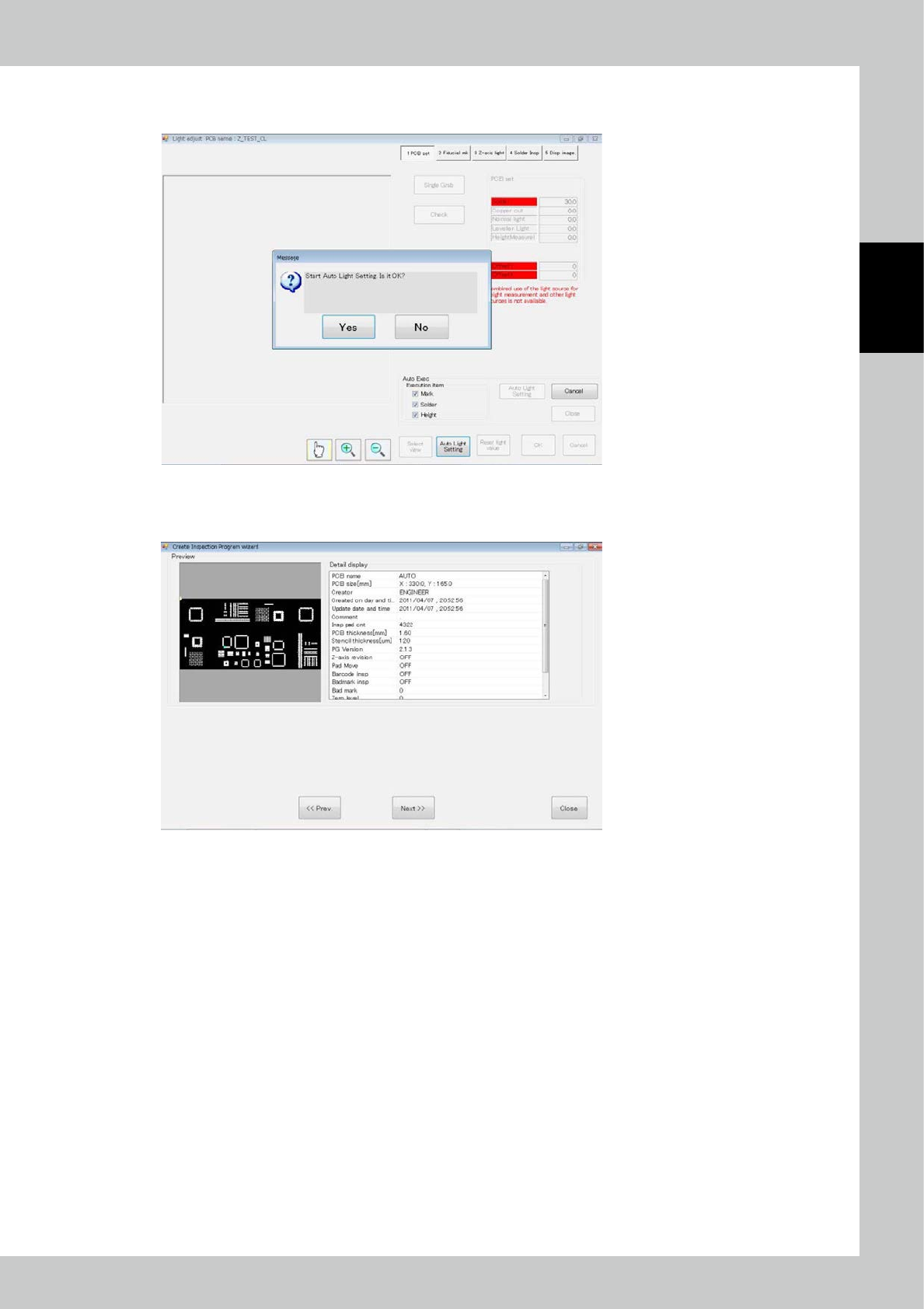
The light intensity adjustment screen is displayed and the above message is displayed.
To proceed automatic adjustment, select [Yes].
24295-KMN-00
If automatic adjustment is not successful, manually adjust.
After adjustment is finished, click on the [OK] button.
24296-KMN-00
2-68
2
Operation
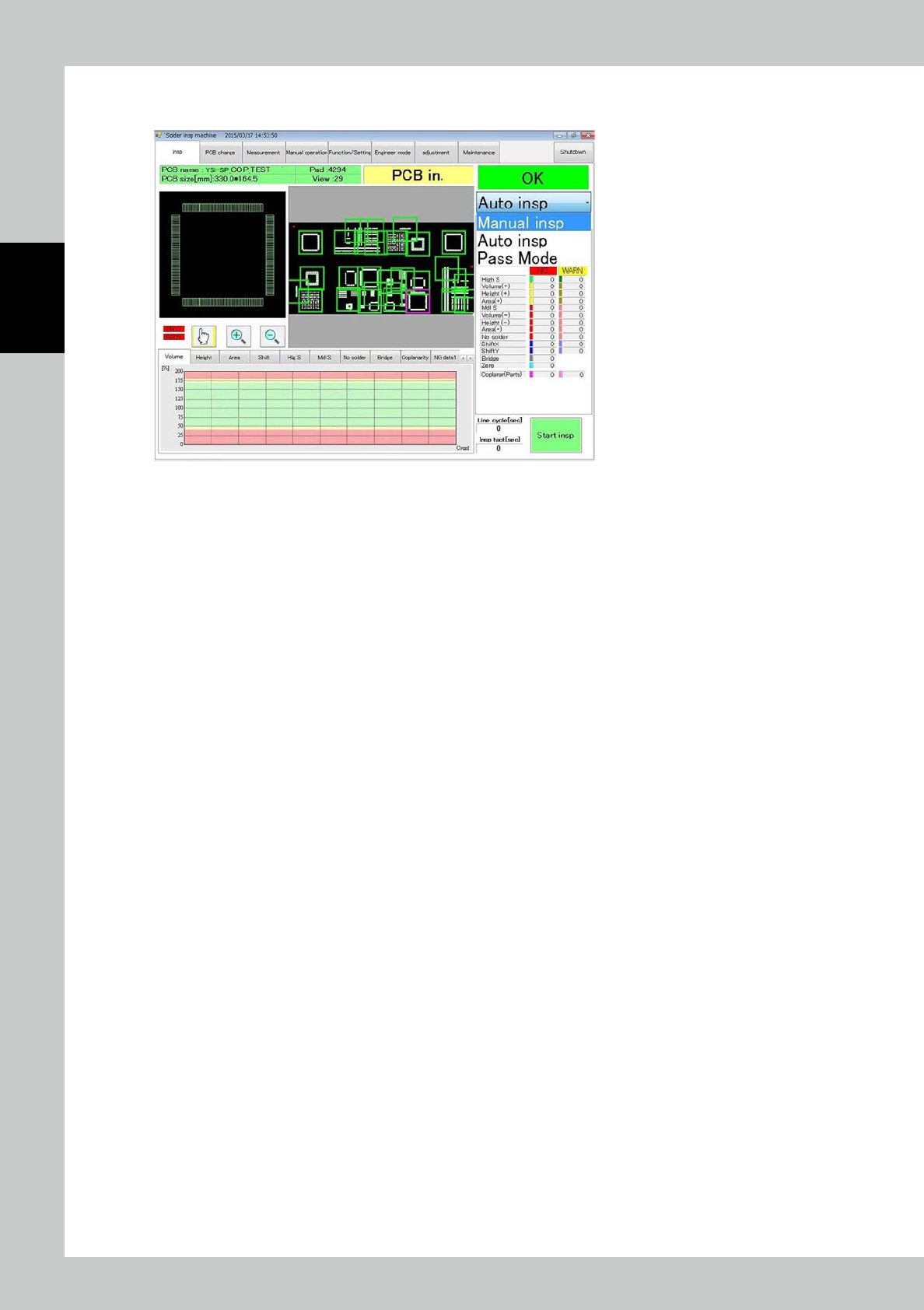
Click on the [Next>>] button.
The PCB type is automatically switched and the system becomes ready for inspection.
24297-KMN-00
2-69
2
Operation
4.2 Editing PCB Data
Edit the created inspection program.
To edit the inspection program, you must log in at the engineer privilege.
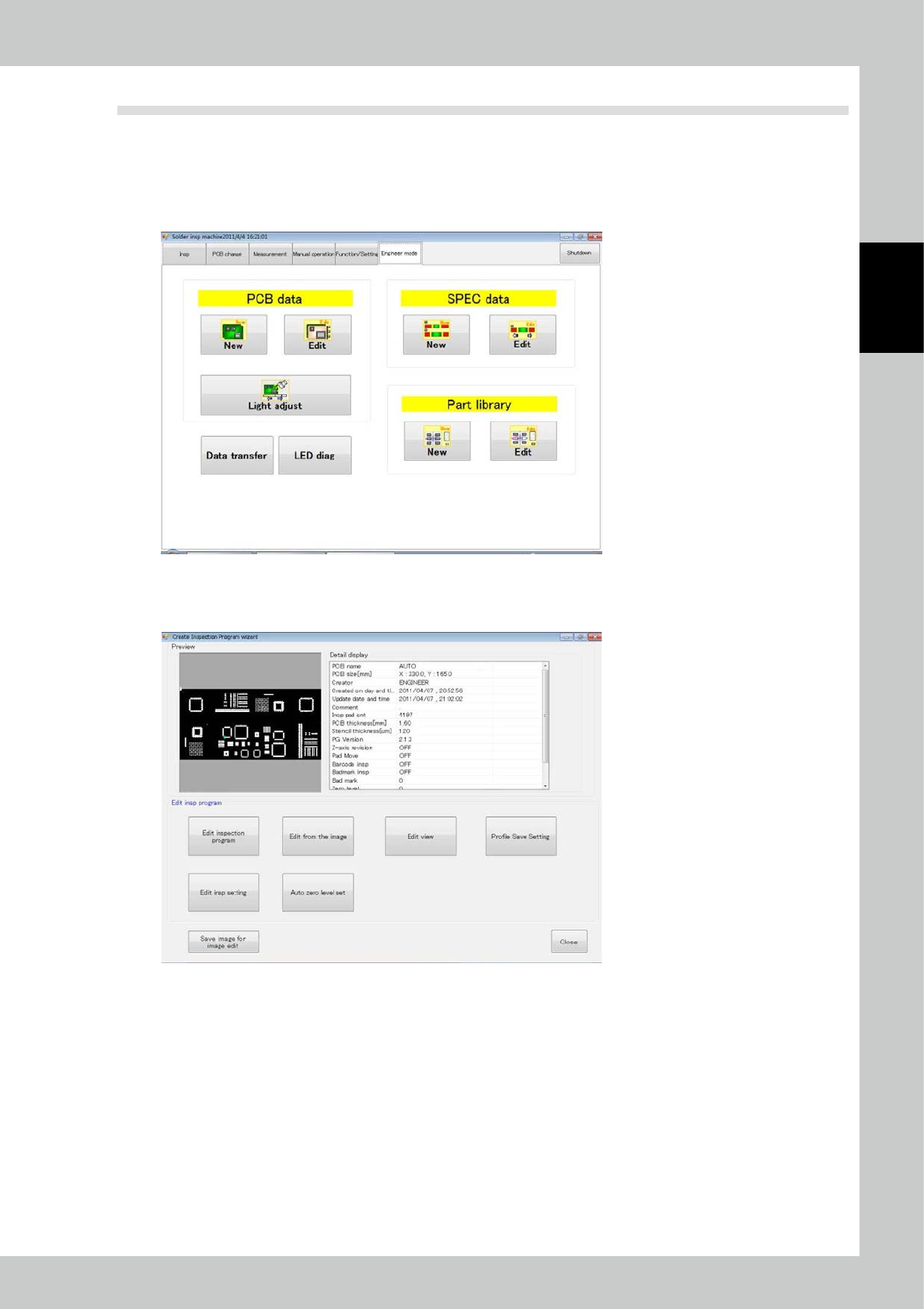
Touch the engineer mode tab on the main menu to open the engineer mode screen.
Select [Edit] or [Light Adjust] for the PCB data to edit the program.
24298-KMN-00
1. To edit data other than the light intensity, touch the [Edit] button.
2. Select details of editing according to the editing wizard.
24299-KMN-00