YSi-SP_Ope_E.pdf - 第141页
3-6 3 Optional Functions 5. Registering Z axis revision At happened below trouble due to PCB warping, Z axis adjust function impro ve scanning precision. • 2D code image is smudgy • Often happen 2D code scanning error [L…
3-5
3
Optional Functions
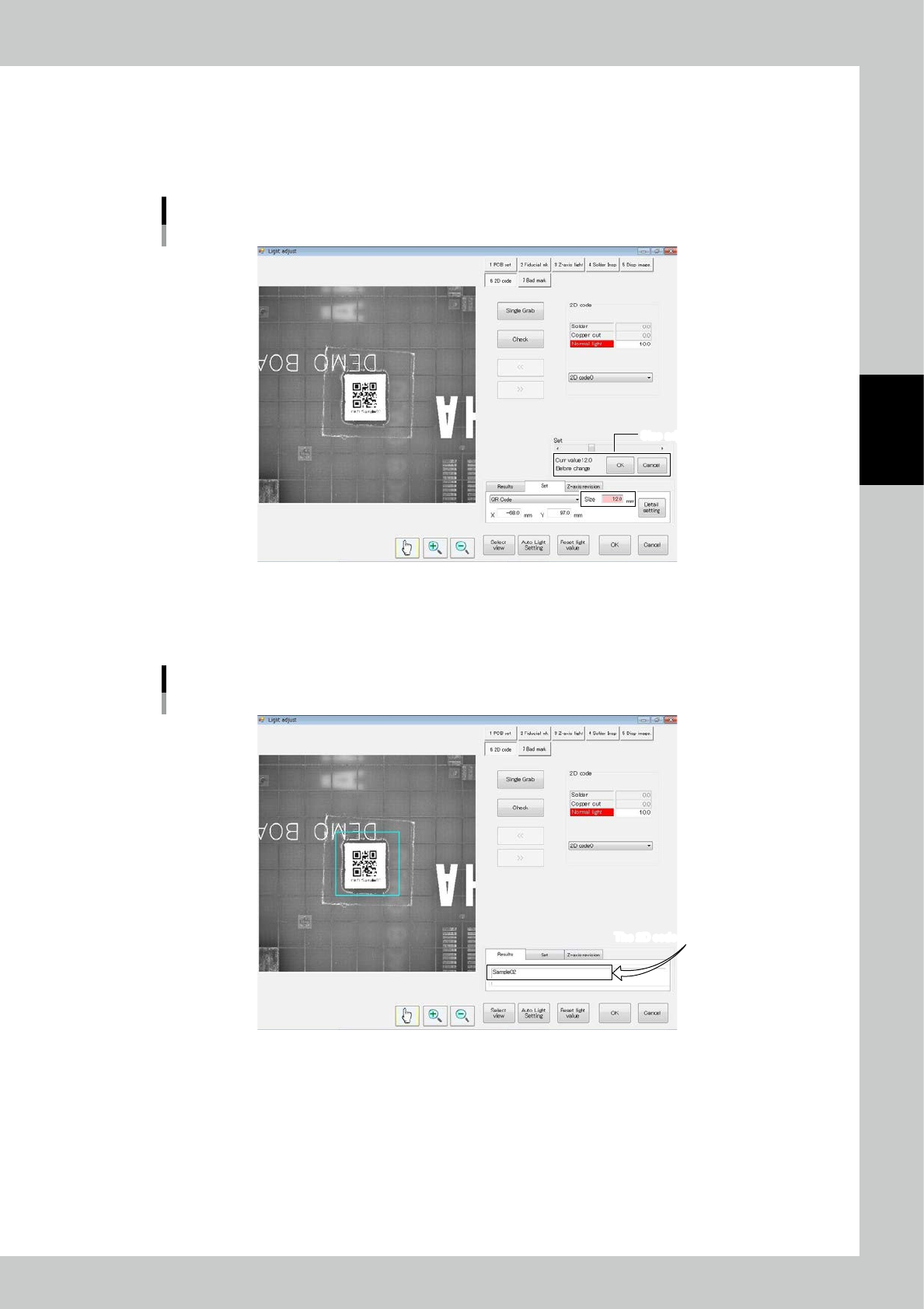
3. Registering the size
The inspection area of the 2D code can be adjusted.
The blue rectangular frame in the center indicates the inspection area.
There is no need to adjust if the 2D code is in the inspection area.
Use the slide bar to adjust the size.
Size adjustment screen
Size adjustment screenSize adjustment screen
24305-KMN-00
4. Registering the light amount
Touch the "Results" tab and adjust the value of the regular light source. Touch [Single Grab] and [Check] and check that
data is displayed in the "Results" field.
The 2D code is displayed here.The 2D code is displayed here.
Adjustment result screen
24306-KMN-00
If the result is good, touch [Save] and [Adjust end] buttons to finish adjustment.
If the result is an error, the "2D code read error" message is displayed.
Check the position, light amount and data code type.
3-6
3
Optional Functions
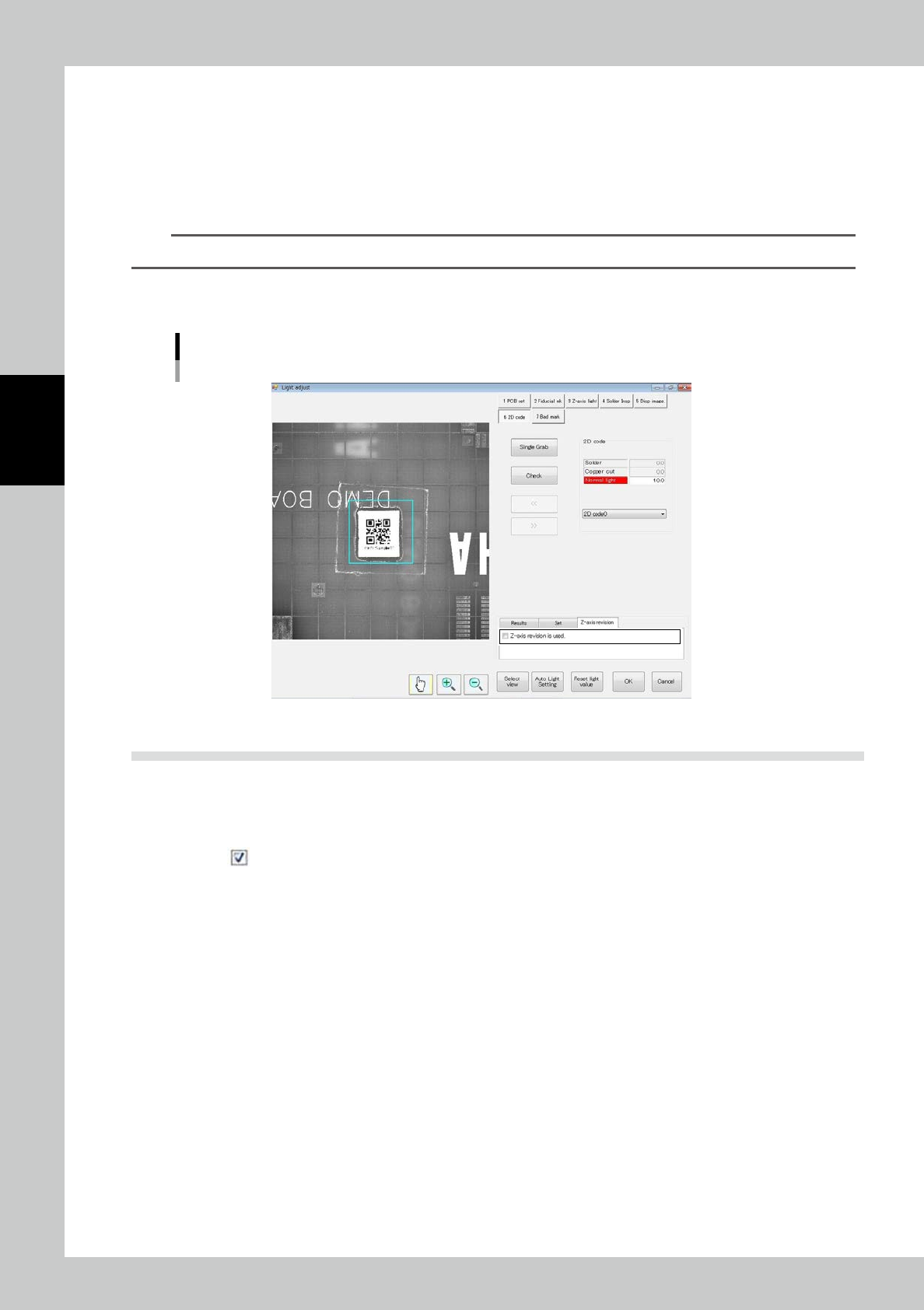
5. Registering Z axis revision
At happened below trouble due to PCB warping, Z axis adjust function improve scanning precision.
• 2D code image is smudgy
• Often happen 2D code scanning error
[Launch Z axis revision]
Select the tab of <Z axis revision>, and marking check mark on <Z axis revision is used>.
TIP
At using Z axis revision, it is effected cycle time due to adjust PCB warping.
[Stop Z axis revision]
Select the tab of <Z axis revision>, and uncheck <Z axis revision is used>.
Z axis adjustment screen
24307-KMN-00
1.5 Skipping 2D Code Inspection
The condition for skipping 2D code inspection is shown below.
[Method for skipping 2D code inspection]
1. Remove from "2D Code Insp" on the Function/Setting screen.
3-7
3
Optional Functions
1.6 If There Is a 2D Code Read Error
A read error may be caused in the following cases.
• There is dust on the 2D code.
• The 2D code is chipped.
• The coordinates are wrong.
• The light amount is incorrect.
• The 2D code is not in the designated 2D code format.
[Remedy upon an error]
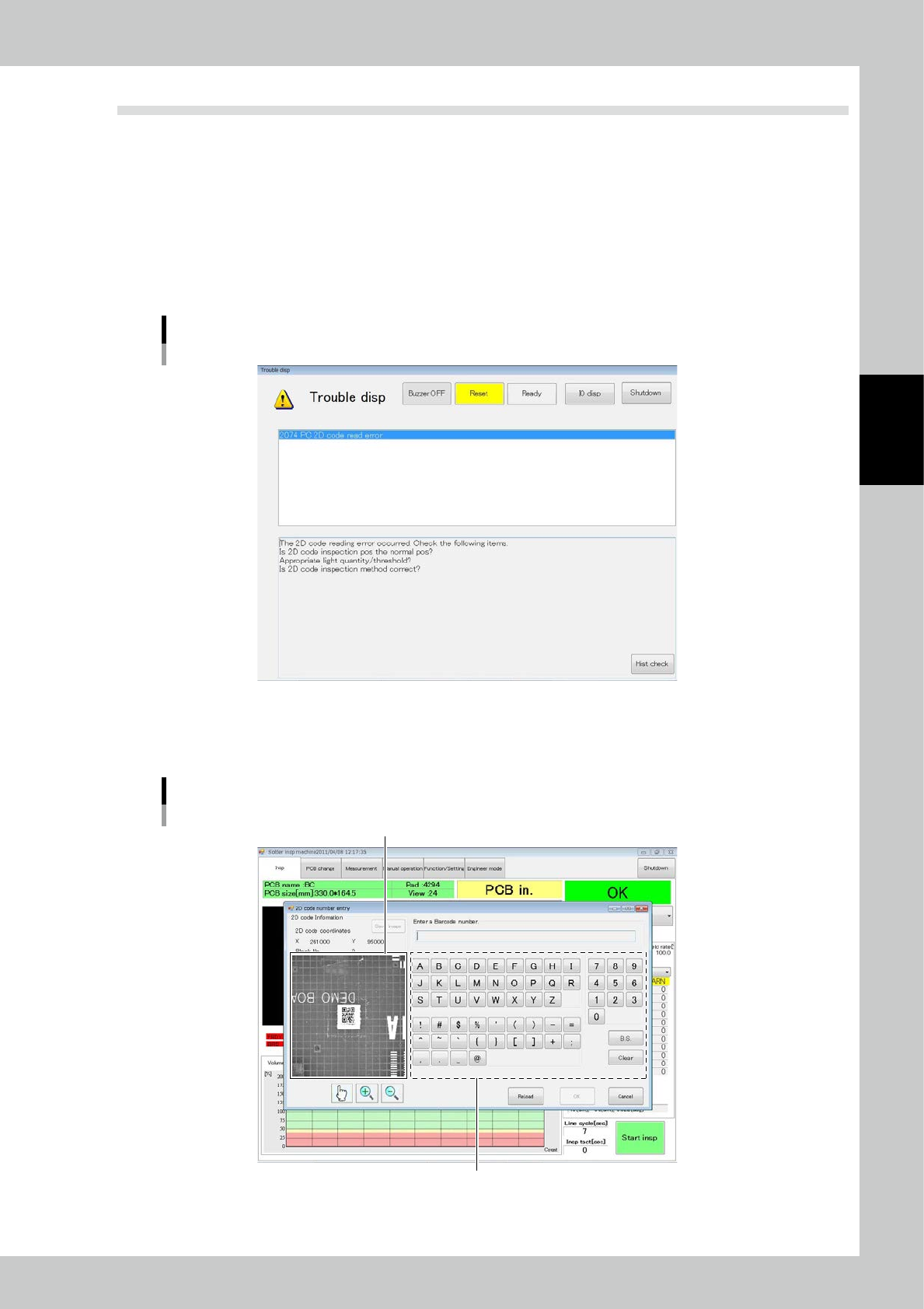
1. A buzzer sounds and the following error message is displayed and inspection is stopped.
2D code read error screen
24308-KMN-00
2. Touch the [RESET] button.
3. If the reading error does not improve after light intensity adjustment, adjust detail settings.
The reading characteristics can be improved.
Enlarged view of 2D code
Keypad for 2D code registration
Reset
24309-KMN-00