YSi-SP_Ope_E.pdf - 第38页
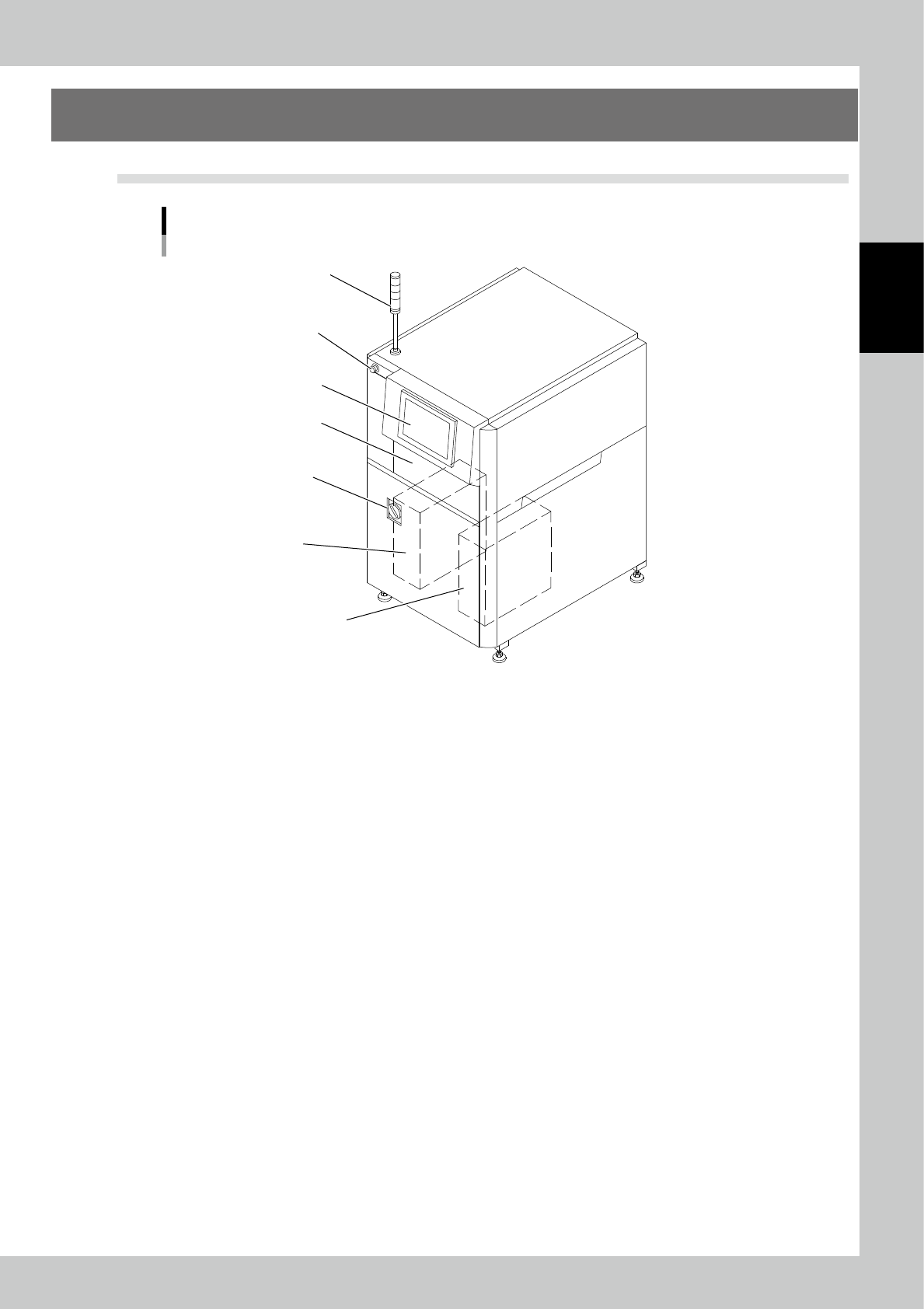
2-1 2 Operation 1. Configuration 1.1 Overall View Overall View T ower light Emergency stop button Operation panel Keyboard Power Control panel Control PC 23201-KMN-00

3.6.7 M/C operation setting 2-46
3.6.8 Fiducial mark manual adjust 2-46
3.6.9 User authority setting 2-49
3.6.10 Pad NG info 2-50
3.6.11 PCB insp result disp 2-51
3.6.12 Maintenance display 2-52
3.6.13 CSV Auto Output Per PCB 2-53
3.6.14 Screen of function restriction for Operator 2-54
3.7 Engineer Mode 2-55
3.7.1 Data transfer 2-56
3.7.2 LED diag (Option) 2-57
4. Inspection Program 2-59
4.1 Creating new PCB data (printed PCB) 2-59
4.2 Editing PCB Data 2-69
4.2.1 Image Editing 2-70
4.2.2 PCB Editing 2-74
4.2.3 Light Intensity Adjustment 2-75
4.2.4 Field of View Editing 2-83
4.3 Spec Data Editing 2-84
4.4 Automatic Zero Level Setting 2-86
4.5 Saving the Camera Image 2-92
5. Maintenance Method 2-93
5.1 Precautions 2-93
5.2 Maintenance Parts 2-93
5.3 Troubleshooting 2-93
5.4 Error Code List 2-94
2-1
2
Operation
1. Configuration
1.1 Overall View
Overall View
Tower light
Emergency stop button
Operation panel
Keyboard
Power
Control panel
Control PC
23201-KMN-00
2-2
2
Operation
1.2 System configuration
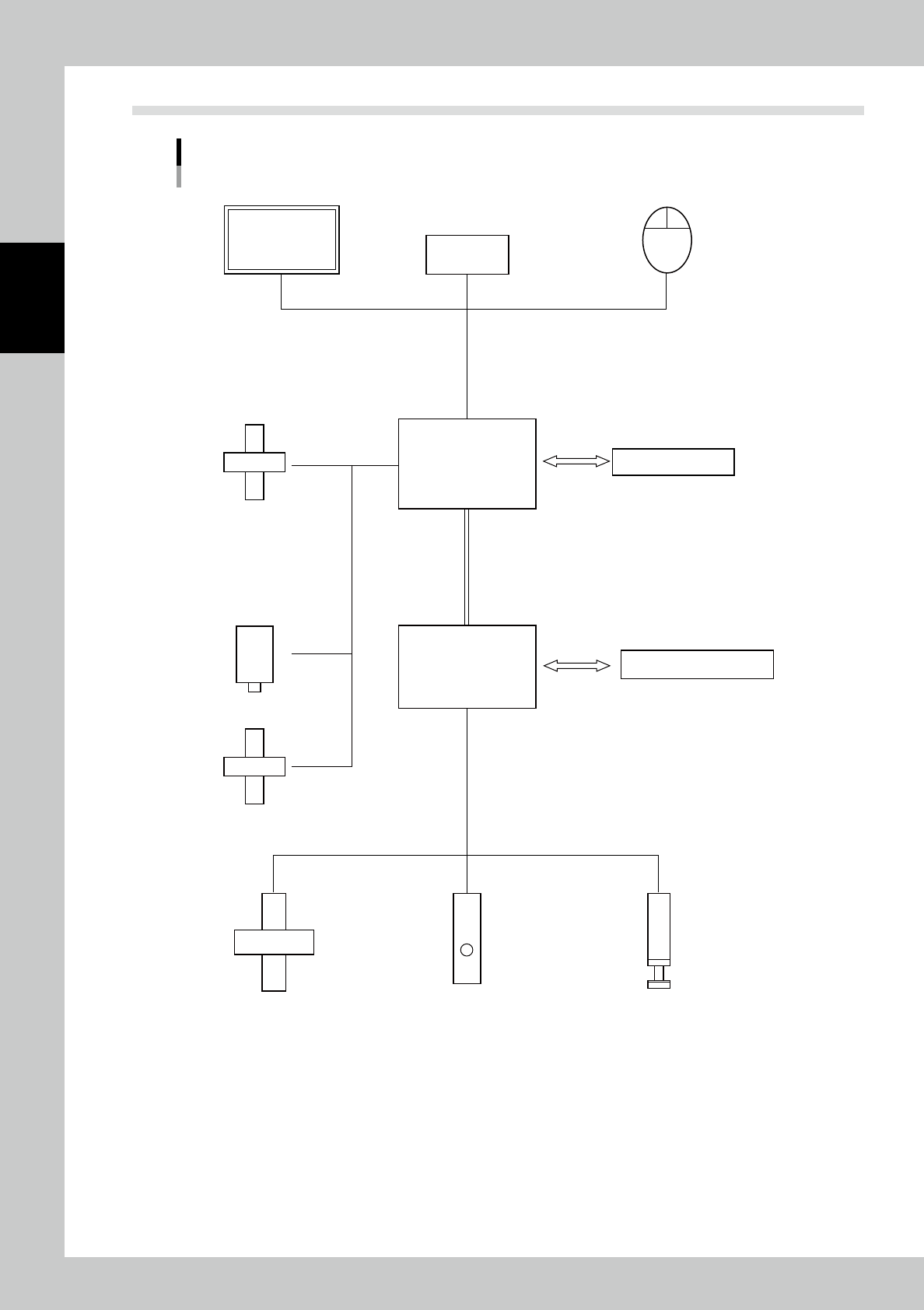
System Configuration
PC
Back-and-forth communication
Camera
Tower lightConveyor
Data station
Lighting unit
Mouse
Keyboard
Operation
panel
Safety switch, emergency stop
XYZ table
Programmable
controller control panel
23202-KMN-00