YSi-SP_Ope_E.pdf - 第126页
2-89 2 Operation 5. T ouch the [>>] button. 8 7 6 242C3-KMN-00 6. Select corresponding zero lev el installation among “P attern only , ” “P attern priority , ” “Resist priority” and “Resist only . ” Click on the Co…
2-88
2
Operation
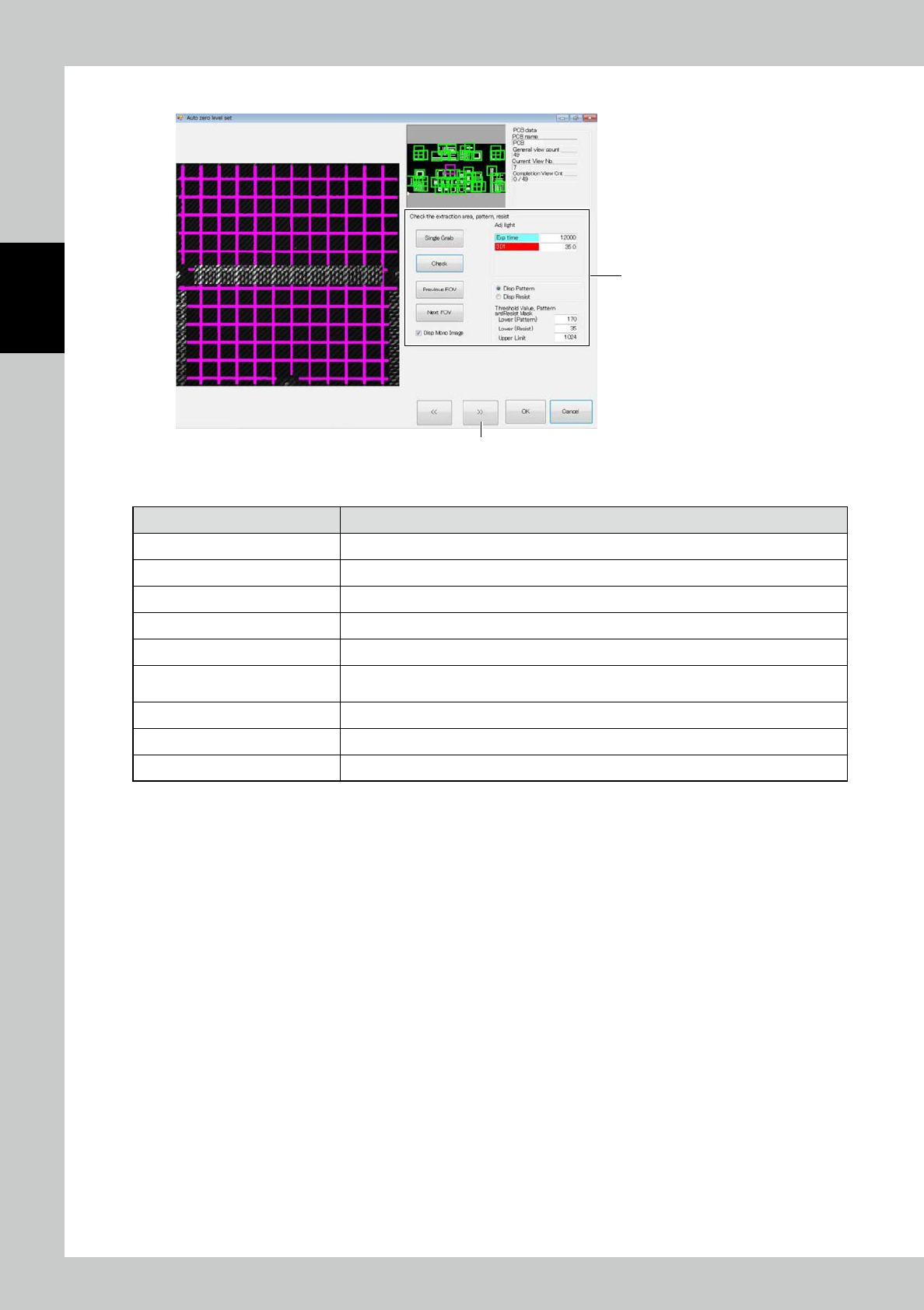
3. Touch the [>>] button. The screen shown below is displayed.
4
5
242C2-KMN-00
4. Enter settings of pattern and resist extraction.
Item Description
Adj light Specify the height measurement stripe light source for pattern and resist extraction.
Upper Limit
(
Contrast) Adjust the upper limit threshold for extracting the pattern and resist.
Lower (Pattern) Adjust the lower limit threshold for pattern extraction.
Lower (Resist) Adjust the lower limit threshold for resist extraction.
Single Grab Take the height measurement stripe image again.
Check
Extract the pattern and resist from the taken stripe image for height measurement and show
them in pink and orange.
Previous FOV/Next FOV Move the field of view for checking the pattern and resist extraction.
Disp Pattern/Disp Resist Select the image to be displayed when the confirm button is clicked on.
Disp Mono Image Show the stripe image used for judgment, on the left side of the screen.
2-89
2
Operation
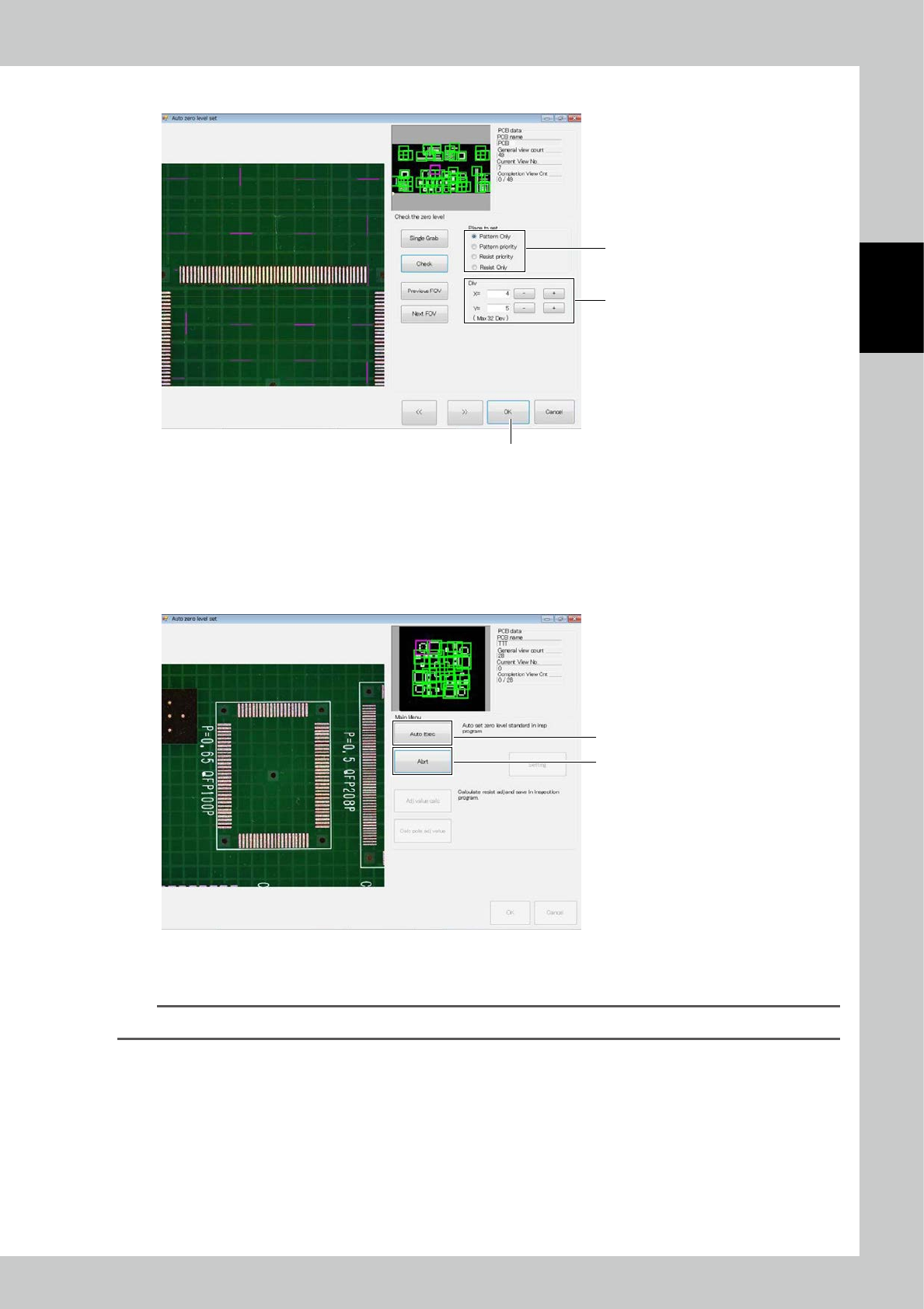
5. Touch the [>>] button.
8
7
6
242C3-KMN-00
6. Select corresponding zero level installation among “Pattern only,” “Pattern priority,” “Resist priority” and “Resist only.”
Click on the Confirm button to arrange the zero level according to the current setting.
7. Determine the division where the zero level is to be placed. Register one zero level in each division area.
8. After data entry are finished, touch the [OK] button.
2. Automatic execution
2
1
242C4-KMN-00
1. After checking the settings described above, click on the [Auto Exec] button to arrange the zero level in all fields of
view. After the marks are arranged, a message is displayed. Click on the [OK] button to finish.
TIP
You can click on the [Abrt] button 2 during automatic execution to cancel automatic execution.
2-90
2
Operation
3. Offset calculation
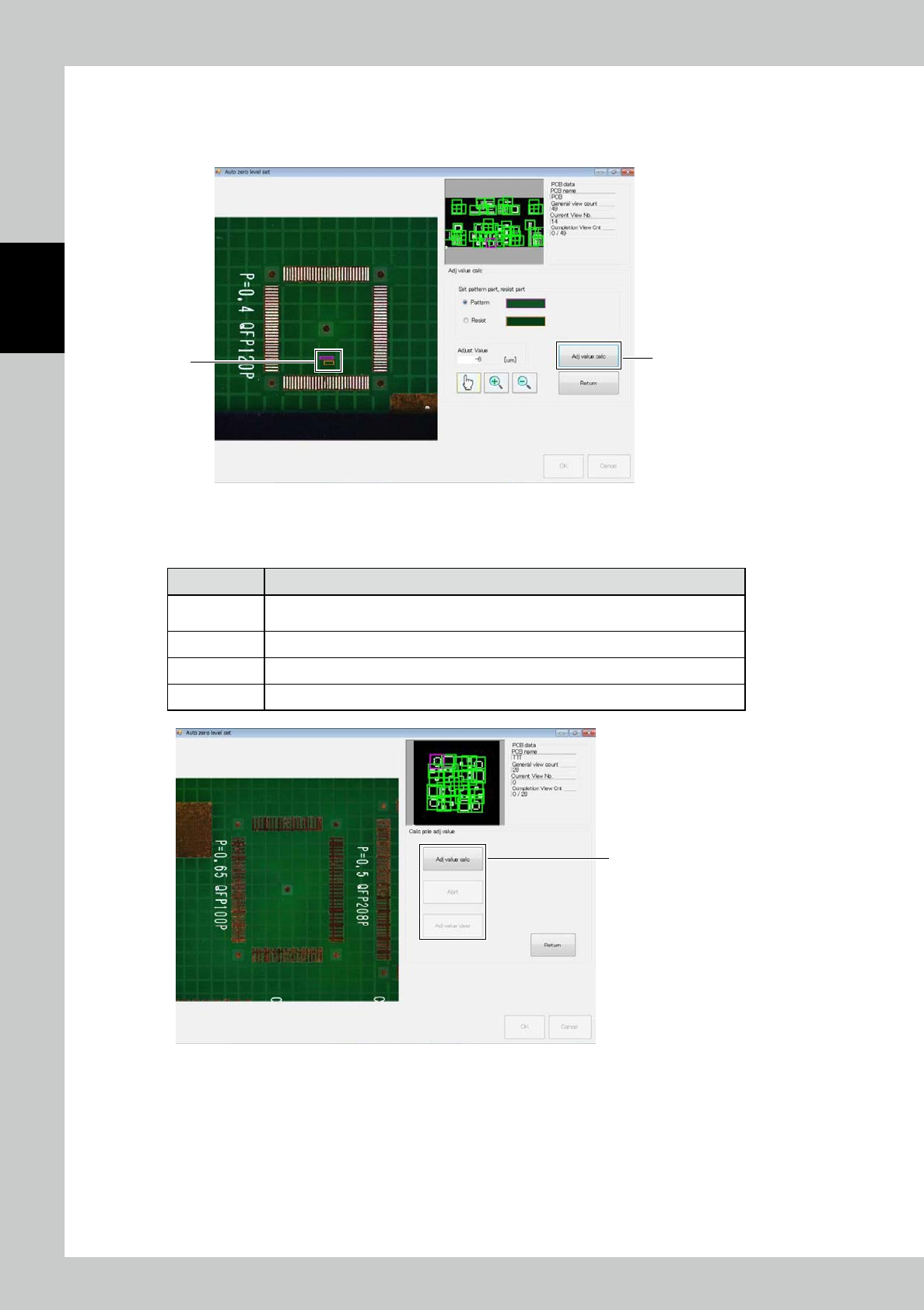
1. Select the pattern and resist area in the image displayed on the left side of the screen as shown in the figure.
2. Click on the [Adj value calc] button to execute calculation of the offset.
1
2
242C5-KMN-00
4. Electrode Offset Calculation
1. "Calc pole adj value” includes the following menu.
Item Description
Adj value calc
Measuring the height of the electrode for unprinted PCB and saving the offset figures to
inspection programs.
Abrt Stopping the electrode offset calculation.
Adj value Clear Clearing the offset figures, which saved at inspection programs.
Return Ending the electrode offset calculation.
1
242C6-KMN-00