YSi-SP_Ope_E.pdf - 第65页
2-28 2 Operation 3.4.2 Wide Area Measurement Screen Items displa yed on the wide area measurement screen and functions are described. 7 5 8 9 6 4 10 3 2 1 24229-KMN-00 No Name Description of displayed item and functions …
2-27
2
Operation
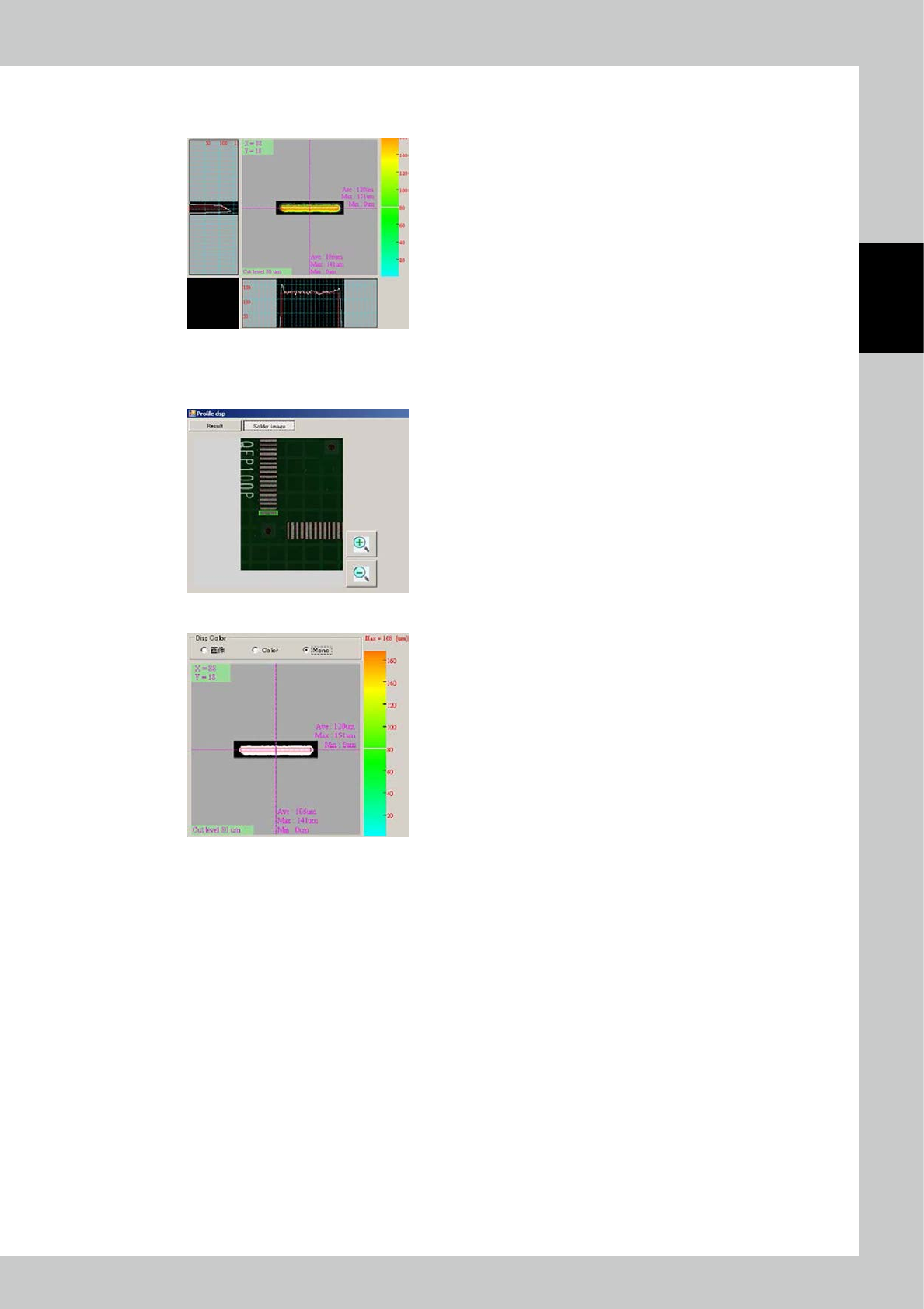
The solder style can be switched in the following way.
1. Cross Selection
2. Solder image
3. Cut level
PCB data: The PCB data is displayed.
Inspection result: The inspection results of the selected pad are displayed.
24228-KMN-00
The cut level image is displayed in colors corresponding to the color gradation graph.
Touch the graph to determine the height of the cross section.
Color gradation graph: [High] red <=> orange <=> yellow <=> green <=> blue [Low]
2-28
2
Operation
3.4.2 Wide Area Measurement Screen
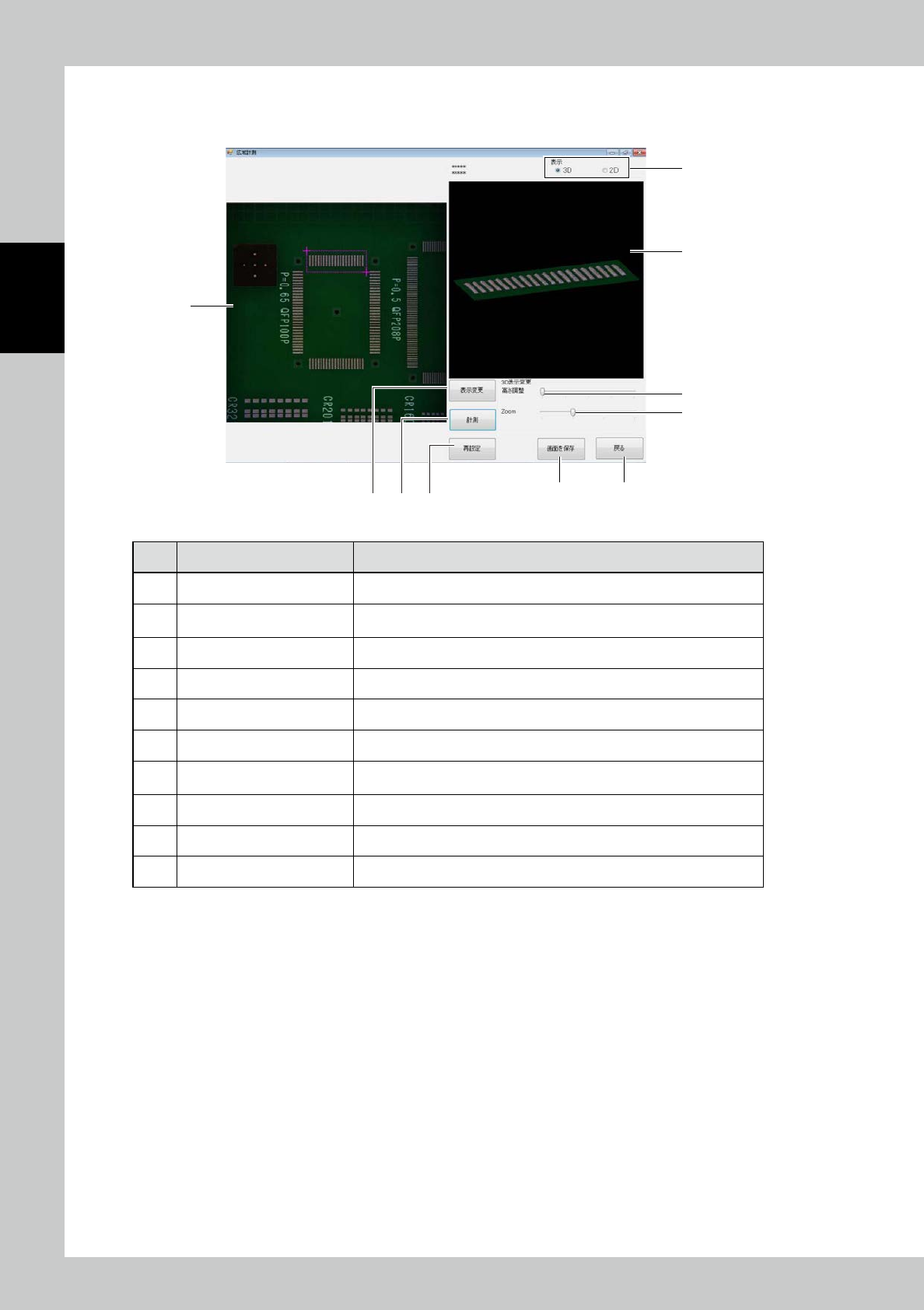
Items displayed on the wide area measurement screen and functions are described.
7 5
8
9
6
4 10
3
2
1
24229-KMN-00
No Name Description of displayed item and functions
1 Image of field of view The image of the currently selected field of view is displayed.
2 3D image
The 3D image of the area designated as a measurement range on the field
of view screen is displayed.
3 Disp Disp 3D/2D
4 [Save screen] button Save the currently displayed screen.
5 [Reset] button The current selected area is canceled.
6 [Measurement] button The range selected in the view image is displayed in a 3D image.
7 [Dsp change] button
The 3D image changes to a normal image or color gradation height
discrimination image. The view alternates each time the button is touched.
8 Adjust disp height Change the scale of the displaying height.
9 Zoom in / Zoom out Change the scale of the displayed image.
10 [Return] button Return to the measurement screen.
2-29
2
Operation
3.4.3 NG PCB list
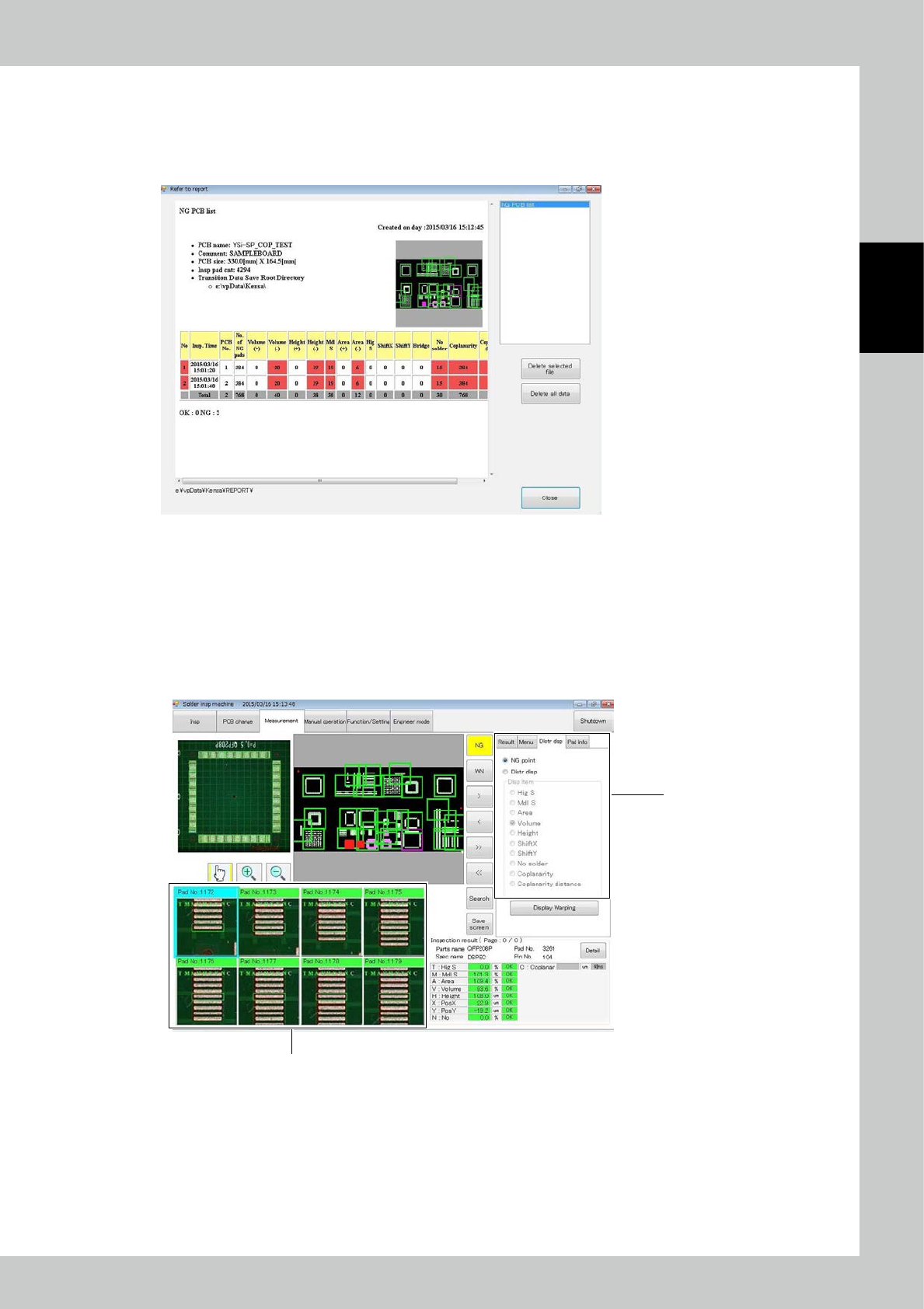
The contents to be checked are only the PCB number of the faulty PCB and fault frequency of each inspection
item.
Details can be checked with the software at the data station.
24230-KMN-00
3.4.4 Alloc Disp
The "Alloc disp" view and each function are described.
Select the Alloc disp tab to switch between NG point view and allocation view of each inspection item.
1. The content is displayed according to the selected item.
2. Select a pad on the PCB to check the image of the selected pad.
2
1
When Alloc disp is selected
24231-KMN-00