YSi-SP_Ope_E.pdf - 第53页
2-16 2 Operation 2.6.3 Pass Mode In the pass mode, PCB loading and unloading are made continuously while communications are made with pre- and post-processes. Inspection is not performed. T ouc h the inspection tab on th…
2-15
2
Operation
2.6.2 Automatic Inspection
Automatic inspection is described here.
During automatic inspection, PCB loading, inspection and PCB unloading are made continuously while
communications are made with the pre- and post-processes.
1. Execution of inspection
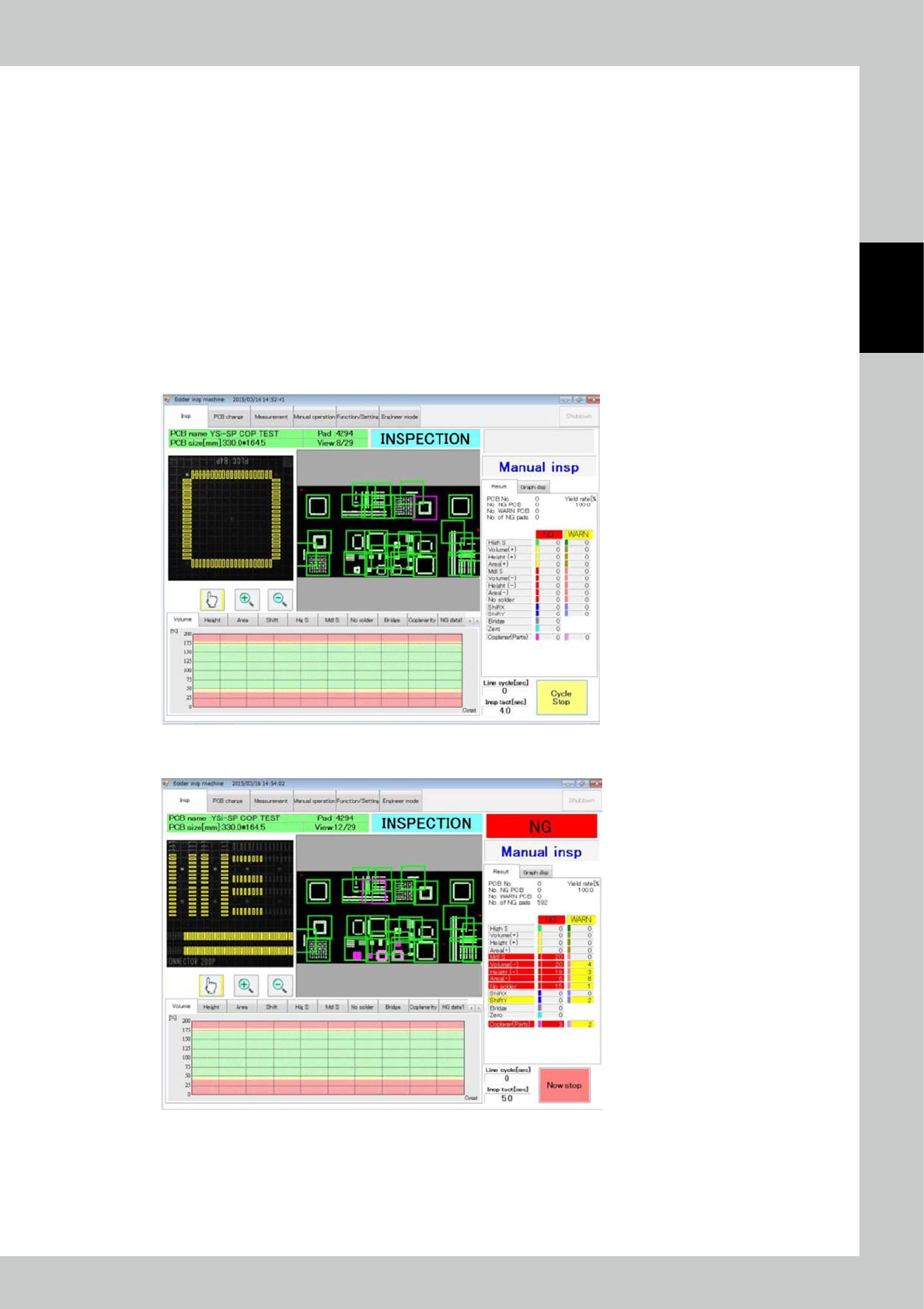
Touch the inspection tab on the main menu to display the inspection screen. Select automatic inspection from the
pull-down menu on the right side of the screen. Touch the [Start inspection] button to start automatic inspection.
The PCB inside the main body, if there is any at the start of automatic inspection, is unloaded in a fault. However, the
PCB found to be a fiducial mark fault during previous automatic inspection is inspected again if it remains inside the
machine.
2. Inspection stop
The [Start inspection] button changes to [Cycle stop] button during inspection. Touch the [Cycle stop] button to stop
inspection after inspection of the current PCB is finished.
24217-KMN-00
To stop inspection immediately, touch the [Cycle stop] button then the [Now stop] button that is displayed.
24218-KMN-00

2-16
2
Operation
2.6.3 Pass Mode
In the pass mode, PCB loading and unloading are made continuously while communications are made with
pre- and post-processes. Inspection is not performed.
Touch the inspection tab on the main menu to open the inspection screen. Select the pass mode from the
pull-down menu on the right side of the screen. Touch the [start inspection] button to start the pass mode.
2-17
2
Operation
2.7 Shutdown of Inspection Machine
Follow the procedure below to shut down the inspection machine.
1. While the inspection machine is in a stop, touch the [shutdown] button at the upper right of the main menu screen for
one second to shut down the inspection machine.
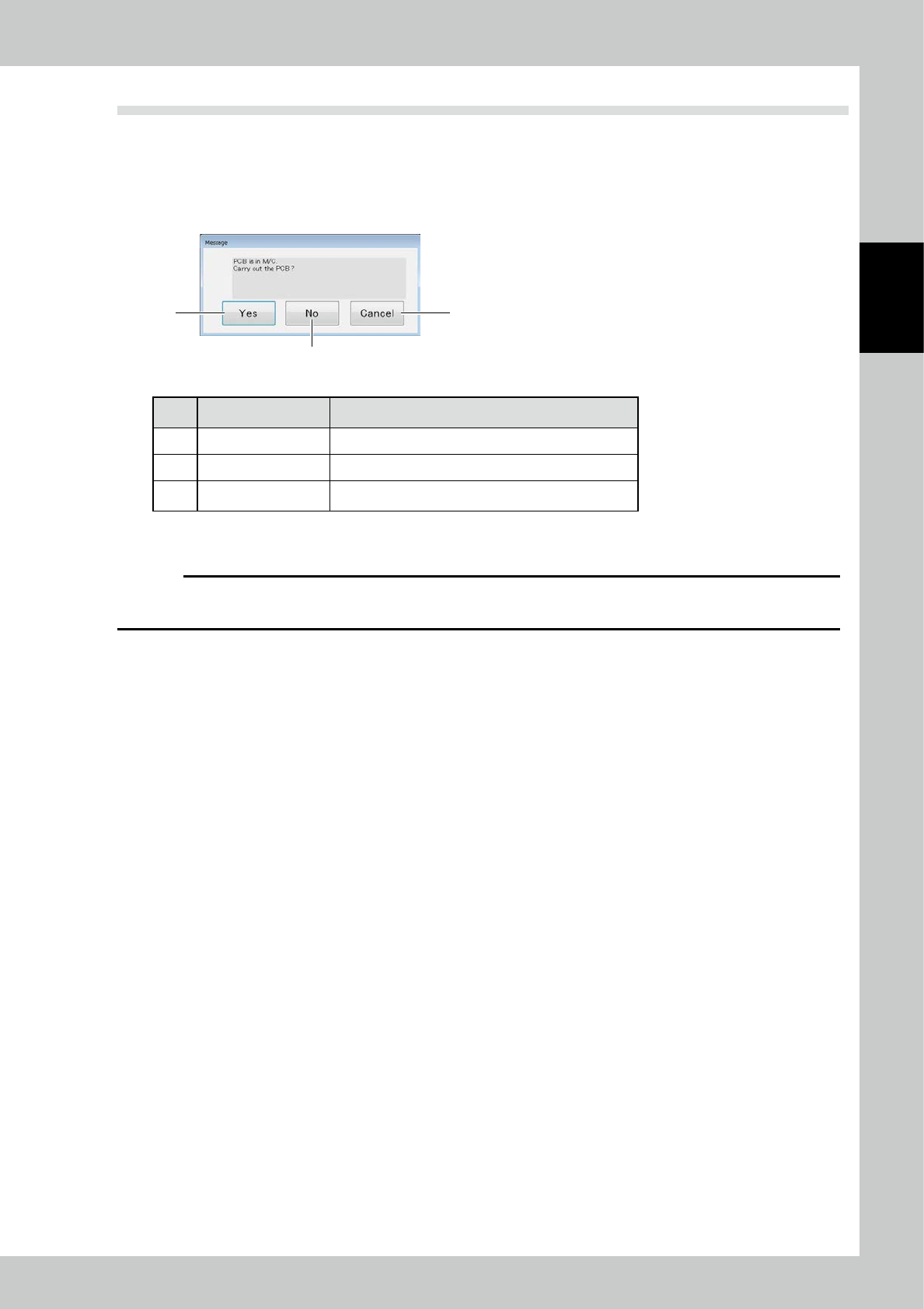
2. When the substrate in the apparatus to perform a shut down in the state of being clamped, the following message
appears.
2
1 3
24219-KMN-00
No Name Description of displayed item and functions
1 Yes After the substrate carry-out, and then shut down.
2 No Run the shutdown.
3 Cancel To cancel the shutdown.
3. After confirming the machine is shut down, open the front cover of the main body of the inspection machine and turn
off the main power off.
c
CAUTION
The inspection machine runs on Windows operating system. Before turning off the main power switch, be sure to check
that the operating system has been shut down.