80S-2080F480F4-680F5 User’s Manual.pdf - 第106页
SIPLACE 80S-20/F4/F4-6/F5 User’s Manual 2 Introduction and Basic Concepts Edition 03/98 from Software V ersion SR.404.xx 2.4 Brief D escription and Principles of the User Interface 2 - 29 2.4. 2.2 P rocess Click on this …
2 Introduction and Basic Concepts SIPLACE 80S-20/F4/F4-6/F5 User’s Manual
2.4 Brief Description and Principles of the User Interface Edition 03/98 from Software Version SR.404.xx
2 - 28
2.4.2 The Mode Menu
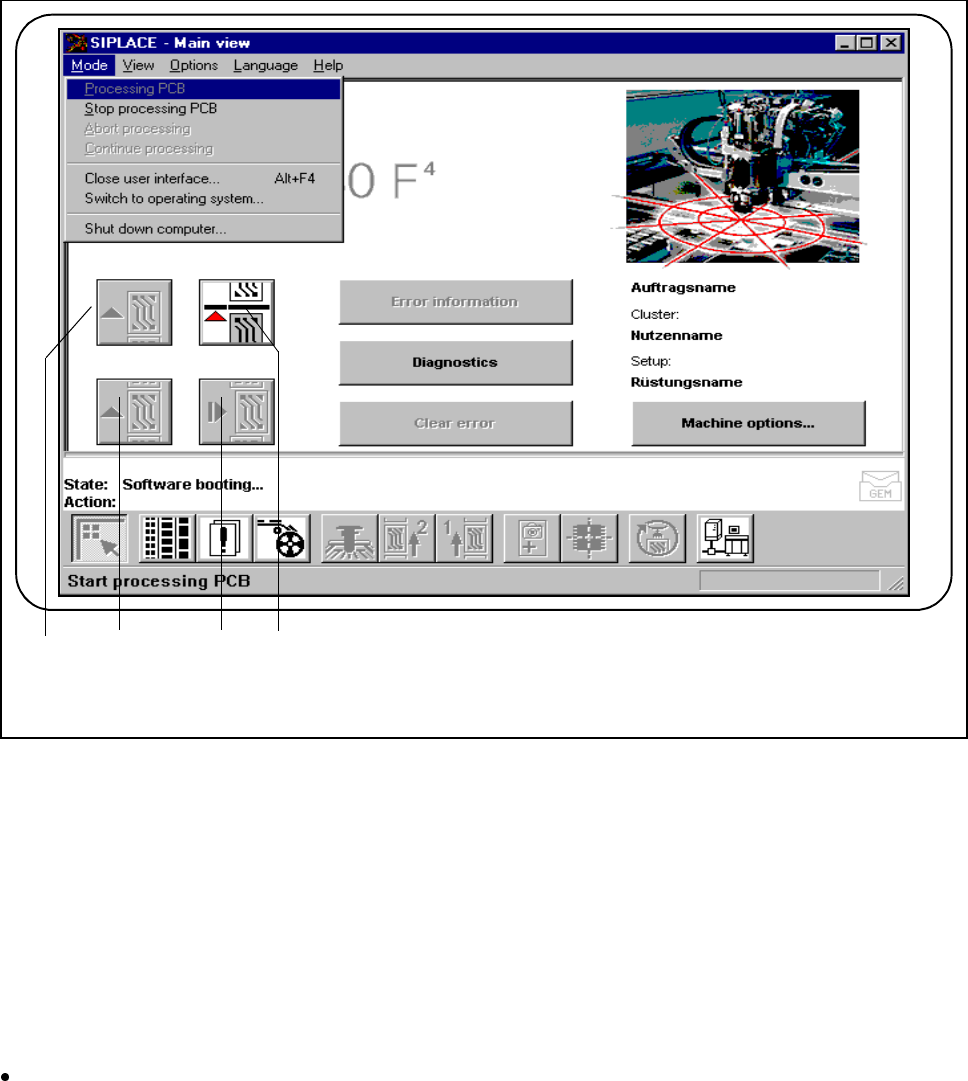
During placement, the operator has access to various options for operating the machine in the main view.
Fig. 2.4.2 Using the main view
- Key to Fig. 2.4.2
1 Process 2 Continue processing
3 Abort processing 4 Stop processing
2.4.2.1 Stop Processing
You can stop the process in order to execute Single functions, for example.
Click on this symbol.
The process will stop as soon as the PCB on the conveyor has been completed.
The color of the "Process“ icon changes to green.
1 3 2 4

SIPLACE 80S-20/F4/F4-6/F5 User’s Manual 2 Introduction and Basic Concepts
Edition 03/98 from Software Version SR.404.xx 2.4 Brief Description and Principles of the User Interface
2 - 29
2.4.2.2 Process
Click on this symbol to continue placement after stopping the processing (placement) of the PCB, e.g. in order
to change between Single functions.
The color of the "Stop processing" symbol changes to red.
2.4.2.3 Abort Processing
The symbol lights up red.
Click on this symbol to abort process of a PCB, e.g. after a fatal error message. You will be asked to confirm
the command.
PLEASE NOTE
An error message on the status bar is automatically acknowledged.
2.4.2.4 Continue Processing
The symbol lights up green.
Click on this symbol to continue processing and complete a PCB despite a fatal error message.
PLEASE NOTE
An error message on the status bar is automatically acknowledged.
2.4.2.5 Close user interface (user class: line engineer or above)
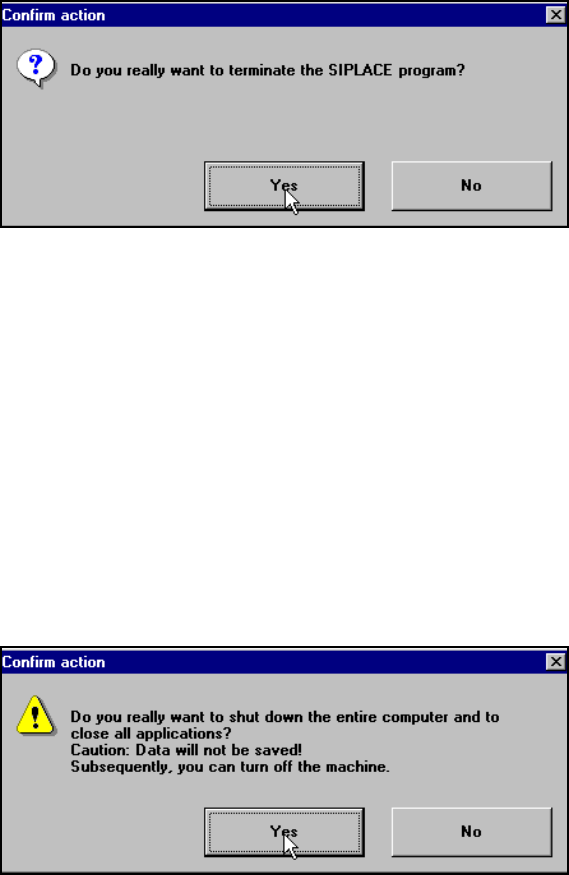
Click on this option to stop editing and exit the SIPLACE user interface.
PLEASE NOTE
You can only exit the user interface in ’Stop editing’ status.
Another box will appear, prompting you to confirm the action, before you can finally exit the user interface.
2 Introduction and Basic Concepts SIPLACE 80S-20/F4/F4-6/F5 User’s Manual
2.4 Brief Description and Principles of the User Interface Edition 03/98 from Software Version SR.404.xx
2 - 30
2.4.2.6 Switching to the operating system (user class: line engineer or above)
Use this option to switch to the Windows user interface. From there, you can then return to the SIPLACE user
interface.
2.4.2.7 Shut down computer
Use this option to shut down the station computer. A box will appear with a message, warning you of the pos-
sibility of losing data and prompting you to confirm the action.