80S-2080F480F4-680F5 User’s Manual.pdf - 第158页
SIPLACE 80S- 20/F4/F4-6 User’s Manual 3 Placement Functions Edition 07/97 from Software Version SR.403.xx 3.4 Feeders 3 - 29 3.4.4 Display and Vibrate Linear Feeder When re filling li near feede rs you ca n selec t and v…
3 Placement Functions SIPLACE 80S-20/F4/F4-6 User’s Manual
3.4 Feeders Edition 07/97 from Software Version SR.403.xx
3 - 28
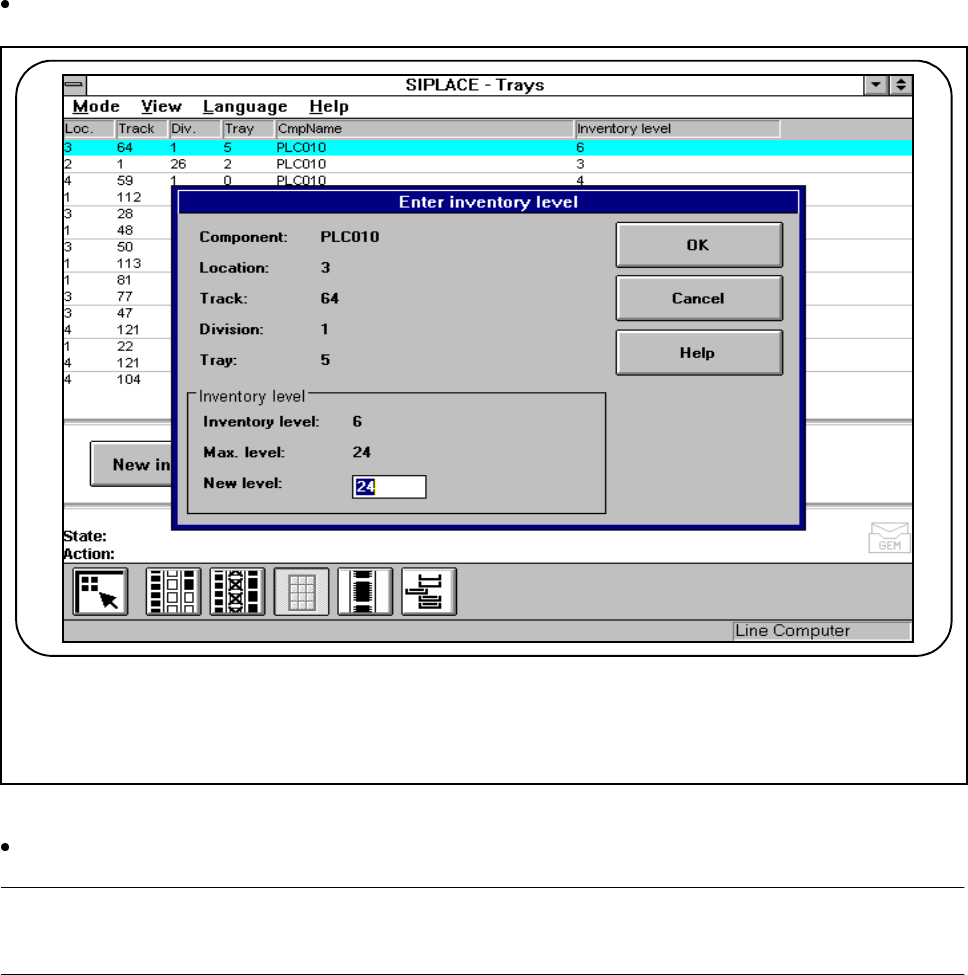
Click on the New inventory level button if you want to enter a new inventory level for this track.
Fig. 3.4.6 New inventory level
Type the quantity of components which you have set up into the New inventory level input field.
NOTE
The maximum inventory level will be specified in the input field.
The track or tray is switched off when the fill level is 0 ("Track emptied by operator“).
If "Fill“ is selected from the Empty tracks menu, the operation will continue once the previous fill level is
reached.
F
SIPLACE 80S-20/F4/F4-6 User’s Manual 3 Placement Functions
Edition 07/97 from Software Version SR.403.xx 3.4 Feeders
3 - 29
3.4.4 Display and Vibrate Linear Feeder
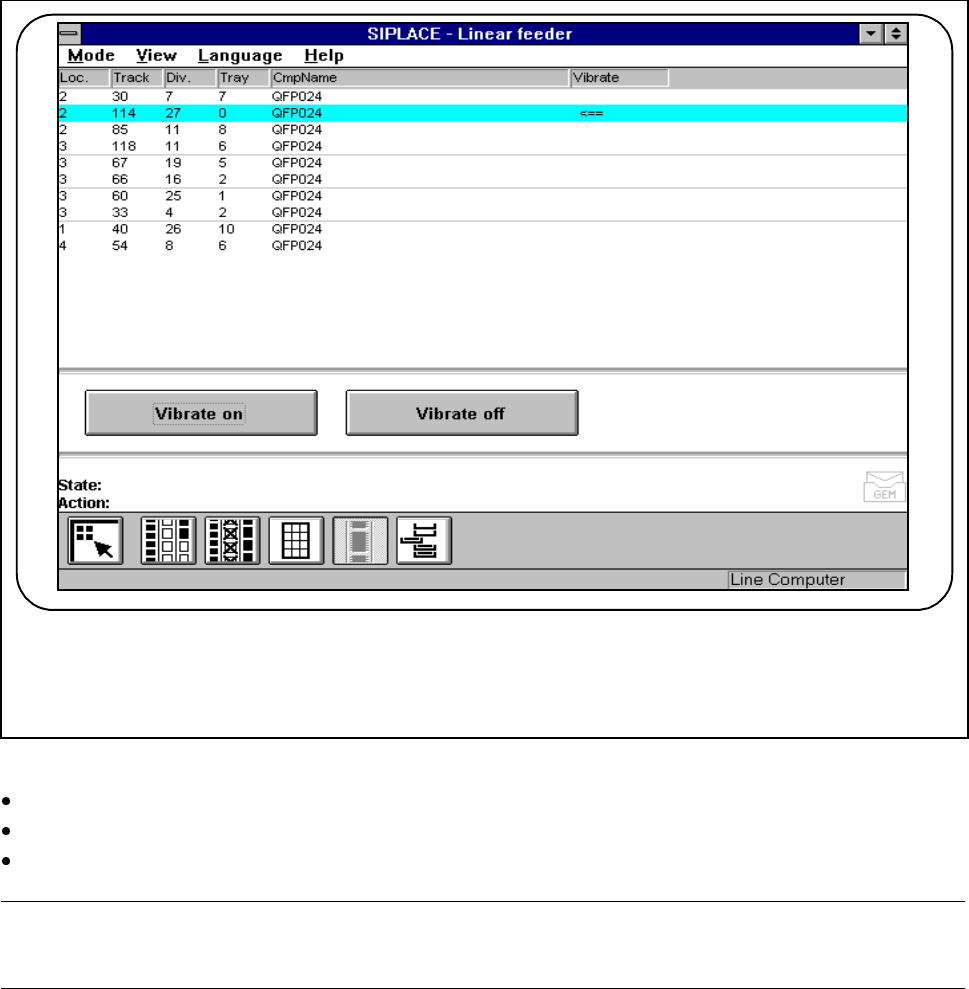
When refilling linear feeders you can select and vibrate the feeders in question.
Fig. 3.4.7 Vibrating the linear feeder
Mark the track in question (it will then appear against a light-blue bar).
Click on the Vibrate on button. The linear feeder on this track will vibrate.
Click on the Vibrate off button to switch off vibration.
NOTE
The arrow <== on the bar indicates whether the selected track is vibrating.
- Vibration stops when you quit this menu.
F
3 Placement Functions SIPLACE 80S-20/F4/F4-6 User’s Manual
3.4 Feeders Edition 07/97 from Software Version SR.403.xx
3 - 30
3.4.5 Execute Wafflepack Changer Functions (Siplace 80F
4
)
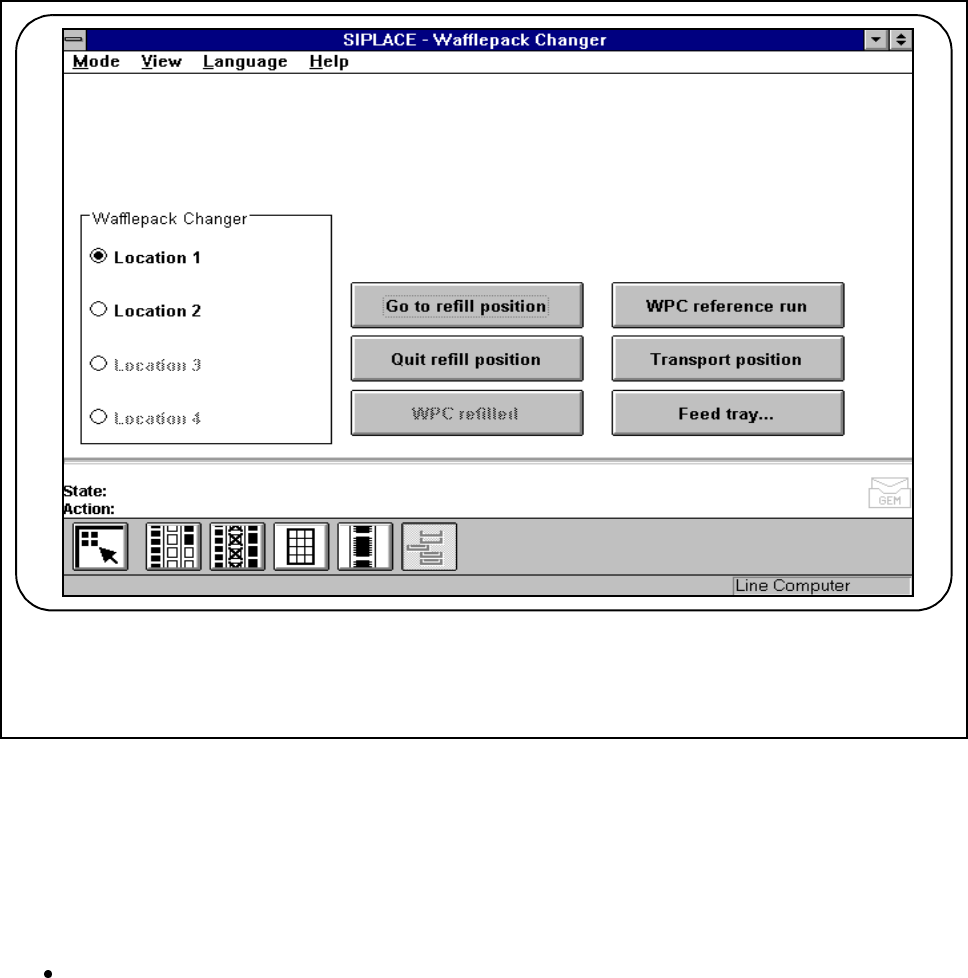
In the Wafflepack changer menu you can process inventory levels of the flatpack magazines brought up
from the wafflepack changer. It is also possible to carry out other functions of the wafflepack changer required
for refilling.
Fig. 3.4.8 Wafflepack changer
3.4.5.1 Go to Refill Position
The wafflepack changer is positioned in such a way that all flatpack magazines can be removed without
difficulty.
Click on the Go to refill position button.
A flatpack magazine which had been moved out is now moved into its defined level. The wafflepack
changer lift travels to the refill position. Flatpack magazines can now be refilled at that position.
F