80S-2080F480F4-680F5 User’s Manual.pdf - 第274页
SIPLACE 80S-20/F4/F4-6/F5 User’s Manual 5 Vision Functi on s Edition 03/98 from S oftware Version SR.404.xx 5.5 Teach Fiducial Line engi neer 5 - 53 5.5. 3.5 Save Fiducial Option With thi s option you can save f iducial …
5 Vision Functions SIPLACE 80S-20/F4/F4-6/F5 User’s Manual
5.5 Teach Fiducial Edition 03/98 from Software Version SR.404.xx
5 - 52 Line engineer
5.5.3.4
Define New Fiducial
Option
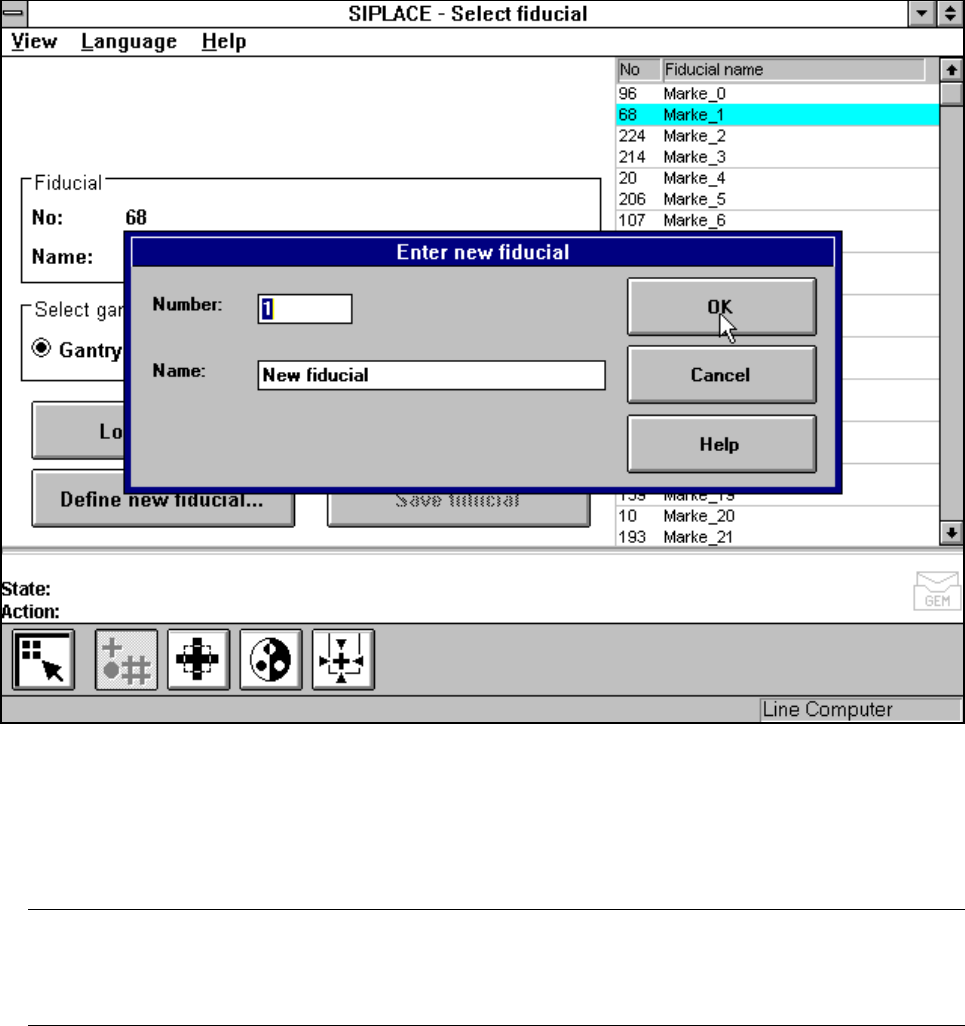
With this option you can generate a new fiducial.
– Click on the Define new fiducial button.
The input box for the fiducial number and the fiducial name will appear on the screen.
Fig. 5.5.7 Select fiducial menu, Define new fiducial option, input box
– Input a fiducial number and the fiducial name.
– Conclude your input with OK or discard your input with Cancel.
– The new fiducial can also be taught with standard values and further processed.
– When finished save the fiducial by clicking on the Save fiducial button.
NOTE
If a fiducial number already exists after clicking on OK you will be asked if you want to overwrite the exist-
ing fiducial.
SIPLACE 80S-20/F4/F4-6/F5 User’s Manual 5 Vision Functions
Edition 03/98 from Software Version SR.404.xx 5.5 Teach Fiducial
Line engineer 5 - 53
5.5.3.5
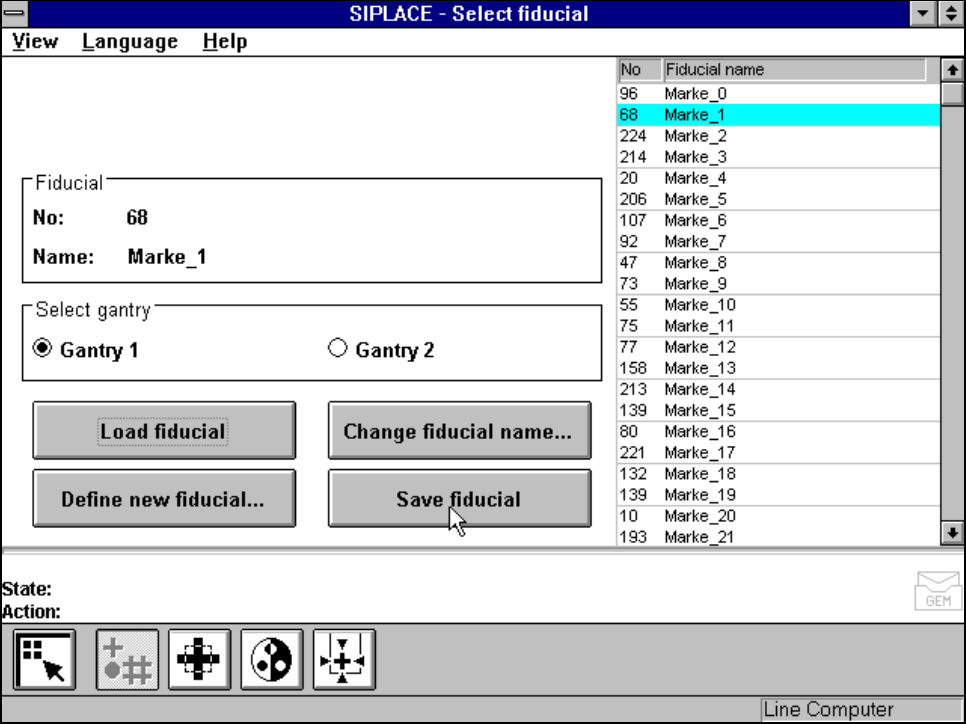
Save Fiducial
Option
With this option you can save fiducials together with their modified parameters. The button will only become
activated if you have
– changed the fiducial name or
– generated a new fiducial.
Fig. 5.5.8 Select fiducial menu, Save fiducial option
5 Vision Functions SIPLACE 80S-20/F4/F4-6/F5 User’s Manual
5.5 Teach Fiducial Edition 03/98 from Software Version SR.404.xx
5 - 54 Line engineer
5.5.4
Teach Fiducial
Menu
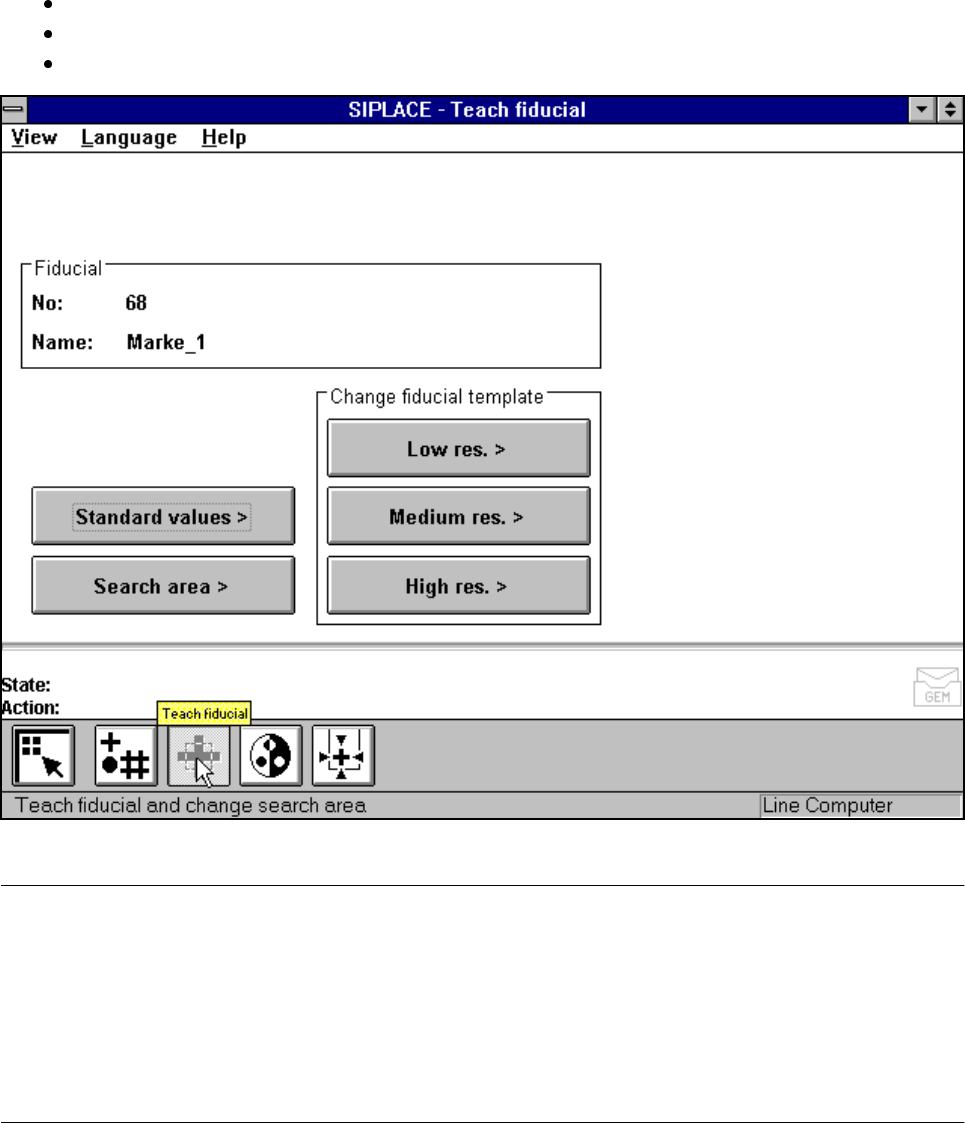
As the diagram shows, the Teach fiducial menu offers the following options:
– Standard values
– Search area
– Change search area with
low resolution,
middle resolution and
high resolution
Fig. 5.5.9 Teach fiducial menu, options
NOTE:
Buttons are active when the text on the button is black (rather than gray). This means that you can launch the
associated function by clicking on the button with the mouse.
The Search area button will, for example, only be active if you have
– already loaded a fiducial or
– created a new fiducial.
A model must already exist for the selected fiducial.