80S-2080F480F4-680F5 User’s Manual.pdf - 第151页
3 Placement Functions SIPLACE 80S-20/F4/F4-6 User’s Manual 3.3 Error Edition 07/97 from Software Version SR.403.xx 3 - 22

SIPLACE 80S-20/F4/F4-6 User’s Manual 3 Placement Functions
Edition 07/97 from Software Version SR.403.xx 3.3 Error
3 - 21
3.3.4.1 Error Information
Mark a single line (highlighted against a blue bar) and click on the Error information button. Call up the
on-line help for information on the selected error. In this connection see Chapter 7.1.
3.3.4.2 Diagnostics
Select a single line (highlighted against a light blue bar) and click on the Diagnostics button. The diagnos-
tics procedure for the error selected is started. In this connection see Chapter 7.2.
3 Placement Functions SIPLACE 80S-20/F4/F4-6 User’s Manual
3.3 Error Edition 07/97 from Software Version SR.403.xx
3 - 22
SIPLACE 80S-20/F4/F4-6 User’s Manual 3 Placement Functions
Edition 07/97 from Software Version SR.403.xx 3.4 Feeders
3 - 23
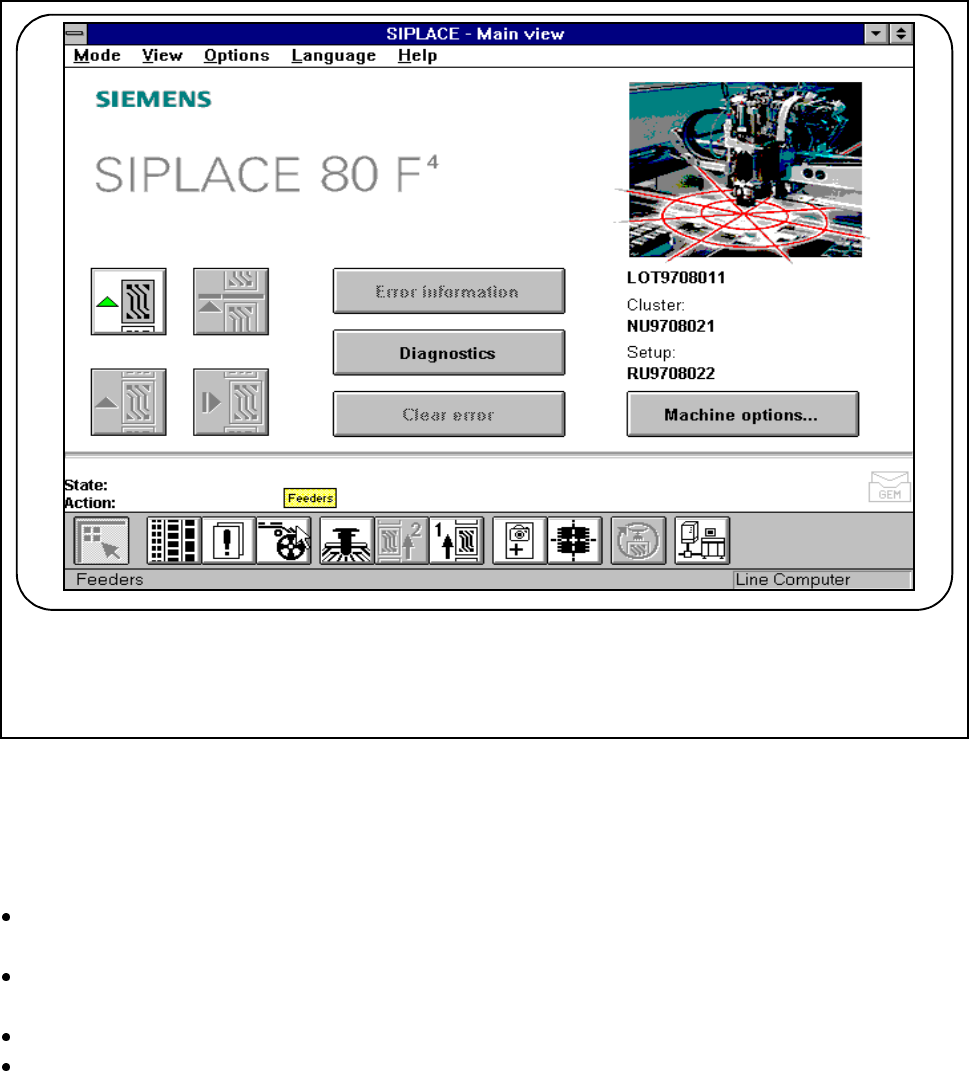
3.4 Feeders
The functions of the "Feeders“ menu are used to carry out various actions with components in different feeder
modules.
Fig. 3.4.1 Feeders
3.4.1 Displaying and Refilling Empty Tracks
Empty tracks in the tape feeder modules are shown in the Empty tracks submenu and can be set to full
again after being replenished.
Within the Feeders menu click on Empty tracks. For each location all tape modules which have empty
tracks will be displayed.
Click on the Location (1-4) button to set the entire location to full.
Mark a single line (it will appear on top of a blue bar) and click on the Selected track button to set an indi-
vidually selected track to full.
F