80S-2080F480F4-680F5 User’s Manual.pdf - 第358页
SIPLACE 80S-20/F4/F4-6/F5 User’s Manual 5 Vision Functi on s Edition 03/98 from S oftware Version SR.404.xx 5.7 Guidelines for Describing Package Form s Line engi neer 5 - 137 Fig. 5.7.9 Illumination parameters for s tan…
5 Vision Functions SIPLACE 80S-20/F4/F4-6/F5 User’s Manual
5.7 Guidelines for Describing Package Forms Edition 03/98 from Software Version SR.404.xx
5 - 136 Line engineer
5.7.7.2 Pseudo color representation
The pseudo color representation provides a powerful and objective assessment of the illumination, by repre-
senting a brightness value in a color.
A contrast of at least 4 color scales between the lead and body is required for a measurement. In the ‘Illumina-
tion’ menu of the package form manipulator, components are displayed in the pseudo color representation on
the station computer monitor.
5.7.7.3 Setting values for the illumination of standard components
The range of standard components includes tantalum capacitors, PLCCs, QFPs, SOs, SOJs, TSOPs, ICs,
power components and BGAs.
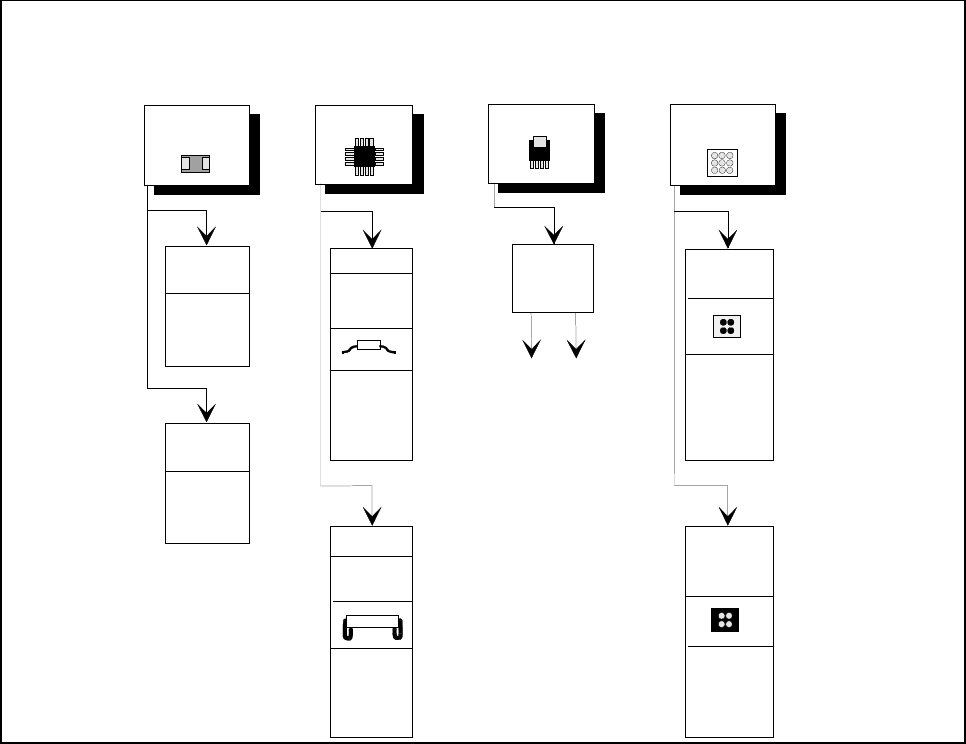
For the components listed below, the package form interpreter in the station computer uses the preset illumi-
nation parameters listed in Fig. 5.7.9:
– tantalum capacitors (component body, not mirrored)
– PLCC, QFP, SO, SOJ, TSOP, ICs, power ICs
– BGAs (not for ceramic BGAs)
As a rule you will not need to change the illumination parameters for the standard components. For all other
components you will need to determine the illumination values and test them (see Section 5.7.7.4, Page 5 -
137).
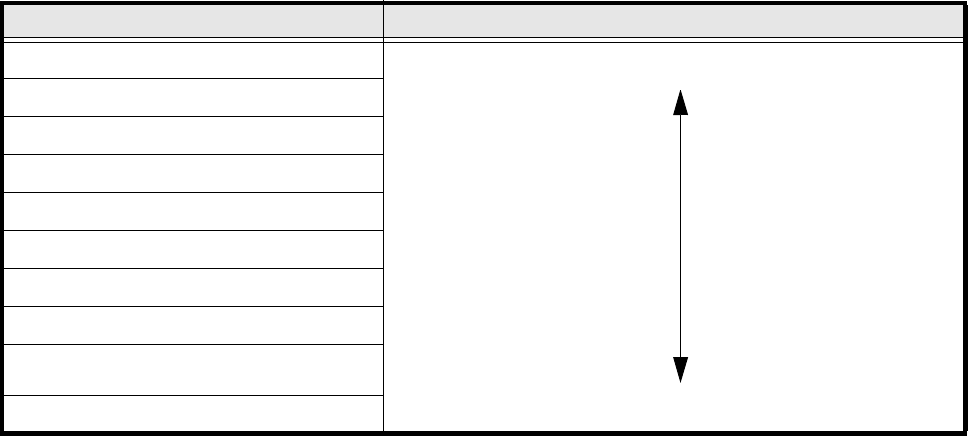
Color scale Brightness
white light
yellow
orange
red
brown
green
light blue
blue
violet
black dark
Tab. 5.7.4 Conversion table for the pseudo color representation at the IC head
SIPLACE 80S-20/F4/F4-6/F5 User’s Manual 5 Vision Functions
Edition 03/98 from Software Version SR.404.xx 5.7 Guidelines for Describing Package Forms
Line engineer 5 - 137
Fig. 5.7.9 Illumination parameters for standard components at the IC head camera.
5.7.7.4 Settings for Illuminating Other Components
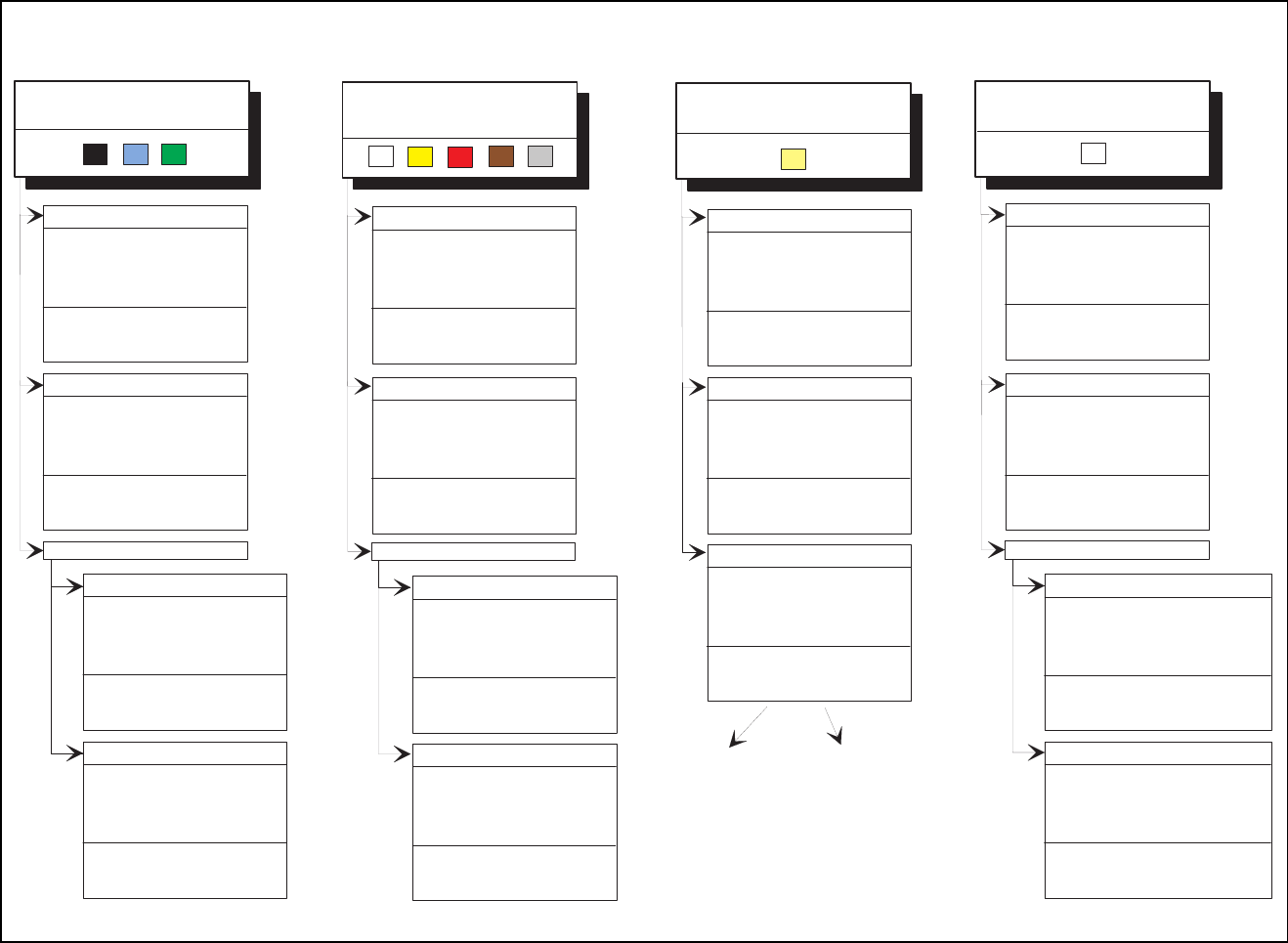
Fig. 5.7.10 presents a list of the illumination settings for other components.
Diagram for adjusting the illumination of standard components
IC Power IC
BGA
Tantalum
capacitor
BGA
General
flat: 120
middle: 60
steep: 10
Reflective
body
Gullwing
SO, SOT,
TSOP
QFP,
flat: 90
middle: 40
steep: 10
flat: 255
middle: 90
steep: 0
flat: 120
middle: 50
steep: 10
J-Lead
PLCC
flat: 200
middle: 30
steep: 5
Ceramic
BGA
flat: 0
middle: 0-10
steep:80-100
flat: 255
middle: 30
steep: 0
Illumination
level
Brightness
5 Vision Functions SIPLACE 80S-20/F4/F4-6/F5 User’s Manual
5.7 Guidelines for Describing Package Forms Edition 03/98 from Software Version SR.404.xx
5 - 138 Line engineer
Fig. 5.7.10 Illumination parameters for other components at the IC head camera
Adjusting the illum ination of other com ponents
Light and dull body
( w hite, yellow , red, brow n, grey,
m e ta llic d u ll )
Ceram ic body
Dark and dull body
( black, blue, green )
R e fle c tiv e b o d y
(independently of color and m aterial)
D u ll le a d s
fla t: 1 0 0
middle: 30
steep: 40
Visual separation betw een leads
and body is not possible.
Illum inate body and leads equally.
M easure outline.
S h in y le a d s
C lear separation
betw een leads
and body.
D u ll le a d s
fla t: 2 5 5
m iddle: 90
steep: 0
S h in y le a d s
1. Illum inate body and leads equally.
M easure outline.
2. Trick: U se flat and m iddle levels to
bring leads im age to saturation.
M easure.
C lear separation
betw een leads
and body.
for variant 2:
fla t: 1 6 0
m iddle: 60
steep: 0
C lear separation
betw een leads
and body.
C lear separation
betw een leads
and body.
J-Lead ( PLC C ), convex-type leads
G u llw in g le a d s ( S O , Q F P )
D u ll le a d s
S h in y le a d s
C lear separation
betw een leads
and body.
C lear separation
betw een leads
and body.
J-Lead ( PLC C ), convex-type leads
G u llw in g le a d s ( S O , Q F P )
fla t: 9 0
middle: 40
steep: 10
fla t: 2 0 0
middle: 30
steep: 5
C lear separation
betw een leads
and body.
C lear separation
betw een leads
and body.
O ther lead shapes
D u ll le a d s
Visual separation betw een leads
and body is not generally possible.
S h in y le a d s
Leads:
O u tlin e :
M easuring m ethod:
Visual separation betw een leads
and body is not possible.
Illum inate body and leads equally.
M easure outline.
Visual separation betw een leads
and body is not possible. M easure
outline or lead tips. Leads are
outside the body.
J-Lead ( PLC C ), convex-type leads
G u llw in g le a d s ( S O , Q F P )
O ther lead shapes
C onvex-type leads
O ther lead shapes
Visual separation betw een leads
and body is not generally possible.
Illum inate body and leads equally.
M easure outline.
Illum ination level B rightness
fla t: 1 2 0 - 1 4 0
m iddle: 40 - 60
steep: 0 - 10
fla t: 9 0
m iddle: 90
steep: 5 - 10
fla t: 9 0
middle: 40
steep: 10
fla t: 2 0 0
middle: 30
steep: 5
Visual separation betw een leads
and body is not generally possible.
Leads:
O u tlin e :
M easuring m ethod:
fla t: 1 2 0
m id d le : 4 0
steep: 10 - 20
fla t: 1 2 0
m id d le : 4 0
steep: 0 - 10
fla t: 0
m id d le : 0
steep: 10 - 20
fla t: 0
m id d le : 0
steep: 20 - 40
fla t: 0
middle: 0
steep: 25
fla t: 1 0 0
middle: 30
steep: 40
fla t: 1 6 0
m iddle: 60
steep: 0
flat: 150 - 255
m iddle: 60 - 120
steep: 0