80S-2080F480F4-680F5 User’s Manual.pdf - 第426页
SIPLACE 80S- 20/F4/F4-6 User’s Manual 7 E rror Information & Diagn ostics Edition 03/98 from Software Version SR.403.xx 7.2 Diagnostics 7 - 11 Fig. 7.2.2 Diagnostics main screen - Key to Fig. 7.2.2 1 Infor mation bu …
7 Error Information & Diagnostics SIPLACE 80S-20/F4/F4-6 User’s Manual
7.2 Diagnostics Edition 03/98 from Software Version SR.403.xx
7 - 10
7.2.2 Basic Operation
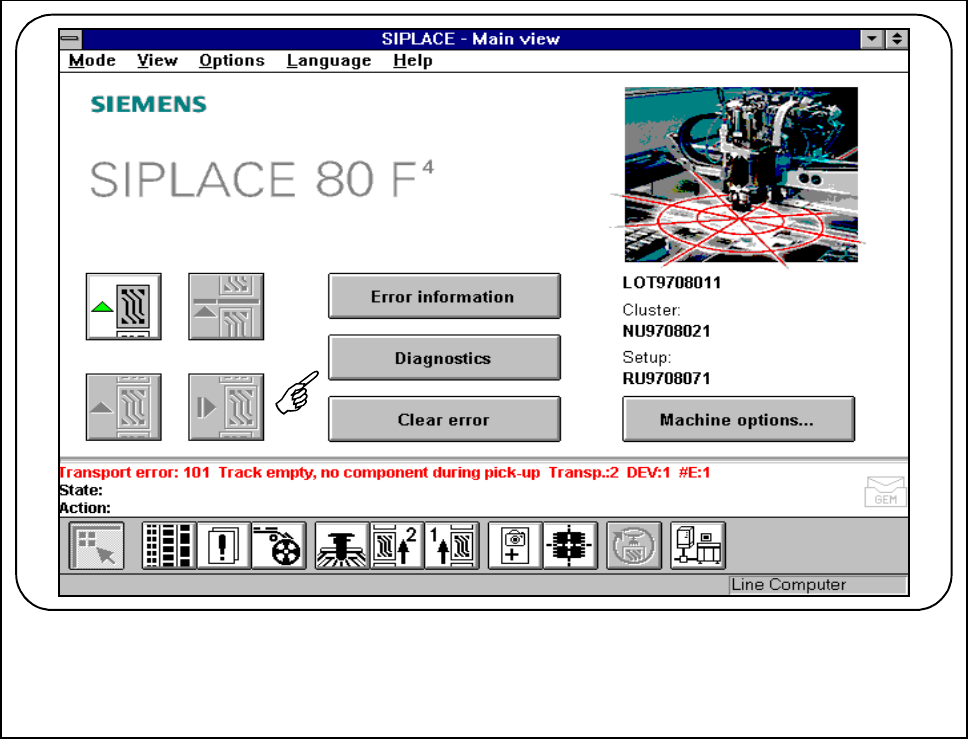
If an error should occur during processing of the board, this error will be displayed in the status window.
● Click on the Diagnostics button.
Fig. 7.2.1 Diagnostics for error message no. 101
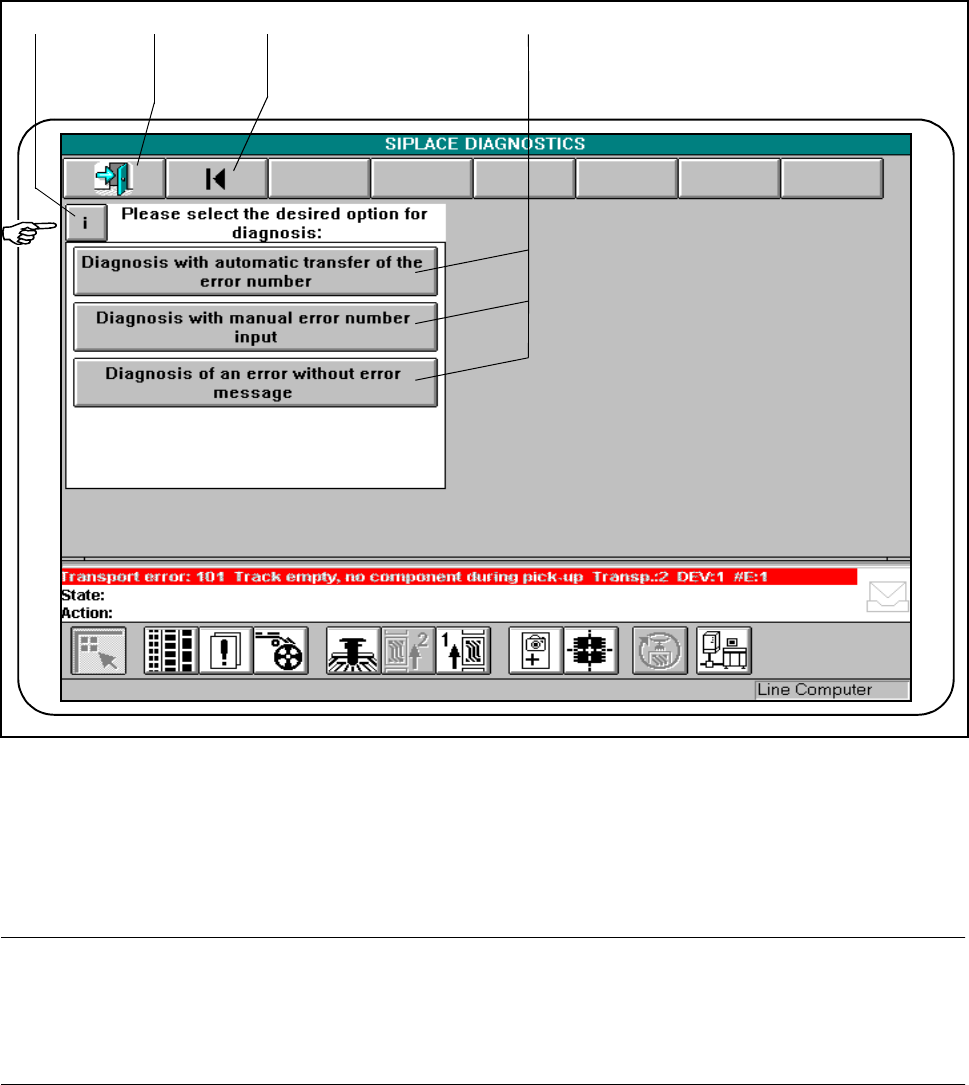
● The diagnostics main screen is displayed on the station software screen.
SIPLACE 80S-20/F4/F4-6 User’s Manual 7 Error Information & Diagnostics
Edition 03/98 from Software Version SR.403.xx 7.2 Diagnostics
7 - 11
Fig. 7.2.2 Diagnostics main screen
- Key to Fig. 7.2.2
1 Information button 2 Finish diagnostics
3 Return to diagnostics main screen 4 Diagnostics buttons
NOTE
The symbol and status bars of the station software main menu remain displayed on the screen and you can
change to this view.
If you wish to return to diagnostics, press the Diagnostics button again.
1 2 3
4
7 Error Information & Diagnostics SIPLACE 80S-20/F4/F4-6 User’s Manual
7.2 Diagnostics Edition 03/98 from Software Version SR.403.xx
7 - 12
7.2.2.1 Information Button
● If information is available on certain menus, the Information button will be displayed.
NOTE
This information must be complied with and can be displayed by pressing the information button.
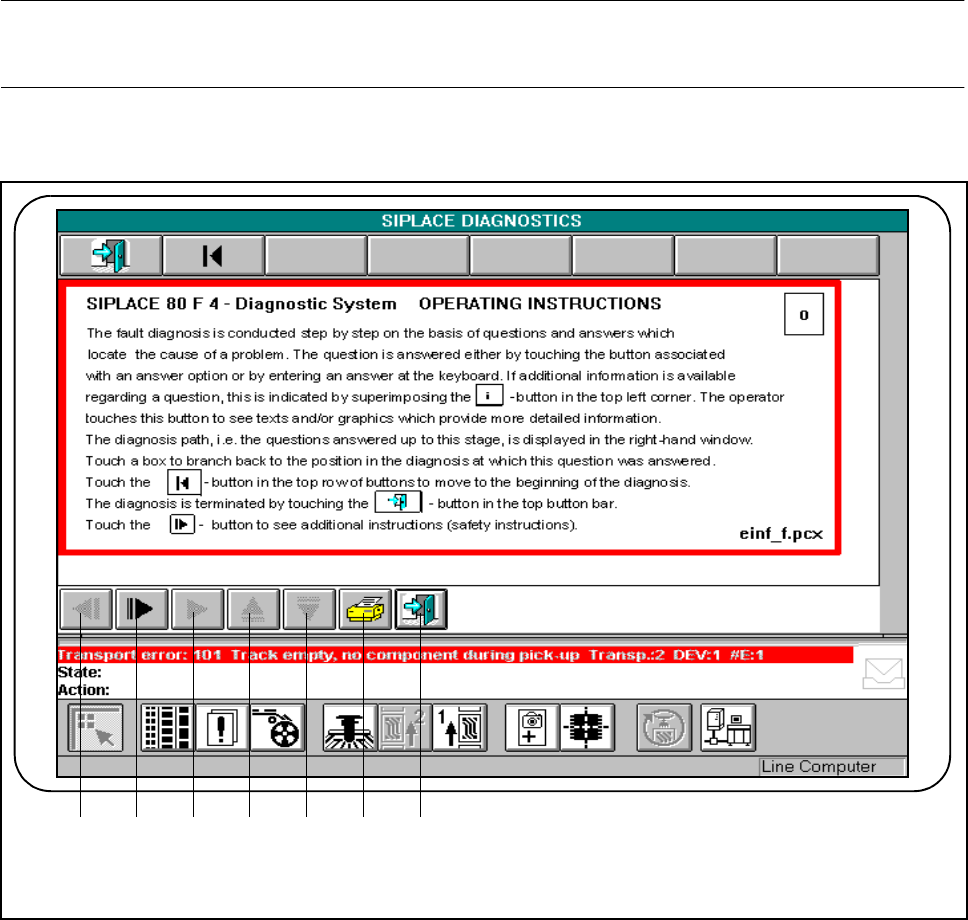
● Click on the Information button.
Fig. 7.2.3 Example of information display
- Key to Fig. 7.2.3
1 Scroll back by window (if active) 2 Scroll down by window (if active)
3 Display additional information (if active) 4 Scroll up displayed window
5 Scroll down displayed window 6 Print displayed window
7 Return to previous window
1 2 3 4 5 6 7