80S-2080F480F4-680F5 User’s Manual.pdf - 第654页
SIPLACE 80S-20/F4/F4-6/F5 User’s Manual 11 Station Extensions/Options Edition 03/98 from Software Version SR.404.xx 11.8 Remote Service 11 - 57 11.8.5.2 Connecting the ISDN Router to the Customer‘s Site LAN The advant ag…
11 Station Extensions/Options SIPLACE 80S-20/F4/F4-6/F5 User’s Manual
11.8 Remote Service Edition 03/98 from Software Version SR.404.xx
11 - 56
11.8.5 Overview
The following possibilities as regards configuration are available to the customer‘s placement line:
Connection of the ISDN router to the local SIPLACE LAN and connection of the ISDN router to customer‘s site
LAN.
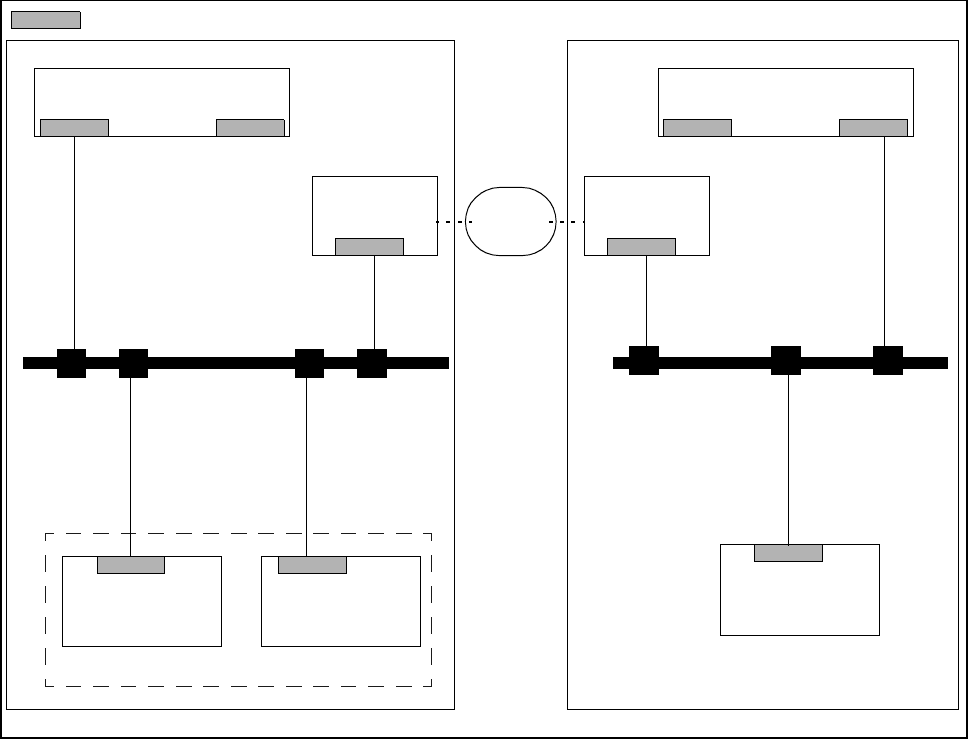
11.8.5.1 Connecting the ISDN Router to the Local SIPLACE LAN
This possibility is used when there is no local LAN available at the customer. The customer will not need to
implement any additional data security measures.
Fig. 11.8.1 Connection to local SIPLACE LAN
Line computer
Router
Station com-
puter
Machine
controller
SIPLACE
LAN
Router
Station com-
puter
LAN
Line computer
Customer‘s placement line Service center
ISDN
network
= LAN card
SIPLACE 80S-20/F4/F4-6/F5 User’s Manual 11 Station Extensions/Options
Edition 03/98 from Software Version SR.404.xx 11.8 Remote Service
11 - 57
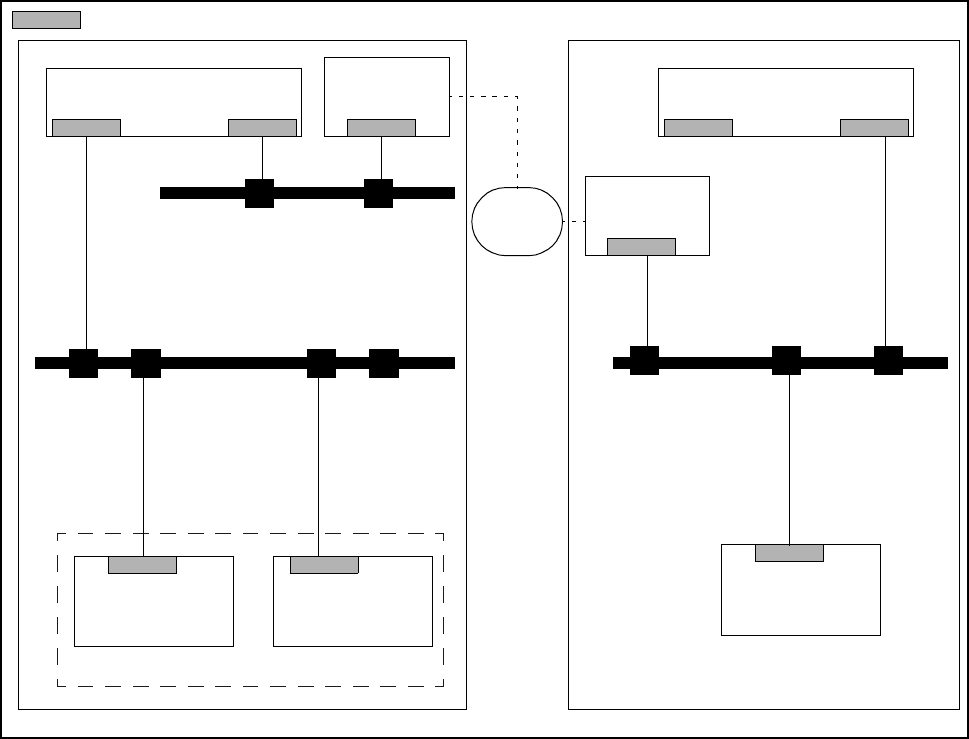
11.8.5.2 Connecting the ISDN Router to the Customer‘s Site LAN
The advantage of this alternative is that several placement lines can be addressed via a single router.
Fig. 11.8.2 Connection to the customer‘s site LAN
Line computer (LC)
Router
Station com-
puter
Machine
controller
SIPLACE
LAN
Router
Station com-
puter
LAN
Line computer(LC)
Service center
Customer‘s central site network
= LAN card
ISDN
network
Customer‘s placement line

11 Station Extensions/Options SIPLACE 80S-20/F4/F4-6/F5 User’s Manual
11.8 Remote Service Edition 03/98 from Software Version SR.404.xx
11 - 58
11.8.6 Procedure and Operation
Make contact with your service center (in Munich, Alpharetta or Singapore) by telephone.
Follow the instructions of the engineer.