80S-2080F480F4-680F5 User’s Manual.pdf - 第521页
9 Maintenance SIPLACE 80S-20/F4/F4-6/F5 User’s Manual 9.6 IC Head (SIPLACE 80F4/80F4-6/F5) Edition 03/98 from Software Version SR.404.xx 9 - 72 Fig. 9.6.9 Maintaining the nozzles - Key to Fig. 9.6.9 (The item numbers of …
SIPLACE 80S-20/F4/F4-6/F5 User’s Manual 9 Maintenance
Edition 03/98 from Software Version SR.404.xx 9.6 IC Head (SIPLACE 80F4/80F4-6/F5)
9 - 71
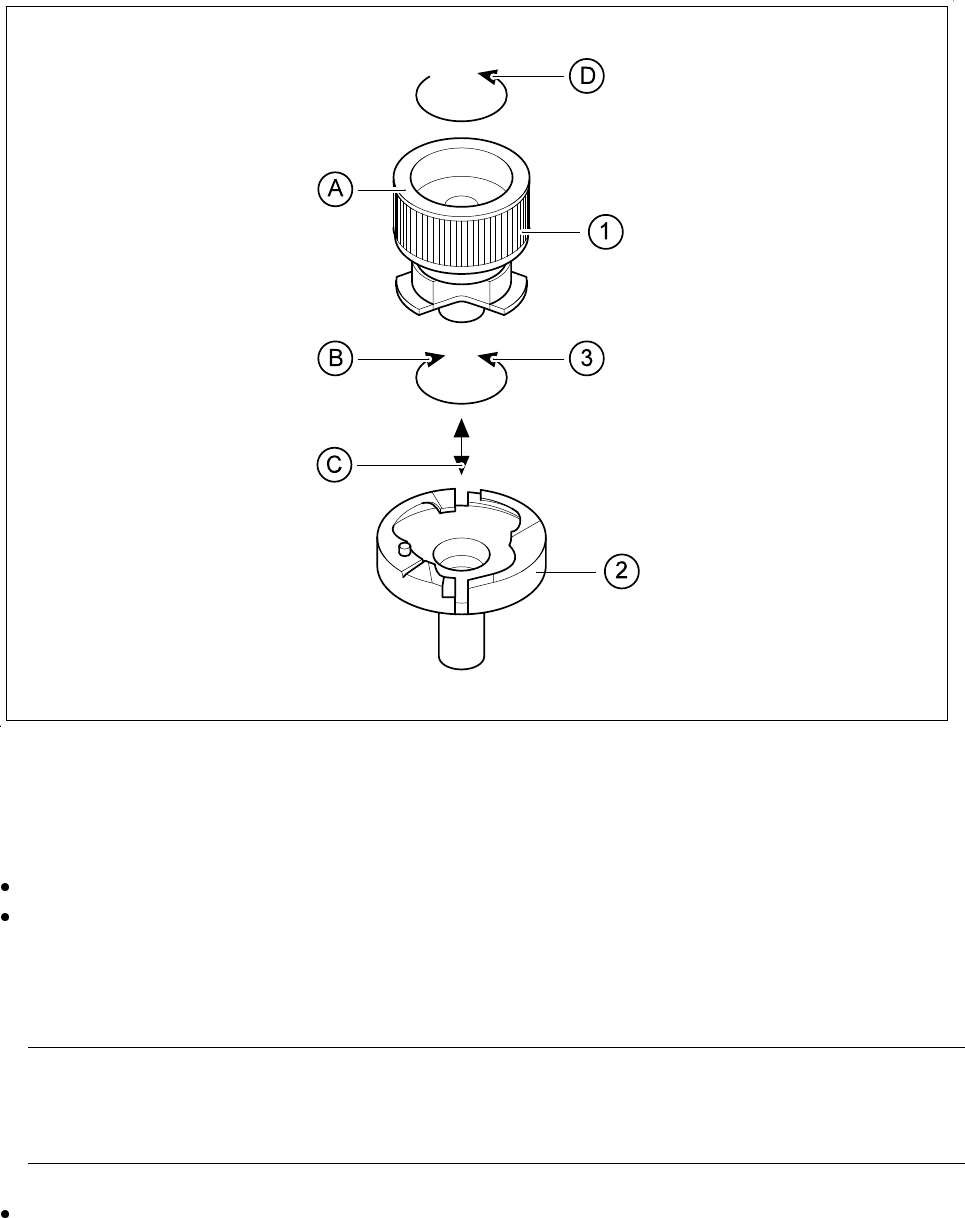
Fig. 9.6.8 Removing the nozzle from the nozzle changer
9.6.6.2 Checking and Maintaining the Nozzles
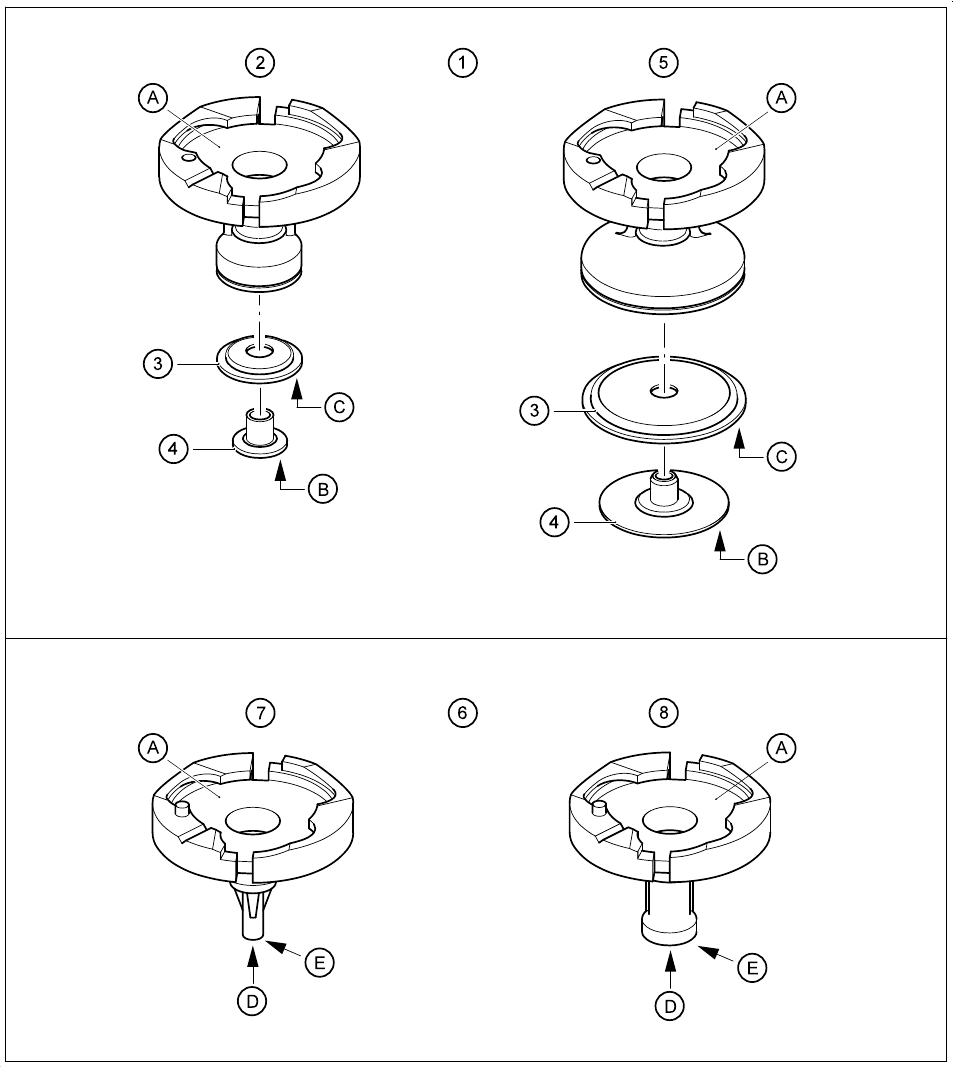
Carry out maintenance of the nozzles as shown in Fig. 9.6.9.
Check the nozzles and the diaphragms and replace any damaged diaphragm.
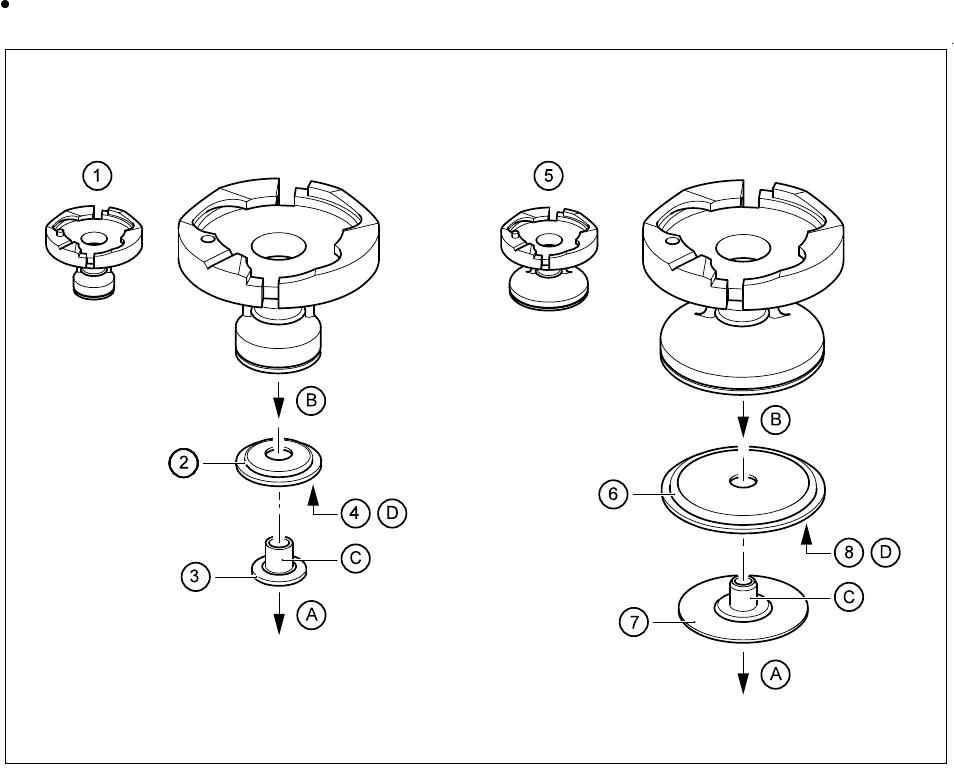
Please refer to Fig. 9.6.10 for the procedure for replacing diaphragms. The item numbers for the dia-
phragms are given in section 17.2.2, Page 24. For maintenance of the diaphragms you will require talcum
powder (see Table 9.2.10, Page 14).
NOTE
Rubbing over with talcum prevents components sticking to the diaphragm after being set down on the
board. The diaphragm must not come into contact with spirit or alcohol.
Check the suction faces of the nozzles without diaphragm: if you detect damage use the corresponding
new nozzles. For the item numbers, see Section 17.2.2 on page 17 - 24.
9 Maintenance SIPLACE 80S-20/F4/F4-6/F5 User’s Manual
9.6 IC Head (SIPLACE 80F4/80F4-6/F5) Edition 03/98 from Software Version SR.404.xx
9 - 72
Fig. 9.6.9 Maintaining the nozzles
- Key to Fig. 9.6.9
(The item numbers of the nozzles and diaphragms will be found in Section 17.2.2.)
1 Maintenance of the nozzles with diaphragm 2 Nozzle, type 418
3 Diaphragm 4 Sleeve
5 Nozzle, type 419 6 Maintenance of the nozzles without diaphragm
7 Nozzle, type 416 8 Nozzle, type 417
SIPLACE 80S-20/F4/F4-6/F5 User’s Manual 9 Maintenance
Edition 03/98 from Software Version SR.404.xx 9.6 IC Head (SIPLACE 80F4/80F4-6/F5)
9 - 73
- Sequence of work in Fig. 9.6.9
A Clean all the supporting surfaces with a dry brush.
B Dry clean the annular surface of the sleeve.
C Rub a little talcum powder into the supporting surface of the diaphragm.
D Clean the suction hole.
E Check the suction surface.
9.6.6.3 Replacing the Diaphragm of the Nozzles
Replace the diaphragm if damaged. All relevant details are shown in the following diagram.
Fig. 9.6.10 Replacing the diaphragm of the nozzles
- Key to Fig. 9.6.10
(The item numbers of the nozzles and diaphragms will be found in Section 17.2.2.)
1 Nozzle, type 418 2 Diaphragm for 418 nozzle type
3 Sleeve for 418 nozzle type 4 Supporting surface
5 Nozzle, type 419 6 Diaphragm for 419 nozzle type
7 Sleeve for 419 nozzle type 8 Supporting surface