80S-2080F480F4-680F5 User’s Manual.pdf - 第628页
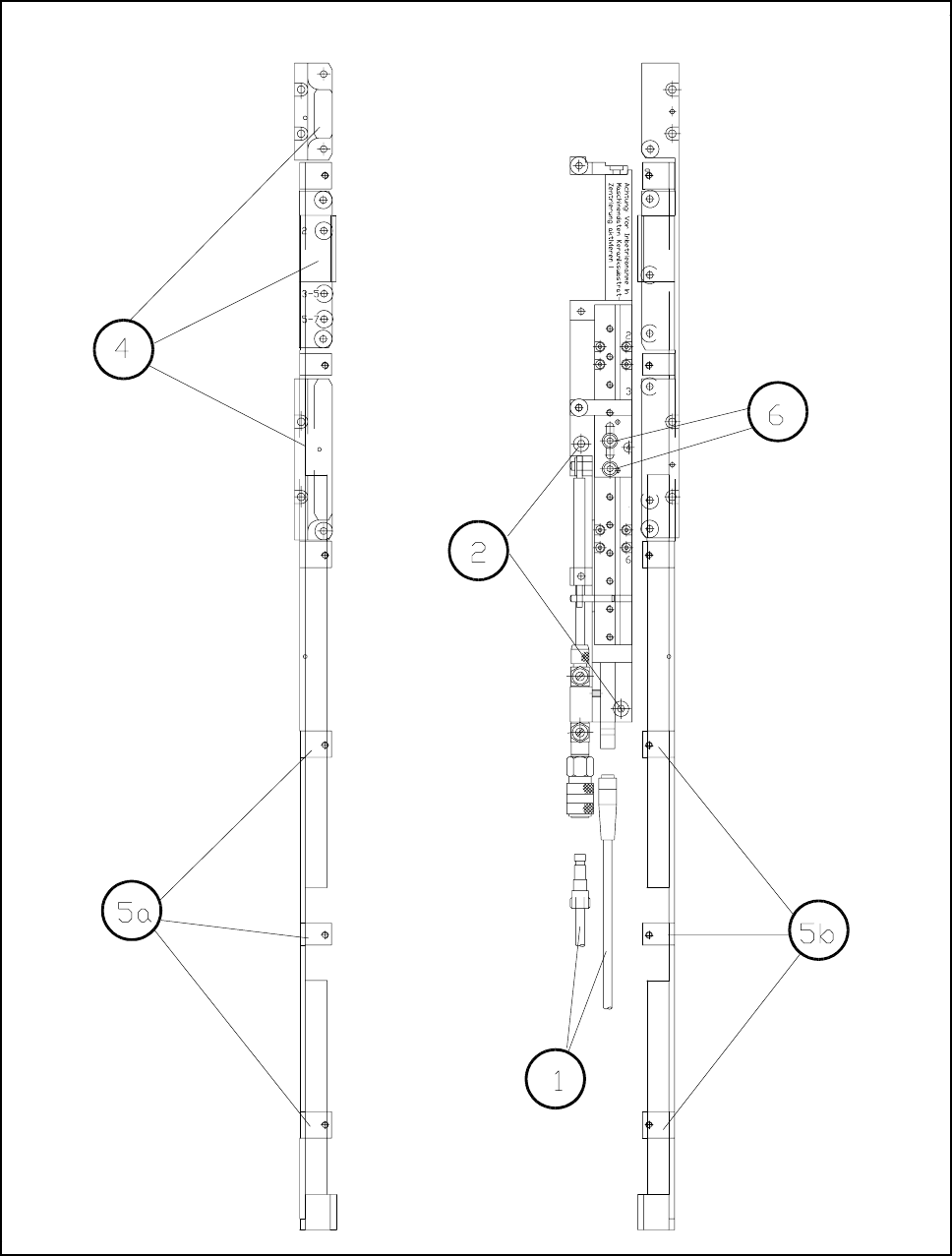
SIPLACE 80S-20/F4/F4-6/F5 User’s Manual 11 Station Extensions/Options Edition 03/98 from Software Version SR.404.xx 11.6 Ceramic Substrate Centering 11 - 31 Fig. 11.6.2 Cera mic substrate centering (side view) Key to Fig…
11 Station Extensions/Options SIPLACE 80S-20/F4/F4-6/F5 User’s Manual
11.6 Ceramic Substrate Centering Edition 03/98 from Software Version SR.404.xx
11 - 30
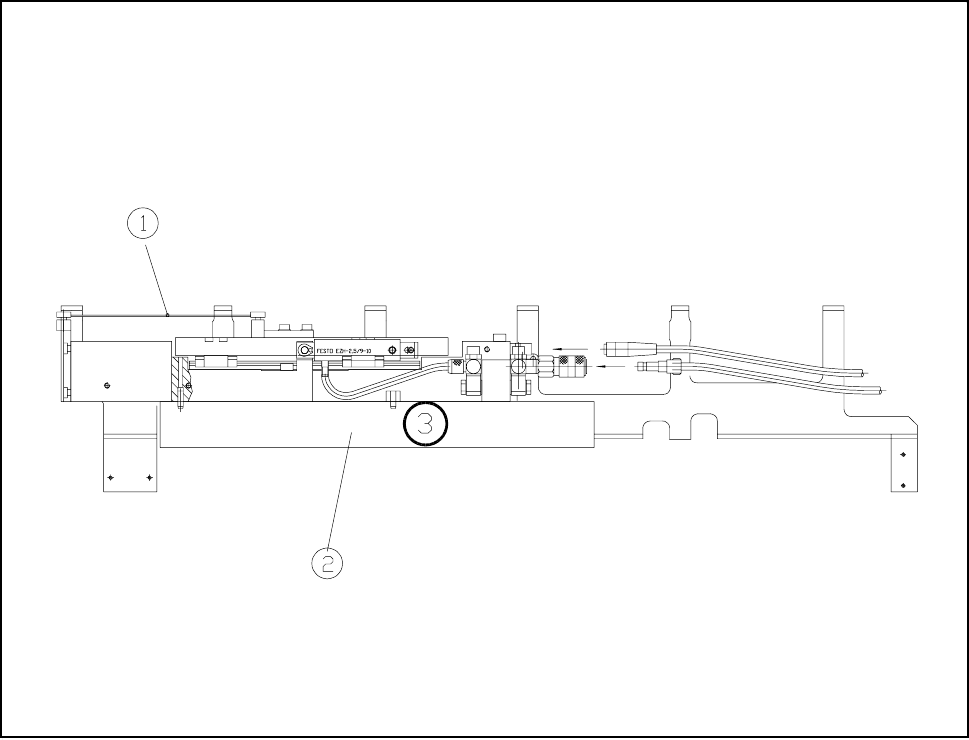
Fig. 11.6.1 Overall view (viewed from the top)
SIPLACE 80S-20/F4/F4-6/F5 User’s Manual 11 Station Extensions/Options
Edition 03/98 from Software Version SR.404.xx 11.6 Ceramic Substrate Centering
11 - 31
Fig. 11.6.2 Ceramic substrate centering (side view)
Key to Fig. 11.6.2
1 Ceramic substrate 2 See Section 11.6.3.2
11.6.3.3 Maintenance
- The spherical rotating guide in the x centering unit must be cleaned and lubricated.
- When necessary, check the pneumatic drive for ease of running.
- Maintenance of the conveyor is as described in Section 9.3.2.
11 Station Extensions/Options SIPLACE 80S-20/F4/F4-6/F5 User’s Manual
11.6 Ceramic Substrate Centering Edition 03/98 from Software Version SR.404.xx
11 - 32
11.6.4 Technical Data
11.6.5 Optical Centering with Oblique Lighting
11.6.5.1 General Comments
With optical ceramic substrate centering the special conditions of the ceramic substrate must be taken into
consideration. Contrast will be heavily dependent on the paste which is used for the alignment structure, on
the clear surroundings of the alignment structure, and on the type of illumination.
The oblique lighting facility is located on the front part of the UP camera (undergantry camera).
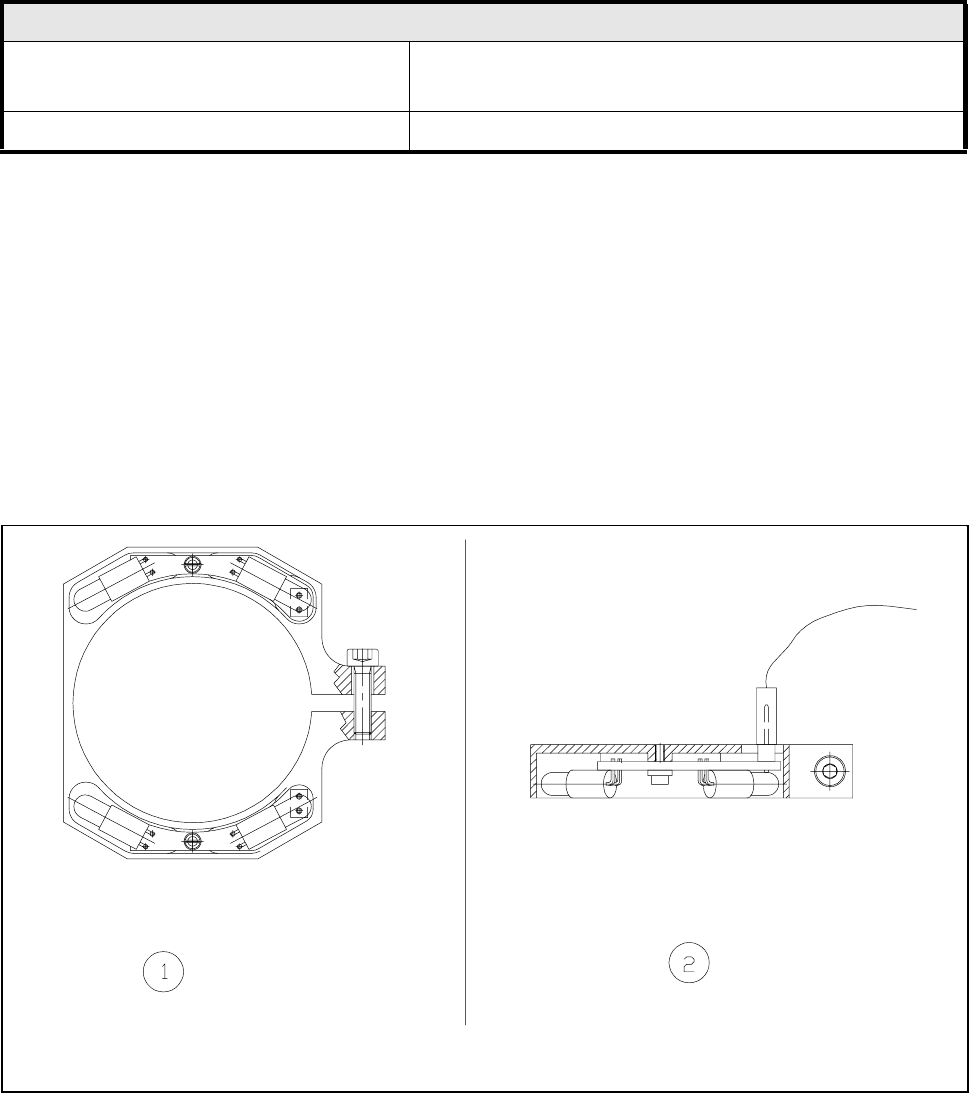
Fig. 11.6.3 Oblique light lighting unit for the UP camera
- Key to Fig. 11.6.3
1 Top view of the oblique lighting unit 2 Side view of the oblique lighting unit
Ceramic substrate centering
Usable substrate sizes 50 mm x 50 mm (2" x 2") up to a max. of 4" x 7"
(Further sizes on request)
Compressed air supply 5 bar