80S-2080F480F4-680F5 User’s Manual.pdf - 第335页
5 Vision Functions SIPLACE 80S-20/F4/F4-6/F5 User’s Manual 5.6 Test Component Edition 03/98 from Software Version SR.404.xx 5 - 114 Line engine er Fig. 5.6.28 Measuring mode option, R ow measuring mode menu This menu is …
SIPLACE 80S-20/F4/F4-6/F5 User’s Manual 5 Vision Functions
Edition 03/98 from Software Version SR.404.xx 5.6 Test Component
Line engineer 5 - 113
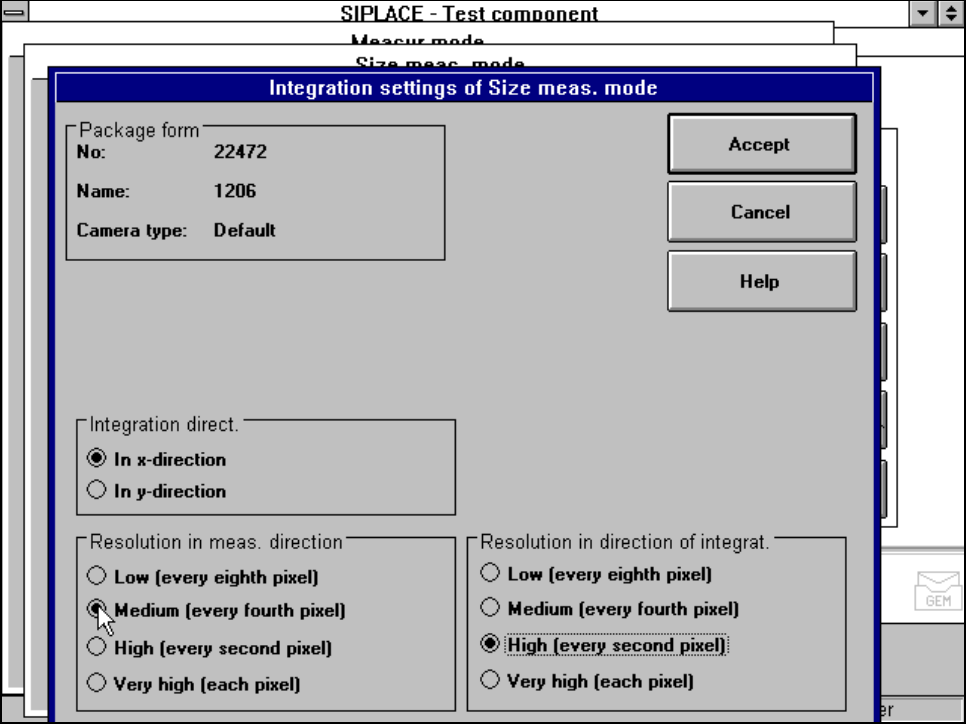
Fig. 5.6.27 Measuring mode option, Integration settings of Size measuring mode menu
This menu is used to select the
– integration direction,
– the resolution in the measuring direction and
– the resolution in the integration direction.
Integration direction
In order to determine the angle, select the integration direction towards either the X or Y axis of the compo-
nent. We recommend that you select the longer edge.
Resolution in the measuring direction
Select this resolution in order to optimize the measuring times at the revolver head.
Resolution in the integration direction
Select this resolution in order to optimize the measuring times at the revolver head.
5.6.4.17 ’Row’ Measuring mode
Click on the ‘Setting’ field in the Row measuring mode menu to call up the following menu:
5 Vision Functions SIPLACE 80S-20/F4/F4-6/F5 User’s Manual
5.6 Test Component Edition 03/98 from Software Version SR.404.xx
5 - 114 Line engineer
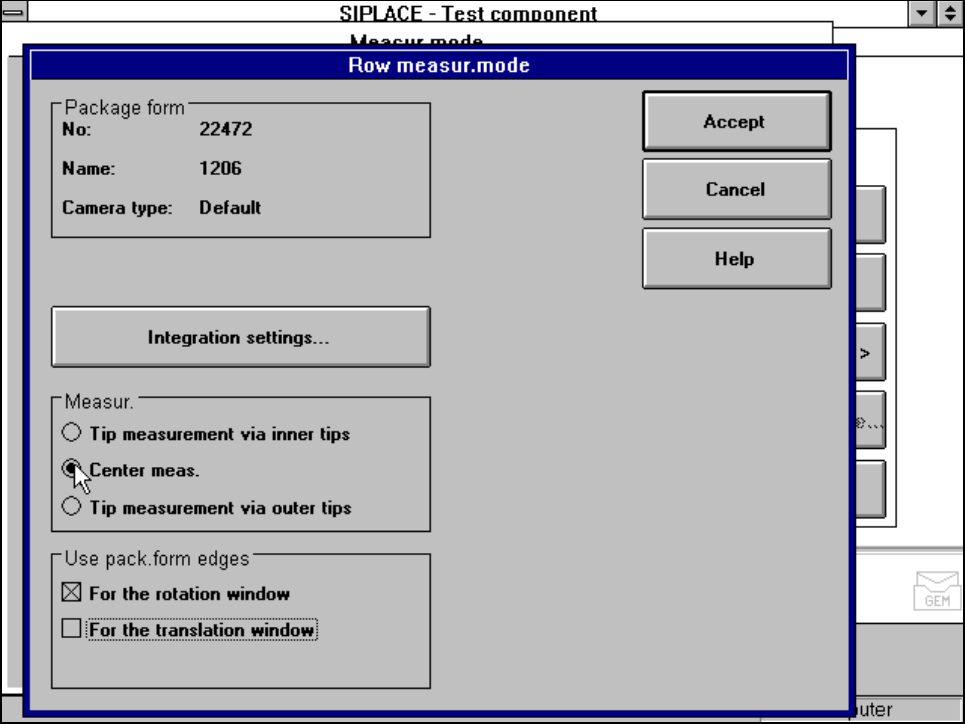
Fig. 5.6.28 Measuring mode option, Row measuring mode menu
This menu is used to
– specify the lead measuring method.
– use the package form edges for the rotation windows and/or translation windows.
Measurement
If the inner lead tips are mapped better that the outer tips, for example if a shiny lead is bent upwards slightly,
you can select one of the following options:
– measuring the tips via the inner tips of the leads, for bases, for example
– centre of the lead, centre measurement, for PLCC, SOJ, for example
– measuring the tips via the outer tips of the leads, for QFP, SOT, SO, for example
Use package form edges
–
for rotation windows
The package form edges can be used to optimally position the rotation windows. However, to do this, the
package form edge must be visible and it must not contain a row of leads.
–
for translation windows
The package form edges can be used to optimally position the translation windows. However, to do this,
the package form edge must be visible and it must not contain a row of leads.
SIPLACE 80S-20/F4/F4-6/F5 User’s Manual 5 Vision Functions
Edition 03/98 from Software Version SR.404.xx 5.6 Test Component
Line engineer 5 - 115
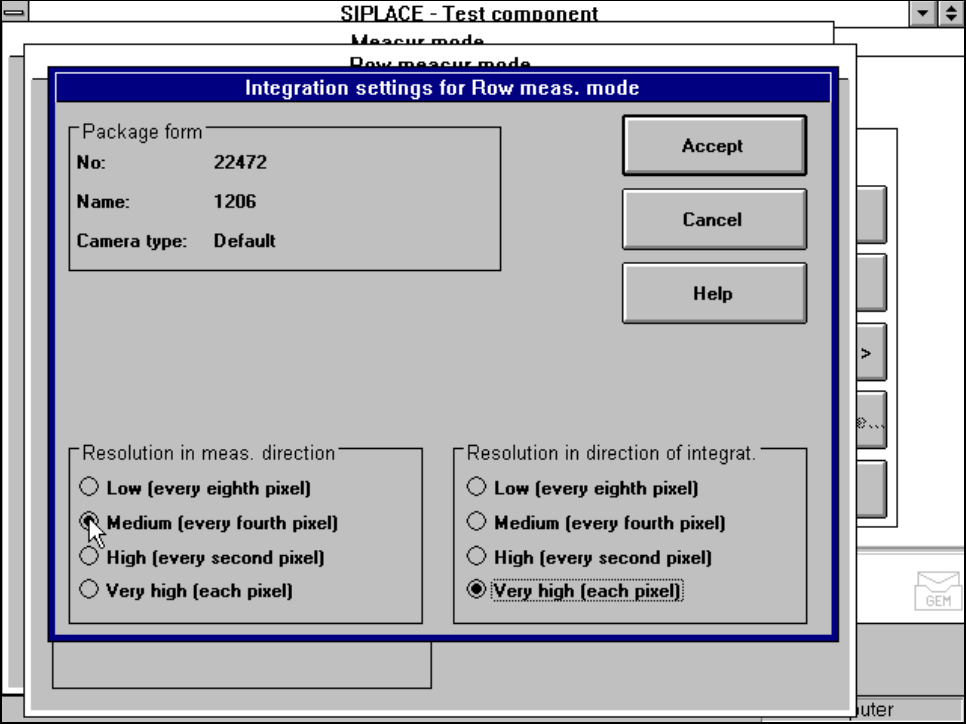
Integration settings
Once you have clicked on the ‘Integration settings’ field, the Row measuring mode integration settings
menu will appear on screen.
Fig. 5.6.29 Measuring mode option, Row measuring mode integration settings menu
Measuring times can be reduced by lowering the resolution in the measuring or integration direction. How-
ever, you must ensure that the structure to be analysed has a sufficient number of pixels. Otherwise, the mea-
suring quality will be compromised.
5.6.4.18 ‘Corner’ measuring mode
Click on the ‘Setting’ field in the ‘Corner’ measuring mode to call up the Corner measuring mode menu.