2OM-1733-005w_F8.pdf - 第151页
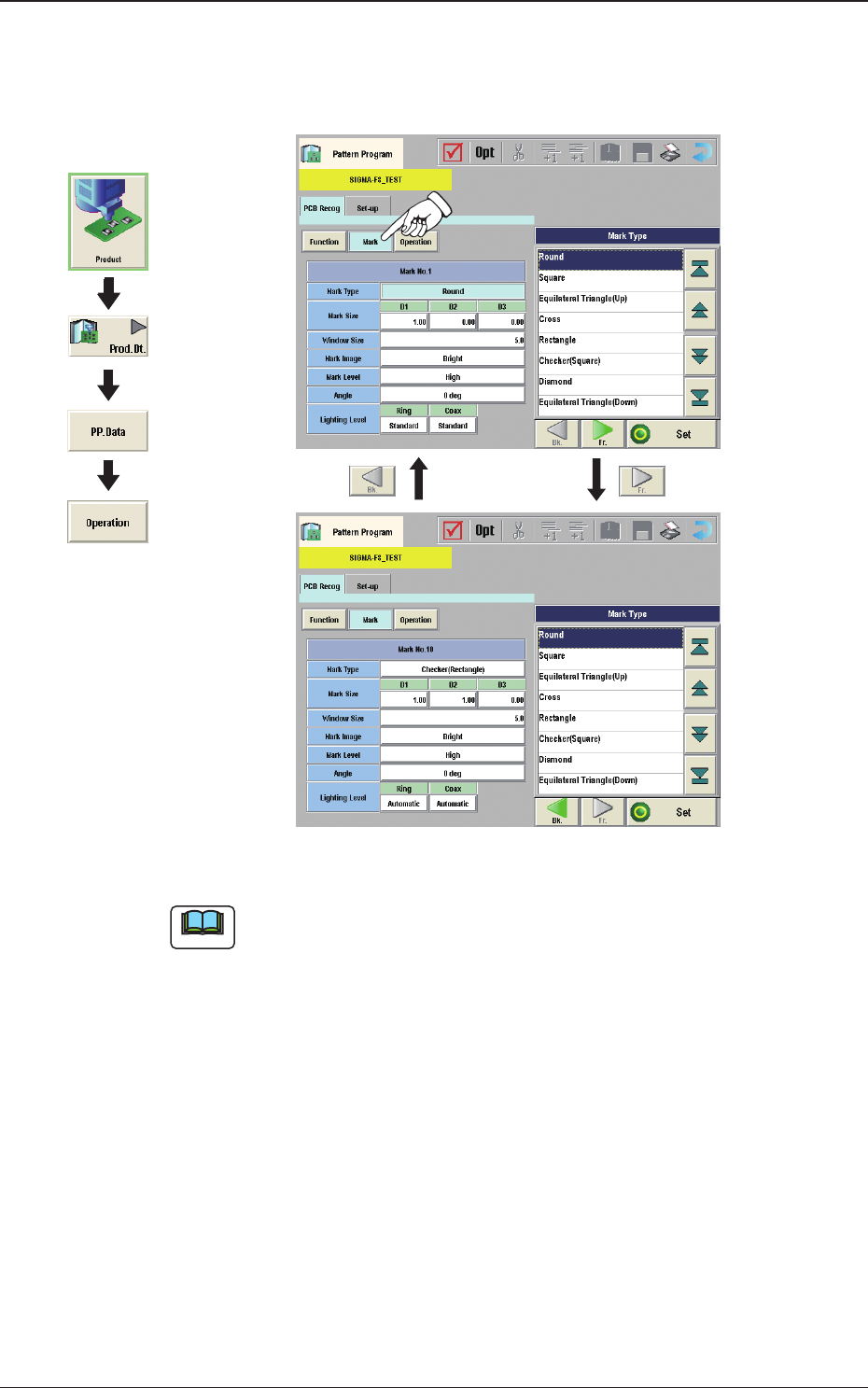
2OM-1733 2-3-17 (C02_01) Mark No. The mark Nos. correspond to the mark codes and the specied parameters of each ducial mark used in the PEC recognition function. 10 types of mark codes can be registered for each patter…
2OM-1733
2-3-16
(C02) Mark
When the [Mark] button is pressed in the "Operation" window, the following
window appears.
Fig. 2B3-19
Note
The number of pages varies depending on the number of Mark Nos. to be used.
Graphic
Development
1212-002
3.3 Operation
2OM-1733
2-3-17
(C02_01)
Mark No.
The mark Nos. correspond to the mark codes and the specied parameters of
each ducial mark used in the PEC recognition function. 10 types of mark
codes can be registered for each pattern program.
(C02_02)
Mark Type
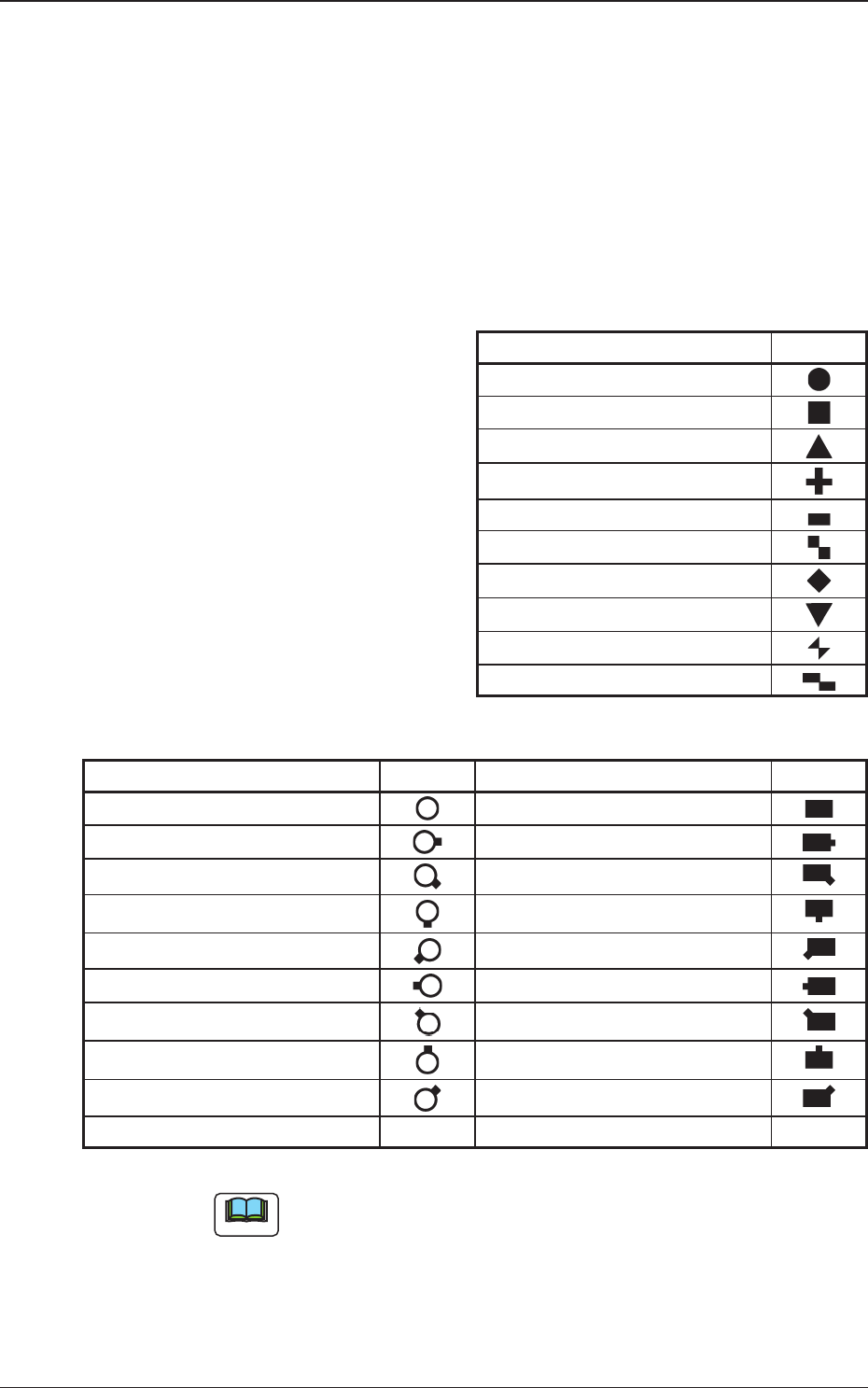
The following options can be selected as shapes of ducial marks.
Table 2B3-1
Mark Type Shape
Round
Square
Equilateral Triangle (Up)
Cross
Rectangle
Checker (Square)
Diamond
Equilateral Triangle (Down)
Bow Tie
Checker (Rectangle)
Table 2B3-2
Mark Type Shape Mark Type Shape
Through Hole / No Land
Pad Mark / No Land
Through Hole / No Land (E) Pad Mark / No Land (E)
Through Hole / No Land (SE) Pad Mark / No Land (SE)
Through Hole / No Land (S) Pad Mark / No Land (S)
Through Hole / No Land (SW) Pad Mark / No Land (SW)
Through Hole / No Land (W) Pad Mark / No Land (W)
Through Hole / No Land (NW) Pad Mark / No Land (NW)
Through Hole / No Land (N) Pad Mark / No Land (N)
Through Hole / No Land (NE) Pad Mark / Land (NE)
POP Round land
Note
The POP round land cannot be specied as a normal ducial mark.
1212-002
3.3 Operation
2OM-1733
2-3-18
(C02_03)
Mark Sizes D1 [mm], D2 [mm] and D3 [mm]
Set the size of the ducial mark.
•
Data Input Range
Mark Size D1
: 0.50 (for a circle or square, 0.30) to 3.00
Mark Size D2
: 0.00 to 3.00
Note
The "Mark Size D3" cannot be used. (Reserved Data)
Reference
Refer to "1.4 Fiducial Mark" in Chapter 4, Volume 1, for details.
(C02_04)
Window Size [mm]
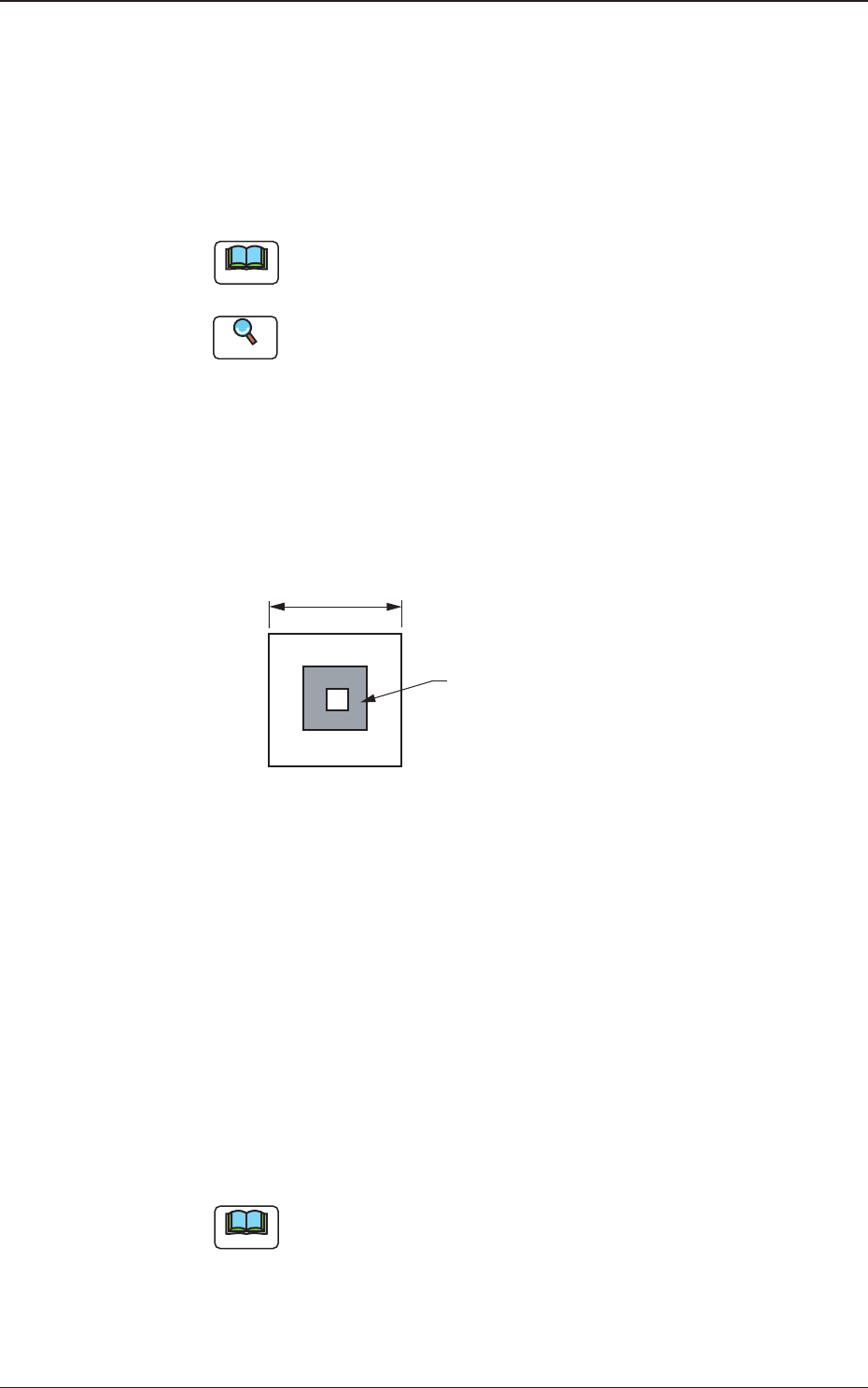
Set the recognition area (complete square) for the PEC recognition function.
Set preferably small values to avoid false recognition and shorten recognition
time.
Fiducial Mark
Window Size
Fig. 2B3-20
•
Data Input Range
1.0 to 10.0
(C02_05)
Mark Image
Select one of the following options as an image of the mark pattern to be
captured by the camera. Select either mode according to the difference in
contrast between a mark pattern and its surroundings to get a clear ducial
images.
Bright (Normal)
: Bright Fiducial/Dark Background
Dark (Inverted)
: Dark Fiducial/Bright Background
Note
Wrong mode selection causes malfunction of the recognition.
1212-002
3.3 Operation