2OM-1733-005w_F8.pdf - 第320页
2OM-1733 6-7-2 7.1 "Fdr Pick-up T ch" Window In this window, the teaching is performed with the manual alignment operation using the PEC recognition camera, for the offset data items to absorb the dispersion ca…
2OM-1733
6-7-1
7. "Test&Tch" Submenu
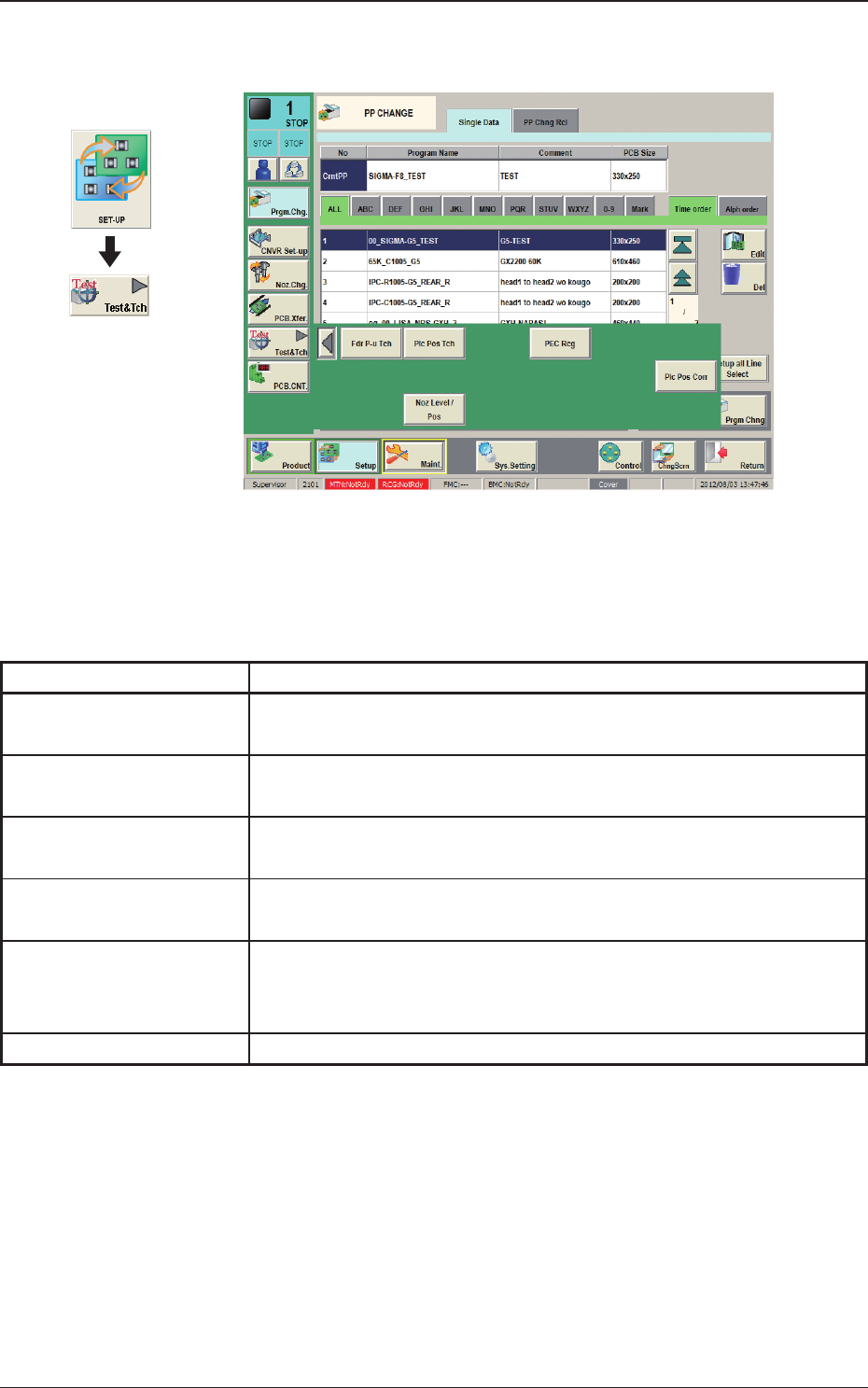
Fig. 2F7-1
The "Test&Tch" menu is provided with the following six buttons. When each
button is pressed, the corresponding window appears.
Table 2F7-1
Buttons Description
Fdr P-u Tch
The corresponding window enables the operator to perform the teaching
operation related to the pick-up position.
Plc Pos Tch
The corresponding window is used for checking the component
placement position teaching and performing such teaching.
Comp Rcg
The corresponding window enables the operator to perform the
component recognition test for the component designated in the test ID.
PEC Rcg
The corresponding window enables the operator to perform the PEC
recognition mark test.
Plc Pos Cort
The corresponding window enables the operator to measure the
placement position correction data and reect the measurement results
on the pattern program.
Noz Level / Pos
The corresponding window is used to perform the nozzle level teaching.
Graphic
Development
1212-002
7. "Test&Tch" Submenu
2OM-1733
6-7-2
7.1 "Fdr Pick-up Tch" Window
In this window, the teaching is performed with the manual alignment operation
using the PEC recognition camera, for the offset data items to absorb the
dispersion caused by each feeder’s difference in characteristics, out of the offset
data items related to the feeder’s component pick-up operation on the feeder base.
[1]
[4]
[3]
[2]
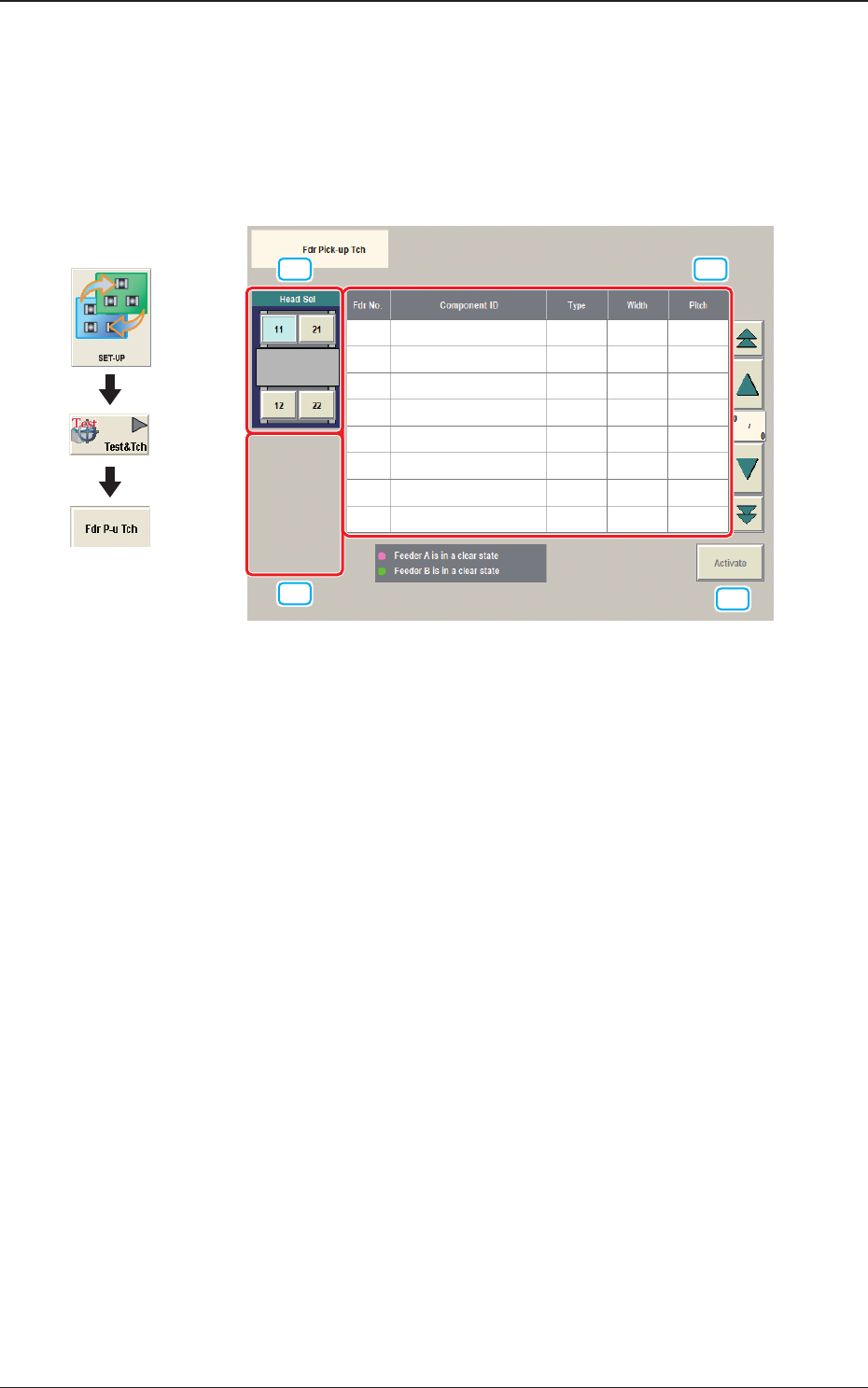
Fig. 2F7-2
[1] [Head Sel] Button
The buttons showing each head are displayed as images.
Using these buttons, the head (PEC recognition camera) to be used in the
teaching is selected.
[2] [Block Sel] Button
The buttons showing each feeder base are displayed as images.
Using these buttons, the block where the teaching is performed, is selected.
[3] Tape Feeder Select Button
Using this button, the tape feeder where the teaching is performed is selected
in the selected block.
[4] [Activate] Button
When pressed, the "Manual Alignment" window appears for the selected
tape feeder No.
Graphic
Development
1212-002
7.1 "Fdr Pick-up Tch" Window
2OM-1733
6-7-3
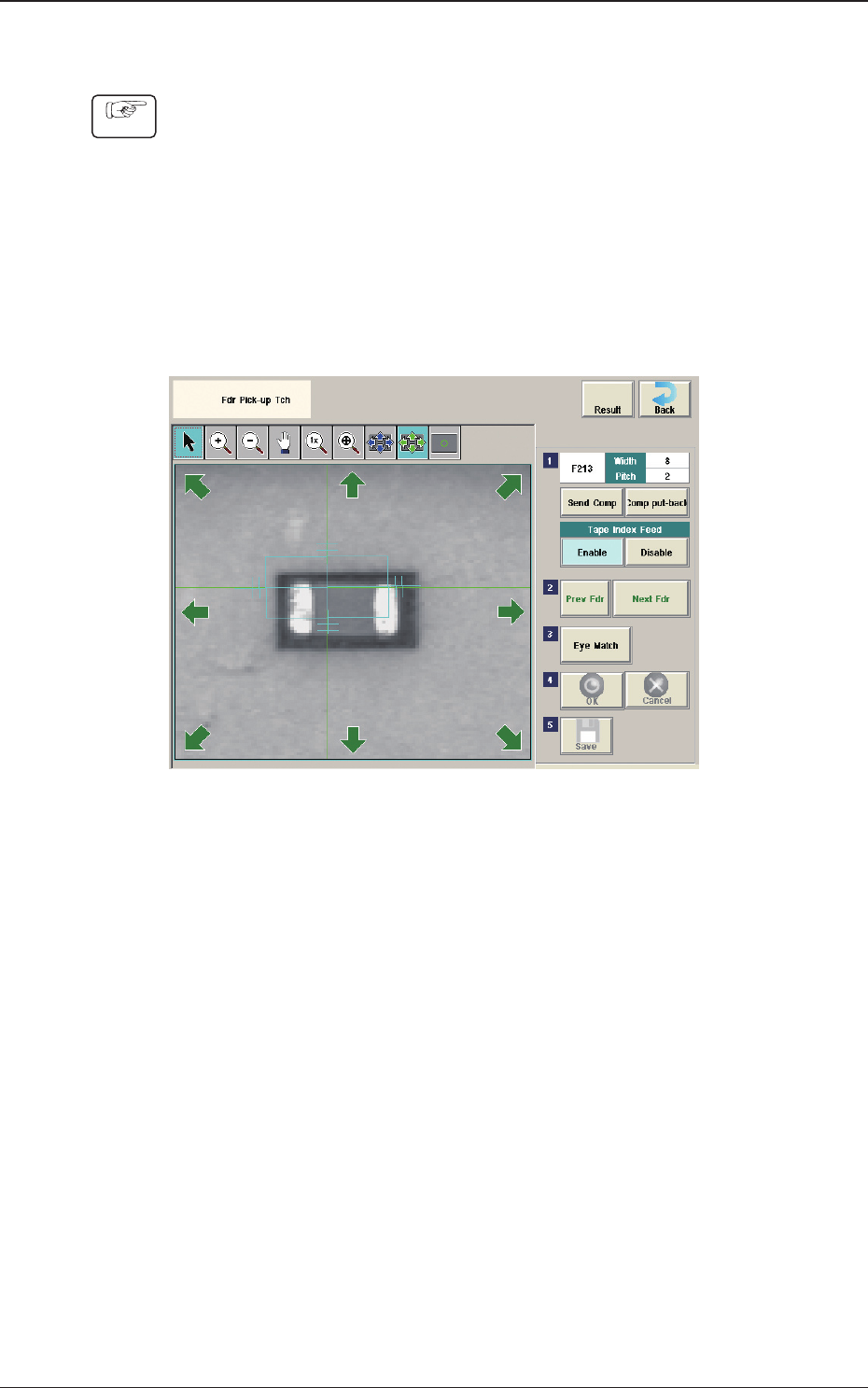
7.1.1
Fdr Pick-up Tch
Procedure
(1) Press the head selection button.
(2) Press the [Block Sel] button.
(Select the appropriate block and select the tape feeder where the teaching is
performed).
(3) Press the [Activate] button.
(The window is changed to the manual alignment window for the selected
tape feeder.)
Fig. 2F7-3
(4) Press the [Send Comp] button.
(Find the place necessary on the tape).
(5)
When the manual alignment is not required :
Press the [Prev Fdr.] or [Next Fdr.] button to perform the manual alignment
for the other tape feeder.
When the manual alignment is required :
Follow the steps (5) and later.
1212-001
7.1 "Fdr Pick-up Tch" Window