2OM-1733-005w_F8.pdf - 第179页
2OM-1733 2-3-45 Table 2B3-4 Icons Description The O-data is added to the selected unit. The O-data is added to the currently selected U-data. The O-data in the selected unit is deleted. The O-data in the currently select…
2OM-1733
2-3-44
3.7 Placement
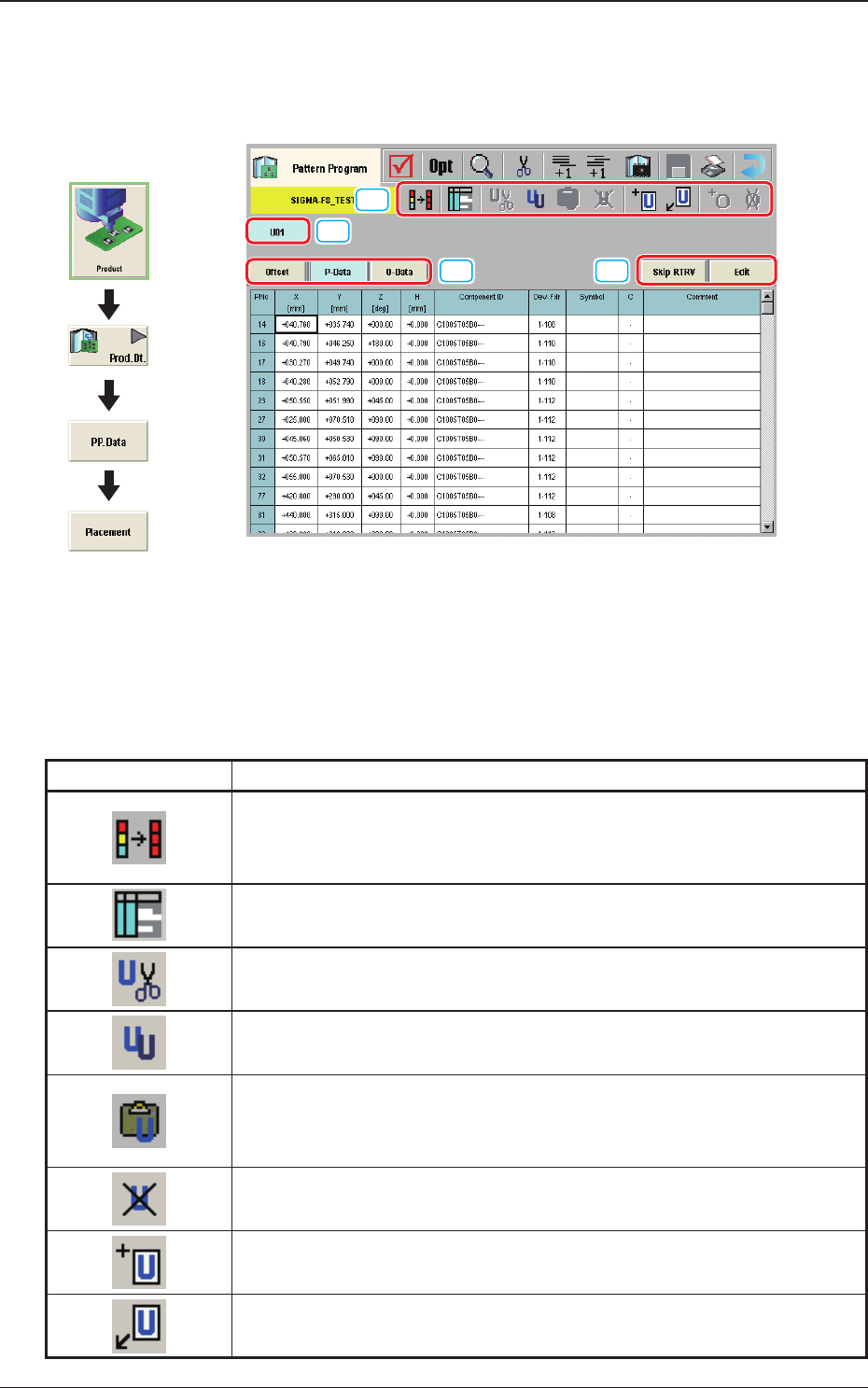
(G01) Placement
[1]
[2]
[3]
[4]
Fig. 2B3-36
[1] Tool Bar
The operation commands that can be executed in the "Placement" window,
are collectively displayed as icons.
Table 2B3-3
Icons Description
When pressed, the head of the selected two or more placement data items
is copied onto the other data. The head data of the selected two or more
P/O data items is copied onto the other selected data.
When pressed, the "Symbol Data" window appears.
When pressed, the selected unit is copied and deleted.
The currently displayed U-data is cut out.
When pressed, the selected unit is copied.
The currently displayed U-data is copied.
When pressed, the copied unit is inserted.
The U-data (the selected unit is copied and deleted, or the selected unit is
copied) is pasted.
When pressed, the selected unit is deleted.
The currently displayed U-data is deleted.
When pressed, new unit is added at the end.
New U-data is added to the end of the U-data.
New unit is inserted before the selected unit.
New U-data is inserted before the currently selected U-data.
Graphic
Development
1212-002
3.7 Placement
2OM-1733
2-3-45
Table 2B3-4
Icons Description
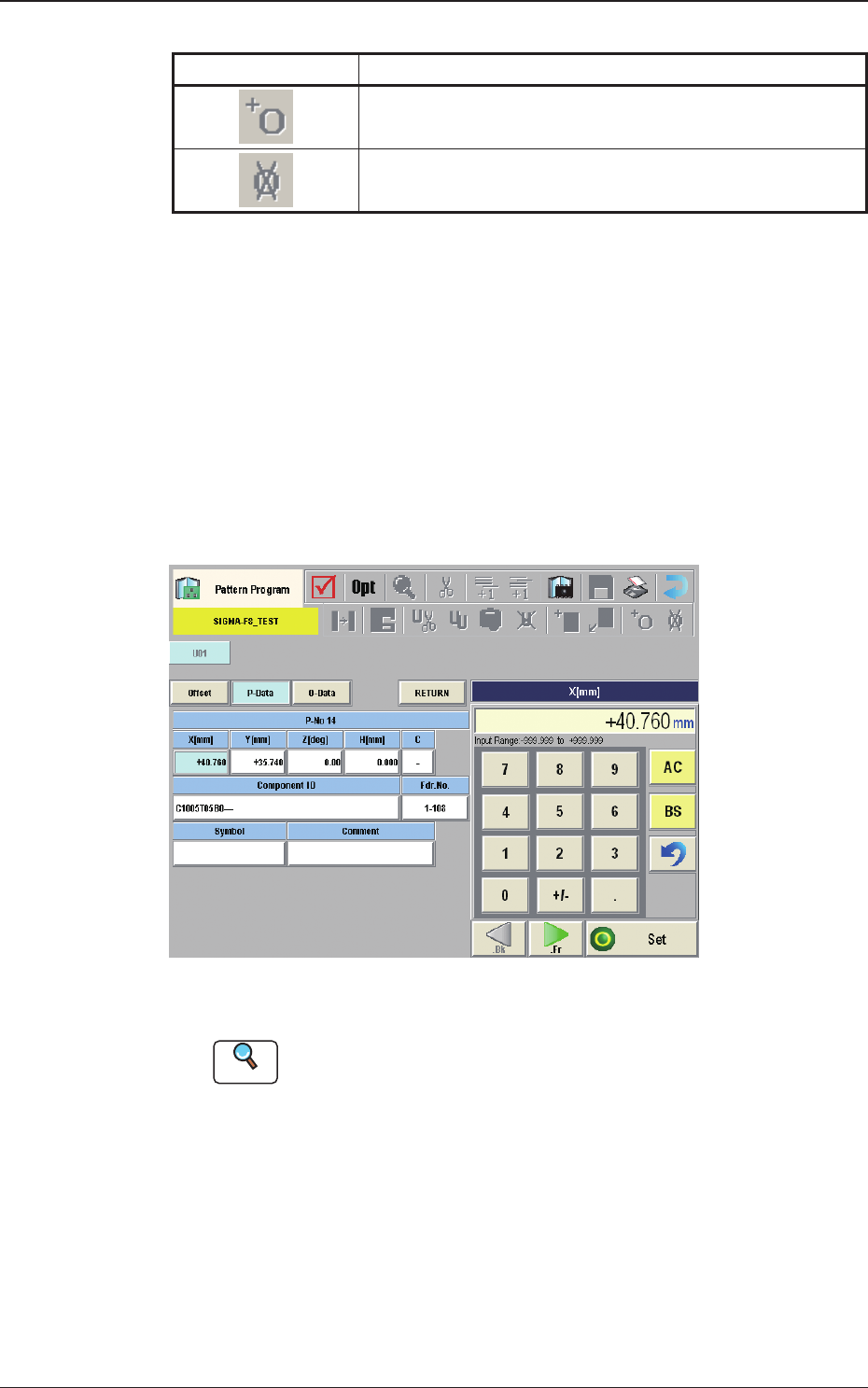
The O-data is added to the selected unit.
The O-data is added to the currently selected U-data.
The O-data in the selected unit is deleted.
The O-data in the currently selected U-data is deleted.
[2] [Skip RTRV] Button
When pressed, the search of the unit where the unit control has been set to
"Skip", is started up.
When the [Skip RTRV] button is pressed, the offset window for the unit
where the unit control has been set to "Skip", is displayed.
[Edit] Button
When this button is pressed, the P-Data or O-Data is edited.
When the data to be edited is selected and the [Edit] button is pressed, the
"Data Setting" window appears.
Fig. 2B3-37
Reference
Refer to (G03) or (G04) for each item to be set.
[3] Placement Data Group Select Button
Using this button, the placement data group is selected.
[4] Placement Data Select Button
Using this button, the placement data is selected.
1212-002
3.7 Placement
2OM-1733
2-3-46
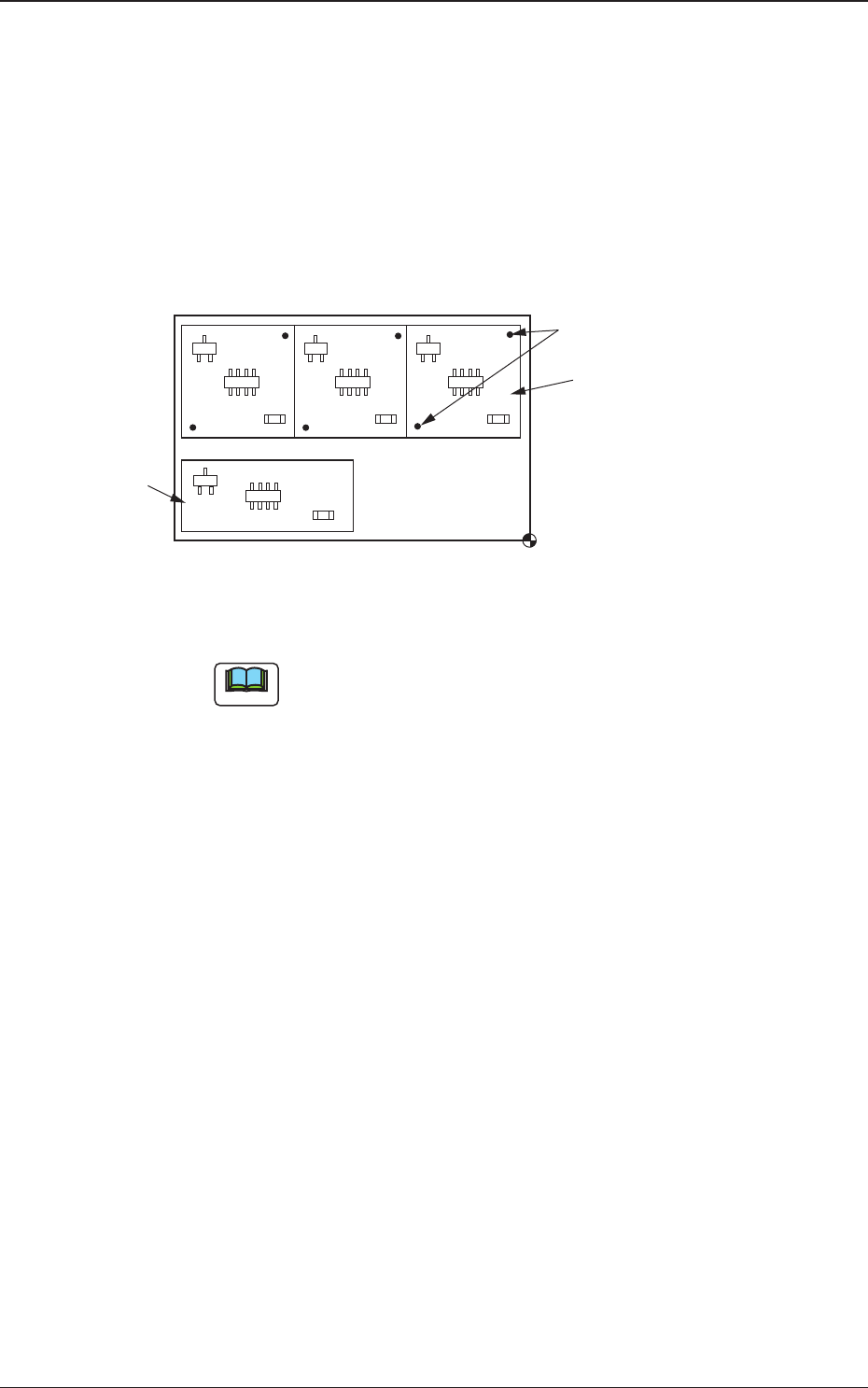
(G01_01)
Un
Select one of the following tabs (placement data groups) in one pattern
program.
U01
: First Placement Data Group
U02
: Second Placement Data Group
↓
Un
: Up to 99 placement data groups can be specied.
U02
U01
Placement Coordinate
Reference
Fiducial Marks
Fig. 2B3-38
Note
(a) Use "U01" in normal cases.
(b) The operation and feeder location data are used commonly.
1212-002
3.7 Placement