2OM-1733-005w_F8.pdf - 第312页
2OM-1733 6-6-4 [5] [PCB Mem. Info.] Button In the case that PCB presence/absence does not agree with the memory due to the removal of the PCB, the PCB presence/absence data can be setup using the window operation. Fig. 2…
2OM-1733
6-6-3
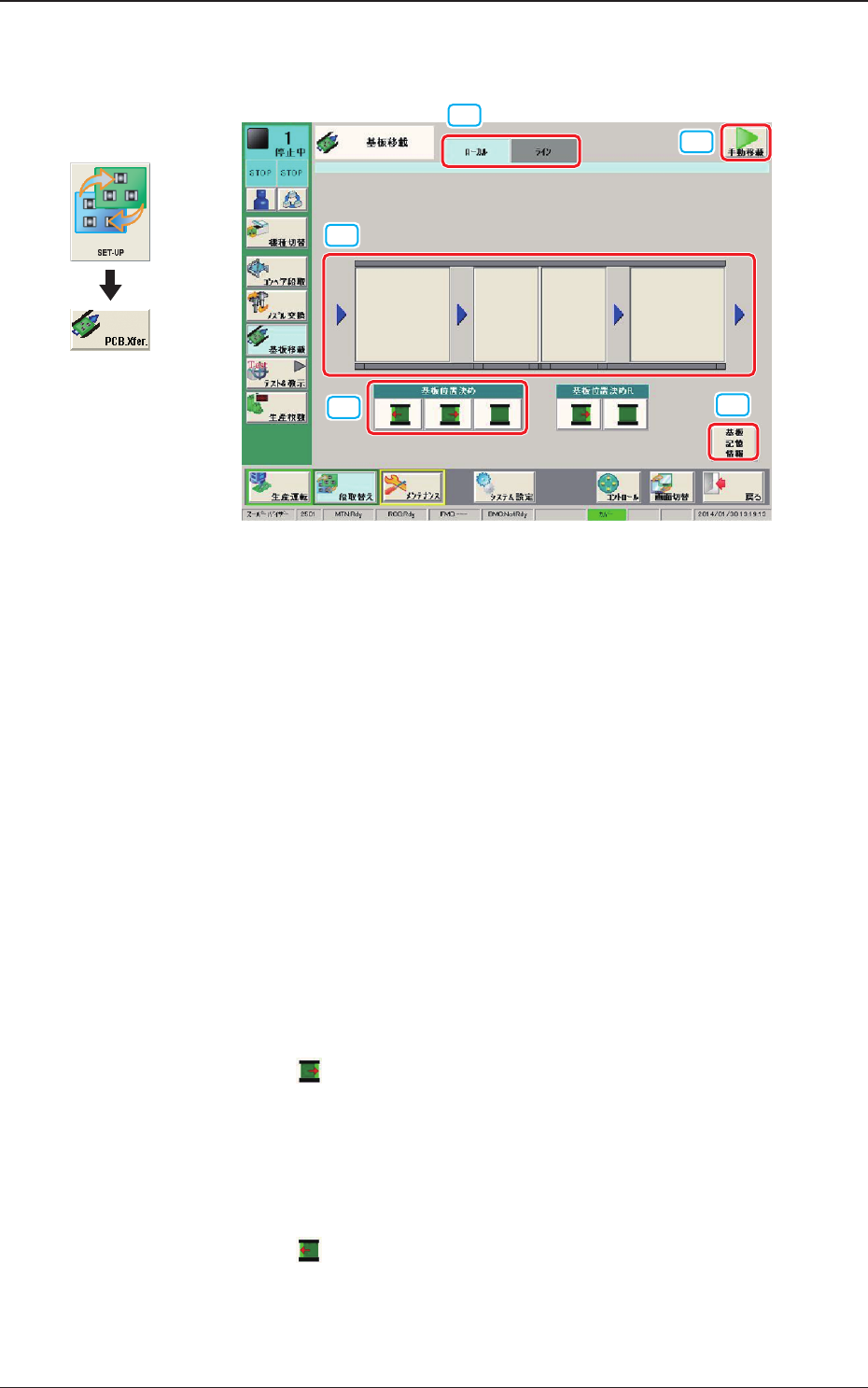
In the case that the PCB X size exceeds 255mm, the Window/Operation Mode is
changed to the following one.
[3]
[1]
[2]
[5]
[4]
Fig. 2F6-2-1
[1] Local/Line Switch Button
This button switches the "Local" tab sheet and "Line" tab sheet.
[2] [MNL XFER] Button
When pressed, the PCB positioning is performed manually.
[3] Transfer Buttons
Each block in the graphic image of the conveyor is provided with a button
function.
When the [START] button on the operation panel is pressed in 10 seconds
after a conveyor block button, the PCB is transferred to the block position.
[4] PCB LOCATE (Normal Rotation Positioning/Reverse Rotation
Positioning)
Normal Rotation Positioning
When the
button is pressed and within 10 seconds, the [START] button
on the operation panel is pressed, the positioning operation is started at the
position where the right end of the PCB is pressed against the stopper on the
right side of the stage.
Reverse Rotation Positioning
When the
button is pressed and within 10 seconds, the [START] button
is pressed on the operation panel, the positioning operation is started at the
position where the left end of the PCB is pressed against the stopper on the
left side of the stage.
Graphic
Development
1403-004
6.1 "Local" Tab Sheet
2OM-1733
6-6-4
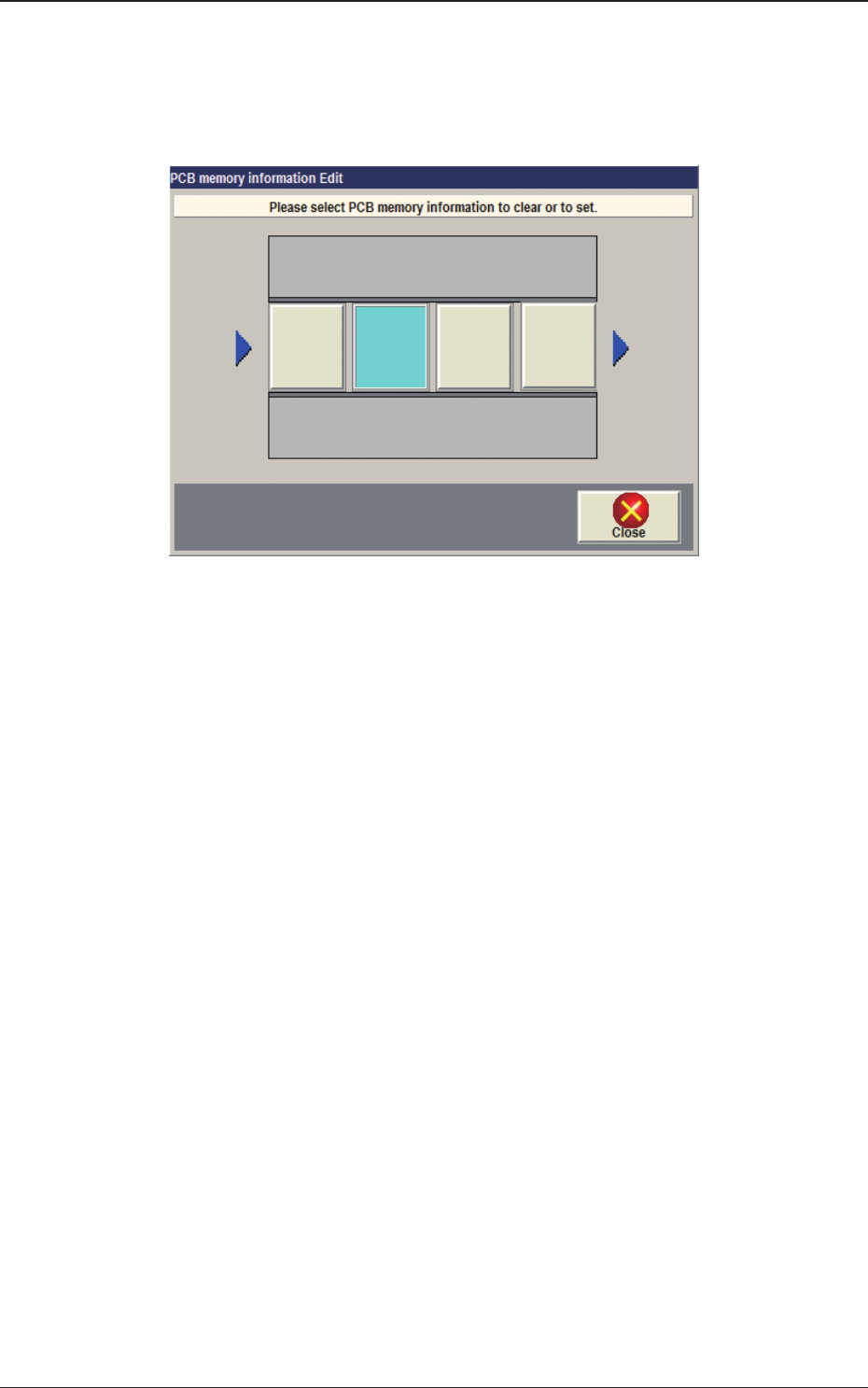
[5] [PCB Mem. Info.] Button
In the case that PCB presence/absence does not agree with the memory due
to the removal of the PCB, the PCB presence/absence data can be setup
using the window operation.
Fig. 2F6-2-2
Light Blue
: PCB Presence Status
Gray
: PCB Absence Status
1403-004
6.1 "Local" Tab Sheet
2OM-1733
6-6-5
6.2 "Line" Tab Sheet
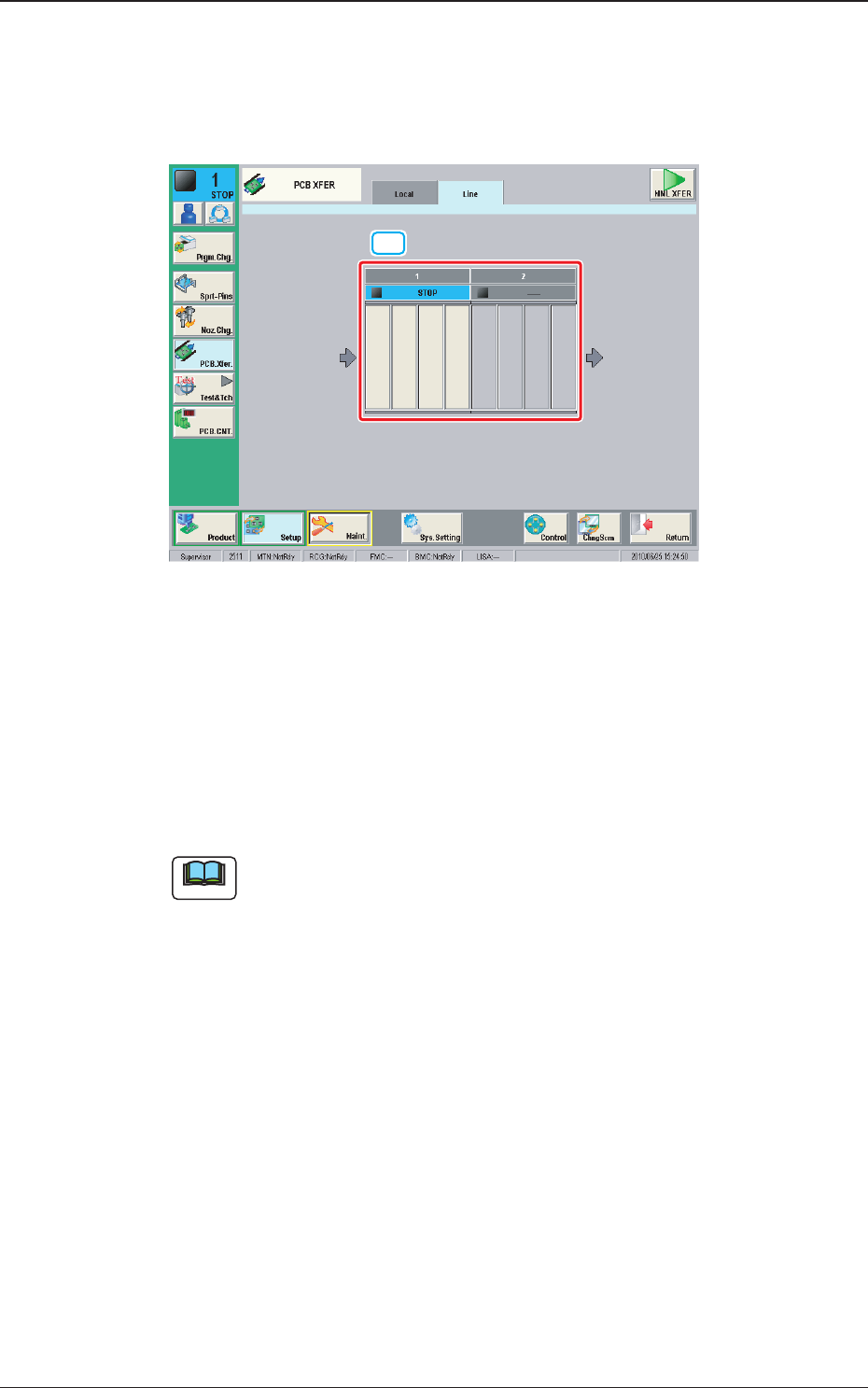
This tab sheet enables the operator to transfer a PCB between two or more
machines.
[1]
Fig. 2F6-3
[1] Conveyor Image Display Section
Each block of the conveyor of which an image is displayed, functions as a
button.
When the conveyor block button is pressed and within 10 seconds, the
[START] button on the operation panel is pressed, the PCB is transferred to
the position.
Note
(a) This button is displayed when two or more machines are installed in the
line.
(b) Up to 16 conveyor blocks are displayed.
1212-002
6.2 "Line" Tab Sheet