2OM-1733-005w_F8.pdf - 第61页
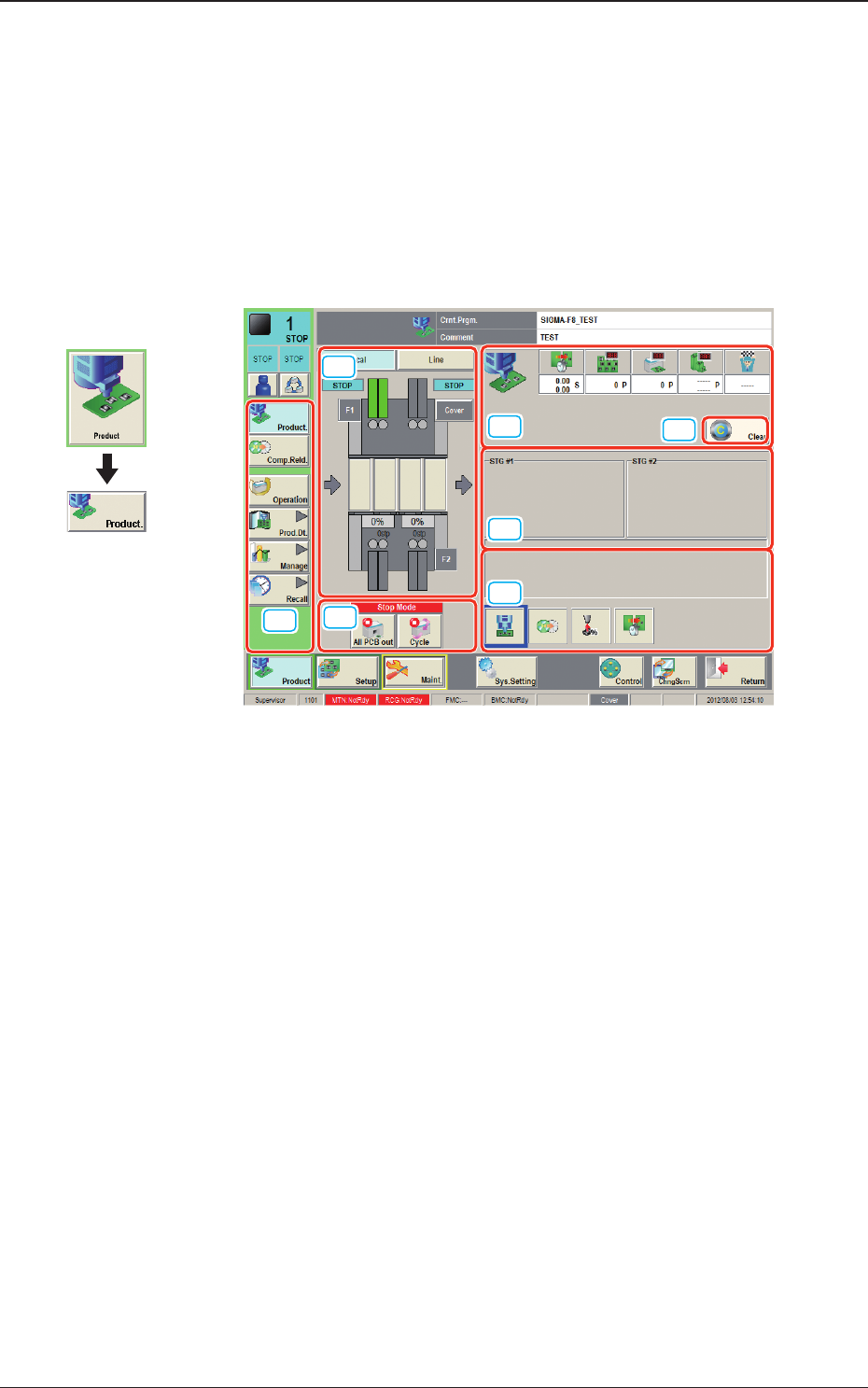
2OM-1733 1-2-1 2. "Product" Window 2.1 Local Window This window enables you to view the current operation status and production condition such as the production model names (pattern program names), etc., and th…

2OM-1733
1-1-21204-001
2OM-1733
1-2-1
2. "Product" Window
2.1 Local Window
This window enables you to view the current operation status and production
condition such as the production model names (pattern program names), etc.,
and the information on the prospective number of nished PCBs and presumable
deterioration in the operation rate based on pickup errors, etc.
[1]
[2]
[3]
[7]
[4]
[5]
[6]
Fig. 2A2-1
Graphic
Development
1212-002
2. "Product" Window
2OM-1733
1-2-2
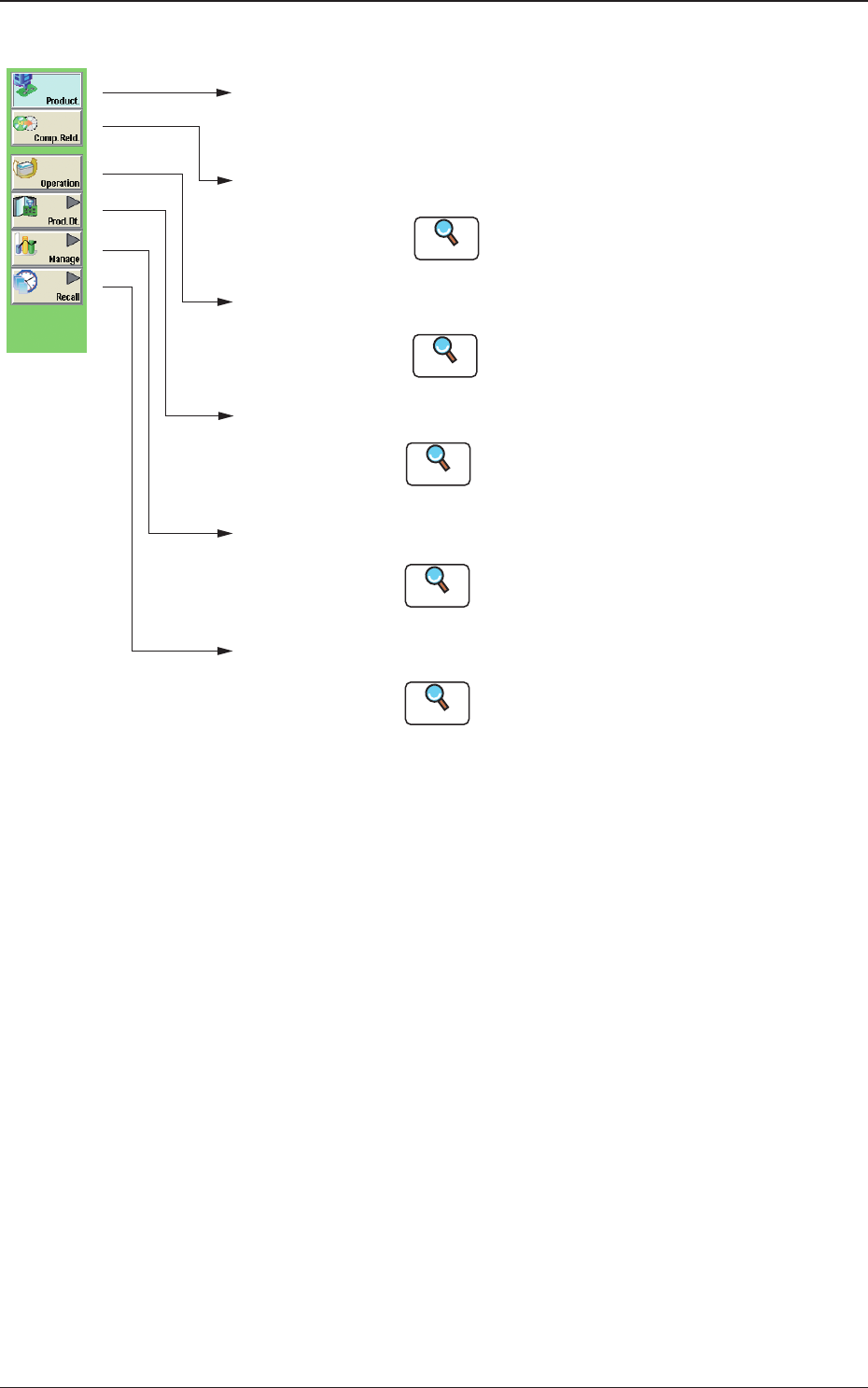
[1] "Product." Main Menu Bar
[Product.]
Main Menu
Opens the "product" window. In normal cases,
this window opens as an initial one.
[Comp.Reld.]
Main Menu
Opens the "Comp.Reload" window.
Refer to "3. "Comp.Reload" Window"
for details .
[Operation]
Main Menu
Opens the "OPERATION" window.
Refer to "4. "OPERATION" Window"
for details.
[Prod.Dt.]
Main Menu
Opens the "Prod.Dt." window.
:
[Manage]
Main Menu
Opens the "Manage" window.
Refer to "Management Data in chapter 4" for
details.
:
[Recall]
Main Menu
:
:
:
:
Reference
Reference
Reference
Opens the "Recall" window.
Refer to "Recall in chapter 5" for details.
Reference
Refer to "Pattern Program in chapter 2" and
"Component Library in chapter 3" for details.
Reference
Fig. 2A2-2 "Product." Main Menu Bar
1212-003
2.1 Local Window