2OM-1733-005w_F8.pdf - 第230页
2OM-1733 4-2-10 2pt err (% of Total PEC Recog. err) Shown are the total number of errors detected on the second ducial mark and the percentage of the detected errors per total number of all errors detected by the PEC re…
2OM-1733
4-2-9
Total errors
Shown is the total number of component handling errors.
[15]
Fig. 2D2-5 "Mach.Prfrm," Tab Sheet (4/5)
[15]
[16]
[17]
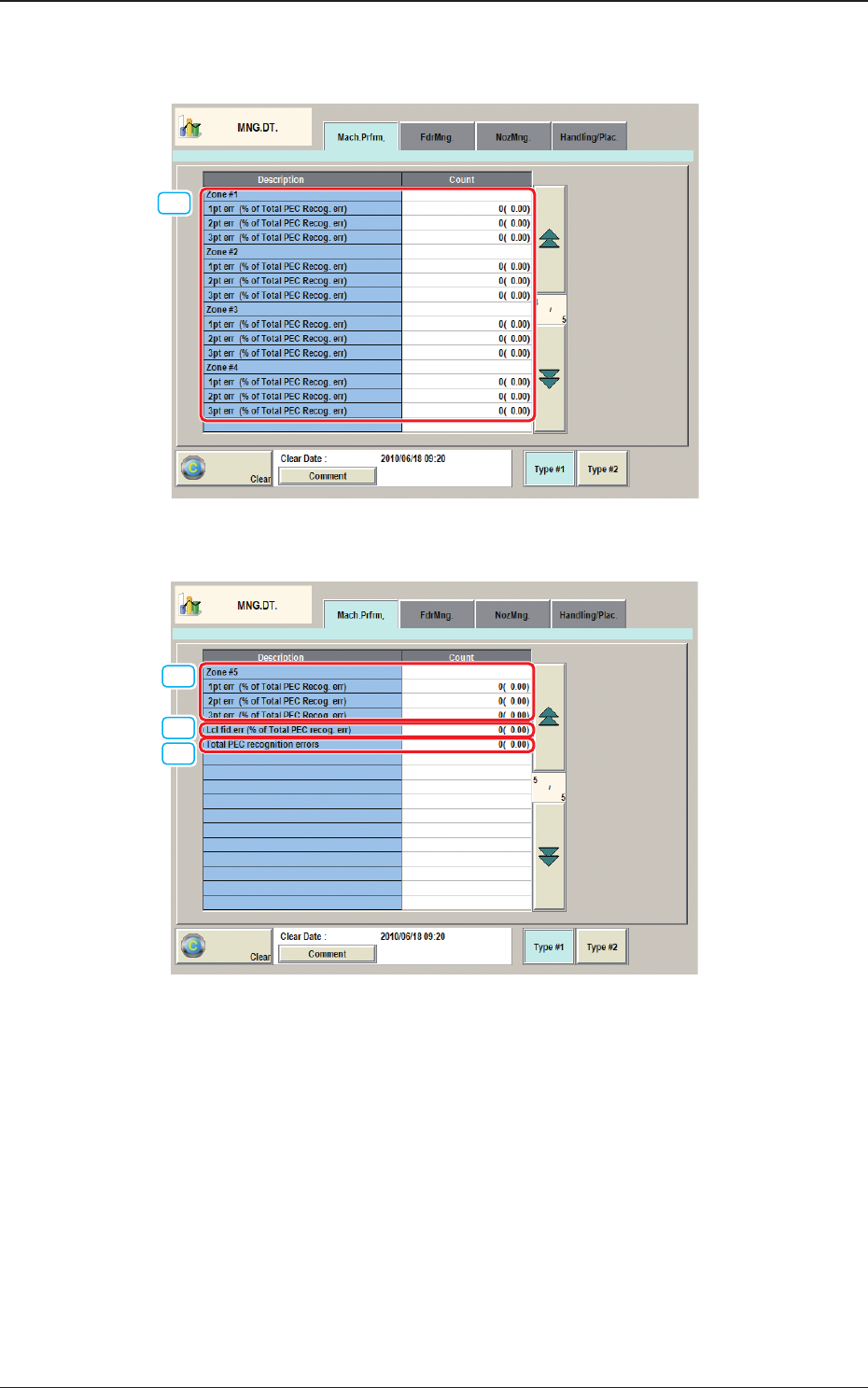
Fig. 2D2-6 "Mach.Prfrm," Tab Sheet (5/5)
[15] Zone #1 through #5
1pt err (% of Total PEC Recog. err)
Shown are the total number of errors detected on the rst ducial mark and
the percentage of the detected errors per total number of all errors detected
by the PEC recognition function.
1212-002
2.1 "Mach.Prfrm," Tab Sheet

2OM-1733
4-2-10
2pt err (% of Total PEC Recog. err)
Shown are the total number of errors detected on the second ducial mark
and the percentage of the detected errors per total number of all errors
detected by the PEC recognition function.
3pt err (% of Total PEC Recog. err)
Shown are the total number of errors detected on the third ducial mark and
the percentage of the detected errors per total number of all errors detected
by the PEC recognition function.
[16] Lcl
d.err(%ofTotalPECrecog.err)
Shown are the total number of recognition errors in each individual
components and the percentage of the detected errors per total number of all
errors detected by the PEC recognition function.
[17] Total PEC recognition errors
Shown is the total number of errors detected by the PEC recognition
function.
The number of errors detected by the global PEC recognition function and
the total number of errors detected by the BBR recognition function are
displayed
1205-001
2.1 "Mach.Prfrm," Tab Sheet
2OM-1733
4-2-11
2.2 "FdrMng." Tab Sheet
When the [FdrMng.] tab is pressed in the "MNG.DT." window, the following tab
sheet appears inside the window.
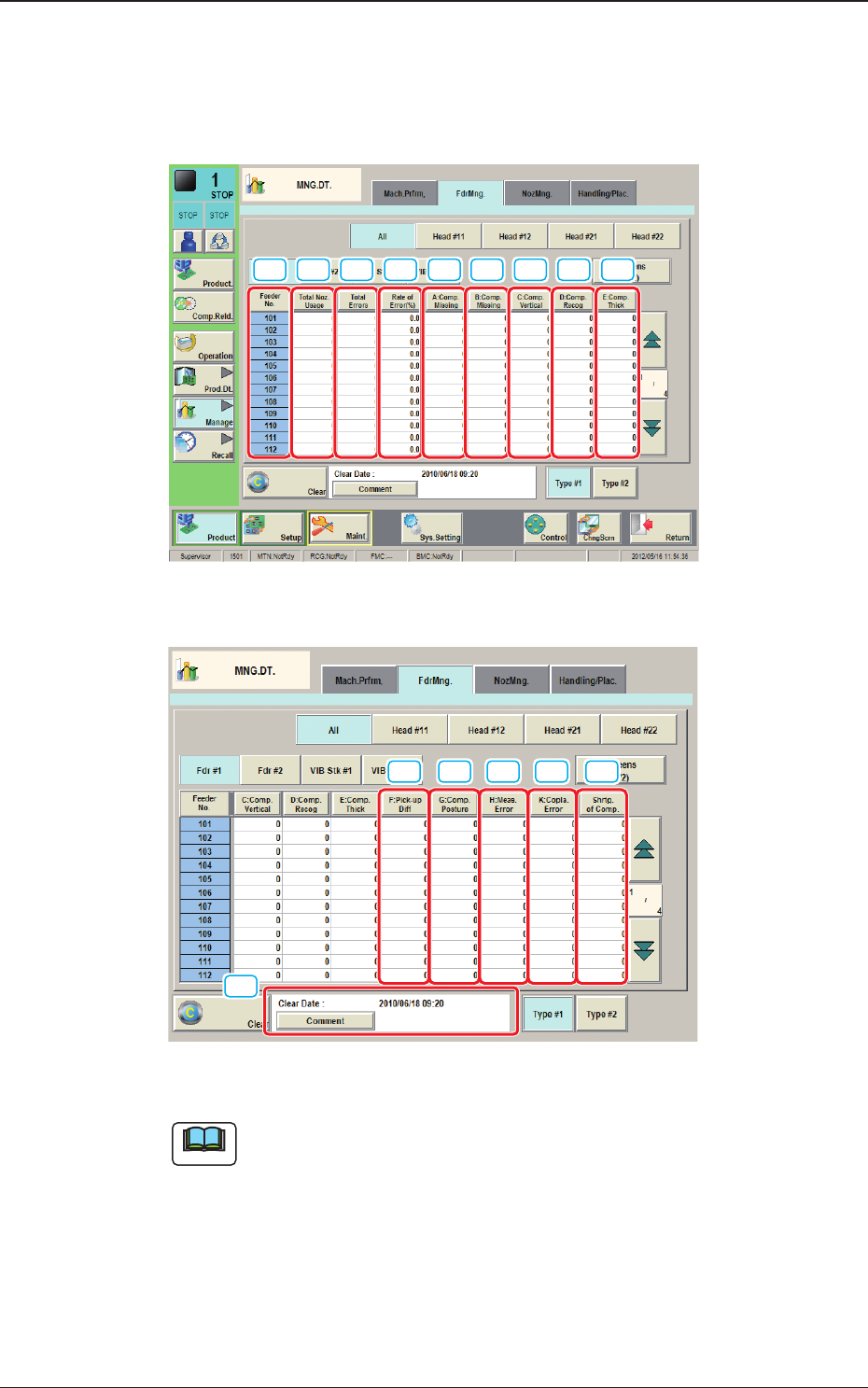
[1] [2] [3] [4] [5] [6] [7] [8] [9]
Fig. 2D2-7 "FdrMng." Tab Sheet (1/2)
[10] [11] [12] [13] [14]
[15]
Fig. 2D2-8 "FdrMng." Tab Sheet (2/2)
Note
(a) The displayed tab sheet will look different, depending on which option is
selected.
(b) Each item box functions as a button and each pressing of the buttons can
list the data parameters in descending order. The top box shows the largest
value for error times. Therefore, it is useful for the analysis to enhance the
operation rate. When the [Feeder No.] button is pressed, the Nos. are re-
arranged in their initial order (Feeder Nos.).
1212-002
2.2 "FdrMng." Tab Sheet