2OM-1733-005w_F8.pdf - 第213页
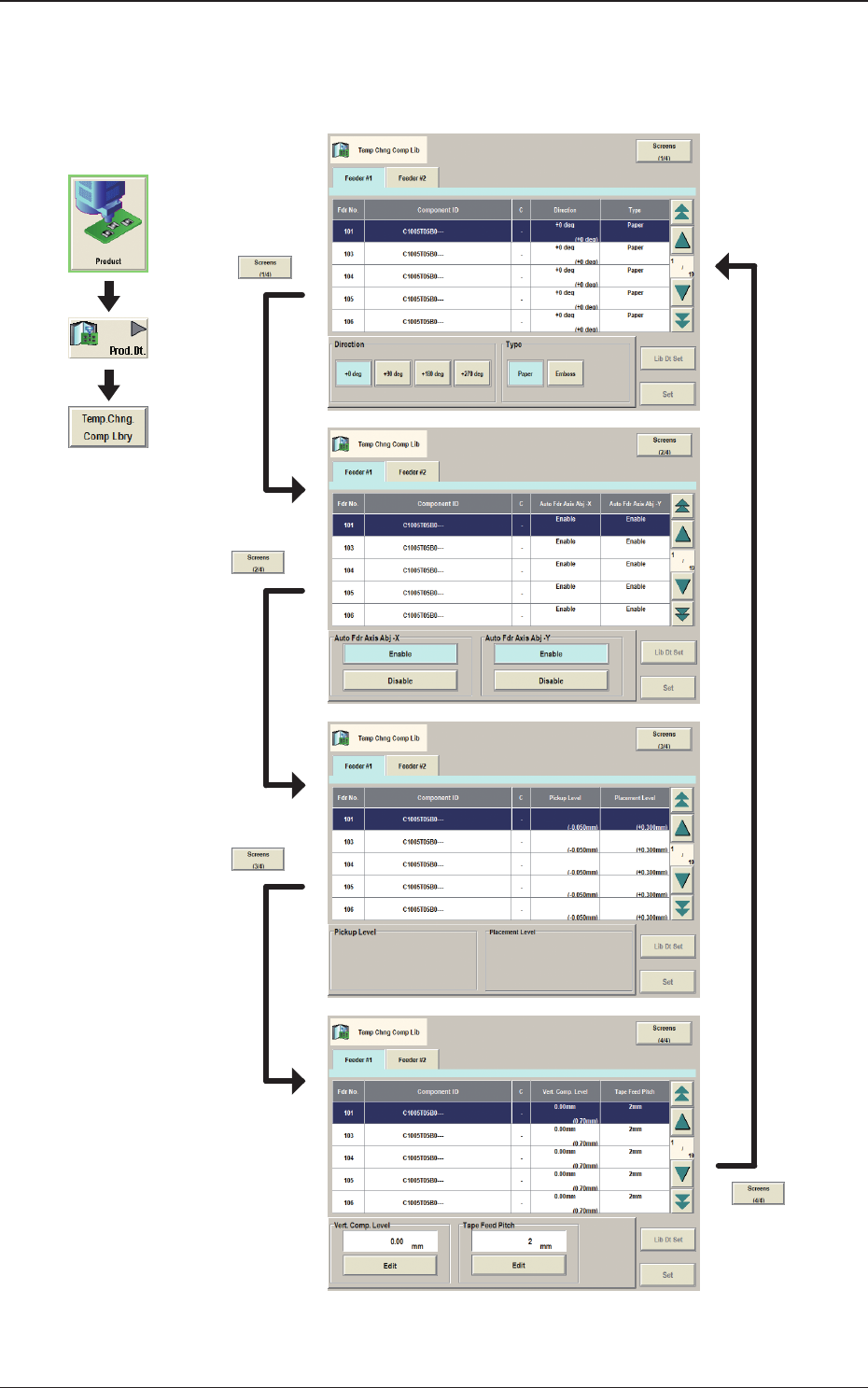
2OM-1733 3-2-1 2. "T emp Chng Comp Lib" Window In these tab sheets, the component library parameters are changed temporarily. Fig. 2C2-1 Graphic Development 1212-002 2. "T emp Chng Comp Lib" Window

2OM-1733
3-1-16
(4) Enter a new component ID name as a le name and press [Save] button in
the "Save Component Data" window.
(The data in the active edit window is saved as a le with the entered
component ID name. )
Note
Double-clicking the "Component ID:" text box opens the "Component ID
Input" window.
F2C1-16 "Component ID Input" Window
A component ID can be entered with the touch keypad.
1212-002
1.3 Editing of Component Library Data
2OM-1733
3-2-1
2. "Temp Chng Comp Lib" Window
In these tab sheets, the component library parameters are changed temporarily.
Fig. 2C2-1
Graphic
Development
1212-002
2. "Temp Chng Comp Lib" Window
2OM-1733
3-2-21212-002
2.1 Temporary Change Procedure
2.1 Temporary Change Procedure
Procedure
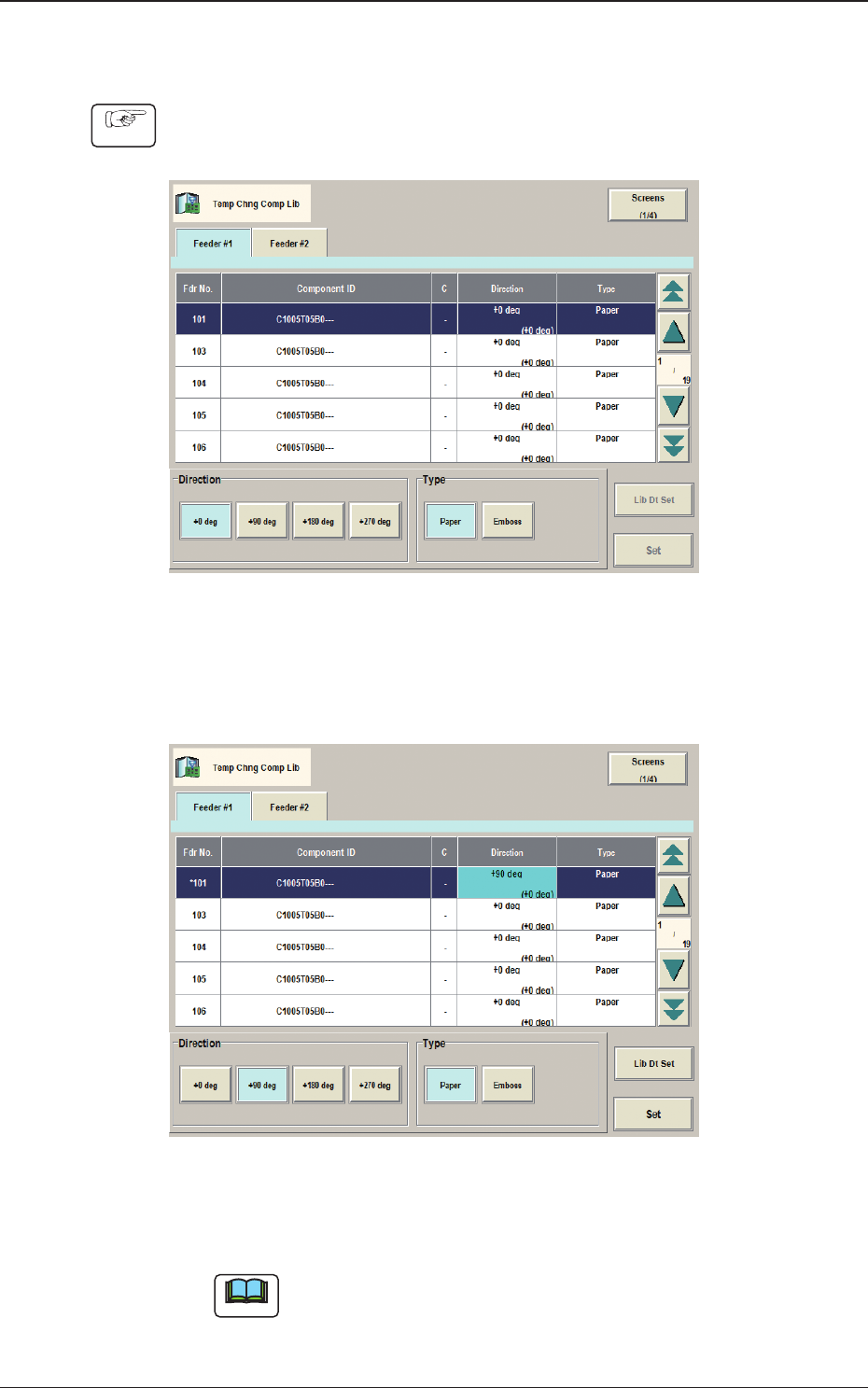
(1) Select the component ID to be changed, in the Component ID List.
Fig. 2C2-2
(2) Select the item to be changed.
(The color of the corresponding item data box is changed to pale blue).
Fig. 2C2-3
(3) Press the [Set] button.
Note
When the [Lib Dt Set] button is pressed, the component ID unchanged
condition as registered on the component library data, is returned.