2OM-1733-005w_F8.pdf - 第201页
2OM-1733 3-1-5 1.2 Basic Operations in "Selection of component ID" Window 1.2.1 T ype Addition When the [Type Addition] button is pressed, the following "Type Addition" dialog box opens. By adding a t…

2OM-1733
3-1-4
[Create Link ID] Button
When pressed, this button opens the "Create Link ID" window, enabling you
to create a link ID for the selected component ID.
[Merge...] Button
When pressed, this button opens the "Merge" window, enabling you to
merge the selected component ID.
[11] [Search] Button
When the component ID is input, the searching operation is started.
1212-002
1.1 List of Component IDs
2OM-1733
3-1-5
1.2 Basic Operations in "Selection of component ID" Window
1.2.1 Type Addition
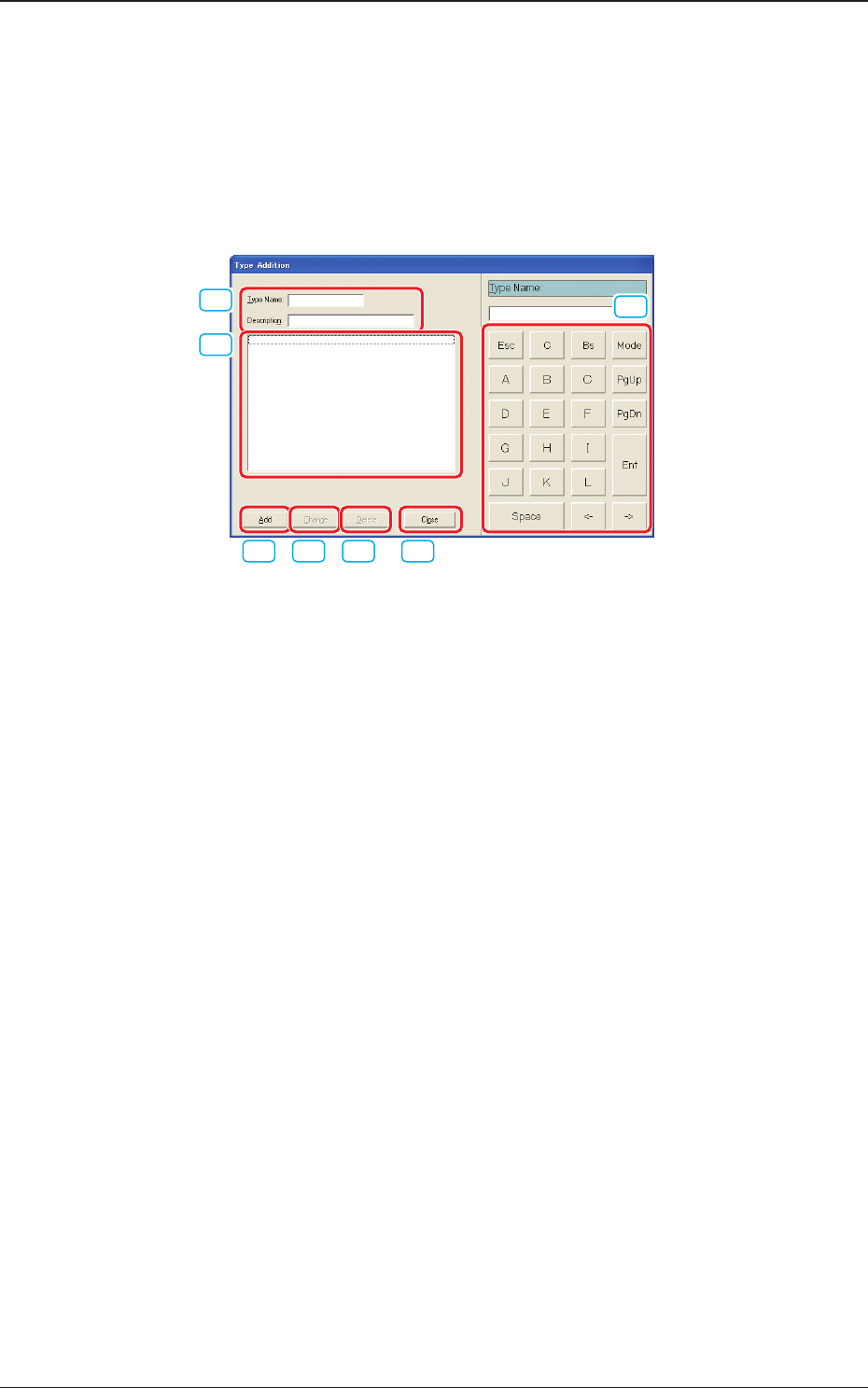
When the [Type Addition] button is pressed, the following "Type Addition"
dialog box opens. By adding a type, the list of component IDs is displayed after
being ltered.
[1]
[2]
[3] [4] [5] [6]
[7]
Fig. 2C1-2
[1] "Type Name" and "Description"
Enter parameters in these text boxes.
[2] "List of Component Types" Pane
Newly created component types are displayed in this pane.
[3] [Add] Button
When this button is pressed, a type entered in the "Type Name" text box is
added as a new type.
[4] [Change] Button
When this button is pressed, a component type is changed to the contents
entered in the "Type Name" and "Description" text boxes.
[5] [Delete] Button
When this button is pressed, the component type selected in "[2]" is deleted.
[6] [Close] Button
When this button is pressed, the "Type Addition" dialog box closes.
[7] Touch Panel for Data Editing
Data can be entered from the touch panel or the mouse.
1212-002
1.2 Basic Operations in "Selection of component ID" Window
2OM-1733
3-1-6
1.2.2 Deleting the Component ID
Procedure
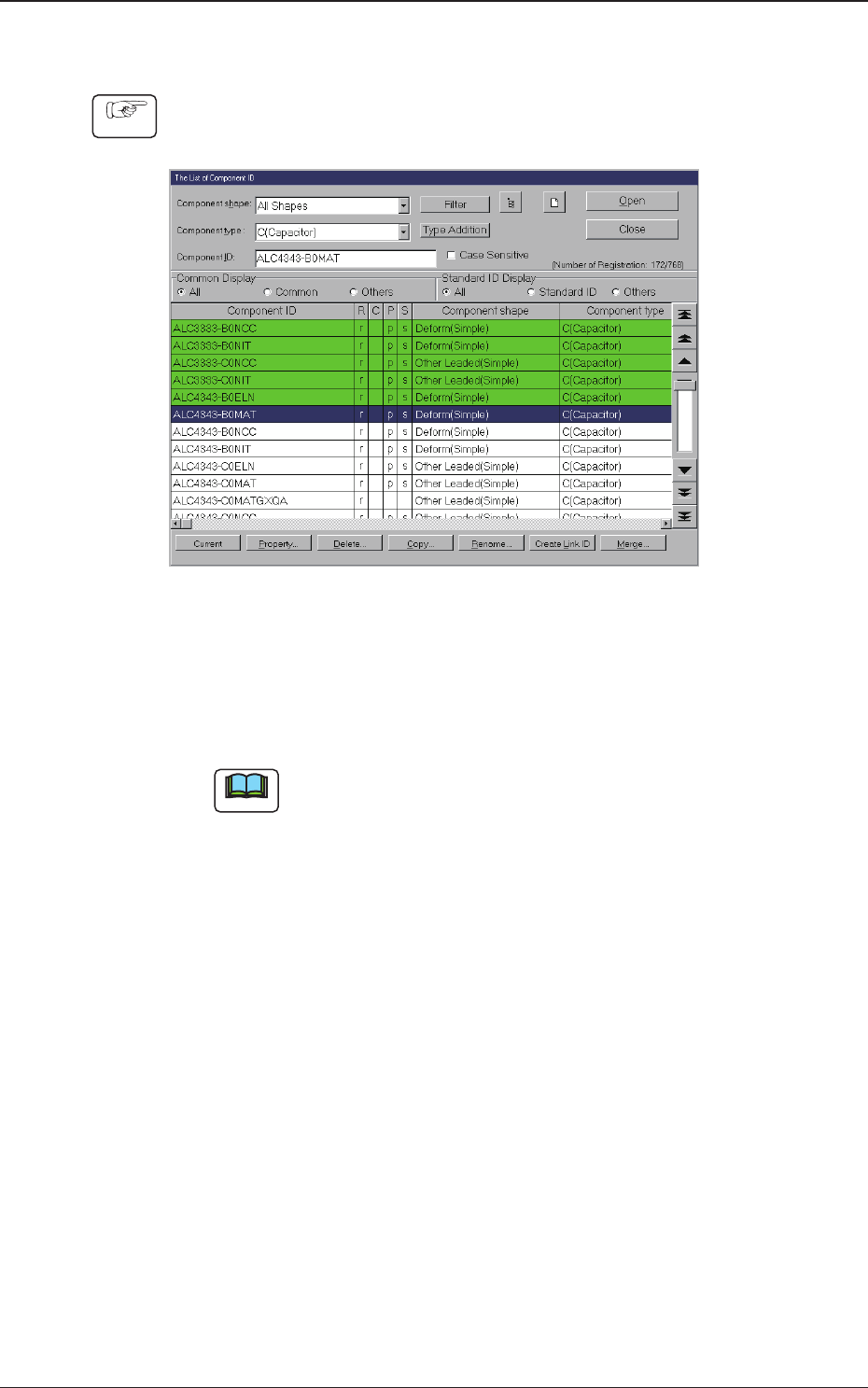
(1) Select the component ID to be deleted.
(The selected component ID turns blue, indicating that it is selected.)
Fig. 2C1-3
(2) Press the [Delete...] button.
(The "Conrmation" dialog box opens. When the [YES] button is pressed,
the component ID is deleted.)
Note
Pressing the [NO] button cancels the deletion of the component ID.
1212-002
1.2 Basic Operations in "Selection of component ID" Window