2OM-1733-005w_F8.pdf - 第318页
2OM-1733 6-6-10 1403-004

2OM-1733
6-6-9
[4] XFER Start
Using this function, the PCB transfer operation is performed.
Select the block for the conveyor to be moved in the [1] Conveyor Image
Display Section (two or more blocks can be selected).
After selecting the block, when the transfer button for the selected direction
for the PCB transfer, is pressed and within 10 seconds, the [START] button
on the operation panel is pressed, the conveyor in the selected block is
moved as long as the button is pressed.
When the PCB reaches the sensor position at the end of the transfer direction
range, the conveyor is stopped.
1403-004
6.3 "MNL XFER" Window

2OM-1733
6-6-101403-004
2OM-1733
6-7-1
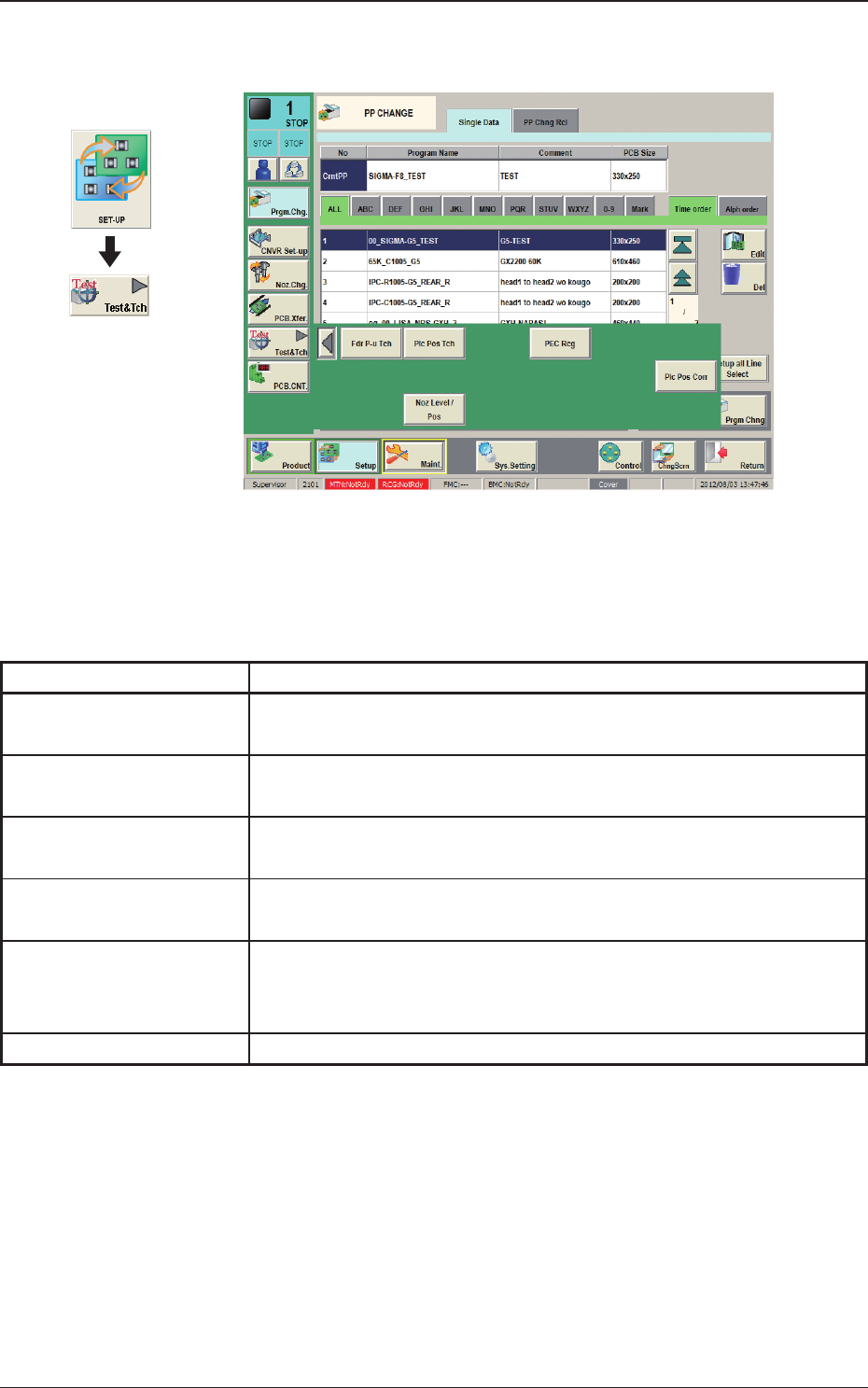
7. "Test&Tch" Submenu
Fig. 2F7-1
The "Test&Tch" menu is provided with the following six buttons. When each
button is pressed, the corresponding window appears.
Table 2F7-1
Buttons Description
Fdr P-u Tch
The corresponding window enables the operator to perform the teaching
operation related to the pick-up position.
Plc Pos Tch
The corresponding window is used for checking the component
placement position teaching and performing such teaching.
Comp Rcg
The corresponding window enables the operator to perform the
component recognition test for the component designated in the test ID.
PEC Rcg
The corresponding window enables the operator to perform the PEC
recognition mark test.
Plc Pos Cort
The corresponding window enables the operator to measure the
placement position correction data and reect the measurement results
on the pattern program.
Noz Level / Pos
The corresponding window is used to perform the nozzle level teaching.
Graphic
Development
1212-002
7. "Test&Tch" Submenu