2OM-1733-005w_F8.pdf - 第263页
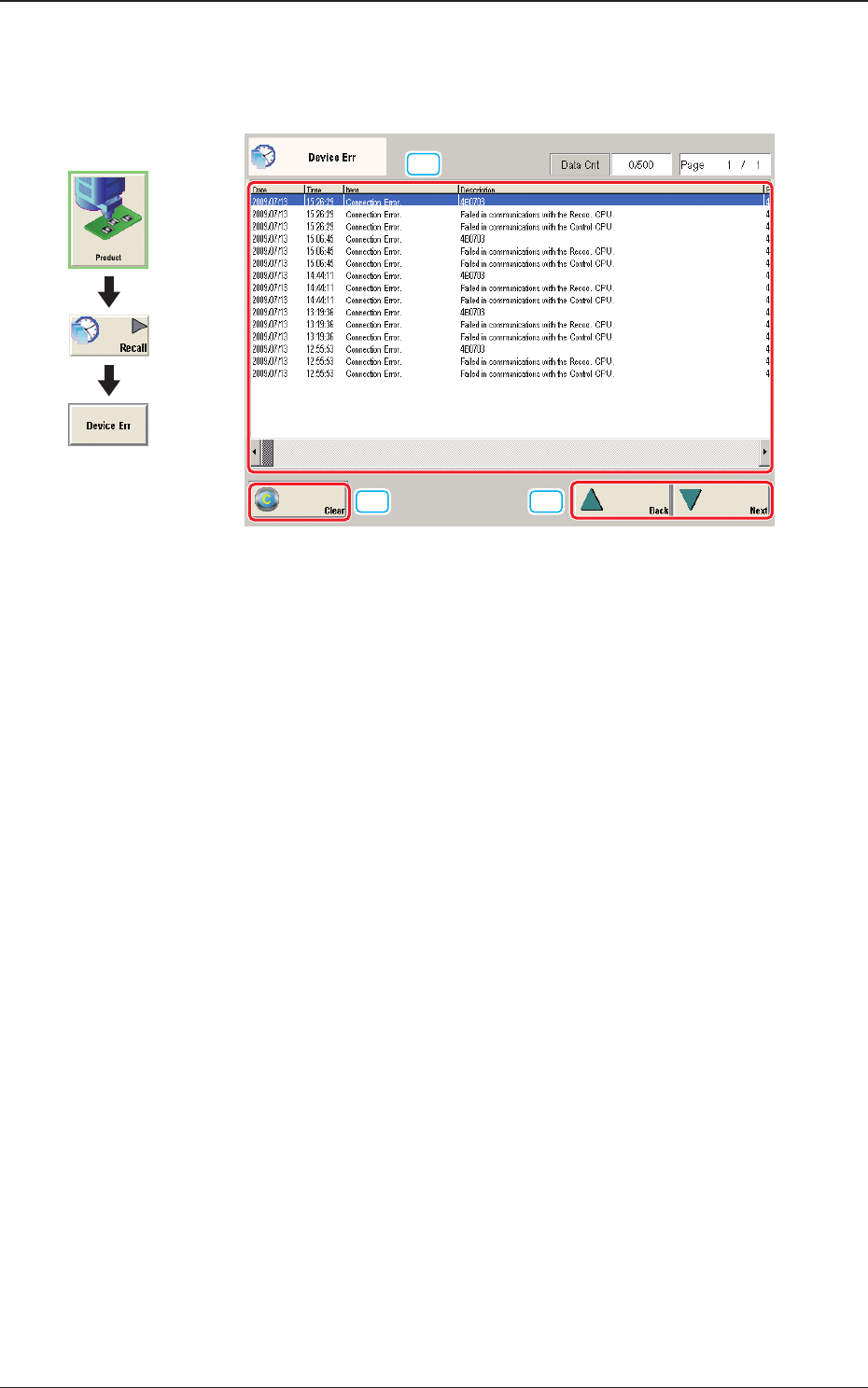
2OM-1733 5-2-1 2. "Device Err" Window When the [Device Err] button is pressed, the "Device Err" window appears. [2] [3] [1] Fig. 2E2-1 "Device Err" Window [1] Detailed Display Up to 500 logs…

2OM-1733
5-1-21205-001
2OM-1733
5-2-1
2. "Device Err" Window
When the [Device Err] button is pressed, the "Device Err" window appears.
[2]
[3]
[1]
Fig. 2E2-1 "Device Err" Window
[1] Detailed Display
Up to 500 logs of device errors will be displayed.
When the number of logs exceeds "500", the old logs are deleted in the
sequential order. That is, the logs are updated.
[2] [Clear] Button
When pressed, this button deletes the error logs.
[3] [Back] and [Next] Buttons
When the [Next] button is pressed, the next page opens. Pressing the [Back]
button opens the previous page.
Graphic
Development
1212-002
2. "Device Err" Window

2OM-1733
5-2-21205-001