2OM-1733-005w_F8.pdf - 第317页
2OM-1733 6-6-9 [4] XFER Start Using this function, the PCB transfer operation is performed. Select the block for the conveyor to be moved in the [1] Conveyor Image Display Section (two or more blocks can be selected). Af…
2OM-1733
6-6-81403-004
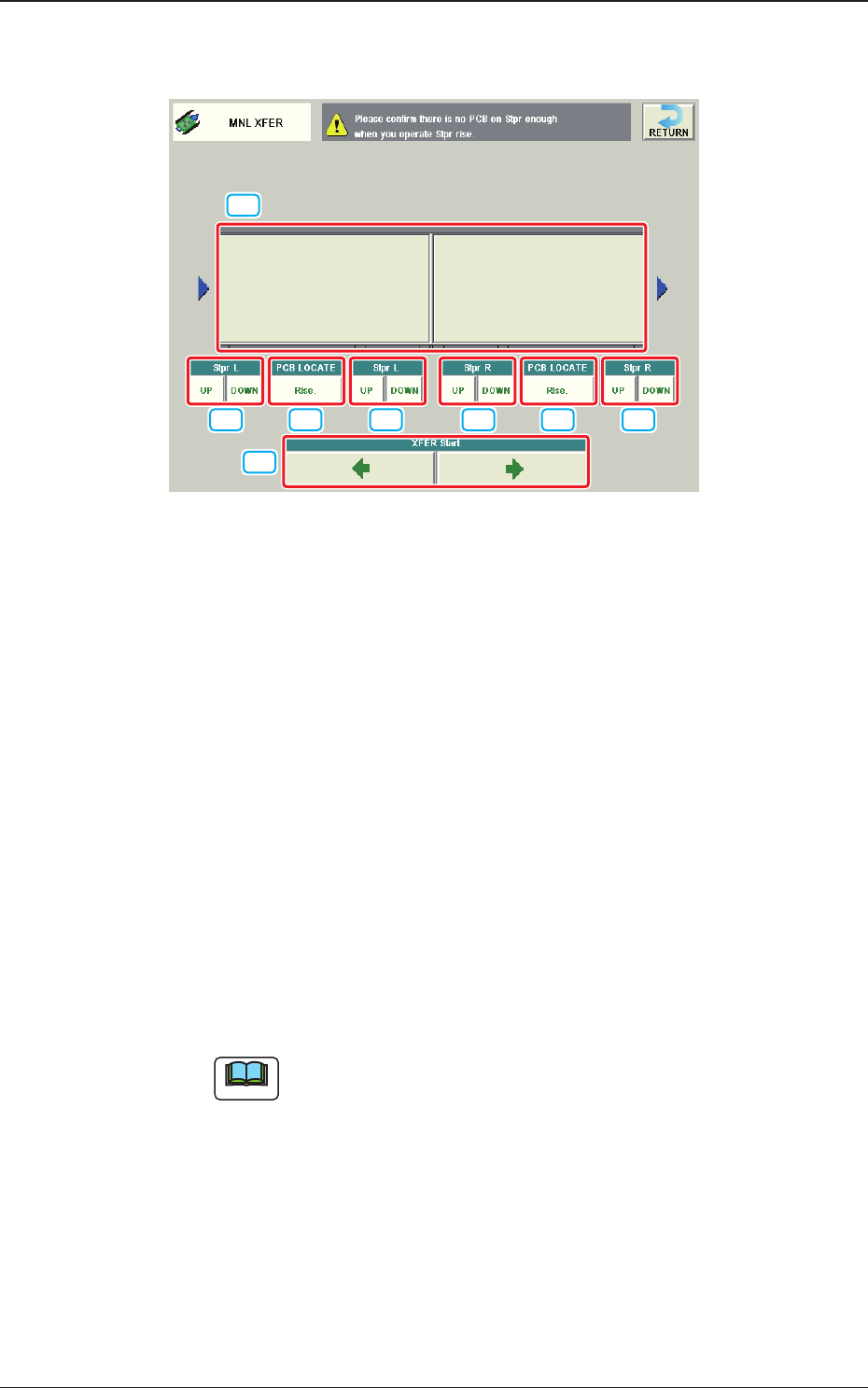
In the case that the PCB X size exceeds 255mm, the Window/Operation Mode is
changed to the following one.
[3] [2] [3] [3] [2] [3]
[4]
[1]
Fig. 2F6-4-1
[1] Conveyor Image Display Section
Each block of the conveyor, of which an image is displayed, functions as a
button.
[2] PCB LOCATE L and PCB LOCATE R
Using these buttons, PCB positioning is performed.
For the upstream side ("L" side in the above gure because "L -> R Transfer"
has been set), only the positioning cancellation operation is available.
When the [Rlse.] button is pressed and within 10 seconds, the [START]
button is pressed on the operation panel, the PCB positioning operation is
performed.
Perform the positioning operation in the PCB Transfer Window.
The operation procedure on the downstream side ("R" side in the above
gure because "L -> R Transfer" has been set) is the same as in the previous
page.
Note
For the Y510 mm Single Transfer Unit (Option), the positioning
cancellation operation only is available for both "L" and "R" sides.
[3] [Stpr L] and [Stpr R]
Using these selection buttons, the stopper positioning is performed.
When the [MOVE UP] button is pressed and within 10 seconds, the [START]
button is pressed on the operation panel, the stopper is moved up.
When the [MOVE DOWN] button is pressed and within 10 seconds, the
[START] button in pressed on the operation panel, the stopper is moved
down.
6.3 "MNL XFER" Window

2OM-1733
6-6-9
[4] XFER Start
Using this function, the PCB transfer operation is performed.
Select the block for the conveyor to be moved in the [1] Conveyor Image
Display Section (two or more blocks can be selected).
After selecting the block, when the transfer button for the selected direction
for the PCB transfer, is pressed and within 10 seconds, the [START] button
on the operation panel is pressed, the conveyor in the selected block is
moved as long as the button is pressed.
When the PCB reaches the sensor position at the end of the transfer direction
range, the conveyor is stopped.
1403-004
6.3 "MNL XFER" Window

2OM-1733
6-6-101403-004